Choosing the Right Database Client for Node.js Applications
@libsql/client, mssql, mysql, pg, and sqlite3 are npm packages that provide database connectivity from Node.js applications to various SQL databases. Each targets a specific database engine: @libsql/client is a modern client for libSQL (a fork of SQLite with networking capabilities), mssql connects to Microsoft SQL Server, mysql works with MySQL or MariaDB, pg (node-postgres) interfaces with PostgreSQL, and sqlite3 provides bindings for the embedded SQLite database. These libraries differ significantly in architecture, connection models, feature sets, and deployment constraints — making the choice highly dependent on your database backend, infrastructure, and application requirements.
Npm Package Weekly Downloads Trend
Github Stars Ranking
Stat Detail


Choosing the Right Database Client for Node.js Applications
When building a Node.js application that talks to a SQL database, picking the right client library isn’t just about syntax — it’s about matching your infrastructure, scalability needs, and deployment model. The five packages under review each serve distinct database engines and come with architectural trade-offs that directly impact how you write, deploy, and scale your code.
Let’s compare them across key dimensions: connection model, async patterns, transaction handling, and deployment constraints.
🔌 Connection Model: Persistent vs Embedded vs Remote
How your app connects to the database shapes everything from error handling to cold-start performance.
@libsql/client supports both local file access and remote connections over HTTP or WebSockets. This dual-mode design makes it unique among these options.
// @libsql/client: Remote connection over HTTP
import { createClient } from '@libsql/client';

const client = createClient({
  url: 'https://your-db.turso.io',
  authToken: 'your-token'
});

const result = await client.execute('SELECT * FROM users');
mssql uses TCP/IP connections to SQL Server instances, typically with connection pooling enabled by default.
// mssql: Pooled connection to SQL Server
import sql from 'mssql';

await sql.connect({
  server: 'localhost',
  user: 'sa',
  password: 'password',
  database: 'MyDB'
});

const result = await sql.query('SELECT * FROM users');
mysql establishes TCP connections to a MySQL server and supports connection pooling.
// mysql: Basic connection
import mysql from 'mysql';

const connection = mysql.createConnection({
  host: 'localhost',
  user: 'root',
  password: 'password',
  database: 'test'
});

connection.query('SELECT * FROM users', (error, results) => {
  console.log(results);
});
pg connects via TCP to PostgreSQL and integrates tightly with pg-pool for connection reuse.
// pg: Using pooled client
import { Pool } from 'pg';

const pool = new Pool({
  user: 'postgres',
  host: 'localhost',
  database: 'mydb',
  password: 'password',
  port: 5432
});

const res = await pool.query('SELECT * FROM users');
sqlite3 opens a local file — no network involved. This means zero latency but also no remote access.
// sqlite3: File-based connection
import sqlite3 from 'sqlite3';

const db = new sqlite3.Database('./mydb.sqlite');

db.all('SELECT * FROM users', (err, rows) => {
  console.log(rows);
});
💡 Key Insight: If you’re deploying to serverless or edge runtimes (e.g., Vercel Edge, Cloudflare Workers), only
@libsql/client(in HTTP mode) andsqlite3(for ephemeral storage) work reliably. Traditional TCP-based clients likepg,mysql, andmssqloften fail due to short-lived connections or lack of persistent sockets.
⏳ Async Patterns: Callbacks, Promises, and Beyond
Modern JavaScript favors promises and async/await, but not all drivers started that way.
@libsql/client is promise-native from the ground up.
const { rows } = await client.execute('SELECT name FROM users WHERE id = ?', [1]);
mssql supports both callbacks and promises. The recommended approach uses promises.
const result = await sql.query('SELECT name FROM users WHERE id = @id', { id: 1 });
mysql is callback-based by default. You must wrap it or use util.promisify for async/await.
import { promisify } from 'util';
const query = promisify(connection.query).bind(connection);
const rows = await query('SELECT name FROM users WHERE id = ?', [1]);
⚠️ Note: The
mysqlpackage is in maintenance mode. For new projects, the community strongly recommendsmysql2, which offers native promise support.
pg has first-class promise support via its query() method.
const { rows } = await pool.query('SELECT name FROM users WHERE id = $1', [1]);
sqlite3 is callback-only. No built-in promise API.
const { promisify } = require('util');
const all = promisify(db.all).bind(db);
const rows = await all('SELECT name FROM users WHERE id = ?', [1]);
💡 Recommendation: If you’re writing modern async code, prefer
@libsql/client,mssql, orpg. Formysqlandsqlite3, expect to add wrapper utilities or switch to alternatives likemysql2orbetter-sqlite3(which supports promises).
🧾 Transactions: Explicit vs Implicit Control
Handling multi-step operations safely requires transaction support.
@libsql/client uses explicit transaction blocks.
await client.transaction(async (tx) => {
  await tx.execute('INSERT INTO logs VALUES (?)', ['start']);
  await tx.execute('UPDATE users SET count = count + 1 WHERE id = ?', [1]);
});
mssql provides transaction objects with begin/commit/rollback control.
const transaction = new sql.Transaction();
await transaction.begin();
try {
  const request = new sql.Request(transaction);
  await request.query('UPDATE users SET ...');
  await transaction.commit();
} catch (err) {
  await transaction.rollback();
}
mysql requires manual BEGIN/COMMIT/ROLLBACK queries.
connection.beginTransaction(err => {
  if (err) throw err;
  connection.query('UPDATE users ...', err => {
    if (err) return connection.rollback(() => { throw err; });
    connection.commit(err => {
      if (err) return connection.rollback(() => { throw err; });
    });
  });
});
pg supports both manual SQL transactions and helper methods via extensions like pg-transactions, but the core library expects raw SQL.
await pool.query('BEGIN');
try {
  await pool.query('UPDATE users ...');
  await pool.query('COMMIT');
} catch (e) {
  await pool.query('ROLLBACK');
  throw e;
}
sqlite3 also uses raw SQL for transactions.
db.run('BEGIN');
db.run('UPDATE users ...', err => {
  if (err) {
    db.run('ROLLBACK');
  } else {
    db.run('COMMIT');
  }
});
💡 Observation: Only
@libsql/clientandmssqloffer structured, programmatic transaction APIs out of the box. Others rely on string-based SQL commands, increasing boilerplate and error risk.
🚫 Deprecated or Maintenance-Mode Packages
It’s critical to know which packages are still evolving:
mysql: Officially in “maintenance mode” per its npm page. No new features; only critical bug fixes. New projects should evaluatemysql2.sqlite3: Actively maintained but inherently limited by SQLite’s architecture (single-writer, file locking). Not suitable for high-concurrency web backends.@libsql/client,mssql, andpgare all under active development with regular releases and modern feature support.
🧪 Real-World Decision Scenarios
Scenario 1: Building a Serverless API on Vercel
You need a relational database that works in a stateless, short-lived environment.
- ✅ Best choice:
@libsql/client(with Turso or local file) - Why? HTTP-based protocol avoids TCP connection issues in serverless. SQLite semantics simplify schema management.
Scenario 2: Enterprise App on Azure with SQL Server
Your company uses Azure SQL and Windows Auth.
- ✅ Best choice:
mssql - Why? Native support for Azure AD authentication, connection resiliency, and T-SQL features.
Scenario 3: High-Traffic SaaS Product with Complex Queries
You need JSON support, full-text search, and concurrent writes.
- ✅ Best choice:
pg - Why? PostgreSQL excels at advanced data types and concurrency.
pgis battle-tested at scale.
Scenario 4: Local Desktop Application (Electron)
You need an embedded database with no setup.
- ✅ Best choice:
sqlite3 - Why? Zero dependencies, ACID-compliant, and perfect for single-user apps.
Scenario 5: Migrating from MySQL with Minimal Code Changes
You’re stuck with MySQL but want modern async syntax.
- ⚠️ Caution: Use
mysql2instead ofmysqlfor promise support and better performance.
📊 Summary Table
| Package | Database Target | Async Style | Connection Type | Serverless-Friendly | Transaction API |
|---|---|---|---|---|---|
@libsql/client | libSQL / SQLite | Promise-native | HTTP/WebSocket/File | ✅ Yes | ✅ Structured |
mssql | Microsoft SQL Server | Promise/callback | TCP (pooled) | ❌ No | ✅ Structured |
mysql | MySQL / MariaDB | Callback-only | TCP (pooled) | ❌ No | ❌ Raw SQL |
pg | PostgreSQL | Promise-native | TCP (pooled) | ❌ No | ❌ Raw SQL |
sqlite3 | SQLite (embedded) | Callback-only | Local file | ✅ (ephemeral) | ❌ Raw SQL |
💡 Final Guidance
- For new projects, avoid the legacy
mysqlpackage — reach formysql2if you must use MySQL. - If you’re on the edge,
@libsql/clientis the only truly edge-compatible relational client here. - For maximum power and concurrency,
pgwith PostgreSQL remains the gold standard for web-scale applications. - For simplicity and zero ops,
sqlite3is unmatched — just don’t use it where multiple writers contend.
Choose based not just on your database, but on where and how your code runs. The right client eliminates entire classes of runtime failures before they happen.
How to Choose: sqlite3 vs mysql vs @libsql/client vs mssql vs pg
- sqlite3:
Choose
sqlite3when you need an embedded, file-based relational database with zero configuration — ideal for desktop apps, CLI tools, testing environments, or local development. Avoid it for production web apps requiring concurrent writes or horizontal scaling, as SQLite’s concurrency model is limited. - mysql:
Choose
mysql(or its actively maintained forkmysql2) if you’re connecting to MySQL or MariaDB and need a stable, widely used driver with support for prepared statements, connection pooling, and SSL. Note that the originalmysqlpackage is in maintenance mode; for new projects, considermysql2unless you have specific compatibility requirements. - @libsql/client:
Choose
@libsql/clientif you're using libSQL — especially in serverless, edge, or local-first architectures where you need SQLite-compatible semantics with optional HTTP/WebSocket-based remote access. It’s ideal for applications targeting platforms like Cloudflare Workers or when you want to avoid managing traditional database servers while retaining relational capabilities. - mssql:
Choose
mssqlwhen your backend relies on Microsoft SQL Server and you need robust support for Windows authentication, Azure SQL integration, and T-SQL-specific features like table-valued parameters. It’s well-suited for enterprise environments deeply invested in the Microsoft ecosystem. - pg:
Choose
pgif you’re working with PostgreSQL. It’s the de facto standard Node.js client for Postgres, offering excellent performance, full support for modern features like JSONB, arrays, and notifications via LISTEN/NOTIFY, and a mature ecosystem including connection pooling (pg-pool) and promise-based APIs.
Popular Comparisons
README for sqlite3
⚙️ node-sqlite3
Asynchronous, non-blocking SQLite3 bindings for Node.js.





Features
- Straightforward query and parameter binding interface
- Full Buffer/Blob support
- Extensive debugging support
- Query serialization API
- Extension support, including bundled support for the json1 extension
- Big test suite
- Written in modern C++ and tested for memory leaks
- Bundles SQLite v3.44.2, or you can build using a local SQLite
Installing
You can use npm or yarn to install sqlite3:
- (recommended) Latest published package:
npm install sqlite3
# or
yarn add sqlite3
- GitHub's
masterbranch:npm install https://github.com/tryghost/node-sqlite3/tarball/master
Prebuilt binaries
sqlite3 v5+ was rewritten to use Node-API so prebuilt binaries do not need to be built for specific Node versions. sqlite3 currently builds for both Node-API v3 and v6. Check the Node-API version matrix to ensure your Node version supports one of these. The prebuilt binaries should be supported on Node v10+.
The module uses prebuild-install to download the prebuilt binary for your platform, if it exists. These binaries are hosted on GitHub Releases for sqlite3 versions above 5.0.2, and they are hosted on S3 otherwise. The following targets are currently provided:
darwin-arm64darwin-x64linux-arm64linux-x64linuxmusl-arm64linuxmusl-x64win32-ia32win32-x64
Unfortunately, prebuild cannot differentiate between armv6 and armv7, and instead uses arm as the {arch}. Until that is fixed, you will still need to install sqlite3 from source.
Support for other platforms and architectures may be added in the future if CI supports building on them.
If your environment isn't supported, it'll use node-gyp to build SQLite, but you will need to install a C++ compiler and linker.
Other ways to install
It is also possible to make your own build of sqlite3 from its source instead of its npm package (See below.).
The sqlite3 module also works with node-webkit if node-webkit contains a supported version of Node.js engine. (See below.)
SQLite's SQLCipher extension is also supported. (See below.)
API
See the API documentation in the wiki.
Usage
Note: the module must be installed before use.
const sqlite3 = require('sqlite3').verbose();
const db = new sqlite3.Database(':memory:');

db.serialize(() => {
    db.run("CREATE TABLE lorem (info TEXT)");

    const stmt = db.prepare("INSERT INTO lorem VALUES (?)");
    for (let i = 0; i < 10; i++) {
        stmt.run("Ipsum " + i);
    }
    stmt.finalize();

    db.each("SELECT rowid AS id, info FROM lorem", (err, row) => {
        console.log(row.id + ": " + row.info);
    });
});

db.close();
Source install
To skip searching for pre-compiled binaries, and force a build from source, use
npm install --build-from-source
The sqlite3 module depends only on libsqlite3. However, by default, an internal/bundled copy of sqlite will be built and statically linked, so an externally installed sqlite3 is not required.
If you wish to install against an external sqlite then you need to pass the --sqlite argument to npm wrapper:
npm install --build-from-source --sqlite=/usr/local
If building against an external sqlite3 make sure to have the development headers available. Mac OS X ships with these by default. If you don't have them installed, install the -dev package with your package manager, e.g. apt-get install libsqlite3-dev for Debian/Ubuntu. Make sure that you have at least libsqlite3 >= 3.6.
Note, if building against homebrew-installed sqlite on OS X you can do:
npm install --build-from-source --sqlite=/usr/local/opt/sqlite/
Custom file header (magic)
The default sqlite file header is "SQLite format 3". You can specify a different magic, though this will make standard tools and libraries unable to work with your files.
npm install --build-from-source --sqlite_magic="MyCustomMagic15"
Note that the magic must be exactly 15 characters long (16 bytes including null terminator).
Building for node-webkit
Because of ABI differences, sqlite3 must be built in a custom to be used with node-webkit.
To build sqlite3 for node-webkit:
-
Install
nw-gypglobally:npm install nw-gyp -g(unless already installed) -
Build the module with the custom flags of
--runtime,--target_arch, and--target:
NODE_WEBKIT_VERSION="0.8.6" # see latest version at https://github.com/rogerwang/node-webkit#downloads
npm install sqlite3 --build-from-source --runtime=node-webkit --target_arch=ia32 --target=$(NODE_WEBKIT_VERSION)
You can also run this command from within a sqlite3 checkout:
npm install --build-from-source --runtime=node-webkit --target_arch=ia32 --target=$(NODE_WEBKIT_VERSION)
Remember the following:
-
You must provide the right
--target_archflag.ia32is needed to target 32bit node-webkit builds, whilex64will target 64bit node-webkit builds (if available for your platform). -
After the
sqlite3package is built for node-webkit it cannot run in the vanilla Node.js (and vice versa).- For example,
npm testof the node-webkit's package would fail.
- For example,
Visit the “Using Node modules” article in the node-webkit's wiki for more details.
Building for SQLCipher
For instructions on building SQLCipher, see Building SQLCipher for Node.js. Alternatively, you can install it with your local package manager.
To run against SQLCipher, you need to compile sqlite3 from source by passing build options like:
npm install sqlite3 --build-from-source --sqlite_libname=sqlcipher --sqlite=/usr/

node -e 'require("sqlite3")'
If your SQLCipher is installed in a custom location (if you compiled and installed it yourself), you'll need to set some environment variables:
On OS X with Homebrew
Set the location where brew installed it:
export LDFLAGS="-L`brew --prefix`/opt/sqlcipher/lib"
export CPPFLAGS="-I`brew --prefix`/opt/sqlcipher/include/sqlcipher"
npm install sqlite3 --build-from-source --sqlite_libname=sqlcipher --sqlite=`brew --prefix`

node -e 'require("sqlite3")'
On most Linuxes (including Raspberry Pi)
Set the location where make installed it:
export LDFLAGS="-L/usr/local/lib"
export CPPFLAGS="-I/usr/local/include -I/usr/local/include/sqlcipher"
export CXXFLAGS="$CPPFLAGS"
npm install sqlite3 --build-from-source --sqlite_libname=sqlcipher --sqlite=/usr/local --verbose

node -e 'require("sqlite3")'
Custom builds and Electron
Running sqlite3 through electron-rebuild does not preserve the SQLCipher extension, so some additional flags are needed to make this build Electron compatible. Your npm install sqlite3 --build-from-source command needs these additional flags (be sure to replace the target version with the current Electron version you are working with):
--runtime=electron --target=18.2.1 --dist-url=https://electronjs.org/headers
In the case of MacOS with Homebrew, the command should look like the following:
npm install sqlite3 --build-from-source --sqlite_libname=sqlcipher --sqlite=`brew --prefix` --runtime=electron --target=18.2.1 --dist-url=https://electronjs.org/headers
Testing
npm test
Contributors
- Daniel Lockyer
- Konstantin Käfer
- Dane Springmeyer
- Will White
- Orlando Vazquez
- Artem Kustikov
- Eric Fredricksen
- John Wright
- Ryan Dahl
- Tom MacWright
- Carter Thaxton
- Audrius Kažukauskas
- Johannes Schauer
- Mithgol
- Kewde
Acknowledgments
Thanks to Orlando Vazquez, Eric Fredricksen and Ryan Dahl for their SQLite bindings for node, and to mraleph on Freenode's #v8 for answering questions.
This module was originally created by Mapbox & is now maintained by Ghost.
Changelog
We use GitHub releases for notes on the latest versions. See CHANGELOG.md in git history for details on older versions.
License
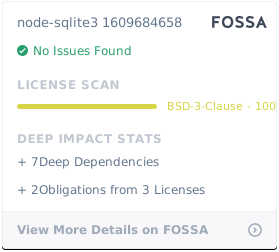
node-sqlite3 is BSD licensed.