Architectural Patterns for React Internationalization
@lingui/react and react-i18next are the two leading solutions for adding internationalization (i18n) to React applications, but they solve the problem with fundamentally different philosophies. react-i18next is a React-specific binding for the mature i18next ecosystem, relying on JSON translation files and a runtime interpreter to resolve keys into strings. It excels in dynamic environments where translations might change without a rebuild. @lingui/react, part of the LinguiJS framework, uses a compiler-based approach. It extracts messages from source code into standard PO (Portable Object) files, compiles them into efficient JavaScript catalogs, and swaps them at runtime. This approach prioritizes developer experience with inline macros and smaller runtime overhead by eliminating the need for a heavy interpolation engine in the browser.
Npm Package Weekly Downloads Trend
Github Stars Ranking
Stat Detail


@lingui/react vs react-i18next: A Deep Dive into i18n Architectures
Internationalization (i18n) in React often boils down to a choice between two distinct architectural patterns: the runtime interpreter model and the compile-time extraction model. react-i18next represents the former, leveraging the vast i18next ecosystem, while @lingui/react champions the latter with a developer-centric, compiler-driven workflow. Understanding these differences is critical for scaling your application's localization strategy.
📝 Defining Translations: Keys vs. Messages
The most visible difference lies in how you write translations in your code. This decision impacts readability, refactoring safety, and the workflow for your translation team.
react-i18next relies on string keys. You define an arbitrary identifier in your code and map it to a translation in a separate JSON file. This decouples code from content but can lead to "key hell" where the meaning of a key is lost without checking the JSON file.
// react-i18next: Using a string key
import { useTranslation } from 'react-i18next';

function Welcome({ user }) {
  const { t } = useTranslation();
  // The key 'welcome.message' has no inherent meaning in the code
  return <h1>{t('welcome.message', { name: user.name })}</h1>;
}

// corresponding JSON (en.json)
// { "welcome": { "message": "Welcome, {{name}}!" } }
@lingui/react uses messages as keys (or macros). The English string (or template) acts as the identifier. This makes the code self-documenting. If you change the message in the code, the system treats it as a new string to translate, preventing stale translations.
// @lingui/react: Using the message directly (Macro approach)
import { Trans } from '@lingui/react';
import { t } from '@lingui/core/macro';

function Welcome({ user }) {
  // The message itself is the source of truth
  return <h1><Trans>Welcome, {user.name}!</Trans></h1>;

  // Or using the t macro for variables
  // const message = t`Welcome, ${user.name}!`;
}
⚙️ Under the Hood: Runtime Parsing vs. Compiled Catalogs
Performance and bundle size are heavily influenced by how these libraries process translation strings in the browser.
react-i18next includes a runtime parser. When you call t('key', { val }), the library looks up the key in a JSON object and runs an interpolation engine to replace {{val}} with the actual value. This adds a small but constant computational cost on every render where translations are used. It also requires the JSON translation files to be shipped to the client (or fetched asynchronously).
// react-i18next: Runtime interpolation
// The library must parse the string "Hello {{name}}" at runtime
const element = <div>{t('greeting', { name: 'Alice' })}</div>;
@lingui/react uses a build-time compiler. During your build process (Webpack, Vite, etc.), the Lingui CLI compiles your PO files into efficient JavaScript catalogs. The complex logic for handling plurals and selectores is pre-computed. At runtime, the library simply executes a function or accesses a value, with minimal parsing required. This results in faster rendering and often smaller bundles since the heavy interpolation logic isn't needed in the same way.
// @lingui/react: Compiled catalog usage
// The compiler transforms the Trans component into an optimized lookup
// No heavy string parsing happens at runtime for basic replacements
const element = <div>{i18n._(compiledCatalog.greeting, { name: 'Alice' })}</div>;
🌐 Handling Plurals and Complex Grammar
Languages have complex rules for plurals (e.g., English has 2 forms, Russian has 4, Arabic has 6). Both libraries handle this, but the syntax differs significantly.
react-i18next uses a specific syntax within the JSON string or the t function options. You often pass a count variable, and the library selects the correct form based on the current locale's rules defined in the backend configuration.
// react-i18next: Plurals via count option
// JSON: "item_count": "{{count}} item", "item_count_plural": "{{count}} items"
const { t } = useTranslation();
return <div>{t('item_count', { count: items.length })}</div>;
@lingui/react provides a dedicated <Plural> component or macro that makes the logic explicit and readable in JSX. It supports standard ICU message format syntax, which is an industry standard.
// @lingui/react: Plurals via Component/Macro
import { Plural } from '@lingui/react';

return (
  <div>
    <Plural
      value={items.length}
      one="# item"
      other="# items"
    />
  </div>
);
🔄 Workflow: JSON Files vs. PO Files
The file format you manage defines your interaction with translation management systems (TMS) and translators.
react-i18next defaults to JSON. This is easy for developers to read and edit. However, standard JSON lacks context fields (comments for translators) and metadata. While i18next supports adding context keys, it often requires custom tooling to export these to formats translators prefer.
// react-i18next: Standard JSON structure
{
  "login": {
    "title": "Sign In",
    "subtitle": "Welcome back"
  }
}
@lingui/react uses PO (Portable Object) files, the standard in GNU Gettext. These files natively support msgctxt (context) and comments (#.), making them ideal for professional translation workflows. Translators can see exactly where a string is used if configured correctly.
# @lingui/react: PO file format
#. js-lingui-explicit-id
#. Context: Login screen header
msgctxt "login.title"
msgid "Sign In"
msgstr "Iniciar Sesión"
🎯 Dynamic Language Switching
How the application handles changing languages at runtime (e.g., a user selecting "French" from a dropdown) varies.
react-i18next excels here. It was designed to fetch translation namespaces asynchronously. You can load new JSON files on the fly without reloading the page. This is crucial for large apps where you don't want to ship all languages in the initial bundle.
// react-i18next: Dynamic loading
import { useTranslation } from 'react-i18next';

function LanguageSelector() {
  const { i18n } = useTranslation();

  const changeLanguage = (lng) => {
    // Fetches new JSON resources dynamically
    i18n.changeLanguage(lng);
  };

  return <button onClick={() => changeLanguage('fr')}>Français</button>;
}
@lingui/react typically requires the catalogs for all active languages to be available (either bundled or pre-fetched). While dynamic loading is possible by importing catalogs asynchronously, the pattern is slightly more manual compared to the built-in backend adapters of i18next. The focus is usually on swapping the compiled catalog object.
// @lingui/react: Swapping compiled catalogs
import { i18n } from '@lingui/core';
import { messages as enMessages } from './locales/en/messages';
import { messages as frMessages } from './locales/fr/messages';

async function switchLanguage(locale) {
  let messages;
  if (locale === 'fr') {
    // Dynamic import of compiled catalog
    const catalog = await import('./locales/fr/messages');
    messages = catalog.messages;
  } else {
    messages = enMessages;
  }

  i18n.loadAndActivate({ locale, messages });
}
🤝 Shared Capabilities
Despite their architectural differences, both libraries solve the core problems of modern React i18n effectively.
1. React Integration
Both provide hooks and components that integrate seamlessly with React's rendering lifecycle, ensuring UI updates when the language changes.
// Both support hooks for accessing translation functions
// react-i18next
const { t } = useTranslation();

// @lingui/react
const { i18n } = useLingui();
// const _ = i18n._;
2. Formatting Support
Both handle dates, numbers, and currencies using standard Intl APIs, though the syntax to invoke them differs.
// react-i18next: Using interpolation options
<div>{t('price', { val: 1000, formatParams: { val: { style: 'currency', currency: 'USD' } } })}</div>

// @lingui/react: Using Number component
import { Number } from '@lingui/react';
<div><Number value={1000} style="currency" currency="USD" /></div>
3. Testing Utilities
Both offer robust ways to test components without needing the full translation engine running, allowing for unit tests that verify rendering logic.
// react-i18next: Mocking the hook
jest.mock('react-i18next', () => ({
  useTranslation: () => ({ t: (key) => key })
}));

// @lingui/react: Providing a mock i18n instance
import { I18nProvider } from '@lingui/react';
import { i18n } from '@lingui/core';
// Wrap component with I18nProvider in tests
📊 Summary: Key Differences
| Feature | react-i18next | @lingui/react |
|---|---|---|
| Primary Key Type | Arbitrary String Keys (login.title) | Messages / Templates (Sign In) |
| File Format | JSON (default) | PO (Portable Object) |
| Processing | Runtime Interpolation | Compile-time Extraction |
| Plural Syntax | Suffix keys (_plural) or options | <Plural> component / ICU syntax |
| Dynamic Loading | Built-in, first-class support | Manual catalog swapping |
| Ecosystem | Massive (backend adapters, CMS plugins) | Growing, focused on JS/React |
| Translator Context | Limited (requires custom keys) | Native (via PO comments/context) |
💡 The Big Picture
react-i18next is the pragmatic choice for enterprise applications that need to integrate with existing backend translation pipelines, CMS platforms, or require dynamic language switching with minimal setup. Its JSON-based approach is familiar to most web developers, and its ecosystem is unmatched.
@lingui/react is the developer-centric choice for teams that value type safety, readable code, and standard translation workflows (PO files). It shines in projects where the translation content is stable between builds and where keeping the runtime performance lean is a priority. By treating messages as code, it reduces the cognitive load of managing arbitrary keys.
Final Thought: If your priority is ecosystem integration and dynamic flexibility, go with react-i18next. If your priority is developer experience, type safety, and standard translation workflows, @lingui/react offers a modern, compelling alternative.
How to Choose: react-i18next vs @lingui/react
- react-i18next:
Choose
react-i18nextif you require a battle-tested solution with a massive plugin ecosystem, including ready-made integrations for backend frameworks and CMS platforms. It is the better fit for applications that need to load or change languages dynamically at runtime without rebuilding, or for teams that prefer separating translation keys from source code via external JSON namespaces. Select this if your workflow relies heavily on existingi18nexttools or if you need complex interpolation features out of the box. - @lingui/react:
Choose
@lingui/reactif your team prefers writing translations directly inside components using macros or theTranscomponent, keeping context close to the code. It is ideal for projects that want standard PO file support (familiar to professional translators), zero runtime parsing overhead, and strong TypeScript integration where translation keys are derived from the message itself rather than arbitrary IDs. Avoid this if you need to hot-swap translations from a CMS without a build step.
Popular Comparisons
README for react-i18next
react-i18next 




IMPORTANT:
Master Branch is the newest version using hooks (>= v10).
$ >=v10.0.0
npm i react-i18next
react-native: To use hooks within react-native, you must use react-native v0.59.0 or higher
For the legacy version please use the v9.x.x Branch
$ v9.0.10 (legacy)
npm i react-i18next@legacy
Advice:
If you don't like to manage your translation files manually or are simply looking for a better management solution, take a look at i18next-locize-backend. The i18next backend plugin for 🌐 Locize ☁️ — built by the same team behind react-i18next, with CDN delivery, AI translation, and no redeploys for copy changes.
Starting from a React app with hardcoded strings (e.g. generated with v0, Lovable or Cursor)? Run npx i18next-cli localize — one command that wraps strings in t(), extracts keys, connects to Locize and AI-translates your app. See the launch post.
Documentation
The documentation is published on react.i18next.com and PR changes can be supplied here.
The general i18next documentation is published on www.i18next.com and PR changes can be supplied here.
What will my code look like?
Before: Your react code would have looked something like:
...
<div>Just simple content</div>
<div>
  Hello <strong title="this is your name">{name}</strong>, you have {count} unread message(s). <Link to="/msgs">Go to messages</Link>.
</div>
...
After: With the trans component just change it to:
...
<div>{t('simpleContent')}</div>
<Trans i18nKey="userMessagesUnread" count={count}>
  Hello <strong title={t('nameTitle')}>{{name}}</strong>, you have {{count}} unread message. <Link to="/msgs">Go to messages</Link>.
</Trans>
...
📖 What others say
- How to properly internationalize a React application using i18next by Adriano Raiano
- I18n with React and i18next via Alligator.io by Danny Hurlburt
- Ultimate Localization of React (Mobx) App with i18next via itnext.io by Viktor Shevchenko
- Internationalization for react done right Using the i18next i18n ecosystem via reactjsexample.com
- How to translate React application with react-i18next via codetain.co by Norbert Suski
- Building i18n with Gatsby via gatsbyjs.org by Samuel Goudie
- Get your react.js application translated with style by Jan Mühlemann
- Translate your expo.io / react-native mobile application by Jan Mühlemann
- You're welcome to share your story...
Why i18next?
- Simplicity: no need to change your webpack configuration or add additional babel transpilers, just use create-react-app and go.
- Production ready we know there are more needs for production than just doing i18n on the clientside, so we offer wider support on serverside too (nodejs, php, ruby, .net, ...). Learn once - translate everywhere.
- Beyond i18n comes with Locize bridging the gap between development and translations - covering the whole translation process. Now with a Free plan for your side projects!
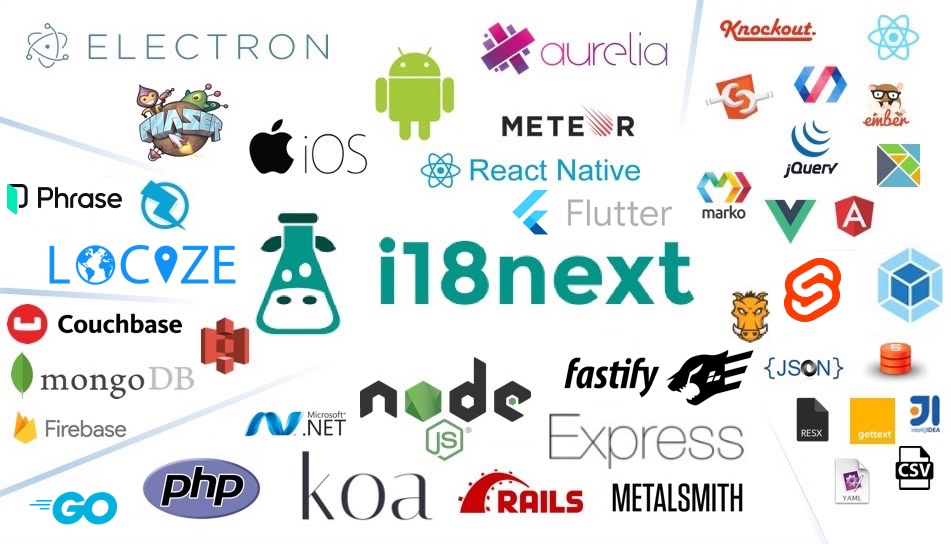
Localization workflow
Want to learn more about how seamless your internationalization and translation process can be?

Installation
Source can be loaded via npm or downloaded from this repo.
# npm package
$ npm install react-i18next
- If you don't use a module loader it will be added to
window.reactI18next
Do you like to read a more complete step by step tutorial?
Here you'll find a simple tutorial on how to best use react-i18next. Some basics of i18next and some cool possibilities on how to optimize your localization workflow.
Examples
v9 samples
- Example react
- Example preact
- Example react-native
- Example expo.io
- Example next.js
- Example razzle
- Example hashbase / beaker browser
- Example storybook
- Example locize.com
- Example test with jest
Requirements
- react >= 16.8.0
- react-dom >= 16.8.0
- react-native >= 0.59.0
- i18next >= 10.0.0 (typescript users: >=17.0.9)
v9
- react >= 0.14.0 (in case of < v16 or preact you will need to define parent in Trans component or globally in i18next.react options)
- i18next >= 2.0.0
Core Contributors
Thanks goes to these wonderful people (emoji key):
 Jan Mühlemann 💻 💡 👀 📖 💬 |  Adriano Raiano 💻 💡 👀 📖 💬 |  Pedro Durek 💻 💡 👀 💬 |  Tiger Abrodi 💻 👀 |
This project follows the all-contributors specification. Contributions of any kind are welcome!
Gold Sponsors

localization as a service - Locize
Needing a translation management? Want to edit your translations with an InContext Editor? Use the original provided to you by the maintainers of i18next!
Now with a Free plan for small projects! Perfect for hobbyists or getting started.
By using Locize you directly support the future of i18next and react-i18next.