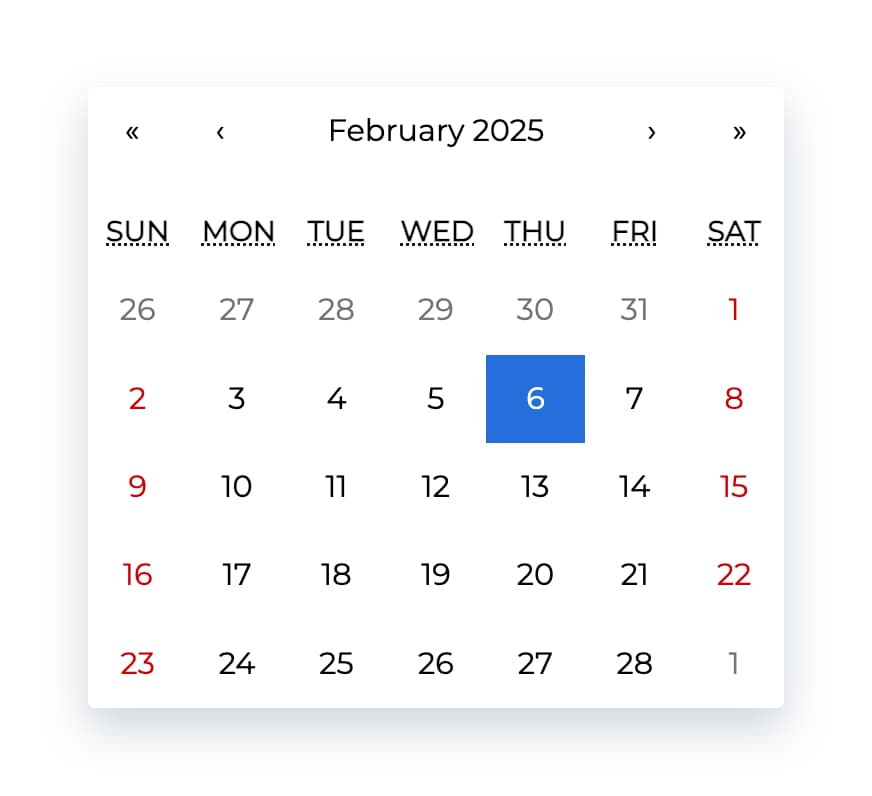
| activeStartDate | The beginning of a period that shall be displayed. If you wish to use react-calendar in an uncontrolled way, use defaultActiveStartDate instead. | (today) | new Date(2017, 0, 1) |
| allowPartialRange | Whether to call onChange with only partial result given selectRange prop. | false | true |
| calendarType | Type of calendar that should be used. Can be 'gregory, 'hebrew', 'islamic', 'iso8601'. Setting to "gregory" or "hebrew" will change the first day of the week to Sunday. Setting to "islamic" will change the first day of the week to Saturday. Setting to "islamic" or "hebrew" will make weekends appear on Friday to Saturday. | Type of calendar most commonly used in a given locale | 'iso8601' |
| className | Class name(s) that will be added along with "react-calendar" to the main react-calendar <div> element. | n/a | - String:
"class1 class2" - Array of strings:
["class1", "class2 class3"]
|
| data-testid | The test ID used for testing purposes. | n/a | 'calendar' |
| defaultActiveStartDate | The beginning of a period that shall be displayed by default. If you wish to use react-calendar in a controlled way, use activeStartDate instead. | (today) | new Date(2017, 0, 1) |
| defaultValue | Calendar value that shall be selected initially. Can be either one value or an array of two values. If you wish to use react-calendar in a controlled way, use value instead. | n/a | - Date:
new Date() - An array of dates:
[new Date(2017, 0, 1), new Date(2017, 7, 1)]
|
| defaultView | Determines which calendar view shall be opened initially. Does not disable navigation. Can be "month", "year", "decade" or "century". If you wish to use react-calendar in a controlled way, use view instead. | The most detailed view allowed | "year" |
| formatDay | Function called to override default formatting of day tile labels. Can be used to use your own formatting function. | (default formatter) | (locale, date) => formatDate(date, 'd') |
| formatLongDate | Function called to override default formatting of day tile abbr labels. Can be used to use your own formatting function. | (default formatter) | (locale, date) => formatDate(date, 'dd MMM YYYY') |
| formatMonth | Function called to override default formatting of month names. Can be used to use your own formatting function. | (default formatter) | (locale, date) => formatDate(date, 'MMM') |
| formatMonthYear | Function called to override default formatting of months and years. Can be used to use your own formatting function. | (default formatter) | (locale, date) => formatDate(date, 'MMMM YYYY') |
| formatShortWeekday | Function called to override default formatting of weekday names (shortened). Can be used to use your own formatting function. | (default formatter) | (locale, date) => formatDate(date, 'dd') |
| formatWeekday | Function called to override default formatting of weekday names. Can be used to use your own formatting function. | (default formatter) | (locale, date) => formatDate(date, 'dd') |
| formatYear | Function called to override default formatting of year in the top navigation section. Can be used to use your own formatting function. | (default formatter) | (locale, date) => formatDate(date, 'YYYY') |
| goToRangeStartOnSelect | Whether to go to the beginning of the range when selecting the end of the range. | true | false |
| inputRef | A prop that behaves like ref, but it's passed to main <div> rendered by <Calendar> component. | n/a | - Function:
(ref) => { this.myCalendar = ref; } - Ref created using
createRef:
this.ref = createRef();
…
inputRef={this.ref} - Ref created using
useRef:
const ref = useRef();
…
inputRef={ref}
|
| locale | Locale that should be used by the calendar. Can be any IETF language tag. Note: When using SSR, setting this prop may help resolving hydration errors caused by locale mismatch between server and client. | Server locale/User's browser settings | "hu-HU" |
| maxDate | Maximum date that the user can select. Periods partially overlapped by maxDate will also be selectable, although react-calendar will ensure that no later date is selected. | n/a | Date: new Date() |
| maxDetail | The most detailed view that the user shall see. View defined here also becomes the one on which clicking an item will select a date and pass it to onChange. Can be "month", "year", "decade" or "century". | "month" | "year" |
| minDate | Minimum date that the user can select. Periods partially overlapped by minDate will also be selectable, although react-calendar will ensure that no earlier date is selected. | n/a | Date: new Date() |
| minDetail | The least detailed view that the user shall see. Can be "month", "year", "decade" or "century". | "century" | "decade" |
| navigationAriaLabel | aria-label attribute of a label rendered on calendar navigation bar. | n/a | "Go up" |
| navigationAriaLive | aria-live attribute of a label rendered on calendar navigation bar. | undefined | "polite" |
| navigationLabel | Content of a label rendered on calendar navigation bar. | (default label) | ({ date, label, locale, view }) => alert(`Current view: ${view}, date: ${date.toLocaleDateString(locale)}`) |
| next2AriaLabel | aria-label attribute of the "next on higher level" button on the navigation pane. | n/a | "Jump forwards" |
| next2Label | Content of the "next on higher level" button on the navigation pane. Setting the value explicitly to null will hide the icon. | "»" | - String:
"»" - React element:
<DoubleNextIcon />
|
| nextAriaLabel | aria-label attribute of the "next" button on the navigation pane. | n/a | "Next" |
| nextLabel | Content of the "next" button on the navigation pane. Setting the value explicitly to null will hide the icon. | "›" | - String:
"›" - React element:
<NextIcon />
|
| onActiveStartDateChange | Function called when the user navigates from one view to another using previous/next button. Note that this function will not be called when e.g. drilling up from January 2021 to 2021 or drilling down the other way around.
action signifies the reason for active start date change and can be one of the following values: "prev", "prev2", "next", "next2", "drillUp", "drillDown", "onChange". | n/a | ({ action, activeStartDate, value, view }) => alert('Changed view to: ', activeStartDate, view) |
| onChange | Function called when the user clicks an item (day on month view, month on year view and so on) on the most detailed view available. | n/a | (value, event) => alert('New date is: ', value) |
| onClickDay | Function called when the user clicks a day. | n/a | (value, event) => alert('Clicked day: ', value) |
| onClickDecade | Function called when the user clicks a decade. | n/a | (value, event) => alert('Clicked decade: ', value) |
| onClickMonth | Function called when the user clicks a month. | n/a | (value, event) => alert('Clicked month: ', value) |
| onClickWeekNumber | Function called when the user clicks a week number. | n/a | (weekNumber, date, event) => alert('Clicked week: ', weekNumber, 'that starts on: ', date) |
| onClickYear | Function called when the user clicks a year. | n/a | (value, event) => alert('Clicked year: ', value) |
| onDrillDown | Function called when the user drills down by clicking a tile. | n/a | ({ activeStartDate, view }) => alert('Drilled down to: ', activeStartDate, view) |
| onDrillUp | Function called when the user drills up by clicking drill up button. | n/a | ({ activeStartDate, view }) => alert('Drilled up to: ', activeStartDate, view) |
| onViewChange | Function called when the user navigates from one view to another using drill up button or by clicking a tile.
action signifies the reason for view change and can be one of the following values: "prev", "prev2", "next", "next2", "drillUp", "drillDown", "onChange". | n/a | ({ action, activeStartDate, value, view }) => alert('New view is: ', view) |
| prev2AriaLabel | aria-label attribute of the "previous on higher level" button on the navigation pane. | n/a | "Jump backwards" |
| prev2Label | Content of the "previous on higher level" button on the navigation pane. Setting the value explicitly to null will hide the icon. | "«" | - String:
"«" - React element:
<DoublePreviousIcon />
|
| prevAriaLabel | aria-label attribute of the "previous" button on the navigation pane. | n/a | "Previous" |
| prevLabel | Content of the "previous" button on the navigation pane. Setting the value explicitly to null will hide the icon. | "‹" | - String:
"‹" - React element:
<PreviousIcon />
|
| returnValue | Which dates shall be passed by the calendar to the onChange function and onClick{Period} functions. Can be "start", "end" or "range". The latter will cause an array with start and end values to be passed. | "start" | "range" |
| selectRange | Whether the user shall select two dates forming a range instead of just one. Note: This feature will make react-calendar return array with two dates regardless of returnValue setting. | false | true |
| showDoubleView | Whether to show two months/years/… at a time instead of one. Defaults showFixedNumberOfWeeks prop to be true. | false | true |
| showFixedNumberOfWeeks | Whether to always show fixed number of weeks (6). Forces showNeighboringMonth prop to be true. | false | true |
| showNavigation | Whether a navigation bar with arrows and title shall be rendered. | true | false |
| showNeighboringCentury | Whether decades from next century shall be rendered to fill the entire last row in. | false | true |
| showNeighboringDecade | Whether years from next decade shall be rendered to fill the entire last row in. | false | true |
| showNeighboringMonth | Whether days from previous or next month shall be rendered if the month doesn't start on the first day of the week or doesn't end on the last day of the week, respectively. | true | false |
| showWeekNumbers | Whether week numbers shall be shown at the left of MonthView or not. | false | true |
| tileClassName | Class name(s) that will be applied to a given calendar item (day on month view, month on year view and so on). | n/a | - String:
"class1 class2" - Array of strings:
["class1", "class2 class3"] - Function:
({ activeStartDate, date, view }) => view === 'month' && date.getDay() === 3 ? 'wednesday' : null
|
| tileContent | Allows to render custom content within a given calendar item (day on month view, month on year view and so on). | n/a | - String:
"Sample" - React element:
<TileContent /> - Function:
({ activeStartDate, date, view }) => view === 'month' && date.getDay() === 0 ? <p>It's Sunday!</p> : null
|
| tileDisabled | Pass a function to determine if a certain day should be displayed as disabled. | n/a | ({ activeStartDate, date, view }) => date.getDay() === 0 |
| value | Calendar value. Can be either one value or an array of two values. If you wish to use react-calendar in an uncontrolled way, use defaultValue instead. | n/a | - Date:
new Date() - String:
2017-01-01 - An array of dates:
[new Date(2017, 0, 1), new Date(2017, 7, 1)] - An array of strings:
['2017-01-01', '2017-08-01']
|
| view | Determines which calendar view shall be opened. Does not disable navigation. Can be "month", "year", "decade" or "century". If you wish to use react-calendar in an uncontrolled way, use defaultView instead. | The most detailed view allowed | "year" |