react-native-image-zoom-viewer
react native image viewer,大图浏览


Search packages..
react-native-image-zoom-viewerSimilar Packages:
Npm Package Weekly Downloads Trend
3 Years
Cumulative GitHub Star Trend
Stat Detail


Popular Comparisons
react-native-image-zoom-viewer
README for react-native-image-zoom-viewer
Show Cases
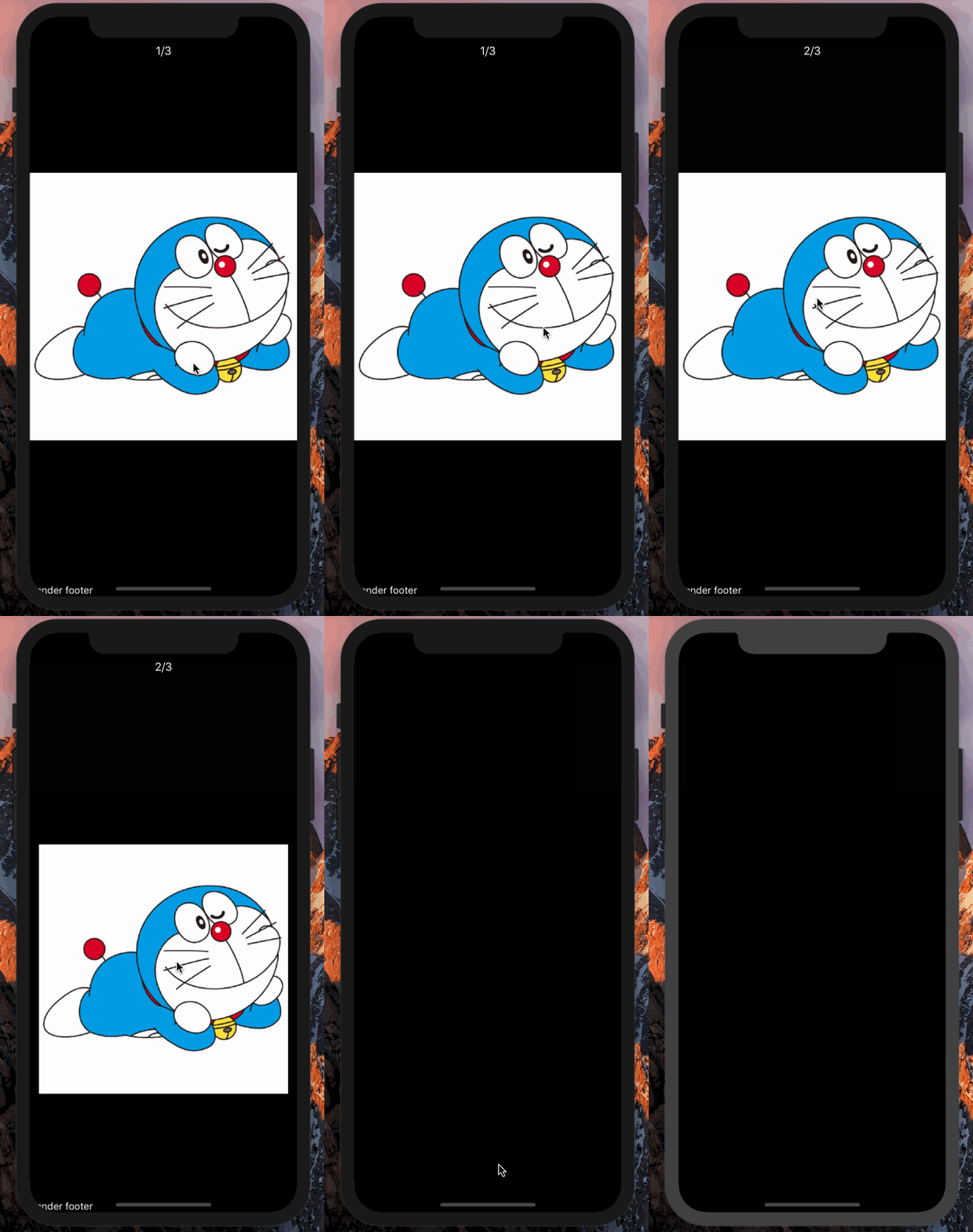
Swiper image

Zoom while sliding

Swipe down
Getting Started
Installation
npm i react-native-image-zoom-viewer --save
Basic Usage
- Install create-react-native-app first
$ npm install -g create-react-native-app
- Initialization of a react-native project
$ create-react-native-app AwesomeProject
- Then, edit
AwesomeProject/App.js, like this:
import { Modal } from 'react-native';
import ImageViewer from 'react-native-image-zoom-viewer';

const images = [{
    // Simplest usage.
    url: 'https://avatars2.githubusercontent.com/u/7970947?v=3&s=460',

    // width: number
    // height: number
    // Optional, if you know the image size, you can set the optimization performance

    // You can pass props to <Image />.
    props: {
        // headers: ...
    }
}, {
    url: '',
    props: {
        // Or you can set source directory.
        source: require('../background.png')
    }
}]

export default class App extends React.Component {
    render: function() {
        return (
            <Modal visible={true} transparent={true}>
                <ImageViewer imageUrls={images}/>
            </Modal>
        )
    }
}
Props
| parameter | type | required | description | default |
|---|---|---|---|---|
| imageUrls | array | yes | Image Source | |
| enableImageZoom | boolean | no | Enable image zoom | true |
| onShowModal | function(content?: JSX.Element) => void | no | The callback for show modal | () => {} |
| onCancel | function() => void | no | The callback for cancel modal | () => {} |
| flipThreshold | number | no | Swipe threshold of the next page | 80 |
| maxOverflow | number | no | The X position maximum, that current page can slide to the next page | 300 |
| index | number | no | Init index of images | 0 |
| failImageSource | string, object{url: string} | no | placeholder for fail | '' |
| loadingRender | function() => React.ReactElement<any> | no | placeholder for loading | () => null |
| onSaveToCamera | function(index?: number => void | no | The callback for save to camera | () => {} |
| onChange | function(index?: number => void | no | When the image changed | () => {} |
| onMove | ( position: IOnMove )=>void | reports movement position data (helpful to build overlays) | ()=> {} | |
| saveToLocalByLongPress | boolean | no | Enable save to camera when long press | true |
| onClick | function(onCancel?: function) => void | no | Onclick | (onCancel) => {onCancel()} |
| onDoubleClick | function(onCancel?: function) => void | no | OnDoubleClick | (onCancel) => {onCancel()} |
| onSave | function(url: string) => void | no | The picture is saved to the local method, if you write this method will not call the system default method for Android does not support saveToCameraRoll remote picture, you can call this callback in Android call native interface | |
| renderHeader | function(currentIndex?: number) => React.ReactElement<any> | no | Custom header | () => null |
| renderFooter | function(currentIndex?: number) => React.ReactElement<any> | no | Custom footer | () => null |
| renderIndicator | function(currentIndex?: number, allSize?) => React.ReactElement<any>: number | no | Custom indicator | (currentIndex, allSize) => currentIndex + "/" + allSize |
| renderImage | function(props: any) => React.ReactElement<any> | no | Custom image component | (props) => <Image {...props} /> |
| renderArrowLeft | function() => React.ReactElement<any> | no | Custom left arrow | () => null |
| renderArrowRight | function() => React.ReactElement<any> | no | Custom right arrow | () => null |
| onSwipeDown | function() => void | no | Callback for swipe down | () => null |
| footerContainerStyle | object{someStyle: someValue} | no | custom style props for container that will be holding your footer that you pass | bottom: 0, position: "absolute", zIndex: 9999 |
| backgroundColor | stringwhite | no | Component background color | black |
| enableSwipeDown | boolean | no | Enable swipe down to close image viewer. When swipe down, will trigger onCancel. | false |
| swipeDownThreshold | number | no | Threshold for firing swipe down function | |
| doubleClickInterval | number | no | Double click interval. | |
| pageAnimateTime | number | no | Set the animation time for page flipping. | 100 |
| enablePreload | boolean | no | Preload the next image | false |
| useNativeDriver | boolean | no | Whether to animate using useNativeDriver | false |
| menus | function({cancel,saveToLocal}) => React.ReactElement<any> | no | Custom menus, with 2 methods:cancel to hide menus and saveToLocal to save image to camera | |
| menuContext | object{someKey: someValue} | no | Custom menu context. | { saveToLocal: 'save to the album', cancel: 'cancel' } |
Development pattern
Step 1, run TS listener
After clone this repo, then:
npm install
npm start
Step 2, run demo
cd demo
npm install
npm start
Then, scan the QR, use your expo app.
Dependence
Depend on react-native-image-pan-zoom: https://github.com/ascoders/react-native-image-zoom