Modal Implementation Strategies in React Native
react-native-modal and react-native-modalbox are both libraries designed to simplify the creation of modal dialogs and overlays in React Native applications. react-native-modal is a community-driven wrapper around the core React Native Modal component, enhancing it with extensive animation capabilities via react-native-animatable and offering high customization for backdrop and transition effects. react-native-modalbox, on the other hand, is a standalone component that provides a simpler, opinionated approach focused primarily on slide-up, slide-down, and center animations without relying heavily on external animation libraries. While both solve the same fundamental problem of displaying content over the main interface, they differ significantly in flexibility, maintenance status, and underlying architecture.
Npm Package Weekly Downloads Trend
Github Stars Ranking
Stat Detail


react-native-modal vs react-native-modalbox: Architecture, Animation, and Maintenance
Both react-native-modal and react-native-modalbox aim to solve the same problem: displaying content in an overlay layer above your main application interface. However, they take different approaches to animation, configuration, and long-term viability. Let's break down how they handle common engineering challenges.
🎬 Animation Engine: Configurable vs Built-In
react-native-modal relies on react-native-animatable under the hood.
- This gives you access to dozens of pre-defined animations (fade, slide, zoom, bounce).
- You can also define custom keyframe animations for precise control.
// react-native-modal: Configurable animations
import Modal from 'react-native-modal';

<Modal
  isVisible={isModalVisible}
  animationIn="slideInUp"
  animationOut="slideOutDown"
  animationInTiming={300}
  animationOutTiming={300}
>
  <View><Text>Content</Text></View>
</Modal>
react-native-modalbox has its own internal animation logic.
- It focuses on three main positions: top, center, bottom.
- Animations are smoother on older devices but less customizable without modifying source code.
// react-native-modalbox: Built-in positions
import ModalBox from 'react-native-modalbox';

<ModalBox
  isOpen={isModalVisible}
  position="bottom"
  animationDuration={200}
>
  <View><Text>Content</Text></View>
</ModalBox>
🚪 API Design: Visibility Flags vs Open States
react-native-modal uses a declarative isVisible prop.
- This matches the standard React Native
ModalAPI. - It makes it easy to swap between the core Modal and this library if needed.
// react-native-modal: isVisible prop
const [visible, setVisible] = useState(false);

<Modal isVisible={visible}>
  <Button title="Close" onPress={() => setVisible(false)} />
</Modal>
react-native-modalbox uses an isOpen prop.
- Functionally similar, but the naming convention differs from the core library.
- It also provides imperative methods like
open()andclose()via refs.
// react-native-modalbox: isOpen prop + Refs
const [open, setOpen] = useState(false);
const modalRef = useRef(null);

<ModalBox ref={modalRef} isOpen={open}>
  <Button title="Close" onPress={() => setOpen(false)} />
</ModalBox>
🌑 Backdrop Handling: Customizable vs Fixed
react-native-modal treats the backdrop as a first-class citizen.
- You can customize opacity, color, and press behavior independently.
- It supports disabling the backdrop entirely for toast-like notifications.
// react-native-modal: Custom backdrop
<Modal
  isVisible={visible}
  backdropOpacity={0.5}
  backdropColor="red"
  onBackdropPress={() => setVisible(false)}
  useNativeDriver={true}
>
  <View>Content</View>
</Modal>
react-native-modalbox has a simpler backdrop implementation.
- You can toggle it on or off with
coverScreen. - Customizing the backdrop style is more limited compared to the other option.
// react-native-modalbox: Cover screen toggle
<ModalBox
  isOpen={open}
  coverScreen={true}
  backdropOpacity={0.5}
  onPress={() => setOpen(false)}
>
  <View>Content</View>
</ModalBox>
🛠 Maintenance & Ecosystem Health
react-native-modal is actively maintained by the community.
- It receives regular updates to support new React Native versions.
- It has a large ecosystem of tutorials and StackOverflow solutions.
// react-native-modal: Regular updates support new RN features
// Compatible with React Native 0.70+ and New Architecture preparations
react-native-modalbox has seen infrequent updates in recent years.
- It may require forks or patches to work with the latest React Native releases.
- Using it in new projects introduces technical debt risk.
// react-native-modalbox: Legacy status
// May require warnings suppression or polyfills on RN 0.70+
🤝 Similarities: Shared Ground Between Both Modals
While the differences are clear, both libraries also share many core ideas and tools. Here are key overlaps:
1. 📱 Both Handle Overlay Rendering
- Use absolute positioning to float above content.
- Support keyboard avoiding behavior (though implementation varies).
// Example: Both render children in an overlay container
<Modal isVisible={true}>
  <View style={{ backgroundColor: 'white' }}>Child</View>
</Modal>

<ModalBox isOpen={true}>
  <View style={{ backgroundColor: 'white' }}>Child</View>
</ModalBox>
2. 👆 Touch Interaction
- Both support closing on outside press.
- Both allow swipe-to-close gestures (configured differently).
// react-native-modal: Swipe config
<Modal swipeDirection="down" onSwipeComplete={() => setVisible(false)} />

// react-native-modalbox: Swipe config
<ModalBox swipeToClose={true} onClose={() => setOpen(false)} />
3. ⚙️ State Management
- Both rely on React state (useState) for visibility.
- Both support controlled components patterns.
// Shared pattern: Controlled visibility
const [show, setShow] = useState(false);
// Used in both libraries to toggle state
4. 🎨 Styling Children
- Both allow full style customization of the content container.
- Neither forces a specific layout inside the modal body.
// Shared pattern: Custom content style
<View style={{ padding: 20, borderRadius: 10 }}>
  <Text>Custom Content</Text>
</View>
5. ✅ Cross-Platform Support
- Both work on iOS and Android.
- Both handle status bar integration (hiding/showing).
// react-native-modal: StatusBar management
<Modal statusBarTranslucent={true} />

// react-native-modalbox: StatusBar management
<ModalBox statusBarColor="transparent" />
📊 Summary: Key Similarities
| Feature | Shared by Both Libraries |
|---|---|
| Core Function | 📱 Overlay/Dialog rendering |
| Interaction | 👆 Swipe & Tap to close |
| State | ⚙️ Controlled via React State |
| Styling | 🎨 Custom child content styles |
| Platforms | ✅ iOS & Android support |
🆚 Summary: Key Differences
| Feature | react-native-modal | react-native-modalbox |
|---|---|---|
| Animation | 🎬 react-native-animatable | 🎬 Internal logic |
| Visibility Prop | 🚪 isVisible | 🚪 isOpen |
| Backdrop | 🌑 Highly customizable | 🌑 Basic toggle |
| Maintenance | 🛠 Active community | 🛠 Infrequent updates |
| Imperative API | ❌ Mostly declarative | ✅ Ref methods (open/close) |
| Recommendation | ✅ New Projects | ⚠️ Legacy Only |
💡 The Big Picture
react-native-modal is like a modern toolkit 🧰 — built for flexibility, customization, and long-term support. It integrates well with the wider React Native ecosystem and handles edge cases like animations and accessibility with grace. Ideal for production apps where UI polish matters.
react-native-modalbox is like a legacy utility 🔧 — simple and effective for basic slide-up needs, but showing its age. It works well if you need something quick and don't care about advanced animations, but it carries risk for future upgrades. Best reserved for maintaining older apps.
Final Thought: Despite their similarities, the maintenance gap is the deciding factor. For any new architecture, react-native-modal provides the stability and features needed to scale without hitting walls later.
How to Choose: react-native-modal vs react-native-modalbox
- react-native-modal:
Choose
react-native-modalif you need a robust, actively maintained solution with extensive animation options and strong community support. It is ideal for modern applications requiring complex transitions, custom backdrop interactions, and accessibility compliance. This package is the safer long-term bet for new projects due to its alignment with current React Native standards. - react-native-modalbox:
Choose
react-native-modalboxonly if you are maintaining a legacy codebase that already depends on it or if you need a extremely lightweight, zero-config slide-up modal without extra dependencies. Be aware that it receives infrequent updates, so it may not support the latest React Native features or architectural changes like the New Architecture. Avoid for greenfield projects.
Popular Comparisons
README for react-native-modal
Announcements
- 📣 We're looking for maintainers and contributors! See #598
- 🙏 If you have a question, please start a new discussion instead of opening a new issue.
react-native-modal


If you're new to the React Native world, please notice that React Native itself offers a
component that works out-of-the-box .
An enhanced, animated, customizable React Native modal.
The goal of react-native-modal is expanding the original React Native <Modal> component by adding animations, style customization options, and new features, while still providing a simple API.
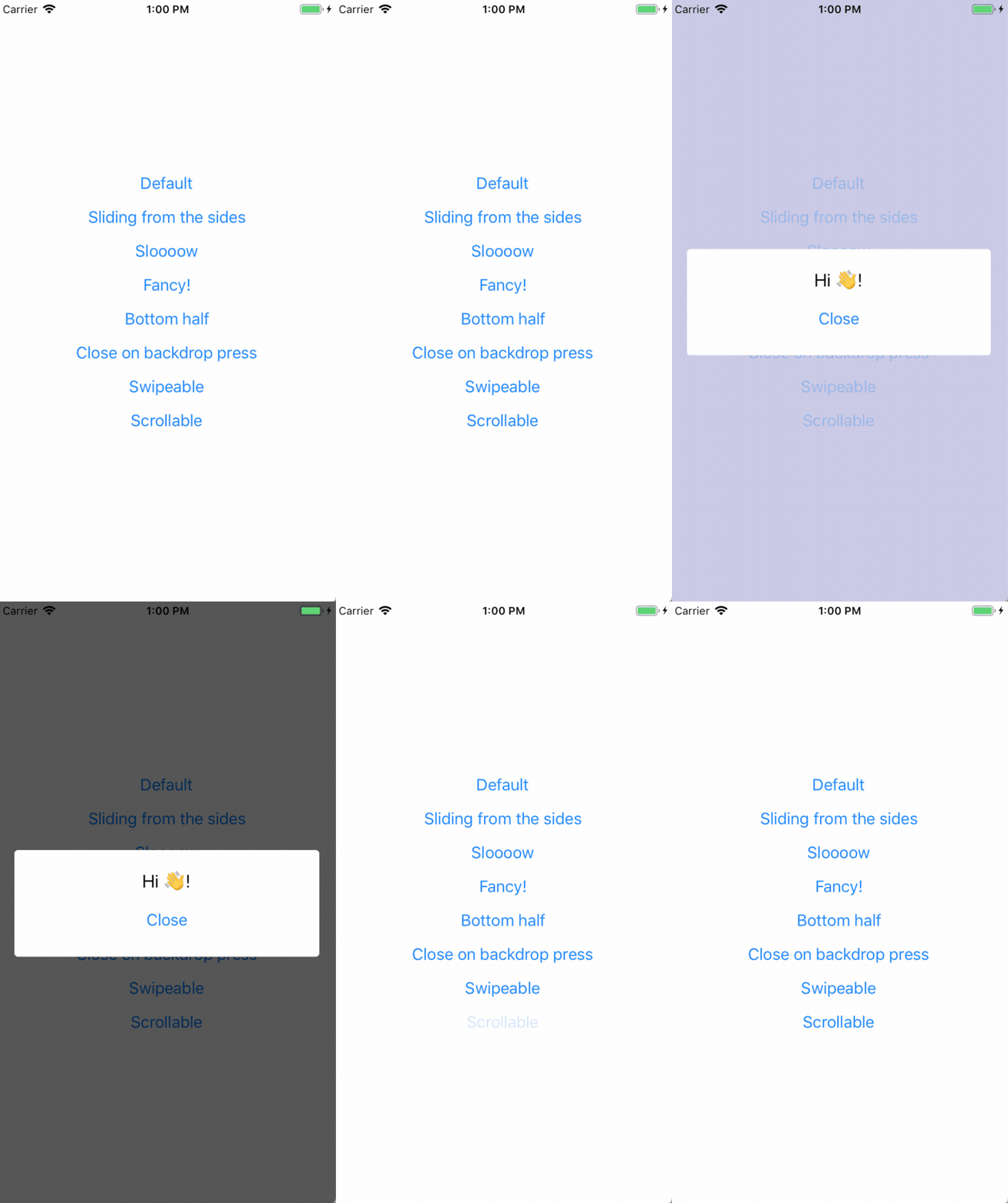
Features
- Smooth enter/exit animations
- Plain simple and flexible APIs
- Customizable backdrop opacity, color and timing
- Listeners for the modal animations ending
- Resize itself correctly on device rotation
- Swipeable
- Scrollable
Setup
This library is available on npm, install it with: npm i react-native-modal or yarn add react-native-modal.
Usage
Since react-native-modal is an extension of the original React Native modal, it works in a similar fashion.
- Import
react-native-modal:
import Modal from 'react-native-modal';
- Create a
<Modal>component and nest its content inside of it:
function WrapperComponent() {
  return (
    <View>
      <Modal>
        <View style={{flex: 1}}>
          <Text>I am the modal content!</Text>
        </View>
      </Modal>
    </View>
  );
}
- Then, show the modal by setting the
isVisibleprop totrue:
function WrapperComponent() {
  return (
    <View>
      <Modal isVisible={true}>
        <View style={{flex: 1}}>
          <Text>I am the modal content!</Text>
        </View>
      </Modal>
    </View>
  );
}
The isVisible prop is the only prop you'll really need to make the modal work: you should control this prop value by saving it in your wrapper component state and setting it to true or false when needed.
A complete example
The following example consists in a component (ModalTester) with a button and a modal.
The modal is controlled by the isModalVisible state variable and it is initially hidden, since its value is false.
Pressing the button sets isModalVisible to true, making the modal visible.
Inside the modal there is another button that, when pressed, sets isModalVisible to false, hiding the modal.
import React, {useState} from 'react';
import {Button, Text, View} from 'react-native';
import Modal from 'react-native-modal';

function ModalTester() {
  const [isModalVisible, setModalVisible] = useState(false);

  const toggleModal = () => {
    setModalVisible(!isModalVisible);
  };

  return (
    <View style={{flex: 1}}>
      <Button title="Show modal" onPress={toggleModal} />

      <Modal isVisible={isModalVisible}>
        <View style={{flex: 1}}>
          <Text>Hello!</Text>

          <Button title="Hide modal" onPress={toggleModal} />
        </View>
      </Modal>
    </View>
  );
}

export default ModalTester;
For a more complex example take a look at the /example directory.
Available props
| Name | Type | Default | Description |
|---|---|---|---|
animationIn | string or object | "slideInUp" | Modal show animation |
animationInTiming | number | 300 | Timing for the modal show animation (in ms) |
animationOut | string or object | "slideOutDown" | Modal hide animation |
animationOutTiming | number | 300 | Timing for the modal hide animation (in ms) |
avoidKeyboard | bool | false | Move the modal up if the keyboard is open |
coverScreen | bool | true | Will use RN Modal component to cover the entire screen wherever the modal is mounted in the component hierarchy |
hasBackdrop | bool | true | Render the backdrop |
backdropColor | string | "black" | The backdrop background color |
backdropOpacity | number | 0.70 | The backdrop opacity when the modal is visible |
backdropTransitionInTiming | number | 300 | The backdrop show timing (in ms) |
backdropTransitionOutTiming | number | 300 | The backdrop hide timing (in ms) |
customBackdrop | node | null | The custom backdrop element |
children | node | REQUIRED | The modal content |
deviceHeight | number | null | Device height (useful on devices that can hide the navigation bar) |
deviceWidth | number | null | Device width (useful on devices that can hide the navigation bar) |
isVisible | bool | REQUIRED | Show the modal? |
onBackButtonPress | func | () => null | Called when the Android back button is pressed |
onBackdropPress | func | () => null | Called when the backdrop is pressed |
onModalWillHide | func | () => null | Called before the modal hide animation begins |
onModalHide | func | () => null | Called when the modal is completely hidden |
onModalWillShow | func | () => null | Called before the modal show animation begins |
onModalShow | func | () => null | Called when the modal is completely visible |
onSwipeStart | func | () => null | Called when the swipe action started |
onSwipeMove | func | (percentageShown) => null | Called on each swipe event |
onSwipeComplete | func | ({ swipingDirection }) => null | Called when the swipeThreshold has been reached |
onSwipeCancel | func | () => null | Called when the swipeThreshold has not been reached |
panResponderThreshold | number | 4 | The threshold for when the panResponder should pick up swipe events |
scrollOffset | number | 0 | When > 0, disables swipe-to-close, in order to implement scrollable content |
scrollOffsetMax | number | 0 | Used to implement overscroll feel when content is scrollable. See /example directory |
scrollTo | func | null | Used to implement scrollable modal. See /example directory for reference on how to use it |
scrollHorizontal | bool | false | Set to true if your scrollView is horizontal (for a correct scroll handling) |
swipeThreshold | number | 100 | Swiping threshold that when reached calls onSwipeComplete |
swipeDirection | string or array | null | Defines the direction where the modal can be swiped. Can be 'up', 'down', 'left, or 'right', or a combination of them like ['up','down'] |
useNativeDriver | bool | false | Defines if animations should use native driver |
useNativeDriverForBackdrop | bool | null | Defines if animations for backdrop should use native driver (to avoid flashing on android) |
hideModalContentWhileAnimating | bool | false | Enhances the performance by hiding the modal content until the animations complete |
propagateSwipe | bool or func | false | Allows swipe events to propagate to children components (eg a ScrollView inside a modal) |
style | any | null | Style applied to the modal |
Frequently Asked Questions
The component is not working as expected
Under the hood react-native-modal uses react-native original Modal component.
Before reporting a bug, try swapping react-native-modal with react-native original Modal component and, if the issue persists, check if it has already been reported as a react-native issue.
The backdrop is not completely filled/covered on some Android devices (Galaxy, for one)
React-Native has a few issues detecting the correct device width/height of some devices.
If you're experiencing this issue, you'll need to install react-native-extra-dimensions-android.
Then, provide the real window height (obtained from react-native-extra-dimensions-android) to the modal:
const deviceWidth = Dimensions.get('window').width;
const deviceHeight =
  Platform.OS === 'ios'
    ? Dimensions.get('window').height
    : require('react-native-extra-dimensions-android').get(
        'REAL_WINDOW_HEIGHT',
      );

function WrapperComponent() {
  const [isModalVisible, setModalVisible] = useState(true);

  return (
    <Modal
      isVisible={isModalVisible}
      deviceWidth={deviceWidth}
      deviceHeight={deviceHeight}>
      <View style={{flex: 1}}>
        <Text>I am the modal content!</Text>
      </View>
    </Modal>
  );
}
How can I hide the modal by pressing outside of its content?
The prop onBackdropPress allows you to handle this situation:
<Modal
  isVisible={isModalVisible}
  onBackdropPress={() => setModalVisible(false)}>
  <View style={{flex: 1}}>
    <Text>I am the modal content!</Text>
  </View>
</Modal>
How can I hide the modal by swiping it?
The prop onSwipeComplete allows you to handle this situation (remember to set swipeDirection too!):
<Modal
  isVisible={isModalVisible}
  onSwipeComplete={() => setModalVisible(false)}
  swipeDirection="left">
  <View style={{flex: 1}}>
    <Text>I am the modal content!</Text>
  </View>
</Modal>
Note that when using useNativeDriver={true} the modal won't drag correctly. This is a known issue.
The modal flashes in a weird way when animating
Unfortunately this is a known issue that happens when useNativeDriver=true and must still be solved.
In the meanwhile as a workaround you can set the hideModalContentWhileAnimating prop to true: this seems to solve the issue.
Also, do not assign a backgroundColor property directly to the Modal. Prefer to set it on the child container.
The modal background doesn't animate properly
Are you sure you named the isVisible prop correctly? Make sure it is spelled correctly: isVisible, not visible.
The modal doesn't change orientation
Add a supportedOrientations={['portrait', 'landscape']} prop to the component, as described in the React Native documentation.
Also, if you're providing the deviceHeight and deviceWidth props you'll have to manually update them when the layout changes.
I can't show multiple modals one after another
Unfortunately right now react-native doesn't allow multiple modals to be displayed at the same time.
This means that, in react-native-modal, if you want to immediately show a new modal after closing one you must first make sure that the modal that your closing has completed its hiding animation by using the onModalHide prop.
I can't show multiple modals at the same time
See the question above. Showing multiple modals (or even alerts/dialogs) at the same time is not doable because of a react-native bug. That said, I would strongly advice against using multiple modals at the same time because, most often than not, this leads to a bad UX, especially on mobile (just my opinion).
The StatusBar style changes when the modal shows up
This issue has been discussed here.
The TLDR is: it's a know React-Native issue with the Modal component 😞
The modal is not covering the entire screen
The modal style applied by default has a small margin.
If you want the modal to cover the entire screen you can easily override it this way:
<Modal style={{margin: 0}}>...</Modal>
I can't scroll my ScrollView inside of the modal
Enable propagateSwipe to allow your child components to receive swipe events:
<Modal propagateSwipe>...</Modal>
Please notice that this is still a WIP fix and might not fix your issue yet, see issue #236.
The modal enter/exit animation flickers
Make sure your animationIn and animationOut are set correctly.
We noticed that, for example, using fadeIn as an exit animation makes the modal flicker (it should be fadeOut!).
Also, some users have noticed that setting backdropTransitionOutTiming={0} can fix the flicker without affecting the animation.
The custom backdrop doesn't fill the entire screen
You need to specify the size of your custom backdrop component. You can also make it expand to fill the entire screen by adding a flex: 1 to its style:
<Modal isVisible={isModalVisible} customBackdrop={<View style={{flex: 1}} />}>
  <View style={{flex: 1}}>
    <Text>I am the modal content!</Text>
  </View>
</Modal>
The custom backdrop doesn't dismiss the modal on press
You can provide an event handler to the custom backdrop element to dismiss the modal. The prop onBackdropPress is not supported for a custom backdrop.
<Modal
  isVisible={isModalVisible}
  customBackdrop={
    <TouchableWithoutFeedback onPress={dismissModalHandler}>
      <View style={{flex: 1}} />
    </TouchableWithoutFeedback>
  }
/>
Available animations
Take a look at react-native-animatable to see the dozens of animations available out-of-the-box. You can also pass in custom animation definitions and have them automatically register with react-native-animatable. For more information on creating custom animations, see the react-native-animatable animation definition schema.
Alternatives
Acknowledgements
Thanks @oblador for react-native-animatable, @brentvatne for the npm namespace and to anyone who contributed to this library!
Pull requests, feedbacks and suggestions are welcome!