A lightweight private npm proxy registry



Npm Package Weekly Downloads Trend
Cumulative GitHub Star Trend
Stat Detail


Popular Comparisons
README for verdaccio

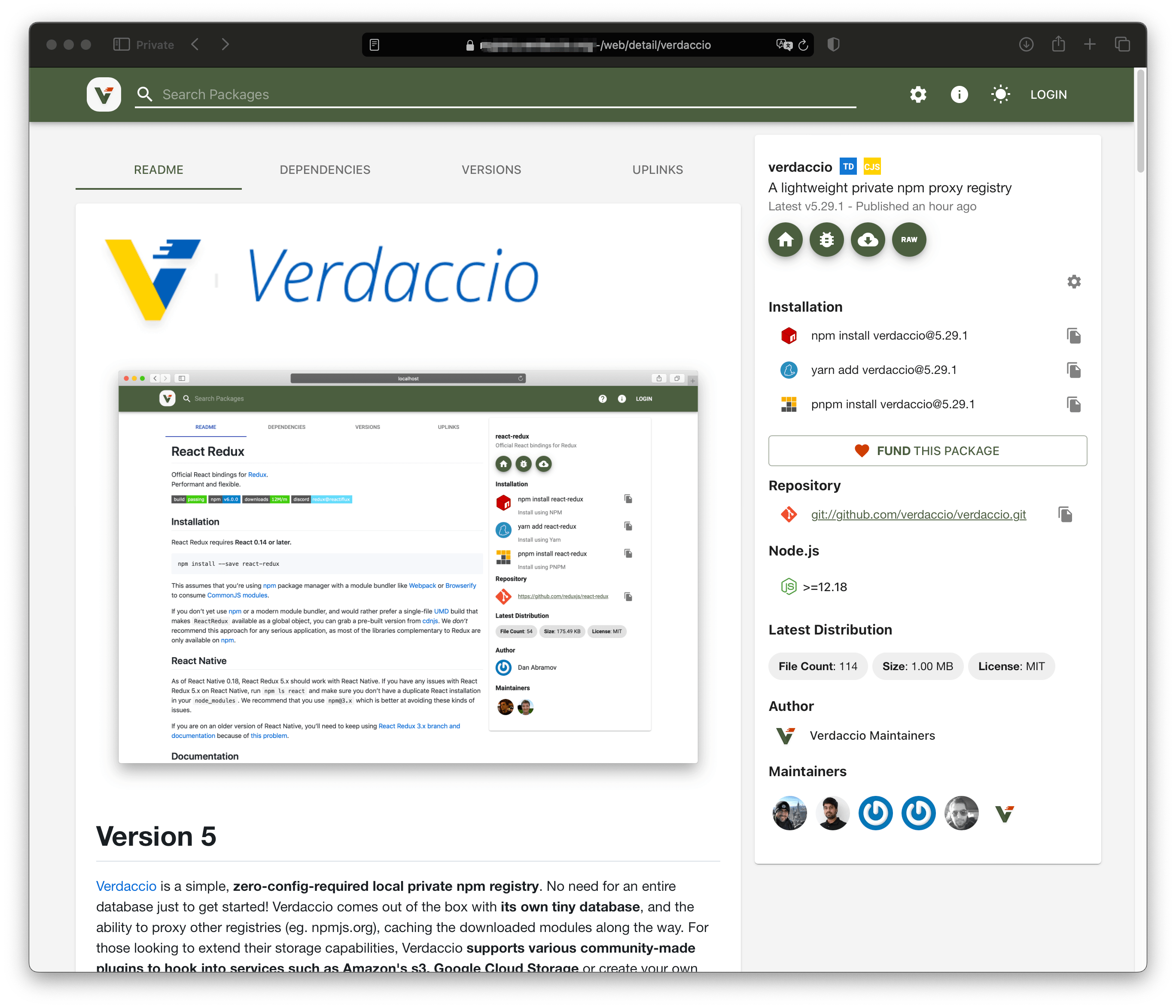
Version 6
Verdaccio is a simple, zero-configuration-required local private npm registry. Verdaccio doesn't require a full-fledged database to get started. It comes out of the box with its own tiny database and the ability to proxy other registries (e.g., npmjs.org), caching downloaded modules along the way. For those looking to extend storage capabilities, Verdaccio supports various community-made plugins that integrate with services such as Amazon S3, Google Cloud Storage, or custom solutions.






Install
Install with npm:
npm install --global verdaccio
Node.js v22 or higher is required.
Node.js 24 (or the latest LTS version) is recommended.
or pull Docker official image
docker pull verdaccio/verdaccio
and run
docker run -it --rm --name verdaccio -p 4873:4873 verdaccio/verdaccio
or with helm official chart.
helm repo add verdaccio https://charts.verdaccio.org
helm repo update
helm install verdaccio/verdaccio
Programmatic API
Verdaccio can be used as a module to launch a server programmatically. You can find more information on the website.
 import {runServer} from 'verdaccio';

 const app = await runServer(); // default configuration
 const app = await runServer('./config/config.yaml');
 const app = await runServer({ configuration });
 app.listen(4873, (event) => {
   // do something
 });
Get Started
To get started, run Verdaccio in your terminal:
verdaccio
Optionally, you can set some npm configuration:
$ npm set registry http://localhost:4873/
For one-off commands or to avoid setting the registry globally, use:
NPM_CONFIG_REGISTRY=http://localhost:4873 npm i
You can now navigate to http://localhost:4873/ where your local packages will be listed and searchable.
Warning: Verdaccio does not currently support PM2's cluster mode. Running it with cluster mode may lead to unknown behavior.
Plugins
Verdaccio ships with a set of built-in plugins so it works out of the box with zero configuration. You can replace or extend any of them with community plugins.
Bundled plugins
| Plugin | Category | Enabled by default | Description |
|---|---|---|---|
verdaccio-htpasswd | auth | Yes | Default authentication backend using an htpasswd file to store users. |
verdaccio-audit | middleware | Yes | Implements the npm audit endpoint by proxying requests to a configured uplink. |
@verdaccio/local-storage | storage | Yes | Default filesystem storage backend for packages and metadata. |
@verdaccio/ui-theme | theme | Yes | Default web UI theme shipped with Verdaccio. |
@verdaccio/package-filter | filter | No | Filters package metadata from uplinks (block versions, quarantine, whitelist). |
Package Filter
@verdaccio/package-filter is a built-in plugin that intercepts package metadata from uplinks and removes versions matching configurable rules. With no rules configured, it acts as a no-op passthrough.
Block a compromised package version
filters:
  '@verdaccio/package-filter':
    block:
      - package: 'event-stream'
        versions: '3.3.6'
Block an entire malicious scope
filters:
  '@verdaccio/package-filter':
    block:
      - scope: '@malicious'
Quarantine recently published versions
Hide versions published less than 7 days ago, giving time for review before adoption:
filters:
  '@verdaccio/package-filter':
    minAgeDays: 7
Freeze registry to a point in time
Only serve versions published before a specific date:
filters:
  '@verdaccio/package-filter':
    dateThreshold: '2025-01-01'
Whitelist trusted packages within blocked rules
filters:
  '@verdaccio/package-filter':
    minAgeDays: 30
    allow:
      - scope: '@my-company'
      - package: 'trusted-pkg'
Replace instead of remove
Substitute a blocked version with the nearest older safe version, useful when removing it would break transitive dependencies:
filters:
  '@verdaccio/package-filter':
    block:
      - package: 'compromised-lib'
        versions: '>=3.0.0'
        strategy: replace
Full example
filters:
  '@verdaccio/package-filter':
    minAgeDays: 7
    block:
      - scope: '@malicious'
      - package: 'typosquat-pkg'
      - package: 'compromised-lib'
        versions: '>=3.0.0'
        strategy: replace
    allow:
      - scope: '@my-org'
      - package: 'compromised-lib'
        versions: '3.0.1'
If a filter rejects a package entirely, Verdaccio returns a 404 to the client.
Learn more at the @verdaccio/package-filter documentation and the filter plugins documentation.
Custom plugins
You can develop your own plugins using the verdaccio generator. Yeoman installation is required.
Learn more about how to develop plugins and share them with the community.
Donations
Verdaccio is run by volunteers, with no one working on it full-time. If you find this project useful and would like to support its development and maintenance, consider donating.
You can donate at Open Collective 💵👍🏻 starting from $1/month or with a single contribution.
Note: There is currently no funding available for contributions or security research.
What does Verdaccio do for me?
Use private packages
If you want to leverage all the benefits of the npm package system within your company without exposing all your code to the public, Verdaccio allows you to use your private packages as easily as public ones.
Cache npmjs.org registry
If you have multiple servers requiring package installations, caching the npmjs.org registry can significantly decrease latency (as npmjs.org is connected only once per package/version). It also provides limited failover capabilities (if npmjs.org is down, useful packages might still be found in the cache) and helps avoid issues such as How one developer just broke Node, Babel and thousands of projects in 11 lines of JavaScript, Many packages suddenly disappeared or Registry returns 404 for a package I have installed before.
Link multiple registries
If your organization uses multiple registries and you need to fetch packages from various sources within a single project, you can leverage Verdaccio's uplinks feature to chain multiple registries and fetch packages from a single endpoint.
Override public packages
If you need to use a modified version of a third-party package (e.g., you found a bug, but the maintainer hasn't yet accepted a pull request), you can publish your version locally under the same name. Learn more here.
E2E Testing
Verdaccio has proven to be a lightweight registry that can be booted in a couple of seconds, making it fast enough for any CI environment. Many open-source projects utilize Verdaccio for end-to-end testing, including create-react-app, mozilla neutrino, pnpm, storybook, babel.js, angular-cli, and docusaurus. You can read more here.
Here are a few examples to get started:
Talks
See the list of Verdaccio talks at verdaccio.org/talks.
Publishing
1. Create a User and Log In
npm adduser --registry http://localhost:4873
If you use HTTPS, add appropriate CA information. ("null" indicates getting the CA list from the OS.)
$ npm set ca null
2. Publish Your Package
npm publish --registry http://localhost:4873
This command will prompt you for user credentials, which will then be saved on the verdaccio server.
Docker
The most commonly needed information is provided below. Every aspect of Docker and Verdaccio is documented separately.
docker pull verdaccio/verdaccio
Available as tags.
docker pull verdaccio/verdaccio:6.x-next
The
6.x-nexttag tracks the latest changes from the6.xbranch. It is useful for previewing upcoming fixes and features, but it is not recommended for production use.
Running Verdaccio using Docker
To run the Docker container:
docker run -it --rm --name verdaccio -p 4873:4873 verdaccio/verdaccio
Docker examples are available in this repository.
Compatibility
Verdaccio aims to support all relevant features of a standard npm client for private repositories. However, full compatibility isn't always possible.
| Category | Feature | Command | Status |
|---|---|---|---|
| Basic features | Installing packages | npm install, npm upgrade, etc. | Supported |
| Basic features | Publishing packages | npm publish | Supported |
| Advanced package control | Unpublishing packages | npm unpublish | Supported |
| Advanced package control | Tagging | npm tag | Supported |
| Advanced package control | Deprecation | npm deprecate | Supported |
| User management | Registering new users | npm adduser {newuser} | Supported |
| User management | Change password | npm profile set password | Supported |
| User management | Transferring ownership | npm owner add {user} {pkg} | Not supported, PRs welcome |
| User management | Token | npm token | Supported (under flag) |
| Miscellany | Search | npm search | Supported (cli /-/all and v1, browser) |
| Miscellany | Ping | npm ping | Supported |
| Miscellany | Starring | npm star, npm unstar, npm stars | Supported |
| Security | Audit | npm audit, yarn audit | Supported |
Report a vulnerability
To report a security vulnerability, please follow the steps outlined in our security policy.
Note: There is currently no funding available for security research or bounty rewards.
Open Collective Backers
Thank you to all our backers! 🙏 [Become a backer]
Special Thanks
Special thanks to the following companies for helping us achieve our goals by providing free open-source licenses. Each company contributes significant resources to move this project forward.
| Company | Logo | License |
|---|---|---|
| JetBrains |  | JetBrains provides licenses for products for active maintainers, renewable yearly |
| Crowdin |  | Crowdin provides platform for translations |
| BrowserStack |  | BrowserStack provides plan to run End to End testing for the UI |
| Docker |  | Docker offers unlimited pulls and unlimited egress to any and all users |
FAQ / Contact / Troubleshoot
If you encounter any issues, consider the following options. Don't hesitate to ask or check our issues database; perhaps someone has already addressed what you're looking for.
License
Verdaccio is MIT licensed.
The Verdaccio documentation and logos (excluding /assets/thanks files such as .md, .png, and .sketch) are Creative Commons licensed.