React UI 组件库选型深度对比
antd、bootstrap、material-ui 和 semantic-ui-react 都是用于构建用户界面的流行 React UI 组件库,但它们在设计理念、组件 API、主题定制能力和生态系统支持方面存在显著差异。antd 是一个企业级中后台 UI 解决方案,提供丰富且功能完整的组件;bootstrap 起源于 CSS 框架,其 React 封装保留了响应式网格和实用类优先的设计哲学;material-ui(现为 MUI)严格遵循 Google 的 Material Design 规范,强调一致性与动效;semantic-ui-react 则基于语义化 HTML 原则,使用自然语言式的组件命名,但目前已停止维护。这些库都旨在加速 UI 开发,但在架构集成、定制灵活性和长期维护性上各有取舍。
npm下载趋势
GitHub Stars 排名
统计详情


React UI 组件库深度对比:antd vs Bootstrap vs Material-UI vs Semantic UI React
在构建 React 应用时,UI 组件库的选择直接影响开发效率、用户体验和长期维护成本。本文从真实工程视角出发,深入比较 antd、bootstrap(特指 react-bootstrap)、material-ui(现为 MUI)和 semantic-ui-react 在核心功能、API 设计、主题定制和维护状态上的关键差异。
⚠️ 维护状态:谁还在积极演进?
首先必须明确:semantic-ui-react 已停止维护。其官方 GitHub 仓库(https://github.com/Semantic-Org/Semantic-UI-React)于 2023 年归档,npm 页面明确标注 “This package is no longer maintained”。新项目应避免使用,已有项目需制定迁移计划。
其余三个库均处于活跃维护状态:
antd由蚂蚁集团持续更新,聚焦中后台场景;react-bootstrap紧跟 Bootstrap 5 的 CSS 更新,提供无 jQuery 依赖的 React 组件;material-ui(MUI)已发展为包含 Core、X(Data Grid/Charts)、System 等子项目的完整生态。
🎨 主题定制:从覆盖变量到运行时切换
antd:基于 Less 变量的编译时定制
antd 使用 Less 作为样式语言,通过修改全局变量实现主题定制。需配置构建工具(如 webpack)以替换默认变量。
// config-overrides.js (使用 craco)
const { override, fixBabelImports, addLessLoader } = require('craco-less');

module.exports = override(
  addLessLoader({
    lessOptions: {
      modifyVars: { '@primary-color': '#1DA57A' },
      javascriptEnabled: true,
    },
  }),
);
这种方式高效但不够灵活 —— 无法在运行时动态切换主题。
react-bootstrap:CSS 变量 + Sass 覆盖
react-bootstrap 依赖 Bootstrap 的 CSS,可通过覆盖 Sass 变量或直接使用 CSS 自定义属性(CSS Variables)定制。
// 自定义 _variables.scss
$primary: #1DA57A;
@import '~bootstrap/scss/bootstrap';
或在 CSS 中覆盖:
:root {
  --bs-primary: #1DA57A;
}
由于基于标准 CSS,定制方式直观,但复杂组件(如 Modal、Dropdown)的内部结构仍需深入 Bootstrap 源码理解。
material-ui(MUI):JavaScript 主题对象 + sx prop
MUI 使用 JavaScript 对象定义主题,支持运行时动态切换,并通过 sx prop 提供内联样式增强。
import { createTheme, ThemeProvider } from '@mui/material/styles';

const theme = createTheme({
  palette: { primary: { main: '#1DA57A' } }
});

function App() {
  return (
    <ThemeProvider theme={theme}>
      <Button sx={{ borderRadius: 2 }}>自定义按钮</Button>
    </ThemeProvider>
  );
}
这种方案灵活性极高,特别适合需要多主题或用户自定义皮肤的应用。
🧩 组件 API 设计:声明式 vs 语义化
表单控件示例:输入框与标签
antd 采用组合式 API,表单控件通常与 Form.Item 配合使用,内置校验逻辑。
import { Form, Input } from 'antd';

<Form>
  <Form.Item label="用户名" name="username" rules={[{ required: true }]}>
    <Input />
  </Form.Item>
</Form>
react-bootstrap 保持 HTML 原生结构,通过 Form.Group、Form.Label 等组件映射语义标签。
import { Form } from 'react-bootstrap';

<Form>
  <Form.Group controlId="username">
    <Form.Label>用户名</Form.Label>
    <Form.Control required />
  </Form.Group>
</Form>
material-ui 提供原子化组件,开发者自由组合 TextField、FormControl 等。
import { TextField } from '@mui/material';

<TextField label="用户名" required />
semantic-ui-react(已废弃)曾以自然语言命名著称:
// 不再推荐使用
import { Form } from 'semantic-ui-react';

<Form>
  <Form.Input label="用户名" required />
</Form>
📊 复杂组件能力:表格与数据展示
企业级应用常依赖高级表格组件。三者能力差异显著:
antd的Table内置分页、排序、筛选、展开行、虚拟滚动等,API 完整:
<Table
  columns={[{ title: '姓名', dataIndex: 'name', sorter: true }]}
  dataSource={data}
  pagination={{ pageSize: 10 }}
/>
-
react-bootstrap仅提供基础<Table>元素,复杂功能需自行实现或集成第三方库(如 react-table)。 -
material-ui的@mui/x-data-grid(付费 Pro 版本提供高级功能)是独立包,需额外安装:
import { DataGrid } from '@mui/x-data-grid';

<DataGrid
  rows={rows}
  columns={columns}
  pageSize={10}
/>
若项目重度依赖数据表格,antd 开箱即用的优势明显;若偏好轻量基础组件,则 MUI + react-table 组合更灵活。
🌐 国际化(i18n)支持
antd内置多语言包,通过ConfigProvider全局配置:
import zhCN from 'antd/locale/zh_CN';

<ConfigProvider locale={zhCN}>
  <App />
</ConfigProvider>
-
material-ui通过LocalizationProvider集成日期/数字格式化(依赖 date-fns 等库),但组件文案需自行翻译。 -
react-bootstrap无内置 i18n,所有文本需手动处理。
对于多语言中后台系统,antd 的一体化方案可大幅减少样板代码。
📦 构建体积与按需加载
三者均支持 tree-shaking,但实际效果取决于使用方式:
antd推荐使用 babel-plugin-import 实现按需加载(ES Module 方式也可):
// babel.config.js
plugins: [['import', { libraryName: 'antd', style: true }]]
react-bootstrap和material-ui通过 ES Module 导入自动实现按需加载:
// 正确方式
import Button from 'react-bootstrap/Button';
import { Button } from '@mui/material';
避免全量导入(如 import { Button } from 'antd')可显著减小 bundle 体积。
✅ 总结:如何决策?
| 场景 | 推荐库 | 理由 |
|---|---|---|
| 企业级中后台系统,需复杂表格/表单 | antd | 开箱即用的高级组件、完善 i18n、强 TypeScript 支持 |
| 快速搭建营销页或简单管理后台,已有 Bootstrap 设计 | react-bootstrap | 无缝集成现有 CSS、学习曲线平缓 |
| 面向消费者的产品,需 Material Design 一致性或动态主题 | material-ui | 灵活的主题系统、活跃生态、优秀开发体验 |
| 新项目 | 避免 semantic-ui-react | 已停止维护,存在安全与兼容性风险 |
最终,没有“最好”的库,只有“最合适”当前项目约束和团队偏好的方案。建议在技术选型阶段,用各库实现同一复杂页面原型,亲身体验 API 流畅度与定制成本,再做决定。
如何选择: antd vs bootstrap vs material-ui vs semantic-ui-react
- antd:
选择
antd如果你正在开发企业级中后台应用,需要开箱即用的复杂组件(如表格、表单、日期选择器)以及完善的国际化支持。它提供了强大的 TypeScript 支持和按需加载能力,适合追求开发效率和一致性的团队,但其设计风格较为固定,深度定制主题需要覆盖大量 Less 变量。 - bootstrap:
选择
bootstrap如果你的项目依赖 Bootstrap 的 CSS 实用类体系,或需要与现有基于 Bootstrap 的设计系统无缝集成。React Bootstrap 提供了纯 React 组件封装,不依赖 jQuery,适合快速搭建响应式布局,但组件交互逻辑相对基础,不适合需要高度定制动效或复杂状态管理的场景。 - material-ui:
选择
material-ui(MUI)如果你希望严格遵循 Material Design 规范,或需要高度可组合、可定制的主题系统。它提供强大的sxprop 和styledAPI,支持运行时动态主题切换,并拥有活跃的社区和丰富的扩展生态(如 Data Grid、Charts),适合对设计一致性与开发体验有较高要求的现代 Web 应用。 - semantic-ui-react:
不应在新项目中选择
semantic-ui-react,因为其官方 GitHub 仓库已于 2023 年归档,npm 包标记为不再维护。虽然其语义化 API 曾广受好评,但缺乏安全更新和新特性支持,建议评估替代方案如 MUI 或 antd。
热门对比
antd的README

Ant Design
An enterprise-class UI design language and React UI library.









Changelog · Report Bug · Request Feature · English · 中文
❤️ Sponsors 
 |  |  |
|---|
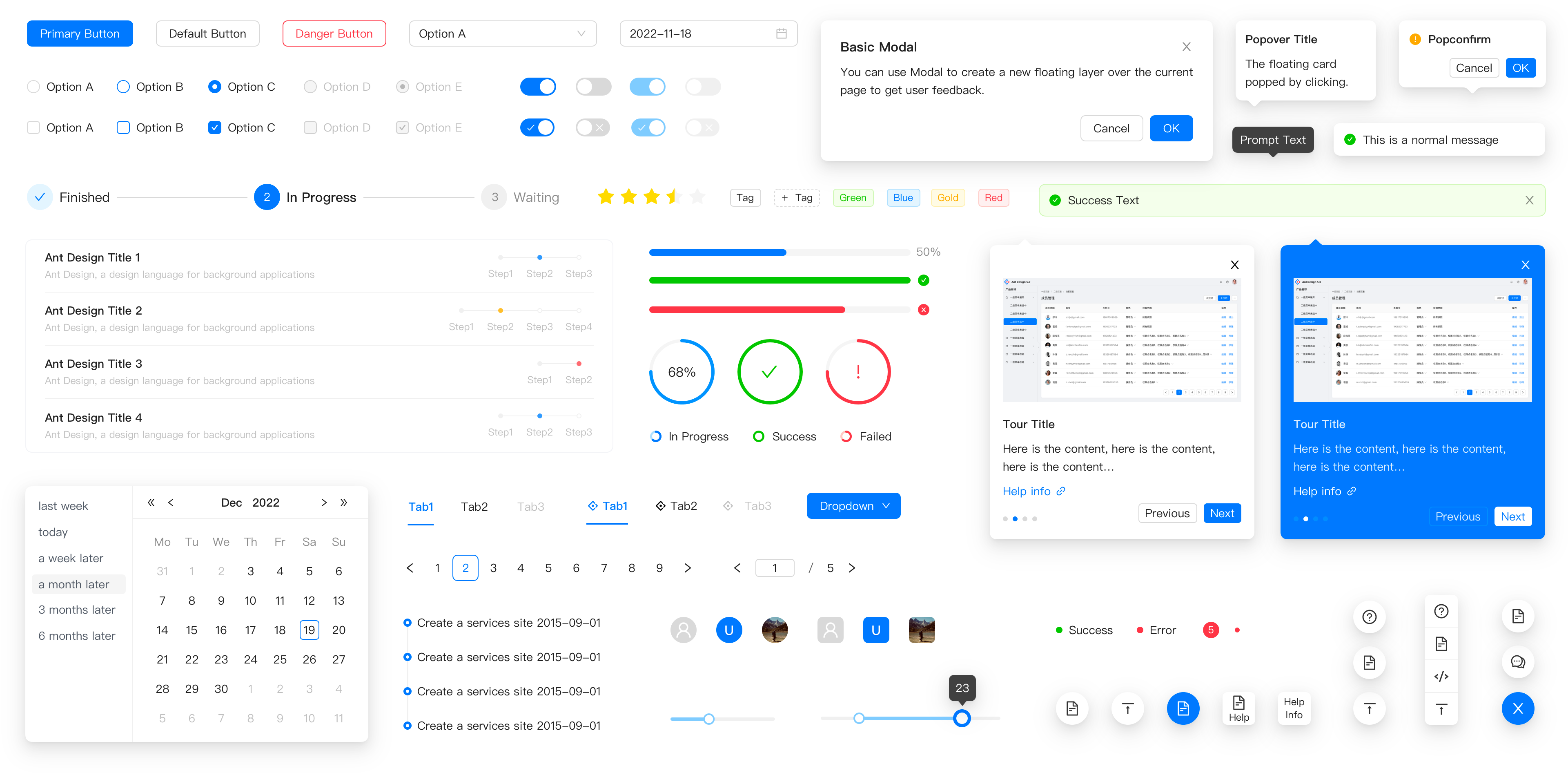
✨ Features
- 🌈 Enterprise-class UI designed for web applications.
- 📦 A set of high-quality React components out of the box.
- 🛡 Written in TypeScript with predictable static types.
- ⚙️ Whole package of design resources and development tools.
- 🌍 Internationalization support for dozens of languages.
- 🎨 Powerful theme customization based on CSS-in-JS.
🖥 Environment Support
- Modern browsers
- Server-side Rendering
- Electron
 Edge |  Firefox |  Chrome |  Safari |  Electron |
|---|---|---|---|---|
| Edge | last 2 versions | last 2 versions | last 2 versions | last 2 versions |
📦 Install
npm install antd
yarn add antd
pnpm add antd
bun add antd
🔨 Usage
import { Button, DatePicker } from 'antd';

export default () => (
  <>
    <Button type="primary">PRESS ME</Button>
    <DatePicker placeholder="select date" />
  </>
);
🔗 Links
- Home page
- Components Overview
- Sponsor
- Change Log
- rc-components
- 🆕 Ant Design X
- Ant Design Pro
- Pro Components
- Ant Design Mobile
- Ant Design Mini
- Ant Design Charts
- Ant Design Web3
- Landing Pages
- Ant Motion
- Scaffold Market
- Developer Instruction
- Versioning Release Note
- FAQ
- Online Playground for bug reports
- Customize Theme
- How to Apply for Being A Collaborator
⌨️ Development
Use opensumi.run, a free online pure front-end dev environment.

Or clone locally:
$ git clone git@github.com:ant-design/ant-design.git
$ cd ant-design
$ npm install
$ npm start
Open your browser and visit http://127.0.0.1:8001, see more at Development.
🤝 Contributing 
|

|

|
Let's build a better antd together.
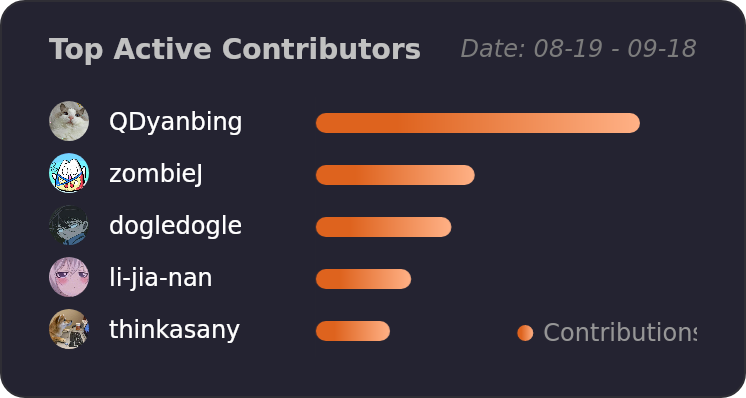
We warmly invite contributions from everyone. Before you get started, please take a moment to review our Contribution Guide. Feel free to share your ideas through Pull Requests or GitHub Issues. If you're interested in enhancing our codebase, explore the Development Instructions and enjoy your coding journey! :)
For collaborators, adhere to our Pull Request Principle and utilize our Pull Request Template when creating a Pull Request.
Issue funding
We use Issuehunt to up-vote and promote specific features that you would like to see and implement. Check our backlog and help us:

❤️ Backers