Node.js 中获取操作系统与硬件信息的工具库选型
os 是 Node.js 内置模块,提供基础的操作系统信息接口;node-os-utils、os-utils 和 systeminformation 是第三方 npm 包,用于扩展或简化对系统资源(如 CPU、内存、磁盘、网络等)的访问。这些工具在构建监控工具、性能分析器、DevOps 脚本或 Electron 应用时非常有用。其中 os 最轻量但功能有限,而第三方包在易用性、跨平台支持和数据粒度上各有侧重。
npm下载趋势
GitHub Stars 排名
统计详情


Node.js 获取系统信息:os、node-os-utils 与 systeminformation 深度对比
在构建性能监控工具、桌面应用(如 Electron)或 DevOps 脚本时,开发者常需读取操作系统和硬件信息。Node.js 提供了内置 os 模块,社区也涌现出多个第三方库。本文将深入比较 os(内置)、node-os-utils、已弃用的 os-utils 和功能全面的 systeminformation,帮助你根据实际需求做出技术选型。
⚠️ 先说结论:os-utils 已弃用,勿用!
通过查阅 npm 页面 和 GitHub 仓库,os-utils 自 2015 年后无实质性更新,且 npm 页面明确标注 "This package has been deprecated"。新项目绝对不要使用 os-utils。以下分析将聚焦其余三个选项。
🧱 基础能力:能拿到哪些信息?
内置 os 模块:只给“原材料”
Node.js 内置的 os 模块提供最基础的系统元数据,但不包含实时资源使用率(如当前 CPU 占用)。例如,它能告诉你有 8 个 CPU 核心,但不能直接告诉你现在用了多少。
// os: 基础信息示例
const os = require('os');

console.log(os.platform());      // 'darwin', 'win32', 'linux'
console.log(os.arch());          // 'x64', 'arm64'
console.log(os.totalmem());      // 总内存(字节)
console.log(os.freemem());       // 可用内存(字节)
console.log(os.cpus().length);   // CPU 核心数
console.log(os.networkInterfaces()); // 网络接口列表
要获取 CPU 使用率,你得自己记录两次 os.cpus() 的时间差并计算:
// os: 手动计算 CPU 使用率(简化版)
function calculateCpuUsage() {
  const startMeasure = os.cpus();
  return new Promise(resolve => {
    setTimeout(() => {
      const endMeasure = os.cpus();
      let idleMs = 0, totalMs = 0;
      for (let i = 0; i < startMeasure.length; i++) {
        const start = startMeasure[i].times;
        const end = endMeasure[i].times;
        idleMs += (end.idle - start.idle);
        totalMs += (end.user - start.user) + (end.sys - start.sys) + (end.idle - start.idle);
      }
      resolve(100 * (1 - idleMs / totalMs));
    }, 1000);
  });
}
node-os-utils:轻量级实时监控
node-os-utils 封装了常见命令(如 top, free, df),以 Promise 方式返回实时使用率,API 简洁。
// node-os-utils: 实时资源使用率
const osu = require('node-os-utils');

// CPU 使用率(百分比)
osu.cpu.usage().then(usage => console.log(`CPU: ${usage}%`));

// 内存使用率
osu.mem.info().then(info => {
  console.log(`内存使用率: ${info.usedMemPercentage}%`);
});

// 磁盘使用率(指定路径)
osu.drive.info('/').then(info => {
  console.log(`磁盘使用率: ${info.availablePercentage}% 可用`);
});
但它不提供硬件详细信息(如 CPU 型号、GPU 信息),仅关注资源消耗。
systeminformation:硬件信息“百科全书”
systeminformation 提供极其详尽的系统与硬件数据,覆盖 BIOS、主板、CPU、内存条、显卡、电池、温度、进程等,且跨平台兼容性好。
// systeminformation: 全面硬件与系统信息
const si = require('systeminformation');

// CPU 详细信息(型号、频率、核心等)
si.cpu().then(data => console.log(data));

// 当前 CPU 负载(类似使用率)
si.currentLoad().then(data => console.log(`CPU 负载: ${data.currentload}%`));

// 内存详情(含物理内存条信息)
si.mem().then(data => console.log(data));

// 显卡信息(支持多 GPU)
si.graphics().then(data => console.log(data));

// 电池状态(笔记本适用)
si.battery().then(data => console.log(data));
所有方法均返回结构化对象,字段命名清晰,适合需要深度系统洞察的场景。
🛠️ 使用体验:API 设计与错误处理
-
os:同步 API,无异步操作,不会抛出运行时错误(除极端情况),但需自行处理跨平台差异(如 Windows 与 Linux 的路径分隔符)。 -
node-os-utils:统一返回 Promise,失败时 reject。例如磁盘路径不存在时,drive.info()会 reject 错误。需用.catch()或try/catch处理。
// node-os-utils 错误处理
osu.drive.info('/nonexistent')
  .catch(err => console.error('磁盘查询失败:', err.message));
systeminformation:同样基于 Promise,但对无效调用更宽容(如在台式机上调用battery()返回空对象而非报错)。文档详尽,每个方法都有明确的返回结构说明。
🌍 跨平台支持:Windows/macOS/Linux 表现如何?
-
os:由 Node.js 官方维护,三端行为一致,是最可靠的跨平台基础。 -
node-os-utils:依赖 shell 命令,在 Windows 上通过 PowerShell 或 WMI 实现,但某些指标(如网络使用率)在 Windows 支持较弱或精度较低。 -
systeminformation:专为跨平台设计,针对各系统使用最优原生接口(如 Windows 的 WMI、Linux 的/proc、macOS 的system_profiler),数据一致性高,是 Electron 等跨平台桌面应用的首选。
📦 何时该用哪个?真实场景建议
场景 1:Electron 桌面应用的状态栏监控
需要显示 CPU、内存、磁盘实时使用率,但不关心硬件型号。
- ✅ 推荐
node-os-utils:轻量、API 简单,满足基本监控需求,打包体积小。
// Electron 主进程定期更新资源使用率
setInterval(async () => {
  const cpu = await osu.cpu.usage();
  const mem = await osu.mem.info();
  mainWindow.webContents.send('system-stats', { cpu, mem: mem.usedMemPercentage });
}, 2000);
场景 2:服务器健康检查脚本
需要判断内存是否低于阈值、磁盘是否快满,并发送告警。
- ✅ 推荐
node-os-utils:直接获取使用率百分比,逻辑清晰。
// 健康检查
const { usedMemPercentage } = await osu.mem.info();
const { availablePercentage } = await osu.drive.info('/');

if (usedMemPercentage > 90) alert('内存告警!');
if (availablePercentage < 10) alert('磁盘空间不足!');
场景 3:构建系统诊断工具(如硬件检测软件)
需要收集用户设备的完整硬件配置,用于远程支持或兼容性分析。
- ✅ 推荐
systeminformation:唯一能提供 CPU 型号、GPU 制造商、内存频率等细节的库。
// 生成完整系统报告
const report = {
  cpu: await si.cpu(),
  memory: await si.memLayout(), // 内存条详情
  graphics: await si.graphics(),
  os: await si.osInfo(),
  battery: await si.battery()
};
uploadDiagnosticReport(report);
场景 4:简单日志记录(只需平台和架构)
在日志中记录运行环境,如 “Linux x64”。
- ✅ 推荐内置
os:零依赖,一行代码搞定。
console.log(`运行环境: ${os.platform()} ${os.arch()}`);
📊 总结对比表
| 能力 | os (内置) | node-os-utils | systeminformation |
|---|---|---|---|
| 实时 CPU 使用率 | ❌(需手动计算) | ✅ | ✅ |
| 实时内存/磁盘使用率 | ❌(仅总量/空闲量) | ✅ | ✅ |
| CPU 型号/频率 | ❌ | ❌ | ✅ |
| GPU 信息 | ❌ | ❌ | ✅ |
| 电池/温度/传感器 | ❌ | ❌ | ✅ |
| 网络实时流量 | ❌ | ⚠️(Linux/macOS 为主) | ✅ |
| API 风格 | 同步 | Promise | Promise |
| 跨平台一致性 | ⭐⭐⭐⭐⭐ | ⭐⭐⭐ | ⭐⭐⭐⭐⭐ |
| 依赖体积 | 0(内置) | 小 | 较大 |
💡 最终建议
- 能用内置
os解决的,就别加依赖 —— 它稳定、高效、无维护风险。 - 需要简单实时监控?选
node-os-utils—— 轻量、专注、够用。 - 需要深度硬件信息或企业级监控?选
systeminformation—— 功能全面、跨平台可靠。 - 永远避开
os-utils—— 已弃用,存在兼容性和安全风险。
根据你的项目复杂度和信息粒度需求,选择最匹配的工具,既能避免过度工程,又能确保数据准确可靠。
如何选择: systeminformation vs os vs node-os-utils vs os-utils
- systeminformation:
选择
systeminformation如果你需要全面、细粒度的系统与硬件信息(包括 BIOS 版本、GPU 型号、电池状态、温度传感器、进程树等),并支持 Windows、macOS、Linux 等多平台。它返回结构化 JSON 数据,适合构建专业级系统监控、诊断工具或需要深度硬件集成的应用。 - os:
选择内置的
os模块如果你只需要基础的系统信息(如平台、架构、内存总量、CPU 核心数、网络接口列表),且希望避免任何第三方依赖。它稳定、零开销,但无法获取实时资源使用率(如当前 CPU 占用百分比),需自行计算或结合其他机制实现。 - node-os-utils:
选择
node-os-utils如果你需要一个轻量、Promise 风格的 API 来快速获取 CPU、内存、磁盘和网络使用率,并且项目对依赖体积敏感。它封装了常见 shell 命令(如top、df),适合中小型监控脚本或桌面应用,但不提供详细的硬件型号或传感器数据。 - os-utils:
os-utils已在 npm 上被标记为 deprecated(弃用),其 GitHub 仓库多年未更新。不应在新项目中使用。建议评估node-os-utils或systeminformation作为替代方案。
热门对比
systeminformation的README
systeminformation
System and OS information library for node.js
Explore Systeminformation docs »
Report bug
·
Request feature
·
Changelog








The Systeminformation Project
This is amazing. Started as a small project just for myself, it now has > 19,000 lines of code, > 700 versions published, up to 20 mio downloads per month, > 490 mio downloads overall. Top 10 NPM ranking for backend packages. Thank you to all who contributed to this project!
Upcoming Version 6 ⭐️⭐️⭐️
The upcoming version 6 of this package (written completely in TypeScript) will come with a lot of new features and improvements. I also cleaned up the API so there will also be some breaking changes. I will release the first beta soon.
Please support this project ... ☕️
Over the past few years I spent more than 3.000 hours working 💻 😓 ☕️ on this project and invested in hardware to be able to test on different platforms. Currently I am working very hard on the next new version 6.0 completely rewritten in TypeScript and with a lot of new features. Any support is highly appreciated - Buy me a coffee... ☕️
Your contribution make it possible for me to keep working on this project, add new features and support more platforms. Thank you in advance!
Node.js ✅, Bun ✅ and Deno ✅
I tested this library with Node.js, Bun and Deno (V2.x) with no issues. There was only one problem on Denos side in version <= 2.1.4: os.freemem() pollyfill was not correct but this is now fixed with Deno >= 2.1.5.
Attention: This library is supposed to be used as a backend/server-side library and will definitely not work within a browser.
Current Version 5.0
The current Version 5 - this major version release 5.0 - came with new functionality and several improvements and changes (some of them are breaking changes!):
- added audio: get detailed audio device information
- added bluetooth: get detailed bluetooth device information
- added dockerImages, dockerVolumes: get detailed information about docker images and volumes
- added printer: get information from detected printers
- added usb: get detailed usb controller and device information
- added wifi interfaces and connections: extended wifi information
- better uuid function to get unique hardware and OS UUIDs
- better/extended cpu info detection
- better/extended system info detection
- Apple Silicon M1/M2/M3/M4/M5 support
- better Raspberry-PI detection
- systeminformation website updated and extended with full documentation and examples systeminformation.io
- lot of minor improvements
Breaking Changes in version 5 (compared to version 4.x): you will see several breaking changes for the sake of a more consistent API interface and to be future proof. Read the detailed version 5 changes.
I did a lot of testing on different platforms and machines but of course there might be some issues that I am not aware of. I would be happy if you inform me when you discover any issues. Issues can be opened here.
Quick Start
Lightweight collection of 50+ functions to retrieve detailed hardware, system and OS information.
- simple to use
- get detailed information about system, cpu, baseboard, battery, memory, disks/filesystem, network, docker, software, services and processes
- supports Linux, macOS, partial Windows, FreeBSD, OpenBSD, NetBSD, SunOS and Android support
- no npm dependencies
Installation
npm install systeminformation --save
or simpler
npm i systeminformation
Give it a try with npx?
You just want to give it a try - right from your command line without installing
it? Here is how you can call it with npx:
# get basic system info (System, OS, CPU)
npx systeminformation info

# obtain all static data - may take up to 30 seconds
npx systeminformation
Still need Version 4?
If you need version 4 (for compatibility reasons), you can install version 4 (latest release) like this
npm install systeminformation@4 —save
or simpler
npm install systeminformation@4
Usage
All functions (except version and time) are implemented as asynchronous
functions. Here a small example how to use them:
const si = require("systeminformation");

// promises style - new since version 3
si.cpu()
  .then((data) => console.log(data))
  .catch((error) => console.error(error));
News and Changes
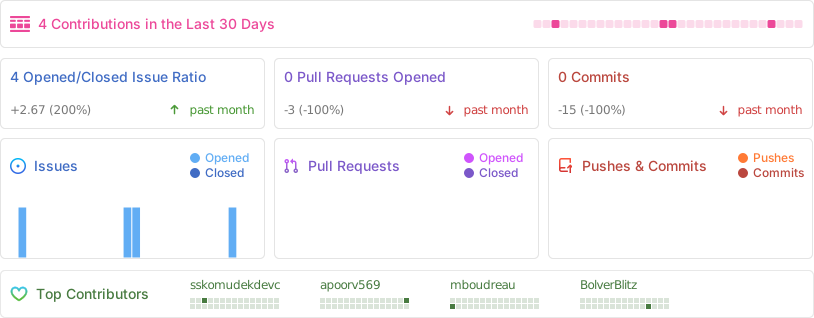
Latest Activity
(last 7 major and minor version releases)
- Version 5.31.0:
diskLayout()added smartmontools support (macOS) - Version 5.30.0:
processes()added user (windows) - needed to be reverted - Version 5.29.0:
osInfo()added OS code name (windows) - Version 5.28.0:
cpuTemperature()added suppurt for macos-temperature-sensor (macOS) - Version 5.27.0:
mem()added reclaimable memory - Version 5.26.0:
getStatic(),getAll()added usb, audio, bluetooth, printer - Version 5.25.0:
versions()added homebrew - Version 5.24.0:
versions()added bun and deno - Version 5.23.0:
usb()added serial number (linux) - Version 5.22.0:
wifiConnections()added signal quality - Version 5.21.0:
graphics()added subVendor (linux) - Version 5.20.0:
mem()added writeback and dirty (linux) - Version 5.19.0:
currentLoad()added steal and guest time (linux) - Version 5.18.0:
fsSize()added optional drive parameter - Version 5.17.0:
graphics()added positionX, positionY (macOS) - Version 5.16.0:
fsSize()added rw property - Version 5.15.0:
blockDevices()added device - Version 5.14.0:
blockDevices()added raid group member (linux) - Version 5.13.0:
networkConnections()added process name (macOS) - Version 5.12.0:
cpu()added performance and efficiency cores - Version 5.11.0:
networkInterfaces()added default property and default parameter - Version 5.10.0: basic
androidsupport - Version 5.9.0:
graphics()added properties (macOS) - Version 5.8.0:
disksIO()added waitTime, waitPercent (linux) - Version 5.7.0:
diskLayout()added S.M.A.R.T for Windows (if installed) - Version 5.6.0:
cpuTemperature()added socket and chipset temp (linux) - Version 5.5.0:
dockerVolumes()added - Version 5.4.0:
dockerImages()added - Version 5.3.0:
osInfo()added remoteSession (win only) - Version 5.2.0:
wifiInterfaces()andwifiConnections()added - Version 5.1.0:
memLayout()added ECC flag,bios()added language, features (linux) - Version 5.0.0: new version 5 - attention there are some breaking changes. See detailed version 5 changes here.
- ...
You can find all changes here: detailed changelog
Activity
Core concept
Node.js comes with some basic OS information, but I always wanted a little more. So I came up to write this little library. This library is still a work in progress. It is supposed to be used as a backend/server-side library (it will definitely not work within a browser). It requires node.js version 4.0 and above.
I was able to test it on several Debian, Raspbian, Ubuntu distributions as well as macOS (Mavericks, Yosemite, El Captain, Sierra, High Sierra, Mojave, Catalina, Big Sur, Monterey, Ventura, Sonoma, Sequoia, Tahoe) and some Windows 7, Windows 8, Windows 10, Windows 11, FreeBSD, OpenBSD, NetBSD and SunOS machines. Not all functions are supported on all operating systems. Have a look at the function reference in the docs to get further details.
If you have comments, suggestions & reports, please feel free to contact me!
I also created a nice little command line tool called mmon (micro-monitor) for Linux and macOS, also available via github and npm
Reference
Function Reference and OS Support
Full function reference with examples can be found at https://systeminformation.io.
1. General
| Function | Result object | Linux | BSD | Mac | Win | Sun | Comments |
|---|---|---|---|---|---|---|---|
| si.version() | : string | X | X | X | X | X | lib version (no callback/promise) |
| si.time() | {...} | X | X | X | X | X | (no callback/promise) |
| current | X | X | X | X | X | local (server) time | |
| uptime | X | X | X | X | X | uptime in number of seconds | |
| timezone | X | X | X | X | X | e.g. GMT+0200 | |
| timezoneName | X | X | X | X | X | e.g. CEST |
2. System (HW)
| Function | Result object | Linux | BSD | Mac | Win | Sun | Comments |
|---|---|---|---|---|---|---|---|
| si.system(cb) | {...} | X | X | X | X | hardware information | |
| manufacturer | X | X | X | X | e.g. 'MSI' | ||
| model | X | X | X | X | model/product e.g. 'MS-7823' | ||
| version | X | X | X | X | version e.g. '1.0' | ||
| serial | X | X | X | X | serial number | ||
| uuid | X | X | X | X | UUID | ||
| sku | X | X | X | X | SKU number | ||
| virtual | X | X | X | is virtual machine | |||
| virtualHost | X | X | X | virtual host (if virtual) | |||
| raspberry | X | optional raspberry revision data | |||||
| si.bios(cb) | {...} | X | X | X | X | bios information | |
| vendor | X | X | X | X | e.g. 'AMI' | ||
| version | X | X | X | X | version | ||
| releaseDate | X | X | X | release date | |||
| revision | X | X | X | revision | |||
| serial | X | X | serial | ||||
| si.baseboard(cb) | {...} | X | X | X | X | baseboard information | |
| manufacturer | X | X | X | X | e.g. 'ASUS' | ||
| model | X | X | X | X | model / product name | ||
| version | X | X | X | X | version | ||
| serial | X | X | X | X | serial number | ||
| assetTag | X | X | X | X | asset tag | ||
| memMax | X | X | X | max memory in bytes | |||
| memSlots | X | X | X | memory slots on baseboard | |||
| si.chassis(cb) | {...} | X | X | X | X | chassis information | |
| manufacturer | X | X | X | X | e.g. 'MSI' | ||
| model | X | X | X | X | model / product name | ||
| type | X | X | X | X | model / product name | ||
| version | X | X | X | X | version | ||
| serial | X | X | X | X | serial number | ||
| assetTag | X | X | X | X | asset tag | ||
| sku | X | SKU number |
3. CPU
| Function | Result object | Linux | BSD | Mac | Win | Sun | Comments |
|---|---|---|---|---|---|---|---|
| si.cpu(cb) | {...} | X | X | X | X | CPU information | |
| manufacturer | X | X | X | X | e.g. 'Intel(R)' | ||
| brand | X | X | X | X | e.g. 'Core(TM)2 Duo' | ||
| speed | X | X | X | X | in GHz e.g. '3.40' | ||
| speedMin | X | X | X | in GHz e.g. '0.80' | |||
| speedMax | X | X | X | X | in GHz e.g. '3.90' | ||
| governor | X | e.g. 'powersave' | |||||
| cores | X | X | X | X | # cores | ||
| physicalCores | X | X | X | X | # physical cores | ||
| efficiencyCores | X | X | # efficiency cores | ||||
| performanceCores | X | X | # performance cores | ||||
| processors | X | X | X | X | # processors | ||
| socket | X | X | X | socket type e.g. "LGA1356" | |||
| vendor | X | X | X | X | vendor ID | ||
| family | X | X | X | X | processor family | ||
| model | X | X | X | X | processor model | ||
| stepping | X | X | X | X | processor stepping | ||
| revision | X | X | X | revision | |||
| voltage | X | voltage | |||||
| flags | X | X | X | X | CPU flags | ||
| virtualization | X | X | X | X | virtualization supported | ||
| cache | X | X | X | X | cache in bytes (object) | ||
| cache.l1d | X | X | X | X | L1D (data) size | ||
| cache.l1i | X | X | X | X | L1I (instruction) size | ||
| cache.l2 | X | X | X | X | L2 size | ||
| cache.l3 | X | X | X | X | L3 size | ||
| si.cpuFlags(cb) | : string | X | X | X | X | CPU flags | |
| si.cpuCache(cb) | {...} | X | X | X | X | CPU cache sizes | |
| l1d | X | X | X | X | L1D size | ||
| l1i | X | X | X | X | L1I size | ||
| l2 | X | X | X | X | L2 size | ||
| l3 | X | X | X | X | L3 size | ||
| si.cpuCurrentSpeed(cb) | {...} | X | X | X | X | X | current CPU speed (in GHz) |
| avg | X | X | X | X | X | avg CPU speed (all cores) | |
| min | X | X | X | X | X | min CPU speed (all cores) | |
| max | X | X | X | X | X | max CPU speed (all cores) | |
| cores | X | X | X | X | X | CPU speed per core (array) | |
| si.cpuTemperature(cb) | {...} | X | X | X* | X | CPU temperature in C (if supported) | |
| main | X | X | X | X | main temperature (avg) | ||
| cores | X | X | X | X | array of temperatures | ||
| max | X | X | X | X | max temperature | ||
| socket | X | array socket temperatures | |||||
| chipset | X | X | chipset temperature |
4. Memory
| Function | Result object | Linux | BSD | Mac | Win | Sun | Comments |
|---|---|---|---|---|---|---|---|
| si.mem(cb) | {...} | X | X | X | X | X | Memory information (in bytes) |
| total | X | X | X | X | X | total memory in bytes | |
| free | X | X | X | X | X | not used in bytes | |
| used | X | X | X | X | X | used (incl. buffers/cache) | |
| active | X | X | X | X | X | used actively (excl. buffers/cache) | |
| buffcache | X | X | X | X | used by buffers+cache | ||
| buffers | X | used by buffers | |||||
| cached | X | used by cache | |||||
| slab | X | used by slab | |||||
| reclaimable | X | X | reclaimable (SReclaimable) | ||||
| available | X | X | X | X | X | potentially available (total - active) | |
| swaptotal | X | X | X | X | X | ||
| swapused | X | X | X | X | X | ||
| swapfree | X | X | X | X | X | ||
| writeback | X | ||||||
| dirty | X | ||||||
| si.memLayout(cb) | [{...}] | X | X | X | X | Memory Layout (array) | |
| [0].size | X | X | X | X | size in bytes | ||
| [0].bank | X | X | X | memory bank | |||
| [0].type | X | X | X | X | memory type | ||
| [0].clockSpeed | X | X | X | X | clock speed | ||
| [0].formFactor | X | X | X | form factor | |||
| [0].manufacturer | X | X | X | X | manufacturer | ||
| [0].partNum | X | X | X | X | part number | ||
| [0].serialNum | X | X | X | X | serial number | ||
| [0].voltageConfigured | X | X | X | voltage conf. | |||
| [0].voltageMin | X | X | X | voltage min | |||
| [0].voltageMax | X | X | X | voltage max |
5. Battery
| Function | Result object | Linux | BSD | Mac | Win | Sun | Comments |
|---|---|---|---|---|---|---|---|
| si.battery(cb) | {...} | X | X | X | X | battery information | |
| hasBattery | X | X | X | X | indicates presence of battery | ||
| cycleCount | X | X | numbers of recharges | ||||
| isCharging | X | X | X | X | indicates if battery is charging | ||
| designedCapacity | X | X | X | max capacity of battery (mWh) | |||
| maxCapacity | X | X | X | max capacity of battery (mWh) | |||
| currentCapacity | X | X | X | current capacity of battery (mWh) | |||
| capacityUnit | X | X | X | capacity unit (mWh) | |||
| voltage | X | X | X | current voltage of battery (V) | |||
| percent | X | X | X | X | charging level in percent | ||
| timeRemaining | X | X | minutes left (if discharging) | ||||
| acConnected | X | X | X | X | AC connected | ||
| type | X | X | battery type | ||||
| model | X | X | model | ||||
| manufacturer | X | X | manufacturer | ||||
| serial | X | X | battery serial |
- See known issues if you have a problem with macOS temperature or windows temperature
6. Graphics
| Function | Result object | Linux | BSD | Mac | Win | Sun | Comments |
|---|---|---|---|---|---|---|---|
| si.graphics(cb) | {...} | X | X | X | arrays of graphics controllers and displays | ||
| controllers[] | X | X | X | graphics controllers array | |||
| ...[0].vendor | X | X | X | e.g. NVIDIA | |||
| ...[0].subVendor | X | e.g. Gigabyte | |||||
| ...[0].vendorId | X | vendor ID | |||||
| ...[0].model | X | X | X | graphics controller model | |||
| ...[0].deviceId | X | device ID | |||||
| ...[0].bus | X | X | X | on which bus (e.g. PCIe) | |||
| ...[0].vram | X | X | X | VRAM size (in MB) | |||
| ...[0].vramDynamic | X | X | X | true if dynamically allocated ram | |||
| ...[0].external | X | is external GPU | |||||
| ...[0].cores | X | Apple silicon only | |||||
| ...[0].metalVersion | X | Apple Metal Version | |||||
| displays[] | X | X | X | monitor/display array | |||
| ...[0].vendor | X | monitor/display vendor | |||||
| ...[0].vendorId | X | vendor ID | |||||
| ...[0].deviceName | X | e.g. \\.\DISPLAY1 | |||||
| ...[0].model | X | X | X | monitor/display model | |||
| ...[0].productionYear | X | production year | |||||
| ...[0].serial | X | serial number | |||||
| ...[0].displayId | X | display ID | |||||
| ...[0].main | X | X | X | true if main monitor | |||
| ...[0].builtin | X | X | true if built-in monitor | ||||
| ...[0].connection | X | X | X | e.g. DisplayPort or HDMI | |||
| ...[0].sizeX | X | X | size in mm horizontal | ||||
| ...[0].sizeY | X | X | size in mm vertical | ||||
| ...[0].pixelDepth | X | X | X | color depth in bits | |||
| ...[0].resolutionX | X | X | X | pixel horizontal | |||
| ...[0].resolutionY | X | X | X | pixel vertical | |||
| ...[0].currentResX | X | X | X | current pixel horizontal | |||
| ...[0].currentResY | X | X | X | current pixel vertical | |||
| ...[0].positionX | X | X | display position X | ||||
| ...[0].positionY | X | X | display position Y | ||||
| ...[0].currentRefreshRate | X | X | X | current screen refresh rate |
7. Operating System
| Function | Result object | Linux | BSD | Mac | Win | Sun | Comments |
|---|---|---|---|---|---|---|---|
| si.osInfo(cb) | {...} | X | X | X | X | X | OS information |
| platform | X | X | X | X | X | 'linux', 'darwin', 'Windows', ... | |
| distro | X | X | X | X | X | ||
| release | X | X | X | X | X | ||
| codename | X | X | X | ||||
| kernel | X | X | X | X | X | kernel release - same as os.release() | |
| arch | X | X | X | X | X | same as os.arch() | |
| hostname | X | X | X | X | X | same as os.hostname() | |
| fqdn | X | X | X | X | X | FQDN fully qualified domain name | |
| codepage | X | X | X | X | OS build version | ||
| logofile | X | X | X | X | X | e.g. 'apple', 'debian', 'fedora', ... | |
| serial | X | X | X | X | OS/Host serial number | ||
| build | X | X | X | OS build version | |||
| servicepack | X | service pack version | |||||
| uefi | X | X | X | X | OS started via UEFI | ||
| hypervisor | X | hyper-v enabled? (win only) | |||||
| remoteSession | X | runs in remote session (win only) | |||||
| si.uuid(cb) | {...} | X | X | X | X | X | object of several UUIDs |
| os | X | X | X | X | os specific UUID | ||
| hardware | X | X | X | X | hardware specific UUID | ||
| macs | X | X | X | X | MAC addresses | ||
| si.versions(apps, cb) | {...} | X | X | X | X | X | version information (kernel, ssl, node, ...) apps param is optional for detecting only specific apps/libs (string, comma separated) |
| si.shell(cb) | : string | X | X | X | X | standard shell | |
| si.users(cb) | [{...}] | X | X | X | X | X | array of users online |
| [0].user | X | X | X | X | X | user name | |
| [0].tty | X | X | X | X | X | terminal | |
| [0].date | X | X | X | X | X | login date | |
| [0].time | X | X | X | X | X | login time | |
| [0].ip | X | X | X | X | ip address (remote login) | ||
| [0].command | X | X | X | X | last command or shell |
8. Current Load, Processes & Services
| Function | Result object | Linux | BSD | Mac | Win | Sun | Comments |
|---|---|---|---|---|---|---|---|
| si.currentLoad(cb) | {...} | X | X | X | X | CPU-Load | |
| avgLoad | X | X | X | average load | |||
| currentLoad | X | X | X | X | CPU load in % | ||
| currentLoadUser | X | X | X | X | CPU load user in % | ||
| currentLoadSystem | X | X | X | X | CPU load system in % | ||
| currentLoadNice | X | X | X | X | CPU load nice in % | ||
| currentLoadIdle | X | X | X | X | CPU load idle in % | ||
| currentLoadIrq | X | X | X | X | CPU load system in % | ||
| rawCurrentLoad... | X | X | X | X | CPU load raw values (ticks) | ||
| cpus[] | X | X | X | X | current loads per CPU in % + raw ticks | ||
| si.fullLoad(cb) | : integer | X | X | X | CPU full load since bootup in % | ||
| si.processes(cb) | {...} | X | X | X | X | X | # running processes |
| all | X | X | X | X | X | # of all processes | |
| running | X | X | X | X | # of all processes running | ||
| blocked | X | X | X | X | # of all processes blocked | ||
| sleeping | X | X | X | X | # of all processes sleeping | ||
| unknown | X | # of all processes unknown status | |||||
| list[] | X | X | X | X | X | list of all processes incl. details | |
| ...[0].pid | X | X | X | X | X | process PID | |
| ...[0].parentPid | X | X | X | X | X | parent process PID | |
| ...[0].name | X | X | X | X | X | process name | |
| ...[0].cpu | X | X | X | X | X | process % CPU usage | |
| ...[0].cpuu | X | X | X | process % CPU usage (user) | |||
| ...[0].cpus | X | X | X | process % CPU usage (system) | |||
| ...[0].mem | X | X | X | X | X | process memory % | |
| ...[0].priority | X | X | X | X | X | process priority | |
| ...[0].memVsz | X | X | X | X | X | process virtual memory size | |
| ...[0].memRss | X | X | X | X | X | process mem resident set size | |
| ...[0].nice | X | X | X | X | process nice value | ||
| ...[0].started | X | X | X | X | X | process start time | |
| ...[0].state | X | X | X | X | X | process state (e.g. sleeping) | |
| ...[0].tty | X | X | X | X | tty from which process was started | ||
| ...[0].user | X | X | X | X | user who started process | ||
| ...[0].command | X | X | X | X | X | process starting command | |
| ...[0].params | X | X | X | X | process params | ||
| ...[0].path | X | X | X | X | X | process path | |
| proc | X | X | X | X | process name | ||
| pid | X | X | X | X | PID | ||
| pids | X | X | X | X | additional pids | ||
| cpu | X | X | X | X | process % CPU | ||
| mem | X | X | X | X | process % MEM | ||
| si.services('mysql, apache2', cb) | [{...}] | X | X | X | X | pass comma separated string of services pass "*" for ALL services (linux/win only) | |
| [0].name | X | X | X | X | name of service | ||
| [0].running | X | X | X | X | true / false | ||
| [0].startmode | X | manual, automatic, ... | |||||
| [0].pids | X | X | X | X | pids | ||
| [0].cpu | X | X | X | process % CPU | |||
| [0].mem | X | X | X | process % MEM | |||
| si.processLoad('mysql, apache2', cb) | [{...}] | X | X | X | X | pass comma separated string of processes pass "*" for ALL processes (linux/win only) | |
| [0].proc | X | X | X | X | name of process | ||
| [0].pids | X | X | X | X | pids | ||
| [0].cpu | X | X | X | process % CPU | |||
| [0].mem | X | X | X | process % MEM |
9. File System
| Function | Result object | Linux | BSD | Mac | Win | Sun | Comments |
|---|---|---|---|---|---|---|---|
| si.diskLayout(cb) | [{...}] | X | X | X | physical disk layout (array) | ||
| [0].device | X | X | e.g. /dev/sda | ||||
| [0].type | X | X | X | HD, SSD, NVMe | |||
| [0].name | X | X | X | disk name | |||
| [0].vendor | X | X | vendor/producer | ||||
| [0].size | X | X | X | size in bytes | |||
| [0].bytesPerSector | X | bytes per sector | |||||
| [0].totalCylinders | X | total cylinders | |||||
| [0].totalHeads | X | total heads | |||||
| [0].totalSectors | X | total sectors | |||||
| [0].totalTracks | X | total tracks | |||||
| [0].tracksPerCylinder | X | tracks per cylinder | |||||
| [0].sectorsPerTrack | X | sectors per track | |||||
| [0].firmwareRevision | X | X | X | firmware revision | |||
| [0].serialNum | X | X | X | serial number | |||
| [0].interfaceType | X | X | X | SATA, PCIe, ... | |||
| [0].smartStatus | X | X | X | S.M.A.R.T Status (see Known Issues) | |||
| [0].temperature | X | X | X | S.M.A.R.T temperature | |||
| [0].smartData | X | X | X | full S.M.A.R.T data from smartctl requires at least smartmontools 7.0 | |||
| si.blockDevices(cb) | [{...}] | X | X | X | returns array of disks, partitions, raids and roms | ||
| [0].name | X | X | X | name | |||
| [0].type | X | X | X | type | |||
| [0].fstype | X | X | X | file system type (e.g. ext4) | |||
| [0].mount | X | X | X | mount point | |||
| [0].size | X | X | X | size in bytes | |||
| [0].physical | X | X | X | physical type (HDD, SSD, CD/DVD) | |||
| [0].uuid | X | X | X | UUID | |||
| [0].label | X | X | X | label | |||
| [0].model | X | X | model | ||||
| [0].serial | X | X | serial | ||||
| [0].removable | X | X | X | serial | |||
| [0].protocol | X | X | protocol (SATA, PCI-Express, ...) | ||||
| [0].group | X | Raid group member (e.g. md1) | |||||
| [0].device | X | X | X | physical device mapped to (e.g. /dev/sda) | |||
| si.disksIO(cb) | {...} | X | X | current transfer stats | |||
| rIO | X | X | read IOs on all mounted drives | ||||
| wIO | X | X | write IOs on all mounted drives | ||||
| tIO | X | X | write IOs on all mounted drives | ||||
| rIO_sec | X | X | read IO per sec (* see notes) | ||||
| wIO_sec | X | X | write IO per sec (* see notes) | ||||
| tIO_sec | X | X | total IO per sec (* see notes) | ||||
| rWaitTime | X | read IO request time (* see notes) | |||||
| wWaitTime | X | write IO request time (* see notes) | |||||
| tWaitTime | X | total IO request time (* see notes) | |||||
| rWaitPercent | X | read IO request time percent (* see notes) | |||||
| wWaitPercent | X | write IO request time percent (* see notes) | |||||
| tWaitPercent | X | total IO request time percent (* see notes) | |||||
| ms | X | X | interval length (for per second values) | ||||
| si.fsSize(drive, cb) | [{...}] | X | X | X | X | returns array of mounted file systems drive param is optional | |
| [0].fs | X | X | X | X | name of file system | ||
| [0].type | X | X | X | X | type of file system | ||
| [0].size | X | X | X | X | sizes in bytes | ||
| [0].used | X | X | X | X | used in bytes | ||
| [0].available | X | X | X | X | used in bytes | ||
| [0].use | X | X | X | X | used in % | ||
| [0].mount | X | X | X | X | mount point | ||
| [0].rw | X | X | X | X | read and write (false if read only) | ||
| si.fsOpenFiles(cb) | {...} | X | X | X | count max/allocated file descriptors | ||
| max | X | X | X | max file descriptors | |||
| allocated | X | X | X | current open files count | |||
| available | X | X | X | count available | |||
| si.fsStats(cb) | {...} | X | X | current transfer stats | |||
| rx | X | X | bytes read since startup | ||||
| wx | X | X | bytes written since startup | ||||
| tx | X | X | total bytes read + written since startup | ||||
| rx_sec | X | X | bytes read / second (* see notes) | ||||
| wx_sec | X | X | bytes written / second (* see notes) | ||||
| tx_sec | X | X | total bytes reads + written / second | ||||
| ms | X | X | interval length (for per second values) |
10. USB
| Function | Result object | Linux | BSD | Mac | Win | Sun | Comments |
|---|---|---|---|---|---|---|---|
| si.usb(cb) | [{...}] | X | X | X | X | get detected USB devices | |
| [0].bus | X | USB bus | |||||
| [0].deviceId | X | bus device id | |||||
| [0].id | X | X | X | internal id | |||
| [0].name | X | X | X | name | |||
| [0].type | X | X | X | name | |||
| [0].removable | X | is removable | |||||
| [0].vendor | X | X | vendor | ||||
| [0].manufacturer | X | X | X | manufacturer | |||
| [0].maxPower | X | max power | |||||
| [0].default | X | X | X | is default printer | |||
| [0].serialNumber | X | X | serial number |
11. Printer
| Function | Result object | Linux | BSD | Mac | Win | Sun | Comments |
|---|---|---|---|---|---|---|---|
| si.printer(cb) | [{...}] | X | X | X | X | get printer information | |
| [0].id | X | X | X | internal id | |||
| [0].name | X | X | X | name | |||
| [0].model | X | X | X | model | |||
| [0].uri | X | X | printer URI | ||||
| [0].uuid | X | printer UUID | |||||
| [0].status | X | X | X | printer status (e.g. idle) | |||
| [0].local | X | X | X | is local printer | |||
| [0].default | X | X | is default printer | ||||
| [0].shared | X | X | X | is shared printer |
12. Audio
| Function | Result object | Linux | BSD | Mac | Win | Sun | Comments |
|---|---|---|---|---|---|---|---|
| si.audio(cb) | [{...}] | X | X | X | X | get printer information | |
| [0].id | X | X | X | internal id | |||
| [0].name | X | X | X | name | |||
| [0].manufacturer | X | X | X | manufacturer | |||
| [0].revision | X | revision | |||||
| [0].driver | X | driver | |||||
| [0].default | X | X | is default | ||||
| [0].channel | X | X | channel e.g. USB, HDMI, ... | ||||
| [0].type | X | X | X | type e.g. Speaker | |||
| [0].in | X | X | is input channel | ||||
| [0].out | X | X | is output channel | ||||
| [0].interfaceType | X | X | X | interface type (PCIe, USB, HDMI, ...) | |||
| [0].status | X | X | X | printer status (e.g. idle) |
13. Network related functions
| Function | Result object | Linux | BSD | Mac | Win | Sun | Comments |
|---|---|---|---|---|---|---|---|
| si.networkInterfaces(cb) | [{...}] | X | X | X | X | X | array of network interfaces With the 'default' parameter it returns only the default interface |
| [0].iface | X | X | X | X | X | interface | |
| [0].ifaceName | X | X | X | X | X | interface name (differs on Windows) | |
| [0].default | X | X | X | X | X | true if this is the default interface | |
| [0].ip4 | X | X | X | X | X | ip4 address | |
| [0].ip4subnet | X | X | X | X | X | ip4 subnet mask | |
| [0].ip6 | X | X | X | X | X | ip6 address | |
| [0].ip6subnet | X | X | X | X | X | ip6 subnet mask | |
| [0].mac | X | X | X | X | X | MAC address | |
| [0].internal | X | X | X | X | X | true if internal interface | |
| [0].virtual | X | X | X | X | X | true if virtual interface | |
| [0].operstate | X | X | X | up / down | |||
| [0].type | X | X | X | wireless / wired | |||
| [0].duplex | X | X | duplex | ||||
| [0].mtu | X | X | maximum transmission unit | ||||
| [0].speed | X | X | X | speed in MBit / s | |||
| [0].dhcp | X | X | X | IP address obtained by DHCP | |||
| [0].dnsSuffix | X | X | DNS suffix | ||||
| [0].ieee8021xAuth | X | X | IEEE 802.1x auth | ||||
| [0].ieee8021xState | X | X | IEEE 802.1x state | ||||
| [0].carrierChanges | X | # changes up/down | |||||
| si.networkInterfaceDefault(cb) | : string | X | X | X | X | X | get name of default network interface |
| si.networkGatewayDefault(cb) | : string | X | X | X | X | X | get default network gateway |
| si.networkStats(ifaces,cb) | [{...}] | X | X | X | X | current network stats of given interfaces iface list: space or comma separated iface parameter is optional defaults to first external network interface, Pass '*' for all interfaces | |
| [0].iface | X | X | X | X | interface | ||
| [0].operstate | X | X | X | X | up / down | ||
| [0].rx_bytes | X | X | X | X | received bytes overall | ||
| [0].rx_dropped | X | X | X | X | received dropped overall | ||
| [0].rx_errors | X | X | X | X | received errors overall | ||
| [0].tx_bytes | X | X | X | X | transferred bytes overall | ||
| [0].tx_dropped | X | X | X | X | transferred dropped overall | ||
| [0].tx_errors | X | X | X | X | transferred errors overall | ||
| [0].rx_sec | X | X | X | X | received bytes / second (* see notes) | ||
| [0].tx_sec | X | X | X | X | transferred bytes per second (* see notes) | ||
| [0].ms | X | X | X | X | interval length (for per second values) | ||
| si.networkConnections(cb) | [{...}] | X | X | X | X | current network network connections returns an array of all connections | |
| [0].protocol | X | X | X | X | tcp or udp | ||
| [0].localAddress | X | X | X | X | local address | ||
| [0].localPort | X | X | X | X | local port | ||
| [0].peerAddress | X | X | X | X | peer address | ||
| [0].peerPort | X | X | X | X | peer port | ||
| [0].state | X | X | X | X | like ESTABLISHED, TIME_WAIT, ... | ||
| [0].pid | X | X | X | X | process ID | ||
| [0].process | X | X | X | process name | |||
| si.inetChecksite(url, cb) | {...} | X | X | X | X | X | response-time (ms) to fetch given URL |
| url | X | X | X | X | X | given url | |
| ok | X | X | X | X | X | status code OK (2xx, 3xx) | |
| status | X | X | X | X | X | status code | |
| ms | X | X | X | X | X | response time in ms | |
| si.inetLatency(host, cb) | : number | X | X | X | X | X | response-time (ms) to external resource host parameter is optional (default 8.8.8.8) |
14. Wifi
| Function | Result object | Linux | BSD | Mac | Win | Sun | Comments |
|---|---|---|---|---|---|---|---|
| si.wifiNetworks(cb) | [{...}] | X | X | X | array of available wifi networks | ||
| [0].ssid | X | X | X | Wifi network SSID | |||
| [0].bssid | X | X | X | BSSID (mac) | |||
| [0].mode | X | mode | |||||
| [0].channel | X | X | X | channel | |||
| [0].frequency | X | X | X | frequency in MHz | |||
| [0].signalLevel | X | X | X | signal level in dB | |||
| [0].quality | X | X | X | quality in % | |||
| [0].security | X | X | X | array e.g. WPA, WPA-2 | |||
| [0].wpaFlags | X | X | X | array of WPA flags | |||
| [0].rsnFlags | X | array of RDN flags | |||||
| si.wifiInterfaces(cb) | [{...}] | X | X | X | array of detected wifi interfaces | ||
| [0].id | X | X | X | ID | |||
| [0].iface | X | X | X | interface | |||
| [0].model | X | X | X | model | |||
| [0].vendor | X | X | X | vendor | |||
| [0].mac | X | X | X | MAC address | |||
| si.wifiConnections(cb) | [{...}] | X | X | X | array of active wifi connections | ||
| [0].id | X | X | X | ID | |||
| [0].iface | X | X | X | interface | |||
| [0].model | X | X | X | model | |||
| [0].ssid | X | X | X | SSID | |||
| [0].bssid | X | (X) | X | BSSID (mac) - macOS only on older os versions | |||
| [0].channel | X | X | X | channel | |||
| [0].frequency | X | X | X | frequency in MHz | |||
| [0].type | X | X | X | e.g. 802.11 | |||
| [0].security | X | X | X | array e.g. WPA, WPA-2 | |||
| [0].signalLevel | X | X | X | signal level in dB | |||
| [0].quality | X | X | X | quality in % | |||
| [0].txRate | X | X | X | transfer rate MBit/s |
15. Bluetooth
| Function | Result object | Linux | BSD | Mac | Win | Sun | Comments |
|---|---|---|---|---|---|---|---|
| si.bluetoothDevices(cb) | [{...}] | X | X | X | ... | ||
| [0].device | X | device name | |||||
| [0].name | X | X | X | name | |||
| [0].macDevice | X | X | MAC address device | ||||
| [0].macHost | X | X | MAC address host | ||||
| [0].batteryPercent | X | battery level percent | |||||
| [0].manufacturer | X | X | manufacturer | ||||
| [0].type | X | X | X | type of bluetooth device | |||
| [0].connected | X | X | is connected |
16. Docker
| Function | Result object | Linux | BSD | Mac | Win | Sun | Comments |
|---|---|---|---|---|---|---|---|
| si.dockerInfo(cb) | {...} | X | X | X | X | X | returns general docker info |
| id | X | X | X | X | X | Docker ID | |
| containers | X | X | X | X | X | number of containers | |
| containersRunning | X | X | X | X | X | number of running containers | |
| containersPaused | X | X | X | X | X | number of paused containers | |
| containersStopped | X | X | X | X | X | number of stopped containers | |
| images | X | X | X | X | X | number of images | |
| driver | X | X | X | X | X | driver (e.g. 'devicemapper', 'overlay2') | |
| memoryLimit | X | X | X | X | X | has memory limit | |
| swapLimit | X | X | X | X | X | has swap limit | |
| kernelMemory | X | X | X | X | X | has kernel memory | |
| cpuCfsPeriod | X | X | X | X | X | has CpuCfsPeriod | |
| cpuCfsQuota | X | X | X | X | X | has CpuCfsQuota | |
| cpuShares | X | X | X | X | X | has CPUShares | |
| cpuSet | X | X | X | X | X | has CPUShares | |
| ipv4Forwarding | X | X | X | X | X | has IPv4Forwarding | |
| bridgeNfIptables | X | X | X | X | X | has BridgeNfIptables | |
| bridgeNfIp6tables | X | X | X | X | X | has BridgeNfIp6tables | |
| debug | X | X | X | X | X | Debug on | |
| nfd | X | X | X | X | X | named data networking forwarding daemon | |
| oomKillDisable | X | X | X | X | X | out-of-memory kill disabled | |
| ngoroutines | X | X | X | X | X | number NGoroutines | |
| systemTime | X | X | X | X | X | docker SystemTime | |
| loggingDriver | X | X | X | X | X | logging driver e.g. 'json-file' | |
| cgroupDriver | X | X | X | X | X | cgroup driver e.g. 'cgroupfs' | |
| nEventsListener | X | X | X | X | X | number NEventsListeners | |
| kernelVersion | X | X | X | X | X | docker kernel version | |
| operatingSystem | X | X | X | X | X | docker OS e.g. 'Docker for Mac' | |
| osType | X | X | X | X | X | OSType e.g. 'linux' | |
| architecture | X | X | X | X | X | architecture e.g. x86_64 | |
| ncpu | X | X | X | X | X | number of CPUs | |
| memTotal | X | X | X | X | X | memory total | |
| dockerRootDir | X | X | X | X | X | docker root directory | |
| httpProxy | X | X | X | X | X | http proxy | |
| httpsProxy | X | X | X | X | X | https proxy | |
| noProxy | X | X | X | X | X | NoProxy | |
| name | X | X | X | X | X | Name | |
| labels | X | X | X | X | X | array of labels | |
| experimentalBuild | X | X | X | X | X | is experimental build | |
| serverVersion | X | X | X | X | X | server version | |
| clusterStore | X | X | X | X | X | cluster store | |
| clusterAdvertise | X | X | X | X | X | cluster advertise | |
| defaultRuntime | X | X | X | X | X | default runtime e.g. 'runc' | |
| liveRestoreEnabled | X | X | X | X | X | live store enabled | |
| isolation | X | X | X | X | X | isolation | |
| initBinary | X | X | X | X | X | init binary | |
| productLicense | X | X | X | X | X | product license | |
| si.dockerImages(all, cb) | [{...}] | X | X | X | X | X | returns array of top level/all docker images |
| [0].id | X | X | X | X | X | image ID | |
| [0].container | X | X | X | X | X | container ID | |
| [0].comment | X | X | X | X | X | comment | |
| [0].os | X | X | X | X | X | OS | |
| [0].architecture | X | X | X | X | X | architecture | |
| [0].parent | X | X | X | X | X | parent ID | |
| [0].dockerVersion | X | X | X | X | X | docker version | |
| [0].size | X | X | X | X | X | image size | |
| [0].sharedSize | X | X | X | X | X | shared size | |
| [0].virtualSize | X | X | X | X | X | virtual size | |
| [0].author | X | X | X | X | X | author | |
| [0].created | X | X | X | X | X | created date / time | |
| [0].containerConfig | X | X | X | X | X | container config object | |
| [0].graphDriver | X | X | X | X | X | graph driver object | |
| [0].repoDigests | X | X | X | X | X | repo digests array | |
| [0].repoTags | X | X | X | X | X | repo tags array | |
| [0].config | X | X | X | X | X | config object | |
| [0].rootFS | X | X | X | X | X | root fs object | |
| si.dockerContainers(all, cb) | [{...}] | X | X | X | X | X | returns array of active/all docker containers |
| [0].id | X | X | X | X | X | ID of container | |
| [0].name | X | X | X | X | X | name of container | |
| [0].image | X | X | X | X | X | name of image | |
| [0].imageID | X | X | X | X | X | ID of image | |
| [0].command | X | X | X | X | X | command | |
| [0].created | X | X | X | X | X | creation time (unix) | |
| [0].started | X | X | X | X | X | creation time (unix) | |
| [0].finished | X | X | X | X | X | creation time (unix) | |
| [0].createdAt | X | X | X | X | X | creation date time string | |
| [0].startedAt | X | X | X | X | X | creation date time string | |
| [0].finishedAt | X | X | X | X | X | creation date time string | |
| [0].state | X | X | X | X | X | created, running, exited | |
| [0].ports | X | X | X | X | X | array of ports | |
| [0].mounts | X | X | X | X | X | array of mounts | |
| si.dockerContainerStats(ids, cb) | [{...}] | X | X | X | X | X | statistics for specific containers container IDs: space or comma separated, pass '*' for all containers |
| [0].id | X | X | X | X | X | Container ID | |
| [0].memUsage | X | X | X | X | X | memory usage in bytes | |
| [0].memLimit | X | X | X | X | X | memory limit (max mem) in bytes | |
| [0].memPercent | X | X | X | X | X | memory usage in percent | |
| [0].cpuPercent | X | X | X | X | X | cpu usage in percent | |
| [0].pids | X | X | X | X | X | number of processes | |
| [0].netIO.rx | X | X | X | X | X | received bytes via network | |
| [0].netIO.wx | X | X | X | X | X | sent bytes via network | |
| [0].blockIO.r | X | X | X | X | X | bytes read from BlockIO | |
| [0].blockIO.w | X | X | X | X | X | bytes written to BlockIO | |
| [0].cpuStats | X | X | X | X | X | detailed cpu stats | |
| [0].percpuStats | X | X | X | X | X | detailed per cpu stats | |
| [0].memoryStats | X | X | X | X | X | detailed memory stats | |
| [0].networks | X | X | X | X | X | detailed network stats per interface | |
| si.dockerContainerProcesses(id, cb) | [{...}] | X | X | X | X | X | array of processes inside a container |
| [0].pidHost | X | X | X | X | X | process ID (host) | |
| [0].ppid | X | X | X | X | X | parent process ID | |
| [0].pgid | X | X | X | X | X | process group ID | |
| [0].user | X | X | X | X | X | effective user name | |
| [0].ruser | X | X | X | X | X | real user name | |
| [0].group | X | X | X | X | X | effective group name | |
| [0].rgroup | X | X | X | X | X | real group name | |
| [0].stat | X | X | X | X | X | process state | |
| [0].time | X | X | X | X | X | accumulated CPU time | |
| [0].elapsed | X | X | X | X | X | elapsed running time | |
| [0].nice | X | X | X | X | X | nice value | |
| [0].rss | X | X | X | X | X | resident set size | |
| [0].vsz | X | X | X | X | X | virtual size in Kbytes | |
| [0].command | X | X | X | X | X | command and arguments | |
| si.dockerVolumes(cb) | [{...}] | returns array of all docker volumes | |||||
| [0].name | X | X | X | X | X | volume name | |
| [0].driver | X | X | X | X | X | driver | |
| [0].labels | X | X | X | X | X | labels object | |
| [0].mountpoint | X | X | X | X | X | mountpoint | |
| [0].options | X | X | X | X | X | options | |
| [0].scope | X | X | X | X | X | scope | |
| [0].created | X | X | X | X | X | created at | |
| si.dockerAll(cb) | {...} | X | X | X | X | X | list of all containers including their stats and processes in one single array |
17. Virtual Box
| Function | Result object | Linux | BSD | Mac | Win | Sun | Comments |
|---|---|---|---|---|---|---|---|
| si.vboxInfo(cb) | [{...}] | X | X | X | X | X | returns array general virtual box info |
| [0].id | X | X | X | X | X | virtual box ID | |
| [0].name | X | X | X | X | X | name | |
| [0].running | X | X | X | X | X | vbox is running | |
| [0].started | X | X | X | X | X | started date time | |
| [0].runningSince | X | X | X | X | X | running since (secs) | |
| [0].stopped | X | X | X | X | X | stopped date time | |
| [0].stoppedSince | X | X | X | X | X | stopped since (secs) | |
| [0].guestOS | X | X | X | X | X | Guest OS | |
| [0].hardwareUUID | X | X | X | X | X | Hardware UUID | |
| [0].memory | X | X | X | X | X | Memory in MB | |
| [0].vram | X | X | X | X | X | VRAM in MB | |
| [0].cpus | X | X | X | X | X | CPUs | |
| [0].cpuExepCap | X | X | X | X | X | CPU exec cap | |
| [0].cpuProfile | X | X | X | X | X | CPU profile | |
| [0].chipset | X | X | X | X | X | chipset | |
| [0].firmware | X | X | X | X | X | firmware | |
| [0].pageFusion | X | X | X | X | X | page fusion | |
| [0].configFile | X | X | X | X | X | config file | |
| [0].snapshotFolder | X | X | X | X | X | snapshot folder | |
| [0].logFolder | X | X | X | X | X | log folder path | |
| [0].hpet | X | X | X | X | X | HPET | |
| [0].pae | X | X | X | X | X | PAE | |
| [0].longMode | X | X | X | X | X | long mode | |
| [0].tripleFaultReset | X | X | X | X | X | triple fault reset | |
| [0].apic | X | X | X | X | X | APIC | |
| [0].x2Apic | X | X | X | X | X | X2APIC | |
| [0].acpi | X | X | X | X | X | ACPI | |
| [0].ioApic | X | X | X | X | X | IOAPIC | |
| [0].biosApicMode | X | X | X | X | X | BIOS APIC mode | |
| [0].bootMenuMode | X | X | X | X | X | boot menu Mode | |
| [0].bootDevice1 | X | X | X | X | X | bootDevice1 | |
| [0].bootDevice2 | X | X | X | X | X | bootDevice2 | |
| [0].bootDevice3 | X | X | X | X | X | bootDevice3 | |
| [0].bootDevice4 | X | X | X | X | X | bootDevice4 | |
| [0].timeOffset | X | X | X | X | X | time Offset | |
| [0].rtc | X | X | X | X | X | RTC |
16. "Get All / Observe" - functions
| Function | Result object | Linux | BSD | Mac | Win | Sun | Comments |
|---|---|---|---|---|---|---|---|
| si.getStaticData(cb) | {...} | X | X | X | X | X | all static data at once |
| si.getDynamicData(srv,iface,cb) | {...} | X | X | X | X | X | all dynamic data at once Specify services and interfaces to monitor Defaults to first external network interface Pass "" for ALL services (linux/win only) Pass "" for ALL network interfaces |
| si.getAllData(srv,iface,cb) | {...} | X | X | X | X | X | all data at once Specify services and interfaces to monitor Defaults to first external network interface Pass "" for ALL services (linux/win only) Pass "" for ALL network interfaces |
| si.get(valueObject,cb) | {...} | X | X | X | X | X | get partial system info data at once In valueObject you can define all values, you want to get back (see documentation for details) |
| si.observe(valueObject,interval,cb) | - | X | X | X | X | X | Observe a defined value object call callback on changes polling interval in milliseconds |
cb: Asynchronous Function Calls (callback)
Remember: all functions (except version and time) are implemented as
asynchronous functions! There are now three ways to consume them:
Callback Style
const si = require("systeminformation");

si.cpu(function (data) {
  console.log("CPU Information:");
  console.log("- manufacturer: " + data.manufacturer);
  console.log("- brand: " + data.brand);
  console.log("- speed: " + data.speed);
  console.log("- cores: " + data.cores);
  console.log("- physical cores: " + data.physicalCores);
  console.log("...");
});
Promises
Promises Style is new in version 3.0.
When omitting callback parameter (cb), then you can use all function in a
promise oriented way. All functions (except of version and time) are
returning a promise, that you can consume:
const si = require("systeminformation");

si.cpu()
  .then((data) => {
    console.log("CPU Information:");
    console.log("- manufacturer: " + data.manufacturer);
    console.log("- brand: " + data.brand);
    console.log("- speed: " + data.speed);
    console.log("- cores: " + data.cores);
    console.log("- physical cores: " + data.physicalCores);
    console.log("...");
  })
  .catch((error) => console.error(error));
Async / Await
Using async / await (available since node v7.6)
Since node v7.6 you can also use the async / await pattern. The above
example would then look like this:
const si = require("systeminformation");

async function cpuData() {
  try {
    const data = await si.cpu();
    console.log("CPU Information:");
    console.log("- manufacturer: " + data.manufacturer);
    console.log("- brand: " + data.brand);
    console.log("- speed: " + data.speed);
    console.log("- cores: " + data.cores);
    console.log("- physical cores: " + data.physicalCores);
    console.log("...");
  } catch (e) {
    console.log(e);
  }
}
Known Issues
macOS - Temperature Sensor
To be able to measure temperature on macOS I created two little additional
packages. Due to some difficulties in NPM with optionalDependencies I
unfortunately was getting unexpected warnings on other platforms. So I decided
to drop this optional dependency for macOS - so by default, you will not get
correct values.
But if you need to detect macOS temperature just run the following additional installation command:
For Intel based machines (deprecated lib) install
$ npm install osx-temperature-sensor --save
For Apple Silicon (ARM) based machines install
$ npm install macos-temperature-sensor --save
systeminformation will then detect this additional library and return the
temperature when calling systeminformations standard function cpuTemperature()
Windows Temperature, Battery, ...
get-WmiObject - which is used to determine temperature and battery sometimes
needs to be run with admin privileges. So if you do not get any values, try to
run it again with according privileges. If you still do not get any values, your
system might not support this feature. In some cases we also discovered that
get-WmiObject returned incorrect temperature values.
Linux Temperature
In some cases you need to install the Linux sensors package to be able to
measure temperature e.g. on DEBIAN based systems by running
sudo apt-get install lm-sensors
Linux S.M.A.R.T. Status
To be able to detect S.M.A.R.T. status on Linux you need to install
smartmontools. On DEBIAN based Linux distributions you can install it by
running sudo apt-get install smartmontools
Windows Encoding Issues
I now reimplemented all windows functions to avoid encoding problems (special
chacarters). And as Windows 11 now dropped wmic support, I had to move
completely to powershell. Be sure that powershell version 5+ is installed on
your machine. On older Windows versions (7, 8) you might still see encoding
problems due to the old powershell version.
*: Additional Notes
In fsStats(), disksIO() and networkStats() the results / sec. values
(rx_sec, IOPS, ...) are calculated correctly beginning with the second call of
the function. It is determined by calculating the difference of transferred
bytes / IOs divided by the time between two calls of the function.
The first time you are calling one of these functions, you will get null for
transfer rates. The second time, you should then get statistics based on the
time between the two calls ...
So basically, if you e.g. need a value for network stats every second, your code should look like this:
const si = require("systeminformation");

setInterval(function () {
  si.networkStats().then((data) => {
    console.log(data);
  });
}, 1000);
Beginning with the second call, you get network transfer values per second.
Finding new issues
I am happy to discuss any comments and suggestions. Please feel free to contact me if you see any possibility of improvement!
Comments
If you have ideas or comments, please do not hesitate to contact me.
Happy monitoring!
Sincerely,
Sebastian Hildebrandt, +innovations
Credits
Written by Sebastian Hildebrandt sebhildebrandt
Contributors
- Guillaume Legrain glegrain
- Riccardo Novaglia richy24
- Quentin Busuttil Buzut
- lapsio lapsio
- csy csy
- Tiago Roldão tiagoroldao
- dragonjet dragonjet
- Adam Reis adamreisnz
- Jimi M ItsJimi
- Git² GitSquared
- weiyin weiyin
- Jorai Rijsdijk Erackron
- Rasmus Porsager porsager
- Nathan Patten nrpatten
- Juan Campuzano juancampuzano
- Ricardo Polo ricardopolo
- Miłosz Dźwigała mily20001
- cconley717 cconley717
- Maria Camila Cubides MariaCamilaCubides
- Aleksander Krasnicki plakak
- Alexis Tyler OmgImAlexis
- Simon Smith si458
OSX Temperature: credits here are going to:
- Frank Stock pcafstockf - for his work on smc-code
Powered by


Copyright Information
Linux is a registered trademark of Linus Torvalds. Apple, macOS, OS X are registered trademarks of Apple Inc., Windows is a registered trademark of Microsoft Corporation. Node.js is a trademark of OpenJS Foundation, Intel is a trademark of Intel Corporation, AMD is a trademark of Advanced Micro Devices Inc., Raspberry Pi is a trademark of the Raspberry Pi Foundation, Debian is a trademark owned by Software in the Public Interest, Inc., Ubuntu is a trademark of Canonical Ltd., FreeBSD is a registered trademark of The FreeBSD Foundation, NetBSD is a registered trademark of The NetBSD Foundation, Docker is a trademark of Docker, Inc., Sun, Solaris, OpenSolaris and registered trademarks of Sun Microsystems, VMware is a trademark of VMware Inc, Virtual Box is a trademark of Oracle Corporation, Xen is a registered trademark of Xen Project, QEMU is a trademark of Fabrice Bellard, bochs is a trademark of The Bochs Project, USB and USB Logo are trademarks of USB Implementation Forum, Bluetooth and Bluetooth Logo are trademarks of Bluetooth SIG, Android is a trademark of Google LLC, Parallels is a trademarks of Parallels International GmbH. Bun is a trademark of Codeblog Corp. Deno is a trademark of Deno Land Inc. Arm is a trademark of Arm Limited.
All other trademarks are the property of their respective owners.
License
The
MITLicense (MIT)Copyright © 2014-2026 Sebastian Hildebrandt, +innovations.
Permission is hereby granted, free of charge, to any person obtaining a copy of this software and associated documentation files (the "Software"), to deal in the Software without restriction, including without limitation the rights to use, copy, modify, merge, publish, distribute, sublicense, and/or sell copies of the Software, and to permit persons to whom the Software is furnished to do so, subject to the following conditions:
The above copyright notice and this permission notice shall be included in all copies or substantial portions of the Software.
THE SOFTWARE IS PROVIDED "AS IS", WITHOUT WARRANTY OF ANY KIND, EXPRESS OR IMPLIED, INCLUDING BUT NOT LIMITED TO THE WARRANTIES OF MERCHANTABILITY, FITNESS FOR A PARTICULAR PURPOSE AND NONINFRINGEMENT. IN NO EVENT SHALL THE AUTHORS OR COPYRIGHT HOLDERS BE LIABLE FOR ANY CLAIM, DAMAGES OR OTHER LIABILITY, WHETHER IN AN ACTION OF CONTRACT, TORT OR OTHERWISE, ARISING FROM, OUT OF OR IN CONNECTION WITH THE SOFTWARE OR THE USE OR OTHER DEALINGS IN THE SOFTWARE.
Further details see LICENSE file.