PDF Generation, Modification, and Viewing in JavaScript Applications
This comparison covers the leading JavaScript libraries for handling PDFs in web and Node.js environments. The selection includes tools for generating PDFs from scratch (jspdf, pdfkit, pdfmake, pdf-lib), modifying existing documents (pdf-lib, @pdftron/webviewer), and rendering PDFs for user interaction (react-pdf, @pdftron/webviewer). Each package serves a distinct architectural role, ranging from low-level stream construction to high-level document definitions and enterprise-grade viewing solutions.
Npm Package Weekly Downloads Trend
Github Stars Ranking
Stat Detail


PDF Generation, Modification, and Viewing in JavaScript Applications
Handling PDFs in JavaScript applications usually falls into three distinct categories: viewing existing files, generating new documents from data, or modifying existing files. The packages @pdftron/webviewer, jspdf, pdf-lib, pdfkit, pdfmake, and react-pdf cover these needs but operate very differently. Let's break down how they tackle common engineering problems.
👁️ Viewing PDFs: Embedded Viewers vs React Components
@pdftron/webviewer provides a full-featured UI wrapper around PDF rendering.
- It loads the document into a dedicated iframe or container with built-in tools.
- Supports annotations, editing, and Office documents out of the box.
// @pdftron/webviewer: Initialize viewer with UI
import WebViewer from '@pdftron/webviewer';

const instance = await WebViewer({
  path: '/lib',
  initialDoc: 'https://example.com/doc.pdf'
}, viewerElement);
react-pdf renders PDF pages as React components for custom UIs.
- You control the layout, buttons, and surrounding elements.
- Best for simple previews where you don't need editing tools.
// react-pdf: Render PDF pages in React
import { Document, Page } from 'react-pdf';

function MyApp() {
  return (
    <Document file="/doc.pdf">
      <Page pageNumber={1} />
    </Document>
  );
}
jspdf, pdf-lib, pdfkit, pdfmake are generation libraries.
- They do not include viewing capabilities.
- You must pair them with a viewer like
react-pdfto display results.
// jspdf, pdf-lib, pdfkit, pdfmake: No viewing API
// These libraries generate binary data or blobs.
// To view the result, you must pass the output to a viewer component.
const pdfBlob = await doc.save(); // Example output
// <object data={URL.createObjectURL(pdfBlob)} /> // Required for viewing
📝 Generating Documents: Imperative vs Declarative
jspdf uses imperative commands to draw text and shapes.
- You specify exact coordinates for every element.
- Good for simple forms but tedious for complex layouts.
// jspdf: Imperative drawing
import jsPDF from 'jspdf';

const doc = new jsPDF();
doc.text('Hello World', 10, 10);
doc.save('document.pdf');
pdfkit offers low-level stream-based generation.
- You pipe the output to a file or response stream.
- Requires manual calculation for line breaks and positioning.
// pdfkit: Stream-based drawing
import PDFDocument from 'pdfkit';

const doc = new PDFDocument();
doc.pipe(fs.createWriteStream('document.pdf'));
doc.text('Hello World', 10, 10);
doc.end();
pdfmake uses a declarative JSON structure for content.
- You define the document layout in an object.
- The library handles spacing and alignment automatically.
// pdfmake: Declarative definition
var docDefinition = {
  content: [ 'Hello World' ]
};
pdfmake.createPdf(docDefinition).download('document.pdf');
pdf-lib can generate new documents but focuses on modification.
- You create a new document and add pages manually.
- Better suited for assembling existing pages than drawing text.
// pdf-lib: Create new document
import { PDFDocument } from 'pdf-lib';

const pdfDoc = await PDFDocument.create();
const page = pdfDoc.addPage();
page.drawText('Hello World', { x: 50, y: 500 });
const pdfBytes = await pdfDoc.save();
@pdftron/webviewer and react-pdf do not generate documents.
- They are designed to display content, not create it.
- Attempting to use them for generation will result in errors.
// @pdftron/webviewer, react-pdf: No generation API
// These packages are viewers only.
// Use jspdf or pdfkit to create the file, then load it here.
✏️ Modifying Existing PDFs: Form Filling and Merging
pdf-lib excels at modifying existing files in the browser.
- You can load a file, fill form fields, and save it.
- No server required for basic edits.
// pdf-lib: Fill existing form
const existingPdfBytes = await fetch('/form.pdf').then(res => res.arrayBuffer());
const pdfDoc = await PDFDocument.load(existingPdfBytes);
const form = pdfDoc.getForm();
form.getTextField('name').setText('John Doe');
const pdfBytes = await pdfDoc.save();
@pdftron/webviewer allows interactive editing in the UI.
- Users can annotate, sign, and modify pages visually.
- Changes can be saved back to the server.
// @pdftron/webviewer: Save annotations
const annotManager = instance.annotManager;
const xfdf = await annotManager.exportAnnotations();
// Send xfdf to server to save changes
jspdf has limited modification support via plugins.
- You often need to import PDFs as images rather than editable layers.
- Not recommended for complex form filling.
// jspdf: Limited modification
import jsPDF from 'jspdf';
const doc = new jsPDF();
// Requires plugin to embed existing PDF, often as static image
doc.addPDF(existingPdf, '1', '1');
pdfkit, pdfmake, react-pdf cannot modify existing PDFs.
- They are designed for creating new content from scratch.
- You must use
pdf-libor a server-side tool for edits.
// pdfkit, pdfmake, react-pdf: No modification API
// These libraries create new streams or render views.
// They cannot load and alter an existing binary PDF structure.
🌐 Environment Support: Node.js vs Browser
pdfkit is primarily built for Node.js streams.
- Works in the browser but requires bundler configuration.
- Best for server-side report generation.
// pdfkit: Node.js stream
const doc = new PDFDocument();
doc.pipe(res); // Express response object
jspdf, pdf-lib, pdfmake run natively in the browser.
- They generate blobs that can be downloaded directly.
- Ideal for client-side reporting without server load.
// jspdf: Browser blob
const doc = new jsPDF();
doc.save('report.pdf'); // Triggers browser download
@pdftron/webviewer and react-pdf are client-side UI libraries.
- They run in the browser to display content to users.
- Server components are only needed to host the PDF files.
// react-pdf: Client-side rendering
// Runs entirely in the browser DOM
<Document file="/api/document.pdf" />
📊 Summary: Capabilities Matrix
| Package | Generate | Modify | View | License | Environment |
|---|---|---|---|---|---|
@pdftron/webviewer | ❌ | ✅ (UI) | ✅ | Commercial | Browser |
jspdf | ✅ | ⚠️ (Limited) | ❌ | MIT | Browser/Node |
pdf-lib | ✅ | ✅ | ❌ | MIT | Browser/Node |
pdfkit | ✅ | ❌ | ❌ | MIT | Node/Browser |
pdfmake | ✅ | ❌ | ❌ | MIT | Browser/Node |
react-pdf | ❌ | ❌ | ✅ | MIT | Browser (React) |
💡 The Big Picture
@pdftron/webviewer is the enterprise choice 🏢 — perfect for apps needing full document editing, annotations, and support for Office files. It requires a license but saves months of development time on complex features.
jspdf, pdfkit, and pdfmake are the generation trio 🛠️ — choose pdfmake for easy reports, pdfkit for custom graphics, and jspdf for quick browser-based scripts.
pdf-lib is the modifier 🔧 — use it when you need to fill forms or merge existing PDFs without a backend.
react-pdf is the viewer 🖼️ — pair it with any generation library to display the final result in your React app.
Final Thought: Don't try to force one library to do everything. A common architecture uses pdf-lib or pdfmake to generate the file on the server or client, and react-pdf or @pdftron/webviewer to display it to the user. Choose based on whether you need to create, edit, or simply show the document.
How to Choose: @pdftron/webviewer vs jspdf vs pdf-lib vs pdfkit vs pdfmake vs react-pdf
- @pdftron/webviewer:
Choose
@pdftron/webviewerif you need a complete, enterprise-ready solution for viewing, annotating, and editing PDFs within the browser. It is the best fit for applications requiring advanced features like redaction, digital signatures, or Office document support, provided you have the budget for a commercial license. Avoid it for simple open-source projects or lightweight viewing needs where cost is a primary concern. - jspdf:
Choose
jspdfif you need a widely adopted, client-side library for generating simple PDFs directly in the browser without server dependencies. It is suitable for basic reports, invoices, or certificates where complex layout control is not critical. Be aware that advanced features often require plugins, and complex layouts can become difficult to manage compared to newer alternatives. - pdf-lib:
Choose
pdf-libif your primary goal is modifying existing PDFs, such as filling forms, merging documents, or adding watermarks programmatically. It works equally well in Node.js and the browser and offers a modern Promise-based API. It is less ideal for generating complex documents from scratch compared topdfkitorpdfmake. - pdfkit:
Choose
pdfkitif you need low-level, precise control over PDF generation in a Node.js environment. It is ideal for building custom reporting engines where you define every coordinate and stream operation manually. It requires more code than high-level libraries but offers maximum flexibility for complex vector graphics and layouts. - pdfmake:
Choose
pdfmakeif you want to generate structured documents like reports or invoices using a simple JSON definition rather than imperative drawing commands. It handles layout calculations automatically and works in both the browser and Node.js. It is the best choice for developers who prefer declarative document structures over manual positioning. - react-pdf:
Choose
react-pdfif you need to display existing PDF files within a React application using standard components. It is a viewer library based on pdf.js, not a generation tool, and is ideal for document preview features. Do not use this package if you need to create or edit PDF files, as it is designed solely for rendering content to the user.
Popular Comparisons
README for @pdftron/webviewer
WebViewer
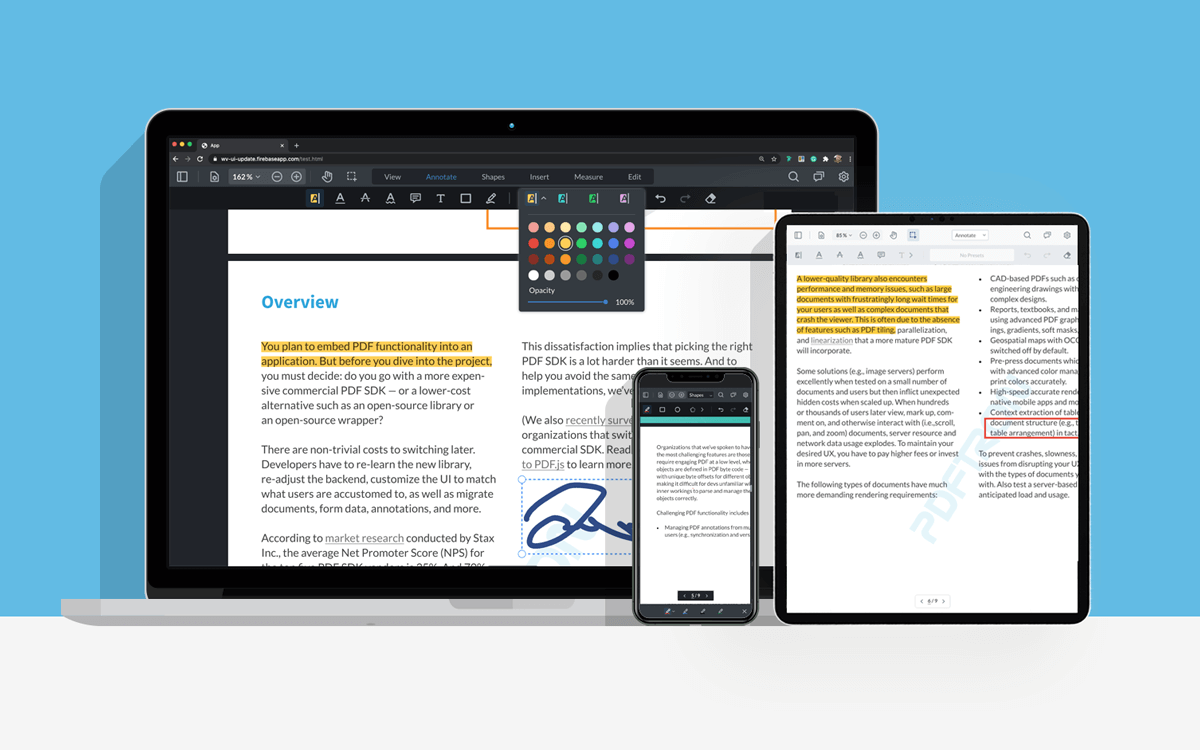
WebViewer is a powerful JavaScript Document SDK and UI Component Library that is a part of the Apryse PDF SDK. It provides a slick, out-of-the-box responsive UI that interacts with the core library to view, annotate, and edit PDF, DOCX, XLSX, PPTX, images, videos, audio and CAD. It can be easily embedded into any JS project and is compatible with frameworks like React, Angular, Vue, Next.js, Nuxt, Electron, Svelte. WebViewer can also be integrated into Salesforce, Mendix, Appian, OutSystems, and SharePoint.
Demos
- Customizable out-of-the-box UI
- PDF Viewer
- DOCX Editor
- Annotation & Markup
- Generate PDFs from DOCX template
- Digital Signatures
- PDF Text Editing
- Page Manipulation
- Redaction
- Form Building
- More
Trial
WebViewer comes with a 7-day trial without any feature limitations or trial key needed. To extend the trial, you can obtain the trial key by signing-up on our developer portal.
Usage
Full get-started guides and videos are available in our docs.
1) Install WebViewer
npm i @pdftron/webviewer --save
This will also download all the assets that need to be included for WebViewer to work.
2) Copy assets and resources to your public/static folder
These assets need to be served with your application. For example, if your project is built into a dist folder, you could copy these assets into dist/public.
The folder you need to copy is node_modules/@pdftron/webviewer/public.
cp -R ./node_modules/@pdftron/webviewer/public ./dist
We recommend using a module bundler like Webpack to automatically do this for you. There is a nice plugin called copy-webpack-plugin that does just this.
3) Import and instantiate WebViewer
import WebViewer from '@pdftron/webviewer'

const element = document.getElementById('viewer');

WebViewer({
  path: '/public', // point to where the files you copied are served from
  initialDoc: 'https://pdftron.s3.amazonaws.com/downloads/pl/PDFTRON_about.pdf' // path to your document
}, element).then((instance) => {
  // Call APIs here
})
Documentation
Full documentation for WebViewer can be found here.
Licensing
WebViewer will run in trial mode until a license is provided. For more information on licensing, please visit our website.