Rich Text Editor Libraries for Web Applications
ckeditor4, froala-editor, quill, and tinymce are JavaScript libraries that provide rich text editing capabilities in web applications. They enable users to format text, insert media, and create structured content directly in the browser. Each library offers a customizable toolbar, content sanitization, and integration options, but they differ significantly in architecture, licensing, and modern framework support.
Npm Package Weekly Downloads Trend
Github Stars Ranking
Stat Detail


Rich Text Editors Compared: CKEditor 4, Froala, Quill, and TinyMCE
When building applications that require in-browser rich text editing — like CMS backends, email composers, or collaborative docs — choosing the right editor library is a critical architectural decision. The four packages under review (ckeditor4, froala-editor, quill, and tinymce) all aim to solve this problem, but they differ significantly in architecture, extensibility, licensing, and modern web compatibility. Let’s compare them through the lens of real-world frontend engineering.
⚠️ Deprecation Status: Don’t Start New Projects with CKEditor 4
Before diving into features, note this crucial fact:
ckeditor4is officially deprecated. According to its npm page and CKSource documentation, active development ended in 2023. While security patches may continue for a limited time, new projects should not use CKEditor 4. Migrate to CKEditor 5 if you’re already invested.
The other three packages (froala-editor, quill, tinymce) are actively maintained as of mid-2024.
🧱 Core Architecture: DOM vs Delta vs ContentEditable Wrappers
How each editor manages content internally shapes everything from performance to plugin design.
ckeditor4 uses a legacy DOM-based model. It wraps native contenteditable and manipulates the DOM directly. This leads to inconsistent behavior across browsers and makes programmatic control harder.
// ckeditor4: Initialize via global CKEDITOR object
CKEDITOR.replace('editor1', {
  toolbar: ['Bold', 'Italic']
});
// No clean API to get structured data — you get raw HTML
const html = CKEDITOR.instances.editor1.getData();
froala-editor also relies on enhanced contenteditable, but adds a layer of normalization. It provides a jQuery-like API (even in vanilla JS mode) and outputs sanitized HTML.
// froala-editor: Initialization
new FroalaEditor('#editor', {
  toolbarButtons: ['bold', 'italic']
});
// Get HTML
const html = editor.html.get();
quill takes a different approach: it uses a custom document model called "Delta" — a JSON-based format that describes changes rather than storing raw HTML.
// quill: Delta-based editor
const quill = new Quill('#editor', {
  modules: { toolbar: ['bold', 'italic'] },
  theme: 'snow'
});
// Get structured Delta, not HTML
const delta = quill.getContents();
// To get HTML, you must render it manually or use innerHTML (not recommended)
tinymce uses a hybrid model: it wraps contenteditable but sanitizes and normalizes output aggressively. It provides both HTML and a limited structured format via its getContent({ format: 'raw' }) method.
// tinymce: Initialization
tinymce.init({
  selector: '#editor',
  toolbar: 'bold italic',
  setup: (editor) => {
    // Access instance later via tinymce.get('editor')
  }
});
// Get clean HTML
const html = tinymce.get('editor').getContent();
💡 Key takeaway: If you need structured, versionable content (e.g., for collaborative editing or diffing), Quill’s Delta model is compelling. For traditional HTML output with strong sanitization, TinyMCE and Froala are safer bets.
🔌 Plugin and Customization Model
Extending functionality varies widely.
ckeditor4 uses a plugin system based on CKEDITOR.plugins.add(). Plugins register commands and UI elements globally. Configuration is verbose and relies heavily on string-based identifiers.
// ckeditor4: Custom plugin
CKEDITOR.plugins.add('mybutton', {
  init: function(editor) {
    editor.ui.addButton('MyButton', {
      label: 'Click me',
      command: 'myCommand'
    });
    editor.addCommand('myCommand', /* ... */);
  }
});
froala-editor offers a cleaner API for buttons and commands. You define a button name, icon, and callback. However, deep customization (like custom formats) requires understanding its internal node system.
// froala-editor: Custom button
FroalaEditor.DefineIcon('myIcon', { NAME: 'star' });
FroalaEditor.RegisterCommand('myButton', {
  title: 'My Action',
  focus: true,
  undo: true,
  refreshAfterCallback: false,
  callback: function() {
    alert('Clicked!');
  }
});
quill uses modules and formats. You extend Quill by registering new formats (for inline/block styles) or modules (for UI/features).
// quill: Custom blot (format)
class MyBlot extends Inline {}
MyBlot.blotName = 'myFormat';
MyBlot.tagName = 'span';
MyBlot.className = 'my-class';
Quill.register(MyBlot);

// Toolbar button
const toolbar = quill.getModule('toolbar');
toolbar.addHandler('myFormat', function(value) {
  // Toggle format
});
tinymce has the most mature plugin system. You can write plugins as ES modules, register custom formats, and even create full React/Vue components that integrate with the editor.
// tinymce: Custom plugin
tinymce.PluginManager.add('myplugin', (editor, url) => {
  editor.ui.registry.addButton('mybutton', {
    text: 'My Button',
    onAction: () => editor.insertContent('<p>Hello</p>')
  });
});
📦 Licensing and Commercial Use
This is often the deciding factor in enterprise contexts.
ckeditor4: Open source (GPL/LGPL/MPL tri-license), but commercial support requires a paid license.froala-editor: Not open source. Free trial available, but production use requires a commercial license (per developer or per project).quill: MIT licensed — free for any use.tinymce: Open core. The core editor is LGPL, but many advanced plugins (like spell check, accessibility checker) are only available under a commercial license. Self-hosting the open-source version is allowed.
⚠️ Froala’s npm package includes the full library, but using it without a license violates their terms. Always verify licensing before bundling.
🖥️ Modern Framework Integration
How well do these editors play with React, Vue, or Svelte?
ckeditor4: Official integrations exist but are outdated. Community wrappers often struggle with reactivity due to CKEditor 4’s global state model.froala-editor: Offers official React, Angular, and Vue wrappers. However, they wrap the jQuery-style API, which can feel awkward in modern component lifecycles.quill: Has decent community React wrappers (likereact-quill), but Quill itself wasn’t designed for reactive frameworks. State syncing can be tricky.tinymce: Provides first-party, well-maintained React, Vue, and Angular components that handle mounting, props, and cleanup correctly.
Example: TinyMCE in React
import { Editor } from '@tinymce/tinymce-react';

function MyEditor() {
  return (
    <Editor
      apiKey="your-api-key"
      init={{
        plugins: 'lists link',
        toolbar: 'bold italic | link'
      }}
    />
  );
}
Quill in React (community wrapper):
import ReactQuill from 'react-quill';

function MyEditor() {
  const [value, setValue] = useState('');
  return (
    <ReactQuill
      value={value}
      onChange={setValue}
      modules={{ toolbar: ['bold', 'italic'] }}
    />
  );
}
🛡️ Security and Sanitization
All editors sanitize output to prevent XSS, but approaches differ.
ckeditor4: Basic sanitization; vulnerable to bypasses without careful config.froala-editor: Built-in sanitizer that strips dangerous tags/attributes by default.quill: Outputs only allowed formats by design (since it uses Deltas), but converting to HTML requires extra care.tinymce: Most robust. Uses a configurable schema that defines allowed elements, attributes, and styles. Commercial version adds advanced content filtering.
TinyMCE example with strict sanitization:
tinymce.init({
  valid_elements: 'p,br,strong,em',
  valid_styles: { '*': 'color,font-size' }
});
📊 Summary: When to Use Which
| Package | Best For | Avoid If... |
|---|---|---|
ckeditor4 | Maintaining legacy apps | Starting a new project |
froala-editor | Teams with budget for licenses who want polished UI out-of-the-box | You need open-source or MIT licensing |
quill | Apps needing structured content (Deltas), MIT license required | You rely heavily on raw HTML output |
tinymce | Enterprise apps needing strong sanitization, framework support, and scale | You can’t accept LGPL or pay for plugins |
💡 Final Recommendation
- For new greenfield projects: Start with TinyMCE if you can accept LGPL, or Quill if you need MIT and structured data.
- For commercial products with budget: Froala offers a sleek experience but locks you into their ecosystem.
- Never choose CKEditor 4 for anything new — it’s a technical dead end.
Choose based on your team’s needs around licensing, content model, and long-term maintainability — not just how the toolbar looks in a demo.
How to Choose: ckeditor4 vs froala-editor vs quill vs tinymce
- ckeditor4:
Do not use
ckeditor4for new projects — it is officially deprecated as of 2023, with no active feature development. Only consider it if you're maintaining a legacy application and planning a migration path to CKEditor 5. Its DOM-based model and outdated API make it unsuitable for modern web architectures. - froala-editor:
Choose
froala-editorif your team has budget for commercial licensing and prioritizes a polished, out-of-the-box UI with minimal setup. It’s well-suited for admin panels or internal tools where appearance and ease of use matter more than open-source flexibility. Avoid it if you require MIT/GPL licensing or plan to heavily customize core behavior. - quill:
Choose
quillif you need an MIT-licensed editor with a structured, JSON-based content model (Deltas) that enables features like collaborative editing, versioning, or precise diffing. It’s ideal for applications where content integrity and programmatic control outweigh the need for raw HTML output. Be prepared to handle HTML conversion manually if needed. - tinymce:
Choose
tinymcefor enterprise-grade applications requiring strong content sanitization, excellent framework integrations (React, Vue, Angular), and a balance of open-source core with optional commercial plugins. It’s the most mature option for scalable, secure rich text editing, especially when compliance and accessibility are priorities.
Popular Comparisons
README for ckeditor4
CKEditor 4 LTS - Smart WYSIWYG HTML editor 



⚠️ CKEditor 4: End of Life and Extended Support Model until Dec 2028
CKEditor 4 was launched in 2012 and reached its End of Life (EOL) on June 30, 2023.
A special edition, CKEditor 4 LTS ("Long Term Support"), is available under commercial terms ("Extended Support Model") for anyone looking to extend the coverage of security updates and critical bug fixes.
With CKEditor 4 LTS, security updates and critical bug fixes are guaranteed until December 2028.
About this package
CKEditor 4 LTS
After June 30, 2023 the master version of the LICENSE.md file changed to reflect the license of CKEditor 4 LTS available under the Extended Support Model.
All future versions of CKEditor 4 (4.23.0-lts and above) are released as CKEditor 4 LTS distributions and require a license key.
The NPM package is tagged as 4.23.* without the -lts suffix, to keep it consistent with NPM versioning guidelines. Note that the version 4.23.0 and above are the LTS versions of the editor.
Getting CKEditor 4 (Open Source)
You may continue using CKEditor 4.22.* and below under the open source license terms. Please note, however, that the open source version no longer comes with any security updates, so your application will be at risk.
In order to install the open source version of CKEditor 4, use versions 4.22.1 and below. CKEditor 4.22.1 was the last version of CKEditor 4 available under the open source license terms.
Summary of options after the CKEditor 4 End of Life
Upgrading to CKEditor 5
CKEditor 5 is a great new editor with lots of exciting features.
Before upgrading, please be aware of the following changes:
- CKEditor 5 is a completely new editor. Upgrading is not as simple as replacing the folder with "ckeditor" - read more in the Migration from CKEditor 4 guide.
- CKEditor 5 is available only under the GPL copyleft license (or under a commercial license).
- Open source projects with a GPL-incompatible license may apply for a license under the Free for Open Source program.
Using an outdated, unsupported version
You may continue using CKEditor 4.22.* (or below). The license terms of the older CKEditor 4 versions have not changed. However, please note that by using software that is no longer maintained, you are introducing a security risk to your application.
Signing an "Extended Support Model" contract
If you are not ready to replace CKEditor 4 in your application yet, you may continue using CKEditor 4 until December 2028. CKEditor 4 LTS, available under the "Extended Support Model", will ship all important security updates and critical bug fixes, providing an interrupted editing experience for your end users. Please note that this version of CKEditor 4 is available only under a special agreement and requires a license key.
About CKEditor 4
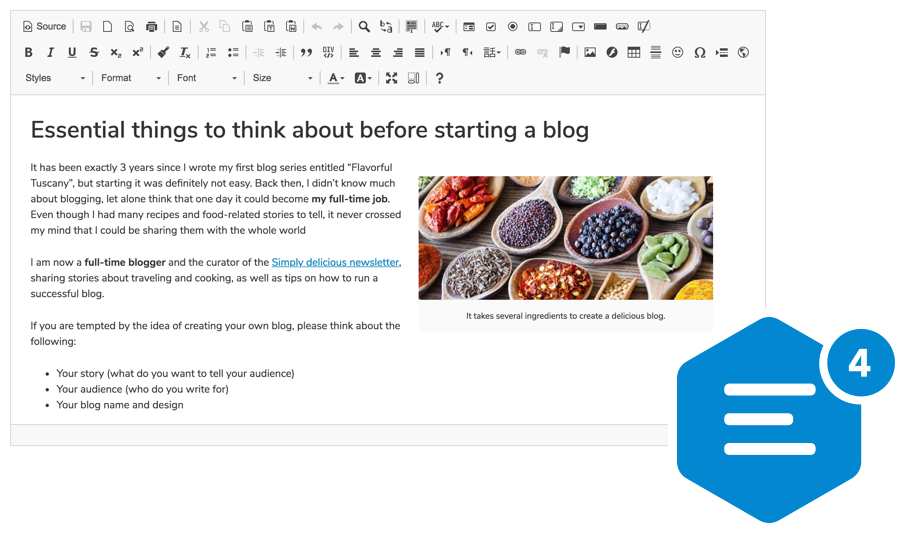
A highly configurable WYSIWYG HTML editor with hundreds of features, from creating rich text content with captioned images, videos, tables, media embeds, emoji, or mentions to pasting from Word and Google Docs and drag&drop image upload.
It supports a broad range of browsers, including legacy ones.
Getting started
Using npm package
npm install --save ckeditor4
Use it on your website:
<div id="editor">
    <p>This is the editor content.</p>
</div>
<script src="./node_modules/ckeditor4/ckeditor.js"></script>
<script>
    CKEDITOR.replace( 'editor' );
</script>
You can also load CKEditor 4 using CDN.
CKEditor 4 LTS
If you acquired the Extended Support Model for CKEditor 4 LTS, please read the CKEditor 4 LTS key activation guide.
In order to activate CKEditor 4 LTS, add licenseKey configure the editor with a valid license key:
<script>
    CKEDITOR.replace( 'editor', {
        licenseKey: 'your license key'
    } );
</script>
Features
- Over 500 plugins in the Add-ons Repository.
- Pasting from Microsoft Word, Excel, and Google Docs.
- Drag&drop image uploads.
- Media embeds to insert videos, tweets, maps, or slideshows.
- Powerful clipboard integration.
- Content quality control with Advanced Content Filter.
- Extensible widget system.
- Custom table selection.
- Accessibility conforming to WCAG and Section 508.
- Over 70 localizations available with full RTL support.
Presets
The CKEditor 4 npm package comes in the standard-all preset, so it includes all official CKEditor plugins, with those from the standard package active by default.
Further Resources
- CKEditor 4 demo
- Documentation
- API documentation
- Configuration reference
- CKEditor SDK with more samples
If you are looking for CKEditor 5, here's a link to the relevant npm package: https://www.npmjs.com/package/ckeditor5
Browser support
 IE / Edge |  Firefox |  Chrome | Chrome (Android) |  Safari |  iOS Safari |  Opera |
|---|---|---|---|---|---|---|
| IE8, IE9, IE10, IE11, Edge | latest version | latest version | latest version | latest version | latest version | latest version |
Find out more in the Browser Compatibility guide.
License
Copyright (c) 2003-2023, CKSource Holding sp. z o.o. All rights reserved.
For licensing, see LICENSE.md or https://ckeditor.com/legal/ckeditor-oss-license
CKEditor 4.22.* and below
CKEditor 4 until version 4.22.* was licensed under the terms of any of the following licenses of your choice:
- GNU General Public License Version 2 or later.
- GNU Lesser General Public License Version 2.1 or later.
- Mozilla Public License Version 1.1 or later.
CKEditor 4.23.0-lts and above
CKEditor 4 LTS (starting from version 4.23.0-lts) is available under a commercial license only.