The next generation Javascript WYSIWYG HTML rich text editor made by devs for devs. High performance and modern design make it easy to use for developers and loved by users.



Npm Package Weekly Downloads Trend
Cumulative GitHub Star Trend
Stat Detail


Popular Comparisons
README for froala-editor
Froala Editor V5


Froala WYSIWYG HTML Editor is one of the most powerful JavaScript rich text editors ever.
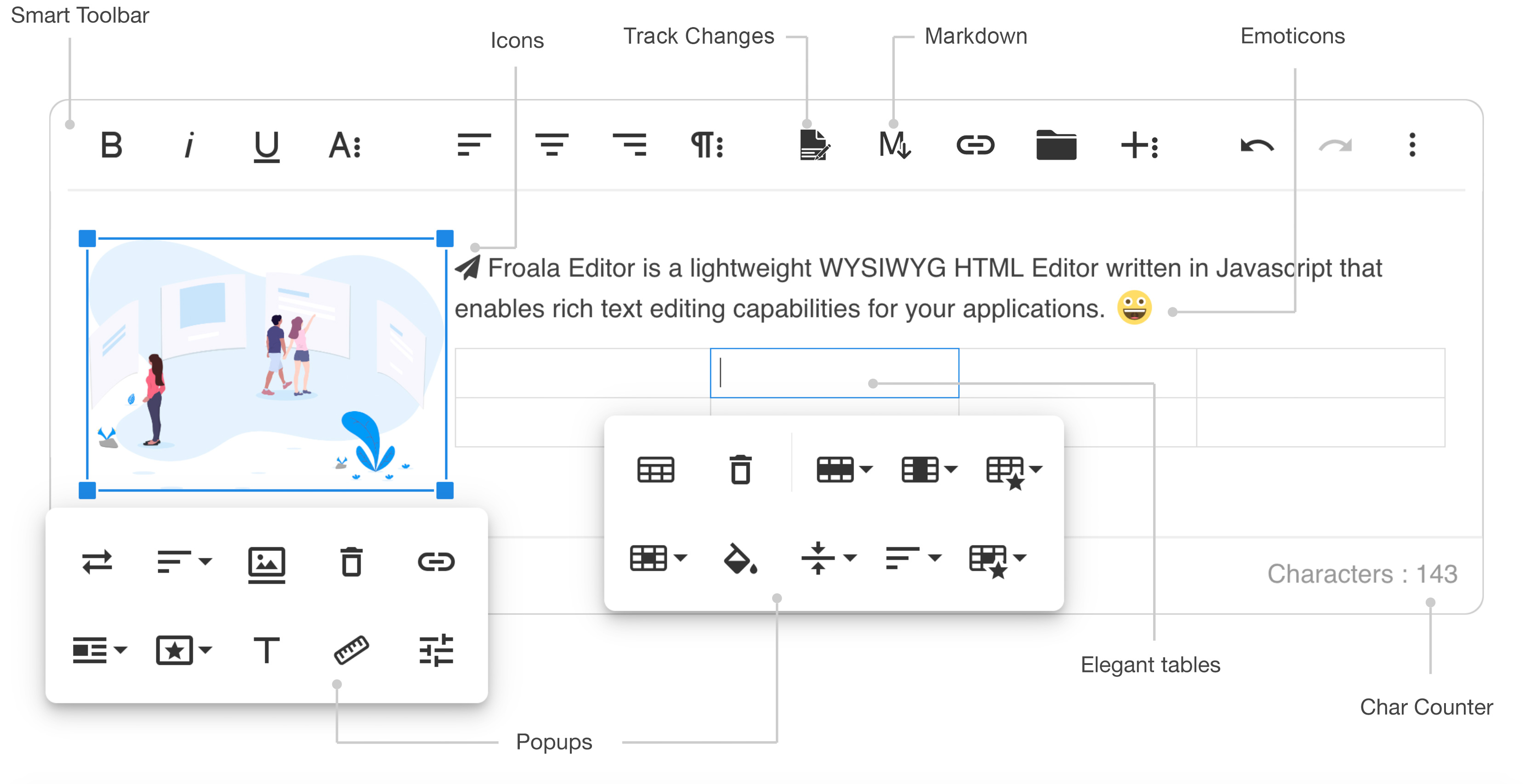
- Slim - only add the plugins that you need (30+ official plugins)
- Client frameworks integrations
- Server side SDKs for PHP, Node.JS, .NET, Java, and Python
- Code is well commented
- Online documentation up to date
- Simple to extend - the plugins are all well commented and simple to use as a basis for your own plugins
- Well maintained - frequent releases
- Great support - Help Center
- Awesome new features
Demos
- Basic demo: https://www.froala.com/wysiwyg-editor
- Inline demo: https://www.froala.com/wysiwyg-editor/inline
- Full list: https://www.froala.com/wysiwyg-editor/examples
Download and Install Froala Editor
Install from npm
npm install froala-editor
Install from bower
bower install froala-wysiwyg-editor
Load from CDN
Using Froala Editor from CDN is the easiest way to install it and we recommend using the jsDeliver CDN as it mirrors the NPM package.
<!-- Include Editor style. -->
<link href="https://cdn.jsdelivr.net/npm/froala-editor@latest/css/froala_editor.pkgd.min.css" rel="stylesheet" type="text/css" />

<!-- Create a tag that we will use as the editable area. -->
<!-- You can use a div tag as well. -->
<textarea></textarea>

<!-- Include Editor JS files. -->
<script type="text/javascript" src="https://cdn.jsdelivr.net/npm/froala-editor@latest/js/froala_editor.pkgd.min.js"></script>

<!-- Initialize the editor. -->
<script>
  new FroalaEditor('textarea');
</script>
Load from CDN as an AMD module
Froala Editor is compatible with AMD module loaders such as RequireJS. The following example shows how to load it along with the Algin plugin from CDN using RequireJS.
<html>
<head>
  <!-- Load CSS files. -->
  <link rel="stylesheet" type="text/css" href="https://cdn.jsdelivr.net/npm/froala-editor@latest/css/froala_editor.css">

  <script src="require.js"></script>
  <script>
    require.config({
      packages: [{
        name: 'froala-editor',
        main: 'js/froala_editor.min'
      }],
      paths: {
        // Change this to your server if you do not wish to use our CDN.
        'froala-editor': 'https://cdn.jsdelivr.net/npm/froala-editor@latest'
      }
    });
  </script>

  <style>
    body {
      text-align: center;
    }
    div#editor {
      width: 81%;
      margin: auto;
      text-align: left;
    }
    .ss {
      background-color: red;
    }
  </style>
</head>

<body>
  <div id="editor">
    <div id='edit' style='margin-top:30px;'>
    </div>
  </div>

  <script>
    require([
      'froala-editor',
      'froala-editor/js/plugins/align.min'
    ], function(FroalaEditor) {
      new FroalaEditor('#edit')
    });
  </script>
</body>

</html>
Load Froala Editor as a CommonJS Module
Froala Editor is using an UMD module pattern, as a result it has support for CommonJS. The following examples presumes you are using npm to install froala-editor, see Download and install FroalaEditor for more details.
var FroalaEditor = require('froala-editor');

// Load a plugin.
require('froala-editor/js/plugins/align.min');

// Initialize editor.
new FroalaEditor('#edit');
Load Froala Editor as a transpiled ES6/UMD module
Since Froala Editor supports ES6 (ESM - ECMAScript modules) and UMD (AMD, CommonJS), it can be also loaded as a module with the use of transpilers. E.g. Babel, Typescript. The following examples presumes you are using npm to install froala-editor, see Download and install FroalaEditor for more details.
import FroalaEditor from 'froala-editor'

// Load a plugin.
import 'froala-editor/js/plugins/align.min.js'

// Initialize editor.
new FroalaEditor('#edit')
For more details on customizing the editor, please check the editor documentation.
Use with your existing framework
- Angular JS: https://github.com/froala/angular-froala
- Angular 2: https://github.com/froala/angular2-froala-wysiwyg
- Aurelia: https://github.com/froala/aurelia-froala-editor
- CakePHP: https://github.com/froala/wysiwyg-cake
- Craft 2 CMS: https://github.com/froala/Craft-Froala-WYSIWYG
- Craft 3 CMS: https://github.com/froala/Craft-3-Froala-WYSIWYG
- Django: https://github.com/froala/django-froala-editor
- Ember: https://github.com/froala/ember-froala-editor
- Knockout: https://github.com/froala/knockout-froala
- Meteor: https://github.com/froala/meteor-froala
- Ruby on Rails: https://github.com/froala/wysiwyg-rails
- React JS: https://github.com/froala/react-froala-wysiwyg/
- Reactive: https://github.com/froala/froala-reactive
- Symfony: https://github.com/froala/KMSFroalaEditorBundle
- Vue JS: https://github.com/froala/vue-froala-wysiwyg/
- Yii2: https://github.com/froala/yii2-froala-editor
- Wordpress: https://github.com/froala/wordpress-froala-wysiwyg
Browser Support
At present, we officially aim to support the last two versions of the following browsers:
- Chrome
- Edge
- Firefox
- Safari
- Opera
- Internet Explorer 11
- Safari iOS
- Chrome, Firefox and Default Browser Android
Resources
- Demo: www.froala.com/wysiwyg-editor
- Download Page: www.froala.com/wysiwyg-editor/download
- Documentation: froala.com/wysiwyg-editor/docs
- License Agreement: www.froala.com/wysiwyg-editor/terms
- Support: wysiwyg-editor.froala.help
- Roadmap & Feature Requests: https://wysiwyg-editor-roadmap.froala.com
- Issues Repo guidelines
Reporting Issues
We use GitHub Issues as the official bug tracker for the Froala WYSIWYG HTML Editor. Here are some advices for our users that want to report an issue:
- Make sure that you are using the latest version of the Froala WYSIWYG Editor. The issue that you are about to report may be already fixed in the latest master branch version: https://github.com/froala/froala-wysiwyg/tree/master/js.
- Providing us reproducible steps for the issue will shorten the time it takes for it to be fixed. A JSFiddle is always welcomed, and you can start from this basic one.
- Some issues may be browser specific, so specifying in what browser you encountered the issue might help.
Technical Support or Questions
If you have questions or need help integrating the editor please contact us instead of opening an issue.
Licensing
All plugins would be restricted for an unlicensed version. To try out the full functionality, you’ll need to register for a trial license here, which is valid for a limited time.
To continue using the Froala Editor beyond the trial period, you’ll need to purchase a commercial license that suits your use case. For more details, visit our pricing plan page.
This software includes open-source components. License information is available in the License file in the root folder.