QR Code Scanning and Generation in Web Apps
html5-qrcode, qr-scanner, and qrious are essential tools for handling QR codes in modern web applications, but they serve distinct purposes. html5-qrcode and qr-scanner focus on reading QR codes from camera streams or image files, utilizing browser APIs to decode data. qrious, on the other hand, specializes in generating and rendering QR codes onto HTML5 Canvas elements. While the first two solve the input problem (scanning), the third solves the output problem (creation). Choosing the right combination depends on whether your application needs to read codes, create them, or both.
Npm Package Weekly Downloads Trend
Github Stars Ranking
Stat Detail


QR Code Scanning and Generation in Web Apps
When building features that interact with QR codes, you typically face two distinct challenges: reading codes from the real world (scanning) and creating codes for users to scan (generation). The packages html5-qrcode, qr-scanner, and qrious address these needs differently. html5-qrcode and qr-scanner are decoding engines, while qrious is a rendering engine. Let's break down how they handle their respective tasks.
📷 Scanning: Built-in UI vs Custom Integration
The biggest difference between the two scanning libraries is how much control they give you over the user interface.
html5-qrcode provides a pre-built UI component.
- It handles camera permissions, video stream rendering, and scan regions out of the box.
- Great for getting a scanner running in minutes with minimal code.
// html5-qrcode: Using the built-in scanner UI
import { Html5QrcodeScanner } from "html5-qrcode";

const scanner = new Html5QrcodeScanner(
  "reader", // ID of the HTML div element
  { fps: 10, qrbox: { width: 250, height: 250 } }
);

scanner.render((decodedText) => {
  console.log(`Scanned: ${decodedText}`);
});
qr-scanner gives you the logic but no UI.
- You must create your own
<video>element and handle the stream. - Offers better performance by offloading decoding to a Web Worker.
// qr-scanner: Manual integration with custom UI
import QrScanner from "qr-scanner";

const video = document.getElementById("video");
const qrScanner = new QrScanner(
  video,
  (result) => console.log(`Scanned: ${result.data}`),
  { returnDetailedScanResult: true }
);

qrScanner.start();
qrious does not support scanning.
- Attempting to use it for decoding will not work as it lacks camera access and decoding algorithms.
// qrious: N/A for scanning
// This library is strictly for generation.
🎨 Generation: Canvas Rendering
When it comes to creating QR codes, only one of these packages is designed for the task.
qrious renders QR codes directly to a canvas.
- You configure the content and style, and it draws the image.
- Supports exporting as data URLs for images or download links.
// qrious: Generating a QR code
import QRious from "qrious";

const qr = new QRious({
  element: document.getElementById("qr-canvas"),
  value: "https://example.com",
  size: 200,
  level: "H"
});

// Get image data
const imageUrl = qr.toDataURL();
html5-qrcode does not natively generate QR codes.
- It is strictly a decoder. You would need to pair it with a generator like
qriousorqrcode.
// html5-qrcode: N/A for generation
// Requires a separate library for creating codes.
qr-scanner does not generate QR codes.
- Like
html5-qrcode, it is focused solely on reading data.
// qr-scanner: N/A for generation
// Focused exclusively on decoding performance.
⚡ Performance and Threading
Scanning QR codes can be CPU-intensive, especially when processing video frames at 30+ FPS.
qr-scanner uses Web Workers by default.
- The heavy lifting of image processing happens in a background thread.
- Keeps the main thread free for UI interactions, preventing lag.
// qr-scanner: Worker configuration
import QrScanner from "qr-scanner";

// The library automatically loads the worker file
// You just need to ensure the worker file is available in your build
const scanner = new QrScanner(video, onResult, {
  highlightScanRegion: true,
  highlightCodeOutline: true
});
html5-qrcode runs on the main thread.
- Simpler to set up but can cause frame drops on lower-end devices.
- Suitable for standard use cases where ultra-high FPS isn't critical.
// html5-qrcode: Configuration
const config = {
  fps: 10, // Lower FPS reduces CPU load
  qrbox: { width: 250, height: 250 }
};
// Runs decoding in the main browser thread
qrious is lightweight and synchronous.
- Generation is instant for standard sizes.
- No threading concerns as it's a drawing operation.
// qrious: Instant rendering
const qr = new QRious({ value: "data", size: 300 });
// Rendering completes immediately upon instantiation
📱 Mobile and Browser Support
All three libraries rely on modern web standards, but their implementation details vary.
html5-qrcode has broad compatibility.
- Handles fallbacks for older browsers gracefully.
- Includes a file upload feature if the camera API fails.
// html5-qrcode: File scan fallback
// The built-in UI automatically offers "Scan an Image File"
// if camera permissions are denied or unavailable
qr-scanner requires HTTPS for camera access.
- Standard for all modern camera APIs.
- You must implement your own fallback for file uploads if needed.
// qr-scanner: Manual file scan
import QrScanner from "qr-scanner";

const result = await QrScanner.scanImage(fileInput.files[0]);
console.log(result);
qrious works everywhere Canvas is supported.
- No special permissions needed.
- Works offline and in secure contexts alike.
// qrious: No permissions required
// Works in any context supporting HTML5 Canvas
🤝 Similarities: Shared Ground
While they solve different problems, these libraries share some common ground in how they fit into a frontend stack.
1. 🌐 Pure JavaScript / TypeScript
- All three are framework-agnostic.
- Work with React, Vue, Angular, or vanilla JS.
// React Example for all
useEffect(() => {
  // Initialize library here
  // Cleanup in return function
}, []);
2. 📦 NPM Distribution
- Installed via standard package managers.
- Importable via ES modules.
// Standard import pattern
import Library from 'package-name';
3. 🎯 Client-Side Focus
- All processing happens in the browser.
- No server round-trips required for scanning or generation.
// All logic runs locally
// No API calls needed for core functionality
📊 Summary: Key Differences
| Feature | html5-qrcode | qr-scanner | qrious |
|---|---|---|---|
| Primary Goal | 🔍 Scanning (with UI) | 🔍 Scanning (Headless) | 🎨 Generation |
| UI Components | ✅ Built-in | ❌ None (Custom) | ❌ Canvas Only |
| Threading | ⚠️ Main Thread | ✅ Web Workers | ✅ Main Thread (Light) |
| File Upload | ✅ Built-in | ✅ Manual Function | ❌ N/A |
| Generation | ❌ No | ❌ No | ✅ Yes |
💡 The Big Picture
html5-qrcode is the quick start kit 🚀. If you need a scanner tomorrow and don't want to style video elements or manage permissions manually, this is your choice. It trades some performance and flexibility for speed of implementation.
qr-scanner is the performance engine 🏎️. If you are building a production app where UI smoothness matters, or you have a custom design system that doesn't match the default scanner UI, this gives you the power without the baggage. Just remember to pair it with a generator if you need to create codes too.
qrious is the artist 🖌️. It doesn't scan, but it's the best tool here for drawing QR codes. In many real-world apps, you will actually use qr-scanner (to read) and qrious (to write) together to cover all bases.
Final Thought: Don't force one library to do everything. Use qr-scanner for high-performance reading and qrious for client-side generation. Reserve html5-qrcode for internal tools or prototypes where development speed outweighs bundle size and UI customization.
How to Choose: html5-qrcode vs qr-scanner vs qrious
- html5-qrcode:
Choose
html5-qrcodeif you need a complete scanning solution with a built-in UI component. It is ideal for rapid prototyping or applications where you want a ready-to-use camera interface without building custom controls. It supports both camera scanning and file selection, making it versatile for mobile and desktop users who might upload screenshots. - qr-scanner:
Choose
qr-scannerif performance and bundle size are critical, and you prefer building your own UI. It leverages Web Workers to prevent UI blocking during scanning, offering a smoother experience in complex applications. It is best suited for teams that want full control over the camera integration and styling while maintaining high decoding speed. - qrious:
Choose
qriouswhen your application needs to generate QR codes dynamically on the client side. It is the only package in this group focused on creation rather than scanning. Use it for sharing links, Wi-Fi credentials, or contact info where you need to render a scannable image directly in the browser without server-side processing.
Popular Comparisons
README for html5-qrcode
Html5-QRCode
Lightweight & cross platform QR Code and Bar code scanning library for the web
Use this lightweight library to easily / quickly integrate QR code, bar code, and other common code scanning capabilities to your web application.
Key highlights
-
🔲 Support scanning different types of bar codes and QR codes.
-
🖥 Supports different platforms be it Android, IOS, MacOs, Windows or Linux
-
🌐 Supports different browsers like Chrome, Firefox, Safari, Edge, Opera ...
-
📷 Supports scanning with camera as well as local files
-
➡️ Comes with an end to end library with UI as well as a low level library to build your own UI with.
-
🔦 Supports customisations like flash/torch support, zooming etc.
Supports two kinds of APIs
-
Html5QrcodeScanner— End-to-end scanner with UI, integrate with less than ten lines of code. -
Html5Qrcode— Powerful set of APIs you can use to build your UI without worrying about camera setup, handling permissions, reading codes, etc.
Support for scanning local files on the device is a new addition and helpful for the web browser which does not support inline web-camera access in smartphones. Note: This doesn't upload files to any server — everything is done locally.








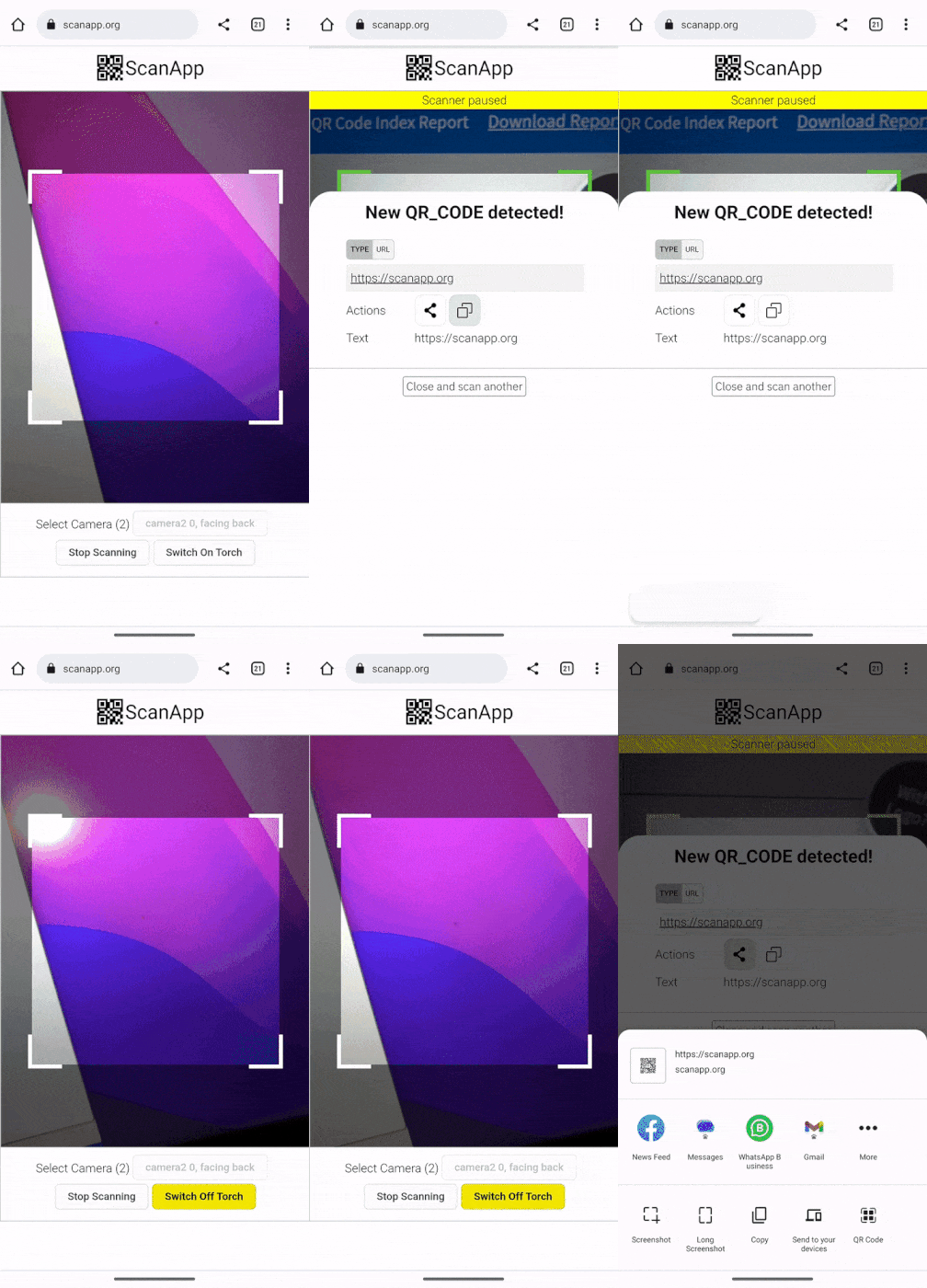 | 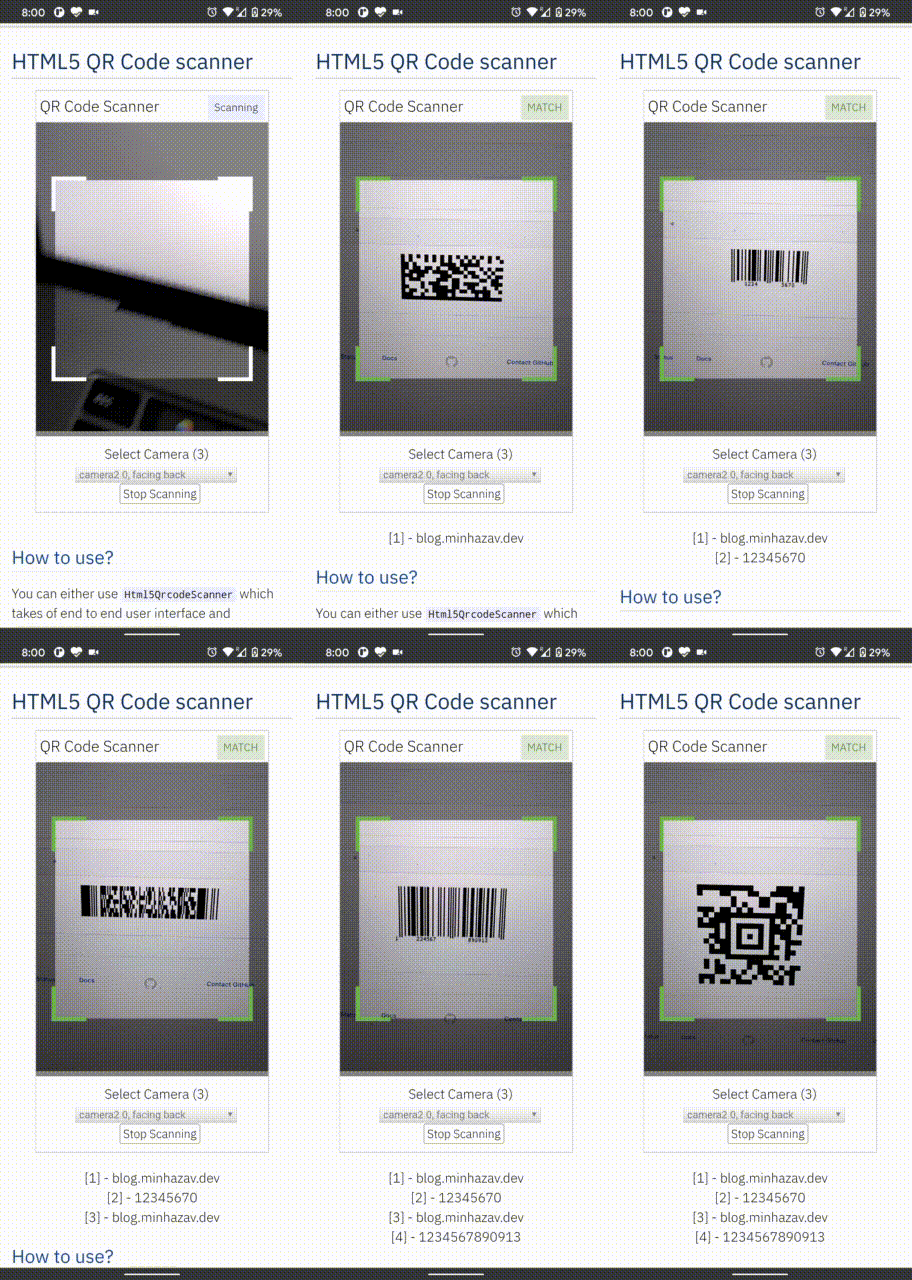 |
|---|---|
| Demo at scanapp.org | Demo at qrcode.minhazav.dev - Scanning different types of codes |
We need your help!
 Help incentivise feature development, bug fixing by supporting the sponsorhip goals of this project. See list of sponsered feature requests here.

Documentation
The documentation for this project has been moved to scanapp.org/html5-qrcode-docs.
Supported platforms
We are working continuously on adding support for more and more platforms. If you find a platform or a browser where the library is not working, please feel free to file an issue. Check the demo link to test it out.
Legends
 Means full support — inline webcam and file based
 Means partial support — only file based, webcam in progress
PC / Mac
 Firefox |  Chrome |  Safari |  Opera |  Edge |
|---|---|---|---|---|
| | | | |
Android
Chrome | Firefox | Edge | Opera |  Opera Mini |  UC |
|---|---|---|---|---|---|
| | | | | |
IOS
Safari | Chrome | Firefox | Edge |
|---|---|---|---|
| * | * | |
* Supported for IOS versions >= 15.1
Before version 15.1, Webkit for IOS is used by Chrome, Firefox, and other browsers in IOS and they do not have webcam permissions yet. There is an ongoing issue on fixing the support for iOS - issue/14
Framework support
The library can be easily used with several other frameworks, I have been adding examples for a few of them and would continue to add more.
 |  |  |  |  |
|---|---|---|---|---|
| Html5 | VueJs | ElectronJs | React | Lit |
Supported Code formats
Code scanning is dependent on Zxing-js library. We will be working on top of it to add support for more types of code scanning. If you feel a certain type of code would be helpful to have, please file a feature request.
| Code | Example |
|---|---|
| QR Code |  |
| AZTEC | 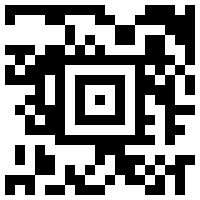 |
| CODE_39 | 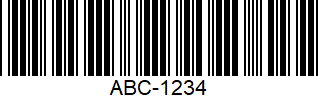 |
| CODE_93 | 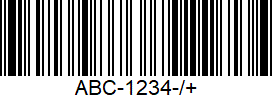 |
| CODE_128 | 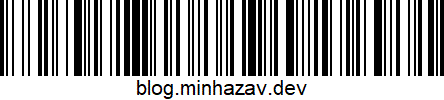 |
| ITF | 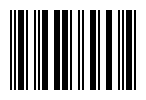 |
| EAN_13 | 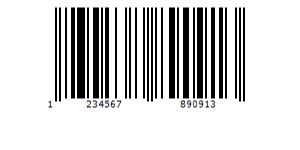 |
| EAN_8 | 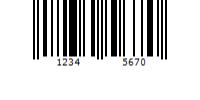 |
| PDF_417 | 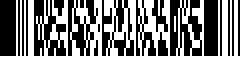 |
| UPC_A | 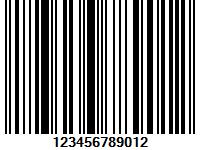 |
| UPC_E | 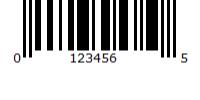 |
| DATA_MATRIX | 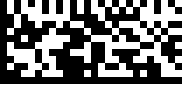 |
| MAXICODE* |  |
| RSS_14* | 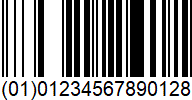 |
| RSS_EXPANDED* | 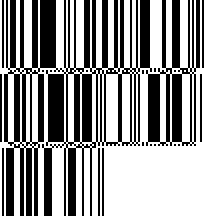 |
*Formats are not supported by our experimental integration with native BarcodeDetector API integration (Read more).
Description - View Demo
See an end to end scanner experience at scanapp.org.
This is a cross-platform JavaScript library to integrate QR code, bar codes & a few other types of code scanning capabilities to your applications running on HTML5 compatible browser.
Supports:
- Querying camera on the device (with user permissions)
- Rendering live camera feed, with easy to use user interface for scanning
- Supports scanning a different kind of QR codes, bar codes and other formats
- Supports selecting image files from the device for scanning codes
How to use
Find detailed guidelines on how to use this library on scanapp.org/html5-qrcode-docs.
Demo
Scan this image or visit blog.minhazav.dev/research/html5-qrcode.html
For more information
Check these articles on how to use this library:
- QR and barcode scanner using HTML and JavaScript
- HTML5 QR Code scanning — launched v1.0.1 without jQuery dependency and refactored Promise based APIs.
- HTML5 QR Code scanning with JavaScript — Support for scanning the local file and using default camera added (v1.0.5)
Screenshots
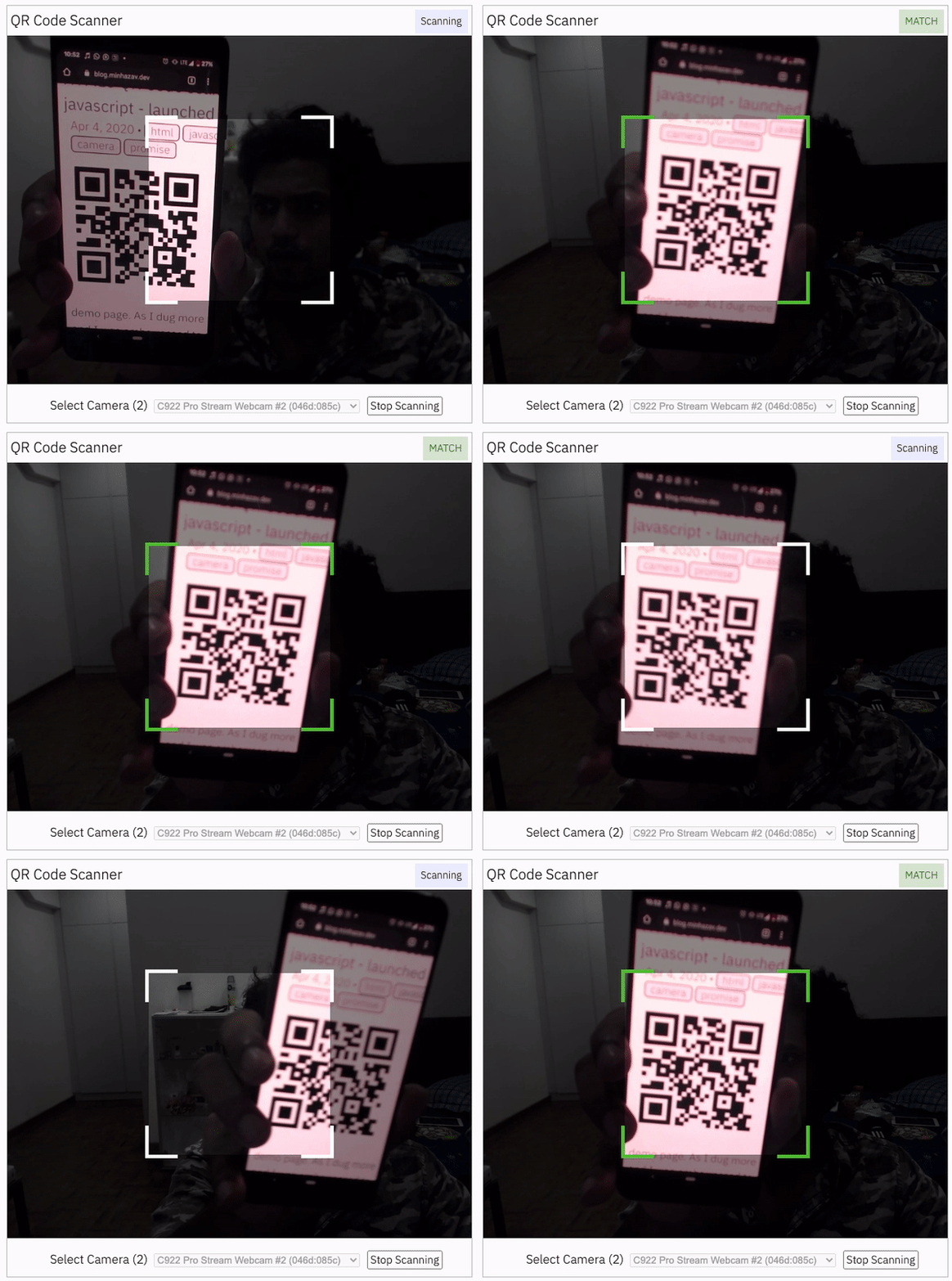
Figure: Screenshot from Google Chrome running on MacBook Pro
Documentation
Find the full API documentation at scanapp.org/html5-qrcode-docs/docs/apis.
Extra optional configuration in start() method
Configuration object that can be used to configure both the scanning behavior and the user interface (UI). Most of the fields have default properties that will be used unless a different value is provided. If you do not want to override anything, you can just pass in an empty object {}.
fps — Integer, Example = 10
A.K.A frame per second, the default value for this is 2, but it can be increased to get faster scanning. Increasing too high value could affect performance. Value >1000 will simply fail.
qrbox — QrDimensions or QrDimensionFunction (Optional), Example = { width: 250, height: 250 }
Use this property to limit the region of the viewfinder you want to use for scanning. The rest of the viewfinder would be shaded. For example, by passing config { qrbox : { width: 250, height: 250 } }, the screen will look like:
This can be used to set a rectangular scanning area with config like:
let config = { qrbox : { width: 400, height: 150 } }
This config also accepts a function of type
/**
  * A function that takes in the width and height of the video stream
* and returns QrDimensions.
*
* Viewfinder refers to the video showing camera stream.
*/
type QrDimensionFunction =
    (viewfinderWidth: number, viewfinderHeight: number) => QrDimensions;
This allows you to set dynamic QR box dimensions based on the video dimensions. See this blog article for example: Setting dynamic QR box size in Html5-qrcode - ScanApp blog
This might be desirable for bar code scanning.
If this value is not set, no shaded QR box will be rendered and the scanner will scan the entire area of video stream.
aspectRatio — Float, Example 1.777778 for 16:9 aspect ratio
Use this property to render the video feed in a certain aspect ratio. Passing a nonstandard aspect ratio like 100000:1 could lead to the video feed not even showing up. Ideal values can be:
| Value | Aspect Ratio | Use Case |
|---|---|---|
| 1.333334 | 4:3 | Standard camera aspect ratio |
| 1.777778 | 16:9 | Full screen, cinematic |
| 1.0 | 1:1 | Square view |
If you do not pass any value, the whole viewfinder would be used for scanning.
Note: this value has to be smaller than the width and height of the QR code HTML element.
disableFlip — Boolean (Optional), default = false
By default, the scanner can scan for horizontally flipped QR Codes. This also enables scanning QR code using the front camera on mobile devices which are sometimes mirrored. This is false by default and I recommend changing this only if:
- You are sure that the camera feed cannot be mirrored (Horizontally flipped)
- You are facing performance issues with this enabled.
Here's an example of a normal and mirrored QR Code
| Normal QR Code | Mirrored QR Code |
|---|---|
|  |
rememberLastUsedCamera — Boolean (Optional), default = true
If true the last camera used by the user and weather or not permission was granted would be remembered in the local storage. If the user has previously granted permissions — the request permission option in the UI will be skipped and the last selected camera would be launched automatically for scanning.
If true the library shall remember if the camera permissions were previously
granted and what camera was last used. If the permissions is already granted for
"camera", QR code scanning will automatically * start for previously used camera.
supportedScanTypes - Array<Html5QrcodeScanType> | []
This is only supported for
Html5QrcodeScanner.
Default = [Html5QrcodeScanType.SCAN_TYPE_CAMERA, Html5QrcodeScanType.SCAN_TYPE_FILE]
This field can be used to:
- Limit support to either of
CameraorFilebased scan. - Change default scan type.
How to use:
function onScanSuccess(decodedText, decodedResult) {
  // handle the scanned code as you like, for example:
  console.log(`Code matched = ${decodedText}`, decodedResult);
}

let config = {
  fps: 10,
  qrbox: {width: 100, height: 100},
  rememberLastUsedCamera: true,
  // Only support camera scan type.
  supportedScanTypes: [Html5QrcodeScanType.SCAN_TYPE_CAMERA]
};

let html5QrcodeScanner = new Html5QrcodeScanner(
  "reader", config, /* verbose= */ false);
html5QrcodeScanner.render(onScanSuccess);
For file based scan only choose:
supportedScanTypes: [Html5QrcodeScanType.SCAN_TYPE_FILE]
For supporting both as it is today, you can ignore this field or set as:
supportedScanTypes: [
  Html5QrcodeScanType.SCAN_TYPE_CAMERA,
  Html5QrcodeScanType.SCAN_TYPE_FILE]
To set the file based scan as defult change the order:
supportedScanTypes: [
  Html5QrcodeScanType.SCAN_TYPE_FILE,
  Html5QrcodeScanType.SCAN_TYPE_CAMERA]
showTorchButtonIfSupported - boolean | undefined
This is only supported for
Html5QrcodeScanner.
If true the rendered UI will have button to turn flash on or off based on device + browser support. The value is false by default.
Scanning only specific formats
By default, both camera stream and image files are scanned against all the
supported code formats. Both Html5QrcodeScanner and Html5Qrcode classes can
be configured to only support a subset of supported formats. Supported formats
are defined in
enum Html5QrcodeSupportedFormats.
enum Html5QrcodeSupportedFormats {
  QR_CODE = 0,
  AZTEC,
  CODABAR,
  CODE_39,
  CODE_93,
  CODE_128,
  DATA_MATRIX,
  MAXICODE,
  ITF,
  EAN_13,
  EAN_8,
  PDF_417,
  RSS_14,
  RSS_EXPANDED,
  UPC_A,
  UPC_E,
  UPC_EAN_EXTENSION,
}
I recommend using this only if you need to explicitly omit support for certain formats or want to reduce the number of scans done per second for performance reasons.
Scanning only QR code with Html5Qrcode
const html5QrCode = new Html5Qrcode(
  "reader", { formatsToSupport: [ Html5QrcodeSupportedFormats.QR_CODE ] });
const qrCodeSuccessCallback = (decodedText, decodedResult) => {
    /* handle success */
};
const config = { fps: 10, qrbox: { width: 250, height: 250 } };

// If you want to prefer front camera
html5QrCode.start({ facingMode: "user" }, config, qrCodeSuccessCallback);
Scanning only QR code and UPC codes with Html5QrcodeScanner
function onScanSuccess(decodedText, decodedResult) {
  // Handle the scanned code as you like, for example:
  console.log(`Code matched = ${decodedText}`, decodedResult);
}

const formatsToSupport = [
  Html5QrcodeSupportedFormats.QR_CODE,
  Html5QrcodeSupportedFormats.UPC_A,
  Html5QrcodeSupportedFormats.UPC_E,
  Html5QrcodeSupportedFormats.UPC_EAN_EXTENSION,
];
const html5QrcodeScanner = new Html5QrcodeScanner(
  "reader",
  {
    fps: 10,
    qrbox: { width: 250, height: 250 },
    formatsToSupport: formatsToSupport
  },
  /* verbose= */ false);
html5QrcodeScanner.render(onScanSuccess);
Experimental features
The library now supports some experimental features which are supported in the library but not recommended for production usage either due to limited testing done or limited compatibility for underlying APIs used. Read more about it here. Some experimental features include:
How to modify and build
-
Code changes should only be made to /src only.
-
Run
npm installto install all dependencies. -
Run
npm run-script buildto build JavaScript output. The output JavaScript distribution is built to /dist/html5-qrcode.min.js. If you are developing on Windows OS, runnpm run-script build-windows. -
Testing
- Run
npm test - Run the tests before sending a pull request, all tests should run.
- Please add tests for new behaviors sent in PR.
- Run
-
Send a pull request
- Include code changes only to
./src. Do not change./distmanually. - In the pull request add a comment like
@all-contributors please add @mebjas for this new feature or tests- For calling out your contributions, the bot will update the contributions file.
- Code will be built & published by the author in batches.
- Include code changes only to
How to contribute
You can contribute to the project in several ways:
- File issue ticket for any observed bug or compatibility issue with the project.
- File feature request for missing features.
- Take open bugs or feature request and work on it and send a Pull Request.
- Write unit tests for existing codebase (which is not covered by tests today). Help wanted on this - read more.
Support 💖
This project would not be possible without all of our fantastic contributors and sponsors. If you'd like to support the maintenance and upkeep of this project you can donate via GitHub Sponsors.
Sponsor the project for priortising feature requests / bugs relevant to you. (Depends on scope of ask and bandwidth of the contributors).



Help incentivise feature development, bug fixing by supporting the sponsorhip goals of this project. See list of sponsered feature requests here.
Also, huge thanks to following organizations for non monitery sponsorships


Credits
The decoder used for the QR code reading is from Zxing-js https://github.com/zxing-js/library