Internationalization Solutions for React and React Native
i18next is a powerful internationalization framework for JavaScript that supports multiple platforms. react-i18next is its official React integration, providing hooks and components for seamless translation in React apps. react-intl is a comprehensive internationalization library built on the FormatJS ecosystem, offering ICU MessageFormat support and built-in date/number formatting. react-native-localize is a utility library for React Native that detects the device's locale, timezone, and currency settings but does not handle translations itself. Together, these packages address different layers of the internationalization stack — from message management and rendering to environment detection.
Npm Package Weekly Downloads Trend
Github Stars Ranking
Stat Detail


Internationalization in React: i18next vs react-i18next vs react-intl vs react-native-localize
Choosing the right internationalization (i18n) solution for a React or React Native app isn’t just about translating strings—it’s about architecture, developer experience, performance, and platform alignment. Let’s compare these four packages to understand where each shines and how they differ under the hood.
🧩 Core Roles and Relationships
First, it’s critical to clarify that react-i18next is not a standalone library—it’s an official React binding for i18next. You almost always use them together. Meanwhile, react-intl is a complete i18n solution built on top of FormatJS, and react-native-localize is not a translation library at all—it’s a helper for detecting device locale and timezone in React Native.
This means the real comparison is between two ecosystems:
- i18next + react-i18next (modular, plugin-driven)
- react-intl (opinionated, ICU-based)
…plus one utility package (react-native-localize) that complements either.
🌐 Translation Syntax and Message Formatting
i18next / react-i18next: Simple Key-Based Translations
Messages are defined as plain key-value pairs. Plurals, context, and interpolation are handled via special syntax or options.
// en.json
{
  "welcome": "Hello {{name}}!",
  "itemCount_one": "One item",
  "itemCount_other": "{{count}} items"
}
In React:
import { useTranslation } from 'react-i18next';

function Greeting({ name }) {
  const { t } = useTranslation();
  return <h1>{t('welcome', { name })}</h1>;
}

function ItemCounter({ count }) {
  return <p>{t('itemCount', { count })}</p>;
}
Plural rules rely on i18next’s built-in plural resolver (based on CLDR), which uses suffixes like _one, _other.
react-intl: ICU MessageFormat Standard
Uses the industry-standard ICU syntax, which embeds logic directly in messages.
// Define messages inline or in files
const messages = {
  welcome: 'Hello {name}!',
  itemCount: '{count, plural, one {One item} other {{count} items}}'
};
In React:
import { FormattedMessage, useIntl } from 'react-intl';

function Greeting({ name }) {
  return <h1><FormattedMessage id="welcome" values={{ name }} /></h1>;
}

// Or with hook
function ItemCounter({ count }) {
  const intl = useIntl();
  return <p>{intl.formatMessage({ id: 'itemCount' }, { count })}</p>;
}
ICU is powerful—you can embed plurals, selects, dates, and numbers in one string—but requires learning its syntax.
react-native-localize: No Translation API
This package does not handle translations. It only provides device locale info:
import * as RNLocalize from 'react-native-localize';

const locales = RNLocalize.getLocales(); // [{ languageCode: 'en', countryCode: 'US', ... }]
const timezone = RNLocalize.getTimeZone(); // 'America/New_York'
You’d use this to auto-detect the user’s preferred language and pass it to i18next or react-intl.
⚙️ Setup Complexity and Architecture
i18next + react-i18next: Highly Configurable
Requires explicit initialization:
// i18n.js
import i18n from 'i18next';
import { initReactI18next } from 'react-i18next';

i18n
  .use(initReactI18next)
  .init({
    lng: 'en',
    fallbackLng: 'en',
    resources: {
      en: { translation: require('./locales/en.json') }
    }
  });
Then wrap your app:
import './i18n';

function App() {
  return <MyComponent />; // hooks work anywhere below
}
Pros: full control over loading strategies (XHR, filesystem, custom backends). Cons: more boilerplate.
react-intl: Simpler but Less Flexible
Setup centers around a provider:
import { IntlProvider } from 'react-intl';
import messages from './locales/en.json';

function App() {
  return (
    <IntlProvider locale="en" messages={messages}>
      <MyComponent />
    </IntlProvider>
  );
}
No need for global init—just pass messages to the provider. But dynamic loading (e.g., code-splitting per language) requires manual work.
react-native-localize: Zero Setup for Detection
Just import and call functions. No provider needed.
📱 Platform Support
i18next: Works everywhere (web, Node.js, React Native).react-i18next: Designed for React (web and native).react-intl: Works on web and React Native, but some features (likeFormattedRelativeTime) may require polyfills in older environments.react-native-localize: React Native only. Will not work in web browsers.
If you’re building a universal app (web + mobile), avoid react-native-localize for shared logic—use it only in native-specific files.
🔄 Language Switching and Re-rendering
Both react-i18next and react-intl automatically re-render components when the language changes.
With react-i18next:
const { i18n } = useTranslation();

function LanguageSwitcher() {
  return (
    <button onClick={() => i18n.changeLanguage('es')}>
      Switch to Spanish
    </button>
  );
}
With react-intl, you manage the locale prop on IntlProvider yourself (e.g., via React state):
function App() {
  const [locale, setLocale] = useState('en');
  return (
    <IntlProvider locale={locale} messages={messages[locale]}>
      <button onClick={() => setLocale('es')}>Switch</button>
    </IntlProvider>
  );
}
react-i18next handles the update propagation automatically; react-intl relies on React re-rendering the provider subtree.
📦 Advanced Features
Missing Translations
- i18next: Fires
onMissingKeycallback; can log, send to backend, or show dev warnings. - react-intl: Throws in development if a message ID is missing (unless
onErroris overridden).
Date/Number Formatting
- react-intl: Built-in
<FormattedDate>,<FormattedNumber>, etc., usingIntlAPIs.
<FormattedDate value={new Date()} weekday="long" />
- i18next: No built-in formatters. You must use native
Intlor add plugins likei18next-intervalplural-postprocessor.
Namespaces
- i18next: Supports splitting translations into namespaces (e.g.,
common,auth).
// Load 'auth' namespace
const { t } = useTranslation('auth');
t('login'); // looks in auth.json
- react-intl: No namespace concept. All messages live in one flat object (though you can structure keys like
auth.login).
🤝 Complementary Use Cases
It’s common to combine react-native-localize with either i18n solution:
// In React Native
import * as RNLocalize from 'react-native-localize';
import i18n from 'i18next';

const deviceLocale = RNLocalize.getLocales()[0].languageCode;
i18n.changeLanguage(deviceLocale);
Similarly, on web, you might use navigator.language instead.
📊 Summary Table
| Feature | i18next + react-i18next | react-intl | react-native-localize |
|---|---|---|---|
| Primary Role | Full i18n framework + React binding | Complete React i18n solution | Locale/timezone detector (RN only) |
| Message Syntax | Key-value + interpolation | ICU MessageFormat | N/A |
| Plural Handling | Suffix-based (_one, _other) | Embedded ICU plurals | N/A |
| Date/Number Formatting | Requires manual Intl or plugins | Built-in components/hooks | N/A |
| Dynamic Loading | First-class support (backends) | Manual implementation | N/A |
| Namespaces | ✅ Yes | ❌ No | N/A |
| Platform | Web, Node, React Native | Web, React Native | React Native only |
💡 When to Use What
-
Choose
i18next+react-i18nextif you need maximum flexibility: custom backends, namespaces, or fine-grained control over loading and caching. Ideal for large apps with complex translation workflows. -
Choose
react-intlif you prefer standards-based ICU messages, built-in date/number formatting, and simpler setup. Great for content-heavy apps (blogs, e-commerce) where formatting matters. -
Use
react-native-localizealongside either when building React Native apps to auto-detect the user’s device language and region. Never use it alone for translations.
Final Note
None of these packages are deprecated. All are actively maintained and production-ready. The choice comes down to your team’s preferences around message syntax, required features, and how much control you want over the i18n pipeline.
How to Choose: i18next vs react-i18next vs react-intl vs react-native-localize
- i18next:
Choose
i18nextwhen you need a flexible, platform-agnostic internationalization framework with advanced features like namespaces, custom backends, and interpolation. It’s ideal for large-scale applications where you require fine-grained control over loading, caching, and fallback strategies, especially when working outside React or in multi-platform environments. - react-i18next:
Choose
react-i18nextwhen building React applications (web or native) and you want to leverage the full power ofi18nextwith React-specific ergonomics like hooks (useTranslation) and HOCs. It’s the go-to if your project already usesi18nextor needs features like suspense-ready translations and automatic re-rendering on language change. - react-intl:
Choose
react-intlwhen you prefer standardized ICU MessageFormat syntax, built-in date/number/currency formatting via React components, and a more opinionated but streamlined setup. It’s well-suited for content-rich applications where formatting complexity is high and you want to avoid managing external translation loading logic. - react-native-localize:
Choose
react-native-localizeexclusively in React Native projects to reliably detect the user’s device language, region, and timezone. It should be used alongside a full i18n solution likei18nextorreact-intlto inform initial language selection—it does not provide translation capabilities on its own.
Popular Comparisons
README for i18next
i18next: learn once - translate everywhere 







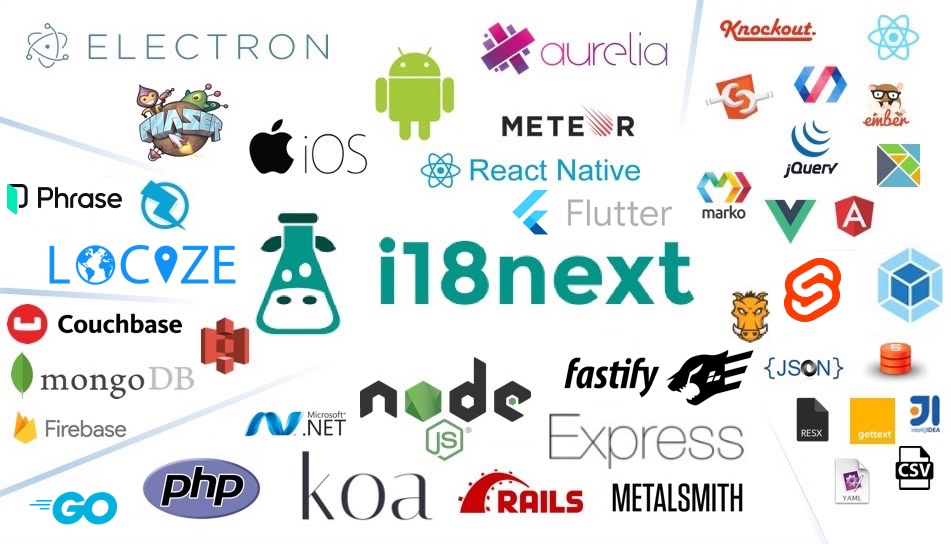
i18next is a very popular internationalization framework for browser or any other javascript environment (eg. Node.js, Deno).
i18next provides:
- Flexible connection to backend (loading translations via xhr, ...)
- Optional caching, user language detection, ...
- Proper pluralizations
- Translation context
- Nesting, Variable replacement
- Flexibility: Use it everywhere
- Extensibility: eg. sprintf
- ...
Pro Tip: Looking for a way to manage your translations? Locize is the official service by i18next's creators — drop in
i18next-locize-backendfor CDN delivery, AI translation, and no redeploys for copy changes. Free plan available for small projects.Starting from zero?
npx i18next-cli localizetakes an app with hardcoded strings to fully localized in one command: wrap int(), extract keys, connect to Locize and AI-translate. Read the launch post.
For more information visit the website:
Our focus is providing the core to building a booming ecosystem. Independent of the building blocks you choose, be it react, angular or even good old jquery proper translation capabilities are just one step away.
Documentation
The general i18next documentation is published on www.i18next.com and PR changes can be supplied here.
The react specific documentation is published on react.i18next.com and PR changes can be supplied here.
Gold Sponsors

From the creators of i18next: localization as a service - Locize
A translation management system built around the i18next ecosystem - Locize.
Now with a Free plan for small projects! Perfect for hobbyists or getting started.
With using Locize you directly support the future of i18next.