WebアプリケーションにおけるQRコード生成ライブラリの比較
qr-code-styling、qr-image、qrcode、qrcode-generator、react-qr-code はすべてJavaScript環境でQRコードを生成するためのnpmパッケージですが、それぞれ異なるアプローチと用途に特化しています。qrcode-generator は純粋なJavaScript実装で軽量かつ低レベルの制御が可能で、qrcode はその上に高レベルAPIやCanvas/SVG/UTF8出力機能を追加したラッパーです。qr-image はNode.js専用でPNG/SVG/PDF形式でのサーバーサイド出力をサポートします。qr-code-styling はブラウザ向けで視覚的なカスタマイズ(色・ロゴ・ドット形状など)に特化しており、react-qr-code はReactコンポーネントとしてシンプルなSVG出力を提供します。これらのライブラリは、クライアントサイドかサーバーサイドか、React使用の有無、デザイン要件の複雑さ、出力形式の必要性といった要件に基づいて選択されます。
npmのダウンロードトレンド
GitHub Starsランキング
統計詳細


WebアプリにおけるQRコード生成ライブラリ:技術的比較と選定ガイド
QRコード生成はモバイル認証、支払い、チケット発行など多くのWebアプリで必要となる機能です。しかし「QRコードを表示する」と一言で言っても、環境(ブラウザ vs Node.js)、フレームワーク(Reactあり/なし)、デザイン要件(シンプル vs 高度カスタマイズ)、出力形式(SVG, Canvas, PNG, PDF)によって最適なライブラリは大きく異なります。この記事では、代表的な5つのnpmパッケージを実際のコード例とともに比較し、各ユースケースに合った選択を支援します。
🧩 基本的な使い方と出力形式
まず、各ライブラリの基本的な使い方とサポートされる出力形式を確認しましょう。
qrcode-generator:低レベルで軽量なコア
qrcode-generatorは、QRコードのデータ生成のみを行う最小限のライブラリです。描画は含まれていないため、SVGやCanvasへの出力は自分で実装する必要があります。
// qrcode-generator: データ生成のみ
import qrcode from 'qrcode-generator';

const qr = qrcode(0, 'M'); // エラー訂正レベルM
qr.addData('https://example.com');
qr.make();

// SVG文字列を手動で生成
const svg = qr.createSvgTag(4, 10); // cellSize=4, margin=10
qrcode:多用途でバランスの取れた高レベルAPI
qrcodeはqrcode-generatorを内部で使い、すぐに使える出力メソッドを提供します。
// qrcode: ブラウザでSVG出力
import QRCode from 'qrcode';

const svg = await QRCode.toString('https://example.com', { type: 'svg' });

// Node.jsでPNGバッファ生成
const pngBuffer = await QRCode.toBuffer('https://example.com');
qr-image:Node.js専用の画像出力
qr-imageはNode.js環境でのみ動作し、PNG/SVG/PDF形式をサポートします。
// qr-image: Node.jsでのPNG生成
const qr = require('qr-image');

const pngStream = qr.image('https://example.com', { type: 'png' });
// Express.jsでレスポンスに流す例
app.get('/qr.png', (req, res) => {
  res.type('png');
  pngStream.pipe(res);
});
qr-code-styling:ブラウザ向けの高度カスタマイズ
qr-code-stylingはブラウザ専用で、CSSのようなスタイルオプションで見た目を細かく調整できます。
// qr-code-styling: 色・ロゴ付きQRコード
import QRCodeStyling from 'qr-code-styling';

const qrCode = new QRCodeStyling({
  data: 'https://example.com',
  width: 300,
  height: 300,
  dotsOptions: { color: '#4267b2', type: 'rounded' },
  cornersSquareOptions: { color: '#000000', type: 'extra-rounded' },
  image: 'logo.png' // 中央にロゴ挿入
});

qrCode.append(document.getElementById('qr-container'));
react-qr-code:React専用のシンプルコンポーネント
react-qr-codeはReactコンポーネントとして即座に使えるシンプルな実装です。
// react-qr-code: Reactコンポーネント
import QRCode from 'react-qr-code';

function App() {
  return (
    <div>
      <QRCode value="https://example.com" size={256} />
    </div>
  );
}
🎨 カスタマイズ性とデザイン制御
シンプルなQRコードで十分な場合
react-qr-codeやqrcodeのデフォルト設定で十分です。特にReactプロジェクトではreact-qr-codeが最も手軽です。
// react-qr-code: 最小構成
<QRCode value="https://example.com" />
// qrcode: デフォルトSVG
const svg = await QRCode.toString('https://example.com', { type: 'svg' });
色や形状を変更したい場合
qr-code-stylingが圧倒的に柔軟です。qrcodeでも一部のスタイル変更は可能ですが、制限があります。
// qrcode: 限定的な色変更(SVGの場合)
const svg = await QRCode.toString('https://example.com', {
  type: 'svg',
  color: { dark: '#FF0000', light: '#FFFFFF' }
});
一方、qr-code-stylingではドットの形状(円、四角、丸四角など)、コーナーのデザイン、背景色、ロゴ挿入などが可能です。
// qr-code-styling: 詳細なスタイル制御
new QRCodeStyling({
  data: 'https://example.com',
  dotsOptions: { type: 'dots', color: '#333' },
  backgroundOptions: { color: '#eee' },
  image: '/logo.svg',
  imageOptions: { hideBackgroundDots: true, imageSize: 0.4 }
});
qrcode-generatorはスタイル制御が一切ないため、完全に自前実装が必要です。
🖥️ 環境対応:ブラウザ vs Node.js
| パッケージ | ブラウザ | Node.js | 備考 |
|---|---|---|---|
qr-code-styling | ✅ | ❌ | DOM操作が必要 |
qr-image | ❌ | ✅ | サーバーサイド専用 |
qrcode | ✅ | ✅ | 両方で同じAPI |
qrcode-generator | ✅ | ✅ | 純粋JS、描画なし |
react-qr-code | ✅ | ⚠️ | SSR時は注意(通常はクライアントサイド限定) |
qr-imageはブラウザで動作しないため、フロントエンドでの利用はできません。逆にqr-code-stylingはNode.js環境で使えません。
react-qr-codeはSSR(サーバーサイドレンダリング)時にエラーになる可能性があるため、Next.jsなどのフレームワークで使う場合はuseEffectや動的インポートでクライアントサイド限定にする必要があります。
📦 出力形式のサポート
各ライブラリがサポートする出力形式を比較します。
qrcode-generator: 生データ(ビット配列)のみ。SVG/Canvasは手動実装必須qrcode: SVG, Canvas, PNG(ブラウザ), PNGバッファ(Node.js), UTF8テキストqr-image: PNG, SVG, EPS, PDF(Node.js専用)qr-code-styling: SVG(Canvas出力も可能だが非推奨)react-qr-code: SVG(React要素として)
PDF出力が必要な場合はqr-imageが唯一の選択肢です。ブラウザでPNG画像としてダウンロードしたい場合はqrcodeのtoCanvas() + toDataURL()を使うのが一般的です。
// qrcode: ブラウザでPNGダウンロード
const canvas = await QRCode.toCanvas('https://example.com');
const link = document.createElement('a');
link.download = 'qrcode.png';
link.href = canvas.toDataURL();
link.click();
⚙️ エラーハンドリングとパフォーマンス
qrcode-generator: 最も軽量で高速。エラーは同期的にthrowqrcode: Promiseベースで非同期処理。無効な入力でrejectqr-image: Streamベースでメモリ効率良好。エラーはstreamのerrorイベントqr-code-styling: 初期化時にDOM操作が発生するため、レンダリングコストありreact-qr-code: Reactの再レンダリングに追従。props変更で自動更新
大規模なQRコード(大量のデータ)を扱う場合、qrcode-generatorやqrcodeの低レベルAPIがパフォーマンス面で有利です。一方、qr-code-stylingは複雑なスタイル計算のため、描画に時間がかかることがあります。
🧪 実際の選定シナリオ
シナリオ1: ReactアプリでシンプルなQRコードを表示
✅ 推奨: react-qr-code
理由: コンポーネントとして即座に使え、追加の設定不要。バンドルサイズも小さい。
import QRCode from 'react-qr-code';

export default function TicketQR({ ticketId }) {
  return <QRCode value={`ticket:${ticketId}`} size={200} />;
}
シナリオ2: ブランドカラーに合わせたカスタムQRコード
✅ 推奨: qr-code-styling
理由: 色・形状・ロゴの自由度が高く、マーケティング資料やブランドガイドラインに沿ったデザインが可能。
new QRCodeStyling({
  data: 'https://campaign.example.com',
  dotsOptions: { color: '#e50914', type: 'classy' },
  cornersSquareOptions: { color: '#e50914', type: 'extra-rounded' },
  backgroundOptions: { color: '#ffffff' }
});
シナリオ3: Node.js APIでPDFチケットにQRコードを埋め込む
✅ 推奨: qr-image
理由: PDF出力が唯一サポートされており、サーバーサイドでの静的ファイル生成に最適。
const qr = require('qr-image');
const pdf = require('pdfkit');

const doc = new pdf();
doc.pipe(fs.createWriteStream('ticket.pdf'));

const qrStream = qr.image('TICKET-123', { type: 'pdf' });
qrStream.pipe(doc); // 実際にはPDFKitの画像埋め込みAPIを使う
シナリオ4: バンドルサイズを最小限に抑えたい軽量アプリ
✅ 推奨: qrcode-generator
理由: コア機能のみで依存がなく、描画ロジックを自前で最適化できる。
// 自前SVG描画関数
function renderQrToSvg(qrData, size = 200) {
  const qr = qrcode(0, 'M');
  qr.addData(qrData);
  qr.make();
  return qr.createSvgTag(size / qr.getModuleCount(), 4);
}
シナリオ5: ブラウザとNode.jsの両方で同じコードを使いたい
✅ 推奨: qrcode
理由: 同じAPIで両環境に対応しており、出力形式も豊富。
// 共通モジュール
export async function generateQrSvg(data) {
  return await QRCode.toString(data, { type: 'svg' });
}

// ブラウザでもNode.jsでも同じ関数が使える
📌 まとめ:選定のポイント
- Reactを使っている? →
react-qr-code(シンプル) orqr-code-styling(カスタム) - Node.jsサーバーで画像生成? →
qr-image(PDF必要) orqrcode(汎用) - 高度なビジュアルカスタマイズ? →
qr-code-styling(ブラウザ専用) - 最小限のバンドルサイズ? →
qrcode-generator(描画は自前) - 両環境で共通コード? →
qrcode
各ライブラリは明確な役割分担を持っており、要件に合ったものを選べば過剰な依存や機能不足を避けられます。特に、qr-code-stylingはブラウザ専用、qr-imageはNode.js専用という点を間違えると実装が破綻するため、環境要件を最初に確認することが重要です。
選び方: qr-code-styling vs qr-image vs qrcode vs qrcode-generator vs react-qr-code
- qr-code-styling:
qr-code-stylingは、ブラウザ上で高度にカスタマイズ可能なQRコード(独自の色、ロゴ画像、ドットやコーナーの形状変更など)を必要とするプロジェクトに最適です。ただし、Node.js環境では動作せず、バンドルサイズも大きめなので、シンプルなQRコードで十分な場合はオーバースペックになる可能性があります。ReactやVueなどのフレームワークと組み合わせて使う際にも、DOM操作ベースの初期化が必要な点に注意が必要です。 - qr-image:
qr-imageはNode.jsサーバーサイドでPNG、SVG、PDF形式のQRコードを生成したい場合に適しています。ブラウザ環境では動作しないため、フロントエンドでの利用はできません。特にPDF出力が必要なレポート生成やバッチ処理など、サーバー側で静的ファイルを出力するユースケースに向いています。ただし、メンテナンス状況を確認し、最新のNode.jsバージョンとの互換性を検証することが推奨されます。 - qrcode:
qrcodeは、ブラウザとNode.jsの両方で動作し、Canvas、SVG、UTF8テキストなど多様な出力フォーマットをサポートするバランスの取れた選択肢です。中程度のカスタマイズ(エラー訂正レベル、マージン調整など)が必要で、かつ軽量な依存関係を保ちたい場合に最適です。ReactやVueのようなフレームワーク内でも簡単に統合でき、多くのユースケースをカバーします。 - qrcode-generator:
qrcode-generatorは、最小限の機能に絞られた低レベルライブラリで、バンドルサイズを極限まで抑えたい場合や、独自の描画ロジックを実装したい開発者向けです。SVGやCanvasへの直接出力は含まれていないため、描画部分は自前で実装する必要があります。ただし、コアとなるQRコードデータ生成アルゴリズムは安定しており、他の高レベルライブラリの基盤としても広く使われています。 - react-qr-code:
react-qr-codeは、Reactアプリケーション内でシンプルなSVG QRコードを表示したい場合に最適です。プロップス経由で値を渡すだけで動作し、追加の設定や初期化不要で使いやすいです。ただし、色やスタイルのカスタマイズは限定的で、ロゴ挿入や複雑なデザイン変更はサポートしていません。Reactプロジェクトで素早くQRコードを表示したい場合に非常に効率的です。
人気の比較
qr-code-styling のREADME
QR Code Styling

JavaScript library for generating QR codes with a logo and styling.
Try it here https://qr-code-styling.com
If you have issues / suggestions / notes / questions, please open an issue or contact me. Let's create a cool library together.
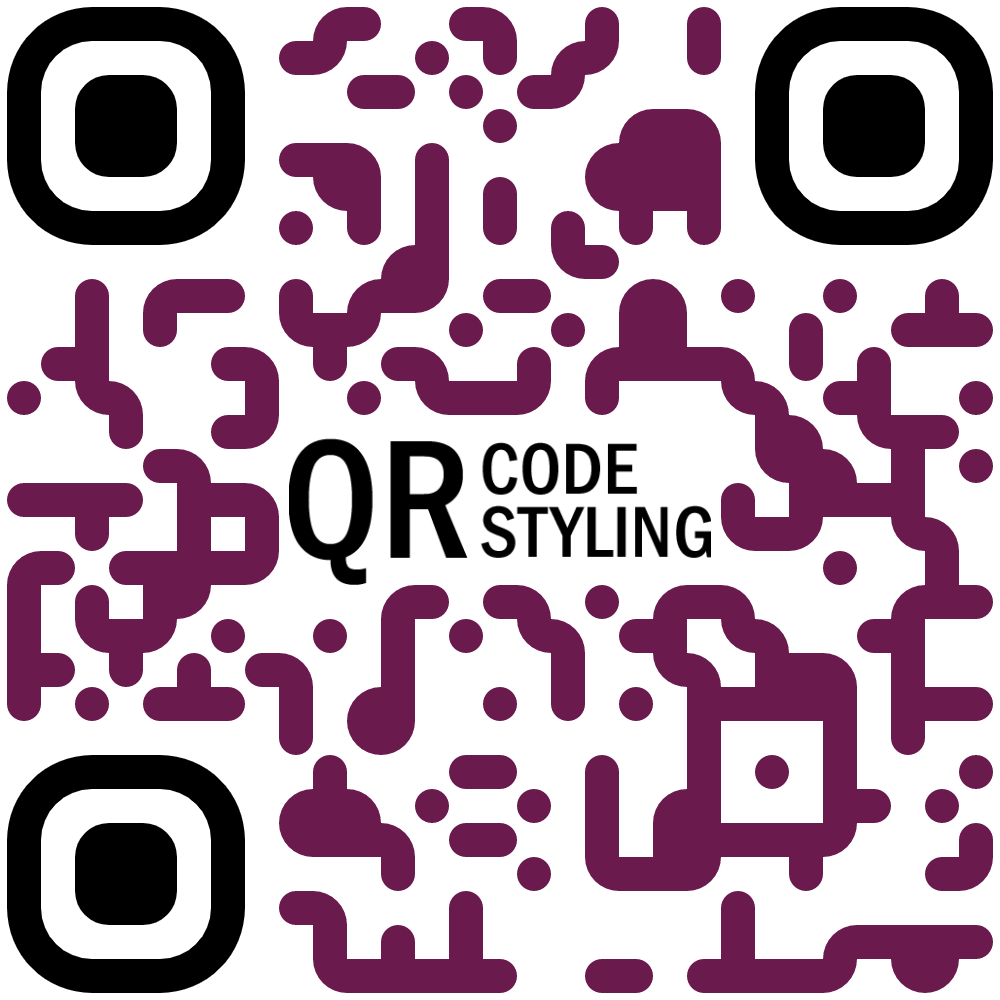
Examples


Extensions
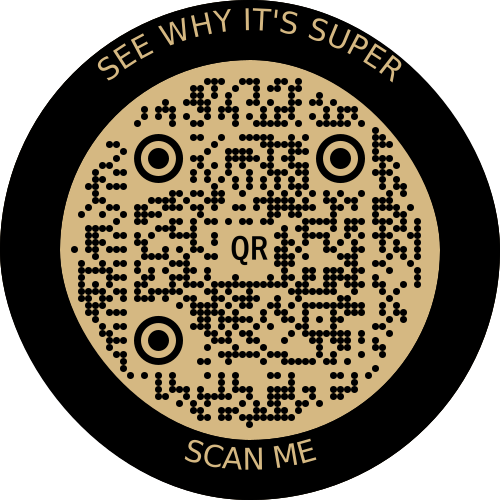
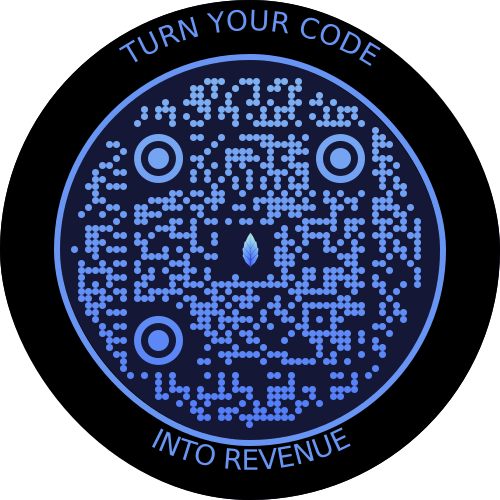
If you would like to use additional stiles, you can connect extensions.
qr-border-plugin
Installation
npm install qr-code-styling
Usage
<!DOCTYPE html>
<html lang="en">
<head>
    <meta charset="UTF-8">
    <title>QR Code Styling</title>
    <script type="text/javascript" src="https://unpkg.com/qr-code-styling@1.5.0/lib/qr-code-styling.js"></script>
</head>
<body>
<div id="canvas"></div>
<script type="text/javascript">

    const qrCode = new QRCodeStyling({
        width: 300,
        height: 300,
        type: "svg",
        data: "https://www.facebook.com/",
        image: "https://upload.wikimedia.org/wikipedia/commons/5/51/Facebook_f_logo_%282019%29.svg",
        dotsOptions: {
            color: "#4267b2",
            type: "rounded"
        },
        backgroundOptions: {
            color: "#e9ebee",
        },
        imageOptions: {
            crossOrigin: "anonymous",
            margin: 20
        }
    });

    qrCode.append(document.getElementById("canvas"));
    qrCode.download({ name: "qr", extension: "svg" });
</script>
</body>
</html>
API Documentation
QRCodeStyling instance
new QRCodeStyling(options) => QRCodeStyling
| Param | Type | Description |
|---|---|---|
| options | object | Init object |
options structure
| Property | Type | Default Value | Description |
|---|---|---|---|
| width | number | 300 | Size of canvas |
| height | number | 300 | Size of canvas |
| type | string ('canvas' 'svg') | canvas | The type of the element that will be rendered |
| shape | string (`'square' 'circle') | square | The shape of the qr-code, circle shape adds rundom extra dots arround |
| data | string | The data will be encoded to the QR code | |
| image | string | The image will be copied to the center of the QR code | |
| margin | number | 0 | Margin around canvas |
| qrOptions | object | Options will be passed to qrcode-generator lib | |
| imageOptions | object | Specific image options, details see below | |
| dotsOptions | object | Dots styling options | |
| cornersSquareOptions | object | Square in the corners styling options | |
| cornersDotOptions | object | Dots in the corners styling options | |
| backgroundOptions | object | QR background styling options | |
| nodeCanvas | node-canvas | Only specify when running on a node server for canvas type, please refer to node section below | |
| jsDom | jsdom | Only specify when running on a node server for svg type, please refer to node section below |
options.qrOptions structure
| Property | Type | Default Value |
|---|---|---|
| typeNumber | number (0 - 40) | 0 |
| mode | string ('Numeric' 'Alphanumeric' 'Byte' 'Kanji') | |
| errorCorrectionLevel | string ('L' 'M' 'Q' 'H') | 'Q' |
options.imageOptions structure
| Property | Type | Default Value | Description |
|---|---|---|---|
| hideBackgroundDots | boolean | true | Hide all dots covered by the image |
| imageSize | number | 0.4 | Coefficient of the image size. Not recommended to use ove 0.5. Lower is better |
| margin | number | 0 | Margin of the image in px |
| crossOrigin | string('anonymous' 'use-credentials') | Set "anonymous" if you want to download QR code from other origins. | |
| saveAsBlob | boolean | true | Saves image as base64 blob in svg type, see bellow |
When QR type is svg, the image may not load in certain applications as it is saved as a url, and some svg applications will not render url images for security reasons. Setting saveAsBlob to true will instead save the image as a blob, allowing it to render correctly in more places, but will also increase the file size.
options.dotsOptions structure
| Property | Type | Default Value | Description |
|---|---|---|---|
| color | string | '#000' | Color of QR dots |
| gradient | object | Gradient of QR dots | |
| type | string ('rounded' 'dots' 'classy' 'classy-rounded' 'square' 'extra-rounded') | 'square' | Style of QR dots |
| roundSize | boolean | true | Whether to round dots size to integer. true value might create extra margin around qr code. If false, shape-rendering="crispEdges" will be applied to SVG element. |
options.backgroundOptions structure
| Property | Type | Default Value |
|---|---|---|
| color | string ('#fff' 'rgb(255,255,255)' 'transparent') | '#fff' |
| gradient | object |
options.cornersSquareOptions structure
| Property | Type | Default Value | Description |
|---|---|---|---|
| color | string | Color of Corners Square | |
| gradient | object | Gradient of Corners Square | |
| type | string ('dot' 'square' 'extra-rounded' 'rounded' 'dots' 'classy' 'classy-rounded') | Style of Corners Square |
options.cornersDotOptions structure
| Property | Type | Default Value | Description |
|---|---|---|---|
| color | string | Color of Corners Dot | |
| gradient | object | Gradient of Corners Dot | |
| type | string ('dot' 'square' 'rounded' 'dots' 'classy' 'classy-rounded' 'extra-rounded') | Style of Corners Dot |
Gradient structure
options.dotsOptions.gradient
options.backgroundOptions.gradient
options.cornersSquareOptions.gradient
options.cornersDotOptions.gradient
| Property | Type | Default Value | Description |
|---|---|---|---|
| type | string ('linear' 'radial') | "linear" | Type of gradient spread |
| rotation | number | 0 | Rotation of gradient in radians (Math.PI === 180 degrees) |
| colorStops | array of objects | Gradient colors. Example [{ offset: 0, color: 'blue' }, { offset: 1, color: 'red' }] |
Gradient colorStops structure
options.dotsOptions.gradient.colorStops[]
options.backgroundOptions.gradient.colorStops[]
options.cornersSquareOptions.gradient.colorStops[]
options.cornersDotOptions.gradient.colorStops[]
| Property | Type | Default Value | Description |
|---|---|---|---|
| offset | number (0 - 1) | Position of color in gradient range | |
| color | string | Color of stop in gradient range |
QRCodeStyling methods
QRCodeStyling.append(container) => void
| Param | Type | Description |
|---|---|---|
| container | DOM element | This container will be used for appending of the QR code |
QRCodeStyling.getRawData(extension) => Promise<Blob>
| Param | Type | Default Value | Description |
|---|---|---|---|
| extension | string ('png' 'jpeg' 'webp' 'svg') | 'png' | Blob type on browser, Buffer type on Node |
QRCodeStyling.update(options) => void
| Param | Type | Description |
|---|---|---|
| options | object | The same options as for initialization |
QRCodeStyling.applyExtension(extension) => void
| Param | Type | Description |
|---|---|---|
| extension | (svg, options) => void | Extension is a function that takes svg and previously applied options and modifies an svg |
applyExtension example
const extension = (svg, options) => {
    const { width, height } = options;
    const size = Math.min(width, height);
    const border = document.createElementNS("http://www.w3.org/2000/svg", "rect");
    const borderAttributes = {
        "fill": "none",
        "x": (width - size + 40) / 2,
        "y": (height - size + 40) / 2,
        "width": size - 40,
        "height": size - 40,
        "stroke": 'black',
        "stroke-width": 40,
        "rx": 100,
    };
    Object.keys(borderAttributes).forEach(attribute => {
      border.setAttribute(attribute, borderAttributes[attribute]);
    });
    svg.appendChild(border);
};
QRCodeStyling.deleteExtension() => void
QRCodeStyling.download(downloadOptions) => Promise<void>
| Param | Type | Description |
|---|---|---|
| downloadOptions | object | Options with extension and name of file (not required) |
Promise returned will resolve into the data URI of the QR code image.
downloadOptions structure
| Property | Type | Default Value | Description |
|---|---|---|---|
| name | string | 'qr' | Name of the downloaded file |
| extension | string ('png' 'jpeg' 'webp' 'svg') | 'png' | File extension |
Building this repo
If you get an error running npm install referring to node-pre-gyp, this is caused by an attempt to compile the canvas dependency. See Compiling instructions in the README. For example on MacOS you need to install dependencies: brew install pkg-config cairo pango libpng jpeg giflib librsvg pixman.
Node Support
You can use this on a node server by passing through the node-canvas or jsdom object depending if your creating a non-svg or svg respectively. You must pass both if using imageOptions.saveAsBlob.
Calling getRawData in node will return a Buffer instead of a Blob.
const { QRCodeStyling } = require("qr-code-styling/lib/qr-code-styling.common.js");
const nodeCanvas = require("canvas");
const { JSDOM } = require("jsdom");
const fs = require("fs");

const options = {
    width: 300,
    height: 300,
    data: "https://www.facebook.com/",
    image: "https://upload.wikimedia.org/wikipedia/commons/5/51/Facebook_f_logo_%282019%29.svg",
    dotsOptions: {
        color: "#4267b2",
        type: "rounded"
    },
    backgroundOptions: {
        color: "#e9ebee",
    },
    imageOptions: {
        crossOrigin: "anonymous",
        margin: 20
    }
}

// For canvas type
const qrCodeImage = new QRCodeStyling({
    jsdom: JSDOM, // this is required
    nodeCanvas, // this is required,
    ...options,
    imageOptions: {
        saveAsBlob: true,
        crossOrigin: "anonymous",
        margin: 20
    },
});

qrCodeImage.getRawData("png").then((buffer) => {
  fs.writeFileSync("test.png", buffer);
});

// For svg type
const qrCodeSvg = new QRCodeStyling({
    jsdom: JSDOM, // this is required
    type: "svg",
    ...options
});

qrCodeSvg.getRawData("svg").then((buffer) => {
  fs.writeFileSync("test.svg", buffer);
});

// For svg type with the inner-image saved as a blob
// (inner-image will render in more places but file will be larger)
const qrCodeSvgWithBlobImage = new QRCodeStyling({
    jsdom: JSDOM, // this is required
    nodeCanvas, // this is required
    type: "svg",
    ...options,
    imageOptions: {
        saveAsBlob: true,
        crossOrigin: "anonymous",
        margin: 20
    }
});

qrCodeSvgWithBlobImage.getRawData("svg").then((buffer) => {
  fs.writeFileSync("test_blob.svg", buffer);
});
License
MIT License. Copyright (c) 2021 Denys Kozak