WebアプリケーションにおけるQRコード生成ライブラリの比較
qr-code-styling、qr.js、qrcode.react、qrious、react-qr-code はすべて、WebアプリケーションでQRコードを生成するためのnpmパッケージです。これらのライブラリは、それぞれ異なるアプローチでQRコードの描画やカスタマイズを実現しており、React専用のものもあれば、フレームワークに依存しない汎用的なものもあります。基本的なQRコード生成から、色やロゴのカスタマイズ、SVGまたはCanvas出力の選択など、用途に応じて適切なライブラリを選ぶ必要があります。
npmのダウンロードトレンド
GitHub Starsランキング
統計詳細


WebアプリでのQRコード生成:5つのライブラリを徹底比較
QRコードをWebアプリに組み込む際、見た目のカスタマイズ性、パフォーマンス、メンテナンス性、そしてフレームワークとの親和性は重要な判断材料です。ここでは、qr-code-styling、qr.js、qrcode.react、qrious、react-qr-code の5つの主要なnpmパッケージを、実際の開発シーンに基づいて比較します。
⚠️ 非推奨ライブラリの注意点
まず最初に重要な点として、qrious は 公式に非推奨(deprecated) とされています。GitHubリポジトリおよびnpmページには明確な非推奨通知があり、2021年以降の更新がありません。新規プロジェクトでは使用を避け、代替手段を検討すべきです。
🖼️ 描画方式と出力形式
各ライブラリは、QRコードをどのように画面に描画するかという点で大きく異なります。
qr-code-styling はSVGとCanvasの両方をサポートします。内部でSVGを生成し、必要に応じてCanvasに変換可能です。これにより、ベクター品質の拡大やPNGダウンロードが容易になります。
// qr-code-styling
import QRCodeStyling from "qr-code-styling";

const qrCode = new QRCodeStyling({
  data: "https://example.com",
  type: "svg", // または "canvas"
  width: 300,
  height: 300
});

qrCode.append(document.getElementById("qr-container"));
qr.js は描画機能を一切提供しません。QRコードのビットマップデータ(2次元配列)を返すだけです。描画は開発者が自前で実装する必要があります。
// qr.js
import qr from "qr.js";

const qrcode = qr("https://example.com");
const modules = qrcode.modules; // 2次元配列
// ここから自分でCanvasやSVGを描画
qrcode.react はCanvas要素を使って描画します。Reactコンポーネントとして直接JSXに埋め込めます。
// qrcode.react
import QRCode from "qrcode.react";

function App() {
  return <QRCode value="https://example.com" size={300} />;
}
react-qr-code はSVGを出力します。これにより、CSSによるスタイル適用やベクタースケーリングが可能です。
// react-qr-code
import QRCode from "react-qr-code";

function App() {
  return <QRCode value="https://example.com" size={300} />;
}
qrious(非推奨)はCanvasのみをサポートします。
// qrious (非推奨)
import QRious from "qrious";

new QRious({
  element: document.getElementById("qr"),
  value: "https://example.com",
  size: 300
});
🎨 カスタマイズ性:見た目をどこまで変えられるか
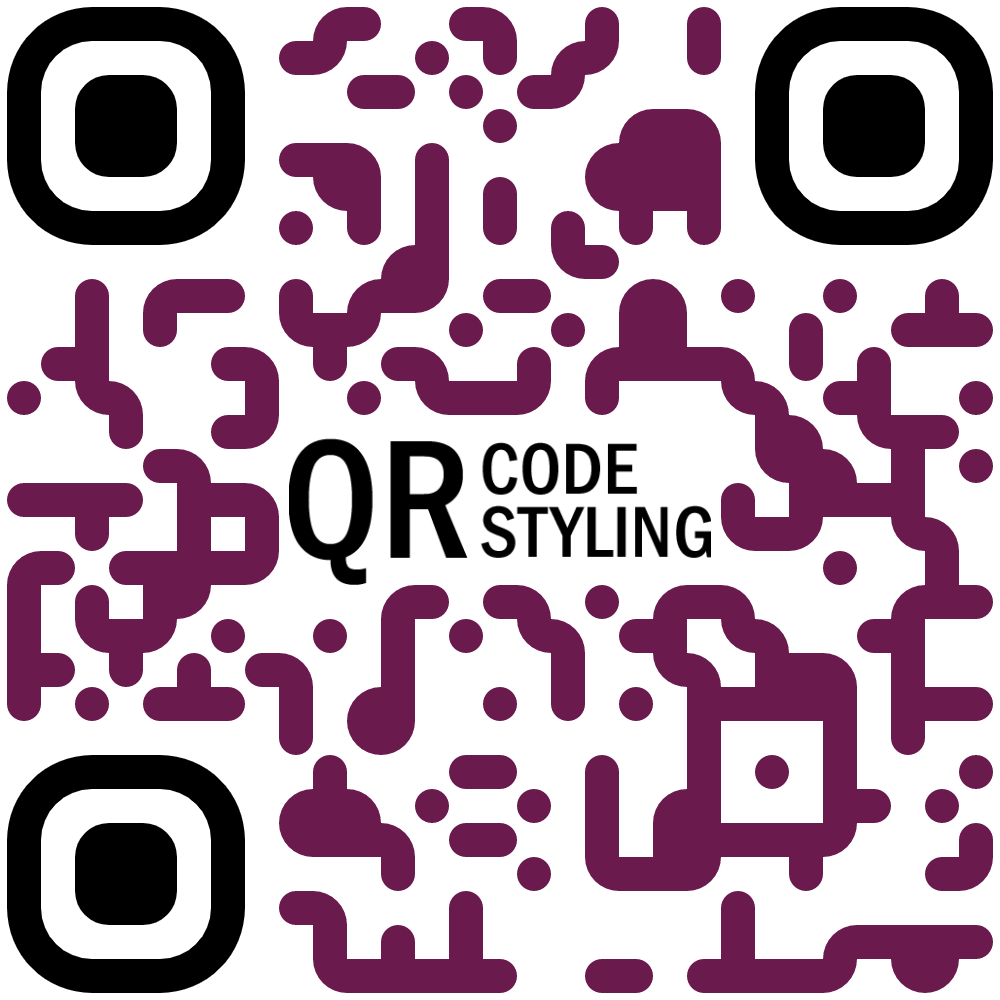
qr-code-styling は最も高度なカスタマイズを提供します。ドットの形状(四角、丸、菱形など)、色のグラデーション、背景画像、中央ロゴの挿入などが可能です。
// qr-code-styling — 高度なスタイリング
const qrCode = new QRCodeStyling({
  data: "https://example.com",
  dotsOptions: {
    color: "#4267b2",
    type: "rounded"
  },
  backgroundOptions: {
    color: "#e9ebee"
  },
  image: "/logo.png", // 中央にロゴ
  imageOptions: { hideBackgroundDots: true }
});
qrcode.react は前景色(fgColor)と背景色(bgColor)の変更のみをサポートします。ドットの形状やロゴの挿入はできません。
// qrcode.react — 基本的な色変更
<QRCode
  value="https://example.com"
  fgColor="#000000"
  bgColor="#ffffff"
/>
react-qr-code も同様に、fgColor と bgColor のみをpropsで受け付けます。ただし、SVG出力のため、外部CSSでスタイルを上書きすることも可能です。
// react-qr-code — CSSによる上書き例
<QRCode
  value="https://example.com"
  style={{ filter: "invert(1)" }}
/>
qr.js は描画を提供しないため、カスタマイズはすべて自前実装になります。自由度は高いですが、工数もかかります。
qrious(非推奨)は前景色、背景色、余白(margin)の調整が可能でしたが、それ以上のカスタマイズはできません。
🧩 React統合のしやすさ
Reactプロジェクトで使う場合、コンポーネントとしての使い勝手が重要です。
qrcode.reactとreact-qr-codeは純粋なReactコンポーネントであり、props経由で設定でき、再レンダリングにも対応しています。qr-code-stylingはクラスベースのインスタンスを操作する必要があり、Reactのライフサイクルと連携させるにはuseEffectやrefの管理が必要です。qr.jsはフレームワーク非依存のため、Reactで使うにはラッパーコンポーネントを自作する必要があります。qriousも同様に、Reactで使うには副作用管理が必要です。
// qr-code-styling をReactで使う例(useEffect必須)
import { useEffect, useRef } from "react";
import QRCodeStyling from "qr-code-styling";

function QRCodeComponent({ value }) {
  const ref = useRef();
  const qrCode = useRef();

  useEffect(() => {
    if (!qrCode.current) {
      qrCode.current = new QRCodeStyling({ data: value });
      qrCode.current.append(ref.current);
    } else {
      qrCode.current.update({ data: value });
    }
  }, [value]);

  return <div ref={ref} />;
}
📱 アクセシビリティとSEO
react-qr-code は、title や aria-label propsをサポートしており、スクリーンリーダー対応やSEOに配慮しています。
<QRCode
  value="https://example.com"
  title="Example.comへのQRコード"
  aria-label="Example.comへのリンク"
/>
他のライブラリは、特にアクセシビリティ属性を自動で付与する機能はありません。必要であれば手動で追加する必要があります。
🔄 データ更新時の挙動
qrcode.react と react-qr-code は、propsが変わると自動で再描画されます。Reactの宣言的UIモデルに自然にフィットします。
一方、qr-code-styling は update() メソッドを明示的に呼び出す必要があります。これを忘れた場合、QRコードが古いままになりバグの原因になります。
📦 まとめ:どのライブラリを選ぶべきか?
| 要件 | 推奨ライブラリ |
|---|---|
| 高度なビジュアルカスタマイズ(ロゴ、ドット形状、グラデーション) | qr-code-styling |
| 最小限の依存でQRデータのみ必要 | qr.js |
| Reactでシンプルかつ安定したQRコード | react-qr-code |
| 古いReactプロジェクトで動作確認済みの実績 | qrcode.react |
| 新規プロジェクトでの使用 | qrious は 非推奨のため使用不可 |
💡 最終的なアドバイス
- デザイン重視 →
qr-code-styling - パフォーマンスと軽量さ重視 →
react-qr-code(SVG出力で軽量かつ高解像度) - 完全な制御を求める →
qr.js+ 自前描画 - 保守性と将来性 →
qriousは避けて、react-qr-codeかqrcode.reactを選ぶ
QRコードは一見単純に見えますが、実際のプロダクトでは「ロゴを入れたい」「スマホで読みやすくしたい」「印刷用に高解像度が欲しい」など、意外と要件が複雑になることが多いです。プロジェクトの規模と要件に応じて、最適なライブラリを選びましょう。
選び方: qr-code-styling vs qr.js vs qrcode.react vs qrious vs react-qr-code
- qr-code-styling:
qr-code-stylingは高度なスタイリング機能(ドットの形状変更、背景画像、ロゴ挿入、グラデーションなど)が必要な場合に最適です。内部でSVGとCanvasの両方をサポートし、高品質な出力が可能です。ただしバンドルサイズが大きくなる傾向があるため、シンプルなQRコードで十分なプロジェクトではオーバースペックかもしれません。 - qr.js:
qr.jsは軽量でフレームワーク非依存の純粋なQRコード生成エンジンです。DOM操作や描画は含まれておらず、データ生成のみを提供します。自分で描画ロジックを実装したい場合や、最小限の依存関係でQRコードのデータ構造だけが必要なケースに適しています。 - qrcode.react:
qrcode.reactはReact向けのシンプルなコンポーネントで、基本的なQRコード生成に特化しています。props経由で値やサイズ、前景色・背景色を指定でき、使い勝手が良いです。ただし、ドットの形状やロゴの挿入といった高度なカスタマイズには対応していません。 - qrious:
qriousはHTML5 CanvasベースのQRコード生成ライブラリで、フレームワークに依存しません。色やサイズ、余白の調整が可能ですが、2021年以降の更新がなく、公式に非推奨(deprecated)とされています。新規プロジェクトでは使用を避けて、代替ライブラリを検討すべきです。 - react-qr-code:
react-qr-codeは現代的なReact QRコードコンポーネントで、TypeScript対応、SVG出力、アクセシビリティ属性(aria-label)のサポートが特徴です。スタイルカスタマイズは限定的ですが、パフォーマンスとメンテナンス性を重視したシンプルな実装を求める場合に適しています。
人気の比較
qr-code-styling のREADME
QR Code Styling

JavaScript library for generating QR codes with a logo and styling.
Try it here https://qr-code-styling.com
If you have issues / suggestions / notes / questions, please open an issue or contact me. Let's create a cool library together.
Examples


Extensions
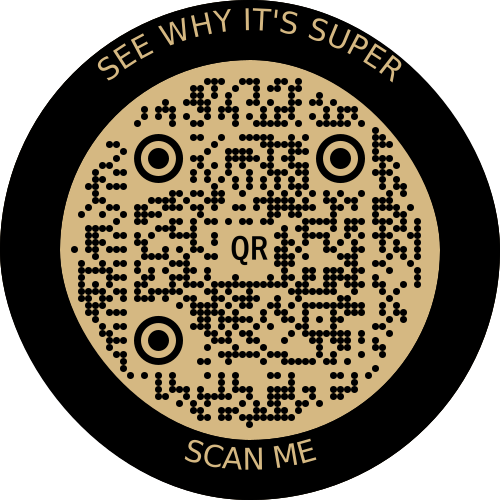
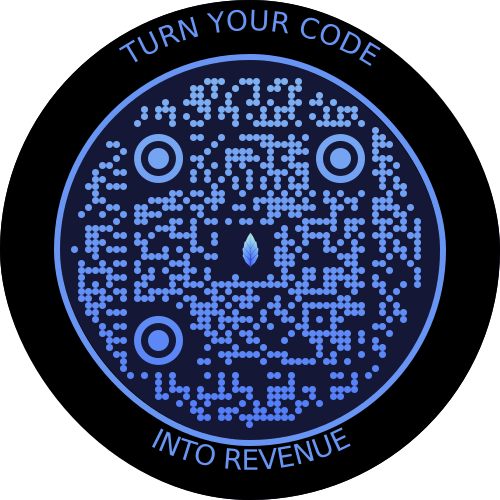
If you would like to use additional stiles, you can connect extensions.
qr-border-plugin
Installation
npm install qr-code-styling
Usage
<!DOCTYPE html>
<html lang="en">
<head>
    <meta charset="UTF-8">
    <title>QR Code Styling</title>
    <script type="text/javascript" src="https://unpkg.com/qr-code-styling@1.5.0/lib/qr-code-styling.js"></script>
</head>
<body>
<div id="canvas"></div>
<script type="text/javascript">

    const qrCode = new QRCodeStyling({
        width: 300,
        height: 300,
        type: "svg",
        data: "https://www.facebook.com/",
        image: "https://upload.wikimedia.org/wikipedia/commons/5/51/Facebook_f_logo_%282019%29.svg",
        dotsOptions: {
            color: "#4267b2",
            type: "rounded"
        },
        backgroundOptions: {
            color: "#e9ebee",
        },
        imageOptions: {
            crossOrigin: "anonymous",
            margin: 20
        }
    });

    qrCode.append(document.getElementById("canvas"));
    qrCode.download({ name: "qr", extension: "svg" });
</script>
</body>
</html>
API Documentation
QRCodeStyling instance
new QRCodeStyling(options) => QRCodeStyling
| Param | Type | Description |
|---|---|---|
| options | object | Init object |
options structure
| Property | Type | Default Value | Description |
|---|---|---|---|
| width | number | 300 | Size of canvas |
| height | number | 300 | Size of canvas |
| type | string ('canvas' 'svg') | canvas | The type of the element that will be rendered |
| shape | string (`'square' 'circle') | square | The shape of the qr-code, circle shape adds rundom extra dots arround |
| data | string | The data will be encoded to the QR code | |
| image | string | The image will be copied to the center of the QR code | |
| margin | number | 0 | Margin around canvas |
| qrOptions | object | Options will be passed to qrcode-generator lib | |
| imageOptions | object | Specific image options, details see below | |
| dotsOptions | object | Dots styling options | |
| cornersSquareOptions | object | Square in the corners styling options | |
| cornersDotOptions | object | Dots in the corners styling options | |
| backgroundOptions | object | QR background styling options | |
| nodeCanvas | node-canvas | Only specify when running on a node server for canvas type, please refer to node section below | |
| jsDom | jsdom | Only specify when running on a node server for svg type, please refer to node section below |
options.qrOptions structure
| Property | Type | Default Value |
|---|---|---|
| typeNumber | number (0 - 40) | 0 |
| mode | string ('Numeric' 'Alphanumeric' 'Byte' 'Kanji') | |
| errorCorrectionLevel | string ('L' 'M' 'Q' 'H') | 'Q' |
options.imageOptions structure
| Property | Type | Default Value | Description |
|---|---|---|---|
| hideBackgroundDots | boolean | true | Hide all dots covered by the image |
| imageSize | number | 0.4 | Coefficient of the image size. Not recommended to use ove 0.5. Lower is better |
| margin | number | 0 | Margin of the image in px |
| crossOrigin | string('anonymous' 'use-credentials') | Set "anonymous" if you want to download QR code from other origins. | |
| saveAsBlob | boolean | true | Saves image as base64 blob in svg type, see bellow |
When QR type is svg, the image may not load in certain applications as it is saved as a url, and some svg applications will not render url images for security reasons. Setting saveAsBlob to true will instead save the image as a blob, allowing it to render correctly in more places, but will also increase the file size.
options.dotsOptions structure
| Property | Type | Default Value | Description |
|---|---|---|---|
| color | string | '#000' | Color of QR dots |
| gradient | object | Gradient of QR dots | |
| type | string ('rounded' 'dots' 'classy' 'classy-rounded' 'square' 'extra-rounded') | 'square' | Style of QR dots |
| roundSize | boolean | true | Whether to round dots size to integer. true value might create extra margin around qr code. If false, shape-rendering="crispEdges" will be applied to SVG element. |
options.backgroundOptions structure
| Property | Type | Default Value |
|---|---|---|
| color | string ('#fff' 'rgb(255,255,255)' 'transparent') | '#fff' |
| gradient | object |
options.cornersSquareOptions structure
| Property | Type | Default Value | Description |
|---|---|---|---|
| color | string | Color of Corners Square | |
| gradient | object | Gradient of Corners Square | |
| type | string ('dot' 'square' 'extra-rounded' 'rounded' 'dots' 'classy' 'classy-rounded') | Style of Corners Square |
options.cornersDotOptions structure
| Property | Type | Default Value | Description |
|---|---|---|---|
| color | string | Color of Corners Dot | |
| gradient | object | Gradient of Corners Dot | |
| type | string ('dot' 'square' 'rounded' 'dots' 'classy' 'classy-rounded' 'extra-rounded') | Style of Corners Dot |
Gradient structure
options.dotsOptions.gradient
options.backgroundOptions.gradient
options.cornersSquareOptions.gradient
options.cornersDotOptions.gradient
| Property | Type | Default Value | Description |
|---|---|---|---|
| type | string ('linear' 'radial') | "linear" | Type of gradient spread |
| rotation | number | 0 | Rotation of gradient in radians (Math.PI === 180 degrees) |
| colorStops | array of objects | Gradient colors. Example [{ offset: 0, color: 'blue' }, { offset: 1, color: 'red' }] |
Gradient colorStops structure
options.dotsOptions.gradient.colorStops[]
options.backgroundOptions.gradient.colorStops[]
options.cornersSquareOptions.gradient.colorStops[]
options.cornersDotOptions.gradient.colorStops[]
| Property | Type | Default Value | Description |
|---|---|---|---|
| offset | number (0 - 1) | Position of color in gradient range | |
| color | string | Color of stop in gradient range |
QRCodeStyling methods
QRCodeStyling.append(container) => void
| Param | Type | Description |
|---|---|---|
| container | DOM element | This container will be used for appending of the QR code |
QRCodeStyling.getRawData(extension) => Promise<Blob>
| Param | Type | Default Value | Description |
|---|---|---|---|
| extension | string ('png' 'jpeg' 'webp' 'svg') | 'png' | Blob type on browser, Buffer type on Node |
QRCodeStyling.update(options) => void
| Param | Type | Description |
|---|---|---|
| options | object | The same options as for initialization |
QRCodeStyling.applyExtension(extension) => void
| Param | Type | Description |
|---|---|---|
| extension | (svg, options) => void | Extension is a function that takes svg and previously applied options and modifies an svg |
applyExtension example
const extension = (svg, options) => {
    const { width, height } = options;
    const size = Math.min(width, height);
    const border = document.createElementNS("http://www.w3.org/2000/svg", "rect");
    const borderAttributes = {
        "fill": "none",
        "x": (width - size + 40) / 2,
        "y": (height - size + 40) / 2,
        "width": size - 40,
        "height": size - 40,
        "stroke": 'black',
        "stroke-width": 40,
        "rx": 100,
    };
    Object.keys(borderAttributes).forEach(attribute => {
      border.setAttribute(attribute, borderAttributes[attribute]);
    });
    svg.appendChild(border);
};
QRCodeStyling.deleteExtension() => void
QRCodeStyling.download(downloadOptions) => Promise<void>
| Param | Type | Description |
|---|---|---|
| downloadOptions | object | Options with extension and name of file (not required) |
Promise returned will resolve into the data URI of the QR code image.
downloadOptions structure
| Property | Type | Default Value | Description |
|---|---|---|---|
| name | string | 'qr' | Name of the downloaded file |
| extension | string ('png' 'jpeg' 'webp' 'svg') | 'png' | File extension |
Building this repo
If you get an error running npm install referring to node-pre-gyp, this is caused by an attempt to compile the canvas dependency. See Compiling instructions in the README. For example on MacOS you need to install dependencies: brew install pkg-config cairo pango libpng jpeg giflib librsvg pixman.
Node Support
You can use this on a node server by passing through the node-canvas or jsdom object depending if your creating a non-svg or svg respectively. You must pass both if using imageOptions.saveAsBlob.
Calling getRawData in node will return a Buffer instead of a Blob.
const { QRCodeStyling } = require("qr-code-styling/lib/qr-code-styling.common.js");
const nodeCanvas = require("canvas");
const { JSDOM } = require("jsdom");
const fs = require("fs");

const options = {
    width: 300,
    height: 300,
    data: "https://www.facebook.com/",
    image: "https://upload.wikimedia.org/wikipedia/commons/5/51/Facebook_f_logo_%282019%29.svg",
    dotsOptions: {
        color: "#4267b2",
        type: "rounded"
    },
    backgroundOptions: {
        color: "#e9ebee",
    },
    imageOptions: {
        crossOrigin: "anonymous",
        margin: 20
    }
}

// For canvas type
const qrCodeImage = new QRCodeStyling({
    jsdom: JSDOM, // this is required
    nodeCanvas, // this is required,
    ...options,
    imageOptions: {
        saveAsBlob: true,
        crossOrigin: "anonymous",
        margin: 20
    },
});

qrCodeImage.getRawData("png").then((buffer) => {
  fs.writeFileSync("test.png", buffer);
});

// For svg type
const qrCodeSvg = new QRCodeStyling({
    jsdom: JSDOM, // this is required
    type: "svg",
    ...options
});

qrCodeSvg.getRawData("svg").then((buffer) => {
  fs.writeFileSync("test.svg", buffer);
});

// For svg type with the inner-image saved as a blob
// (inner-image will render in more places but file will be larger)
const qrCodeSvgWithBlobImage = new QRCodeStyling({
    jsdom: JSDOM, // this is required
    nodeCanvas, // this is required
    type: "svg",
    ...options,
    imageOptions: {
        saveAsBlob: true,
        crossOrigin: "anonymous",
        margin: 20
    }
});

qrCodeSvgWithBlobImage.getRawData("svg").then((buffer) => {
  fs.writeFileSync("test_blob.svg", buffer);
});
License
MIT License. Copyright (c) 2021 Denys Kozak