企业级 React UI 组件库选型与技术对比
antd、material-ui (MUI)、reactstrap 和 semantic-ui-react 都是 React 生态中流行的 UI 组件库,旨在加速界面开发并提供一致的设计语言。
antd 专注于企业级中后台产品,提供丰富的业务组件和强大的表单处理能力,默认设计风格偏向专业与紧凑。
material-ui 实现了 Google 的 Material Design 规范,拥有强大的主题定制引擎,适合面向消费者的现代化 Web 应用。
reactstrap 是 Bootstrap 的 React 实现,轻量且熟悉,适合需要快速构建响应式布局或维护旧 Bootstrap 项目的团队。
semantic-ui-react 基于 Semantic UI 的类名逻辑,强调自然语言风格的属性,但目前维护状态需谨慎评估。
npm下载趋势
GitHub Stars 排名
统计详情


企业级 React UI 组件库:Ant Design vs MUI vs Reactstrap vs Semantic
在构建 React 应用时,选择 UI 组件库不仅仅是选择一套样式,更是选择了一种开发模式和设计约束。antd、material-ui、reactstrap 和 semantic-ui-react 代表了四种不同的设计哲学。作为架构师,我们需要从主题定制、组件 API 设计、表单处理以及长期维护性四个维度进行深入对比。
🎨 主题定制与样式覆盖
不同的库处理样式的方式直接影响项目的可维护性。有的依赖 Less 变量,有的使用 CSS-in-JS,有的则依赖原生 CSS 类。
antd 在 v5 版本中转向了 CSS 变量和 ConfigProvider,不再强制依赖 Less 加载器,使得动态主题切换更加容易。
// antd: 使用 ConfigProvider 进行全局主题配置
import { ConfigProvider, Button } from 'antd';

export default function App() {
  return (
    <ConfigProvider
      theme={{
        token: {
          colorPrimary: '#00b96b',
        },
      }}
    >
      <Button type="primary">Primary Button</Button>
    </ConfigProvider>
  );
}
material-ui 拥有强大的 createTheme 引擎,允许深度定制调色板、排版和组件样式,支持运行时动态切换。
// material-ui: 使用 ThemeProvider 和 createTheme
import { createTheme, ThemeProvider, Button } from '@mui/material';

const theme = createTheme({
  palette: {
    primary: { main: '#00b96b' },
  },
});

export default function App() {
  return (
    <ThemeProvider theme={theme}>
      <Button variant="contained">Primary Button</Button>
    </ThemeProvider>
  );
}
reactstrap 依赖 Bootstrap 的 Sass 变量,通常需要在构建阶段通过自定义 Sass 文件来覆盖默认样式,运行时动态修改较难。
// reactstrap: 依赖 Bootstrap 类名和 Sass 变量
// 通常在 scss 文件中覆盖 $primary 变量
import { Button } from 'reactstrap';
import './custom-bootstrap.scss';

export default function App() {
  // 样式由编译后的 CSS 决定,JS 中仅控制结构
  return <Button color="primary">Primary Button</Button>;
}
semantic-ui-react 使用 Less 变量和覆盖文件,通过 site.variables 来修改全局风格,配置过程相对繁琐且构建依赖较重。
// semantic-ui-react: 通过 Less 变量覆盖
// 在 semantic.config.js 或 Less 文件中定义
import { Button } from 'semantic-ui-react';

export default function App() {
  // 样式修改需在构建配置中完成
  return <Button primary>Primary Button</Button>;
}
🧩 组件 API 设计风格
组件的 props 设计决定了代码的可读性和灵活性。有的库喜欢组合式 API,有的喜欢配置式 API。
antd 倾向于配置式,通过丰富的 props 控制组件行为,适合快速搭建标准界面。
// antd: 丰富的 Props 配置
import { Card } from 'antd';

export default function Dashboard() {
  return (
    <Card
      title="Card Title"
      extra={<a href="#">More</a>}
      bordered={false}
    >
      <p>Card content</p>
    </Card>
  );
}
material-ui 强调组合能力,鼓励通过 children 和子组件来构建复杂布局,灵活性更高。
// material-ui: 组合式 API
import { Card, CardContent, CardActions } from '@mui/material';

export default function Dashboard() {
  return (
    <Card>
      <CardContent>
        <p>Card content</p>
      </CardContent>
      <CardActions>
        <a href="#">More</a>
      </CardActions>
    </Card>
  );
}
reactstrap 映射 Bootstrap 的 HTML 结构,API 非常直观,属性名与 HTML 标签属性高度一致。
// reactstrap: 映射 HTML 结构
import { Card, CardBody, CardFooter } from 'reactstrap';

export default function Dashboard() {
  return (
    <Card>
      <CardBody>
        <p>Card content</p>
      </CardBody>
      <CardFooter>
        <a href="#">More</a>
      </CardFooter>
    </Card>
  );
}
semantic-ui-react 使用自然语言风格的简写属性,代码非常简洁,但需要记忆特定的缩写规则。
// semantic-ui-react: 自然语言风格属性
import { Card } from 'semantic-ui-react';

export default function Dashboard() {
  return (
    <Card>
      <Card.Content>
        <Card.Header>Card Title</Card.Header>
        <Card.Description>Card content</Card.Description>
      </Card.Content>
      <Card.Content extra>
        <a>More</a>
      </Card.Content>
    </Card>
  );
}
📝 表单处理与验证
表单是中后台系统的核心。库是否提供完整的表单控件和验证机制,直接影响开发效率。
antd 内置了强大的 Form 组件,支持自动数据收集、验证规则和布局控制,是企业级开发的首选。
// antd: 内置表单验证
import { Form, Input, Button } from 'antd';

export default function LoginForm() {
  const [form] = Form.useForm();
  return (
    <Form form={form} onFinish={(v) => console.log(v)}>
      <Form.Item name="username" rules={[{ required: true }]}>
        <Input placeholder="Username" />
      </Form.Item>
      <Button htmlType="submit">Submit</Button>
    </Form>
  );
}
material-ui 提供基础的 Input 组件,但复杂表单验证通常建议配合 react-hook-form 或 formik 使用。
// material-ui: 基础 Input 组件
import { TextField, Button } from '@mui/material';

export default function LoginForm() {
  return (
    <form onSubmit={(e) => e.preventDefault()}>
      <TextField
        label="Username"
        required
        fullWidth
      />
      <Button type="submit">Submit</Button>
    </form>
  );
}
reactstrap 提供无样式的表单控件,完全依赖开发者自行处理验证逻辑或集成第三方库。
// reactstrap: 基础 FormGroup
import { FormGroup, Label, Input, Button } from 'reactstrap';

export default function LoginForm() {
  return (
    <form>
      <FormGroup>
        <Label for="username">Username</Label>
        <Input id="username" required />
      </FormGroup>
      <Button>Submit</Button>
    </form>
  );
}
semantic-ui-react 提供 Form 组件和验证状态,但功能相对基础,复杂场景需自行扩展。
// semantic-ui-react: Form 组件
import { Form, Input, Button } from 'semantic-ui-react';

export default function LoginForm() {
  return (
    <Form>
      <Form.Field required>
        <label>Username</label>
        <Input placeholder="Username" />
      </Form.Field>
      <Button type="submit">Submit</Button>
    </Form>
  );
}
⚠️ 维护状态与生态系统
选择开源库必须考虑其长期生命力。如果一个库停止维护,将会给项目带来巨大的安全风险和迁移成本。
antd 由蚂蚁集团维护,更新频繁,社区活跃,拥有大量第三方扩展组件,长期支持有保障。
// antd: 持续更新的新特性
import { Space } from 'antd';
// 不断新增如 Space, Tour 等现代化组件
material-ui 拥有庞大的商业支持和社区,从 v4 迁移到 v5 虽然有过阵痛,但整体架构非常稳定,文档完善。
// material-ui: 稳定的 API 演进
import { Stack } from '@mui/material';
// 提供 Stack 等布局组件以适配现代 CSS 标准
reactstrap 维护节奏较慢,主要跟随 Bootstrap 版本更新,适合稳定型项目,但新特性较少。
// reactstrap: 跟随 Bootstrap 标准
import { Container } from 'reactstrap';
// 功能主要取决于 Bootstrap CSS 的更新
semantic-ui-react 高风险。原 Semantic UI CSS 已多年未更新,React 包装器也处于低维护状态。新项目中应避免使用,以防未来无法修复 Bug 或安全漏洞。
// semantic-ui-react: 维护警告
// 不建议在新项目中引入此依赖
// 建议寻找 Fomantic UI 或其他替代品
📊 核心特性对比总结
| 特性 | antd | material-ui | reactstrap | semantic-ui-react |
|---|---|---|---|---|
| 设计风格 | 企业级、紧凑 | Material Design、现代 | Bootstrap、通用 | 语义化、自然语言 |
| 主题定制 | CSS 变量 (v5) | CSS-in-JS 引擎 | Sass 变量 | Less 变量 |
| 表单能力 | 内置强大验证 | 基础组件 (需配合库) | 基础 HTML 映射 | 基础组件 |
| 包体积 | 较大 (需按需加载) | 中等 (可树摇) | 小 | 中等 |
| 维护状态 | ✅ 活跃 | ✅ 活跃 | ⚠️ 稳定 | ❌ 停止/低维护 |
| 适用场景 | 中后台、Admin | C 端、SaaS、仪表盘 | 快速原型、旧项目迁移 | 旧项目维护 |
💡 架构师建议
antd 是构建复杂中后台系统的最稳妥选择。它的表单和表格组件能节省大量开发时间,且 v5 的性能优化解决了旧版本的臃肿问题。如果你的团队主要面向国内用户或企业客户,它是首选。
material-ui 适合追求设计感和国际化风格的项目。它的主题系统非常灵活,能够轻松实现品牌定制化。如果团队有较强的前端设计能力,希望界面与众不同,MUI 提供了足够的底层控制力。
reactstrap 适合对包体积敏感或团队熟悉 Bootstrap 的场景。它是一个"无功无过"的选择,适合内部工具或快速验证想法的原型,但不适合需要高度定制 UI 的产品。
semantic-ui-react 在新项目中应避免使用。虽然它的语法很优雅,但生态系统的停滞意味着你将在未来面临无法修复的 Bug 和兼容性问题。如果必须使用类似风格,请调研 Fomantic UI React 或其他活跃分支。
最终结论:对于大多数专业前端团队,antd 和 material-ui 是唯二值得长期投入的选项。选择哪一个,取决于你的用户群体更习惯哪种交互语言 —— 是高效密集的企业操作台,还是直观流畅的现代 Web 体验。
如何选择: antd vs material-ui vs reactstrap vs semantic-ui-react
- antd:
选择
antd如果你的项目是复杂的企业级中后台系统,需要大量表格、表单和日期选择器等业务组件。它拥有最完善的中文文档和社区支持,适合追求开发效率和功能覆盖率的团队。 - material-ui:
选择
material-ui如果你希望应用拥有现代化的视觉效果,且需要深度的主题定制能力(如深色模式、品牌色系统)。它适合面向公众的 SaaS 产品或注重设计一致性的 C 端应用。 - reactstrap:
选择
reactstrap如果你的团队熟悉 Bootstrap 体系,或者项目需要极小的包体积和简单的响应式栅格系统。它适合快速原型开发或对设计独特性要求不高的内部工具。 - semantic-ui-react:
谨慎选择
semantic-ui-react,因为原 Semantic UI 项目已停止活跃维护。仅建议在维护旧项目时使用,新项目请评估 Fomantic UI 或其他替代方案以避免技术债务。
热门对比
antd的README

Ant Design
An enterprise-class UI design language and React UI library.









Changelog · Report Bug · Request Feature · English · 中文
❤️ Sponsors 
 |  |  |  |
|---|
✨ Features
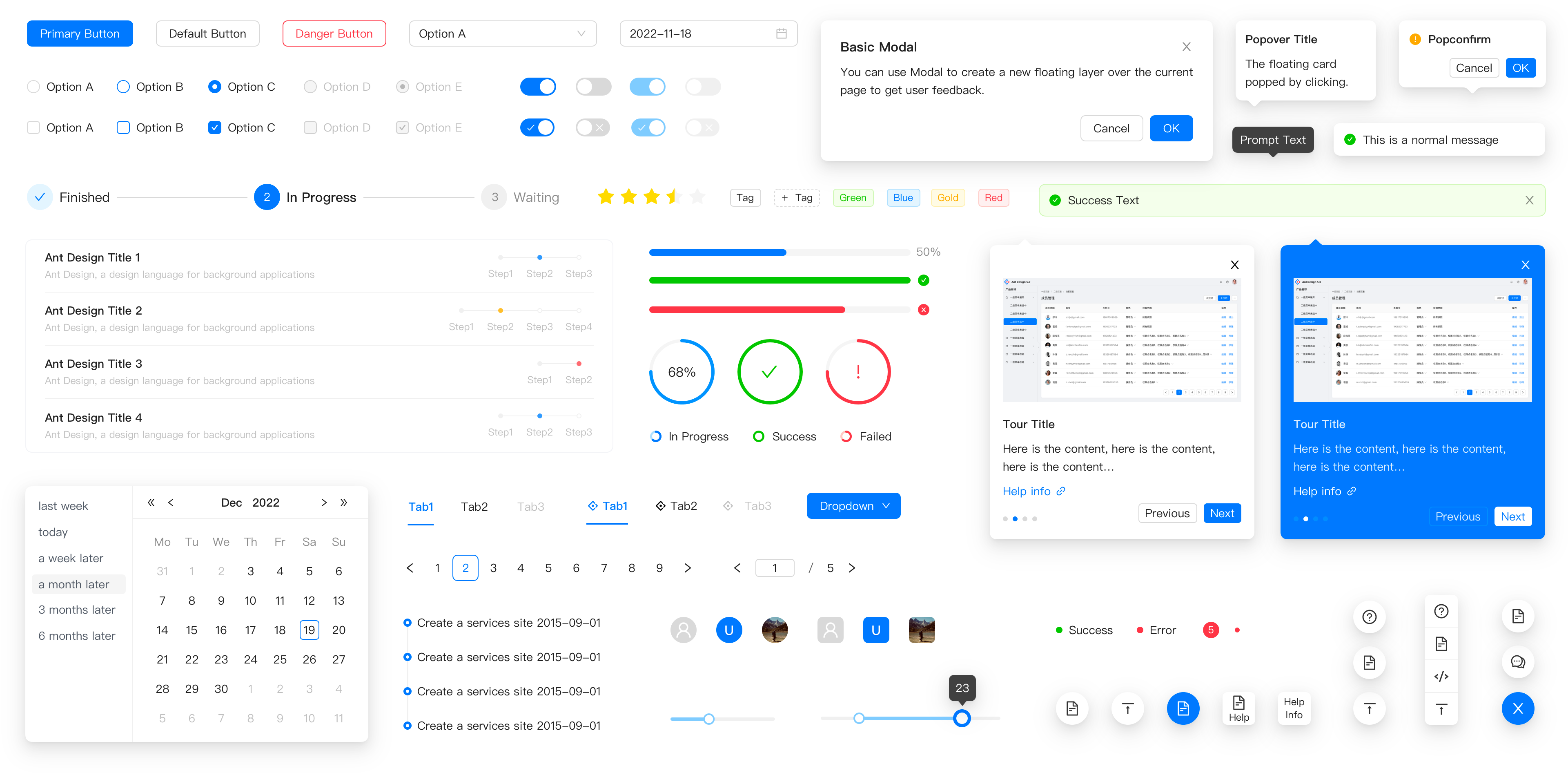
- 🌈 Enterprise-class UI designed for web applications.
- 📦 A set of high-quality React components out of the box.
- 🛡 Written in TypeScript with predictable static types.
- ⚙️ Whole package of design resources and development tools.
- 🌍 Internationalization support for dozens of languages.
- 🎨 Powerful theme customization based on CSS-in-JS.
🖥 Environment Support
- Modern browsers
- Server-side Rendering
- Electron
 Edge |  Firefox |  Chrome |  Safari |  Electron |
|---|---|---|---|---|
| Edge | last 2 versions | last 2 versions | last 2 versions | last 2 versions |
📦 Install
npm install antd
yarn add antd
pnpm add antd
bun add antd
🔨 Usage
import { Button, DatePicker } from 'antd';

export default () => (
  <>
    <Button type="primary">PRESS ME</Button>
    <DatePicker placeholder="select date" />
  </>
);
🔗 Links
- Home page
- Components Overview
- Sponsor
- Change Log
- rc-components
- 🆕 Ant Design X
- Ant Design Pro
- Pro Components
- Ant Design Mobile
- Ant Design Mini
- Ant Design Charts
- Ant Design Web3
- Landing Pages
- Ant Motion
- Scaffold Market
- Developer Instruction
- Versioning Release Note
- FAQ
- Online Playground for bug reports
- Customize Theme
- How to Apply for Being A Collaborator
⌨️ Development
Use opensumi.run, a free online pure front-end dev environment.

Or clone locally:
$ git clone git@github.com:ant-design/ant-design.git
$ cd ant-design
$ npm install
$ npm start
Open your browser and visit http://127.0.0.1:8001, see more at Development.
🤝 Contributing 
|
|

|
Let's build a better antd together.
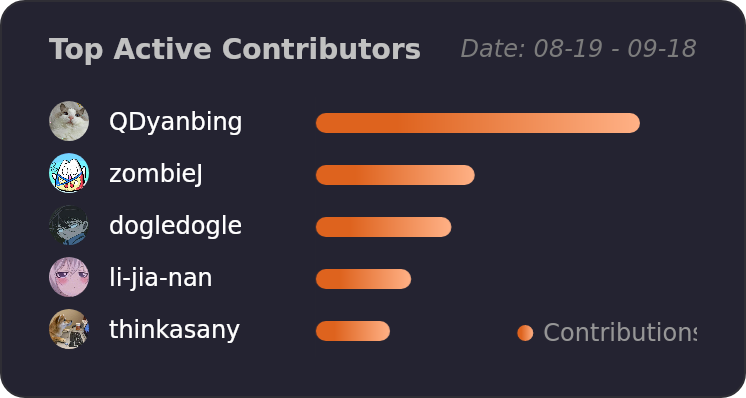
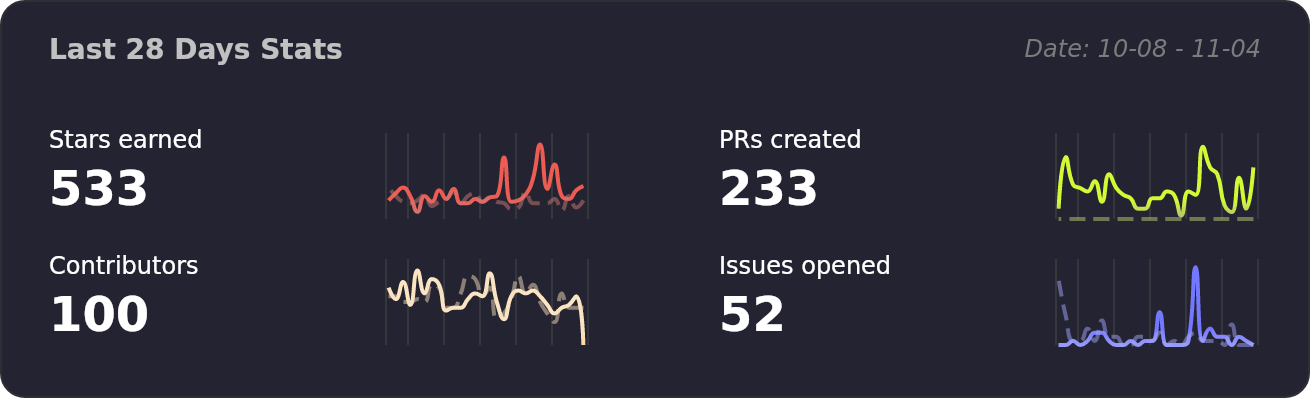
We warmly invite contributions from everyone. Before you get started, please take a moment to review our Contribution Guide. Feel free to share your ideas through Pull Requests or GitHub Issues. If you're interested in enhancing our codebase, explore the Development Instructions and enjoy your coding journey! :)
For collaborators, adhere to our Pull Request Principle and utilize our Pull Request Template when creating a Pull Request.
Issue funding
We use Issuehunt to up-vote and promote specific features that you would like to see and implement. Check our backlog and help us:

❤️ Backers