前端数据可视化库深度对比与选型指南
apexcharts、chart.js、d3 和 highcharts 都是用于在 Web 应用中创建图表和数据可视化的主流 JavaScript 库。虽然目标一致,但它们的底层实现和设计哲学截然不同。chart.js 和 apexcharts 提供高级封装,适合快速集成;highcharts 是功能全面的企业级商业方案;而 d3 则是底层工具集,提供极高的自由度但学习成本较高。开发者需要根据项目的交互需求、定制程度和预算来做出选择。
npm下载趋势
GitHub Stars 排名
统计详情


前端数据可视化库深度对比:ApexCharts vs Chart.js vs D3 vs Highcharts
在构建数据驱动的前端应用时,选择合适的可视化库至关重要。apexcharts、chart.js、d3 和 highcharts 代表了四种不同的技术路线。它们都能画出漂亮的图表,但在渲染机制、配置方式和扩展能力上有着本质区别。让我们从架构师的角度深入对比它们的实现细节。
🎨 渲染机制:SVG 与 Canvas 的取舍
渲染引擎决定了图表的交互能力和性能上限。
apexcharts 基于 SVG 构建。
- 每个图表元素都是 DOM 节点,可以通过 CSS 轻松样式化。
- 适合需要复杂交互和高分辨率打印的场景,但在数据量极大时性能会下降。
// apexcharts: 基于 SVG 的渲染
import ApexCharts from 'apexcharts';

const options = {
  series: [{ name: 'Sales', data: [31, 40, 28] }],
  chart: { type: 'bar', height: 350 }
};

const chart = new ApexCharts(document.querySelector('#chart'), options);
chart.render();
chart.js 基于 HTML5 Canvas 构建。
- 整个图表绘制在一个画布上,不是独立的 DOM 节点。
- 在渲染成千上万个数据点时性能更好,但自定义单个元素的样式较麻烦。
// chart.js: 基于 Canvas 的渲染
import Chart from 'chart.js/auto';

const ctx = document.getElementById('myChart');
const chart = new Chart(ctx, {
  type: 'bar',
  data: {
    labels: ['Jan', 'Feb', 'Mar'],
    datasets: [{ label: 'Sales', data: [31, 40, 28] }]
  }
});
d3 不限制渲染方式,但主要操作 SVG。
- 直接操作 DOM 元素,你可以混合使用 SVG、HTML 和 Canvas。
- 提供了最底层的控制力,你可以决定每个形状如何绘制。
// d3: 直接操作 SVG DOM
import * as d3 from 'd3';

const svg = d3.select('#chart').append('svg').attr('width', 350).attr('height', 300);

svg.selectAll('rect')
  .data([31, 40, 28])
  .enter()
  .append('rect')
  .attr('x', (d, i) => i * 50)
  .attr('y', d => 300 - d * 5)
  .attr('width', 40)
  .attr('height', d => d * 5);
highcharts 主要使用 SVG,也支持 VML(旧版 IE)和 Canvas。
- 默认 SVG 渲染,保证了高质量的矢量输出。
- 针对大数据量提供了 boost 模块切换到 Canvas 以提升性能。
// highcharts: 默认 SVG,支持 Canvas 模式
import Highcharts from 'highcharts';

Highcharts.chart('container', {
  chart: { type: 'bar' },
  series: [{ name: 'Sales', data: [31, 40, 28] }]
});
⚙️ 配置方式:声明式选项 vs 命令式代码
配置方式直接影响开发效率和代码的可维护性。
apexcharts 使用声明式的配置对象。
- 通过嵌套的 options 对象控制所有行为。
- 结构清晰,但深层嵌套可能导致代码难以阅读。
// apexcharts: 声明式配置
const options = {
  chart: { type: 'line' },
  stroke: { width: 2, curve: 'smooth' },
  xaxis: { categories: ['A', 'B', 'C'] }
};
chart.js 同样使用声明式配置对象。
- 配置结构扁平化做得较好,易于上手。
- 许多默认行为已经优化,只需少量配置即可工作。
// chart.js: 声明式配置
const config = {
  type: 'line',
  options: {
    elements: { line: { tension: 0.4 } },
    scales: { x: { ticks: { callback: (v) => v } } }
  }
};
d3 完全是命令式的代码链。
- 没有配置对象,你通过调用方法来设置属性。
- 灵活性最高,但需要编写更多样板代码来实现相同功能。
// d3: 命令式链式调用
const line = d3.line()
  .x(d => xScale(d.date))
  .y(d => yScale(d.value))
  .curve(d3.curveMonotoneX);

svg.append('path')
  .datum(data)
  .attr('d', line)
  .attr('stroke', 'steelblue');
highcharts 使用非常详细的声明式配置。
- 配置项极其丰富,几乎可以控制每一个细节。
- 文档详尽,但配置对象可能非常庞大。
// highcharts: 详尽的声明式配置
const options = {
  plotOptions: { line: { smooth: true } },
  xAxis: { categories: ['A', 'B', 'C'] },
  series: [{ type: 'line', data: [1, 2, 3] }]
};
🔄 数据更新与动画性能
处理动态数据是可视化库的核心能力之一。
apexcharts 提供内置的 updateSeries 方法。
- 自动处理动画过渡,无需手动重绘。
- 适合实时数据流,如股票价格或监控仪表盘。
// apexcharts: 更新数据
chart.updateSeries([{
  name: 'Sales',
  data: [35, 45, 30]
}]);
chart.js 通过修改 data 属性并调用 update。
- 动画流畅,支持自定义动画时长。
- 需要小心管理数据引用以避免意外行为。
// chart.js: 更新数据
chart.data.datasets[0].data = [35, 45, 30];
chart.update();
d3 使用 Data Join 模式处理更新。
- 通过
enter()、update()、exit()精确控制元素的生命周期。 - 性能最优,但实现复杂,需要理解 D3 的核心逻辑。
// d3: Data Join 更新模式
const rects = svg.selectAll('rect').data(newData);

rects.enter().append('rect') /* 新增 */
  .merge(rects) /* 更新 */
  .attr('height', d => d * 5);

rects.exit().remove(); /* 移除 */
highcharts 提供 setData 或 points 方法。
- 支持红黑树算法优化大数据更新。
- 动画效果非常细腻,适合高端展示。
// highcharts: 更新数据
chart.series[0].setData([35, 45, 30]);
// 或者逐个点更新
chart.series[0].points[0].update(35);
🛠️ 自定义能力与扩展性
当标准图表无法满足需求时,扩展能力决定了库的上限。
apexcharts 允许通过配置进行有限定制。
- 可以自定义工具提示和图标,但难以改变核心图表结构。
- 适合 90% 的标准业务场景。
// apexcharts: 自定义工具提示
const options = {
  tooltip: {
    custom: function({ series, seriesIndex, dataPointIndex }) {
      return '<div>' + series[seriesIndex][dataPointIndex] + '</div>';
    }
  }
};
chart.js 拥有强大的插件系统。
- 可以编写插件来绘制额外的形状或修改渲染流程。
- 社区有很多现成插件可用。
// chart.js: 使用插件
const plugin = {
  id: 'customPlugin',
  afterDraw: (chart) => {
    // 在图表绘制后添加自定义内容
  }
};
Chart.register(plugin);
d3 没有上限,你可以创造任何形状。
- 不局限于图表,可以制作地图、树状图、物理模拟等。
- 需要自己处理缩放、拖拽等交互逻辑。
// d3: 完全自定义形状
svg.append('path')
  .attr('d', d3.symbol().type(d3.symbolStar).size(100))
  .attr('transform', 'translate(50,50)');
highcharts 提供模块化和插件支持。
- 官方提供地图、甘特图等高级模块。
- 支持自定义渲染器函数来绘制特殊元素。
// highcharts: 自定义渲染
chart.renderer.circle(100, 100, 50)
  .attr({ fill: 'red' })
  .add();
📊 总结对比表
| 特性 | apexcharts | chart.js | d3 | highcharts |
|---|---|---|---|---|
| 渲染核心 | SVG | Canvas | SVG / DOM | SVG / Canvas |
| 配置风格 | 声明式对象 | 声明式对象 | 命令式代码 | 声明式对象 |
| 学习曲线 | 低 | 低 | 高 | 中 |
| 定制能力 | 中 | 中 (通过插件) | 极高 | 高 |
| 商业许可 | 免费 (MIT) | 免费 (MIT) | 免费 (ISC) | 商业项目收费 |
| 适用场景 | 现代仪表盘 | 轻量级图表 | 定制可视化 | 企业级应用 |
💡 最终建议
apexcharts 就像一套精美的预制家具 🪑 —— 开箱即用,外观现代,适合大多数需要快速搭建且对美观有要求的管理后台。如果你的团队希望减少配置时间,它是首选。
chart.js 就像轻便的露营装备 ⛺ —— 轻量、可靠、易于携带。适合需要快速集成、对性能有要求且不需要复杂定制的项目。它的社区生态能帮你解决大部分常见问题。
d3 就像一套专业的木工工具 🪚 —— 给你原材料和工具,你可以建造任何东西,但需要高超的技艺。适合需要独特视觉效果、复杂交互或科学研究类的项目。
highcharts 就像豪华精装房 🏰 —— 功能极其丰富,服务周到,但价格不菲。适合预算充足、需要长期维护、对稳定性和功能全面性有严格要求的企业级应用。
核心思考:不要为了用 d3 而用 d3。如果标准图表能满足需求,高级库能节省数周的开发时间。但如果你的需求超出了标准图表的范畴,d3 是唯一能带你走出困境的工具。根据项目的 定制深度 和 预算 来做决定。
如何选择: apexcharts vs chart.js vs d3 vs highcharts
- apexcharts:
选择
apexcharts如果你需要开箱即用的现代 SVG 图表,且希望拥有良好的交互体验而不想编写大量配置代码。它适合中后台管理系统、仪表盘等需要快速落地且对美观度有要求的场景。它的 API 设计直观,文档清晰,社区活跃,是平衡开发效率与视觉效果的优秀选择。 - chart.js:
选择
chart.js如果你的项目需要轻量级的 Canvas 渲染,且主要使用标准图表类型(如折线、柱状、饼图)。它非常适合对性能敏感或需要支持大量数据点的场景,因为 Canvas 在渲染大量元素时通常比 SVG 更流畅。它的插件生态丰富,扩展方便,是入门和通用型项目的首选。 - d3:
选择
d3如果你需要完全控制图表的每一个像素,或者需要创建非标准的、高度定制的数据可视化效果。它不是一个图表库,而是一个操作文档的数据驱动库,适合需要复杂交互、自定义布局或独特视觉风格的高级项目。如果你不介意编写更多底层代码以换取最大灵活性,d3是无可替代的工具。 - highcharts:
选择
highcharts如果是企业级项目,预算充足,且需要极多的图表类型和稳定的长期技术支持。它在金融、工业监控等领域应用广泛,提供强大的导出功能和无障碍支持。注意它对于商业项目是收费的,但换取的是经过验证的稳定性和全面的功能覆盖。
热门对比
apexcharts的README

ApexCharts
Modern, interactive JavaScript charts your users will love - built for dashboards, SaaS, and data-heavy UIs.




Live demos · Documentation · License
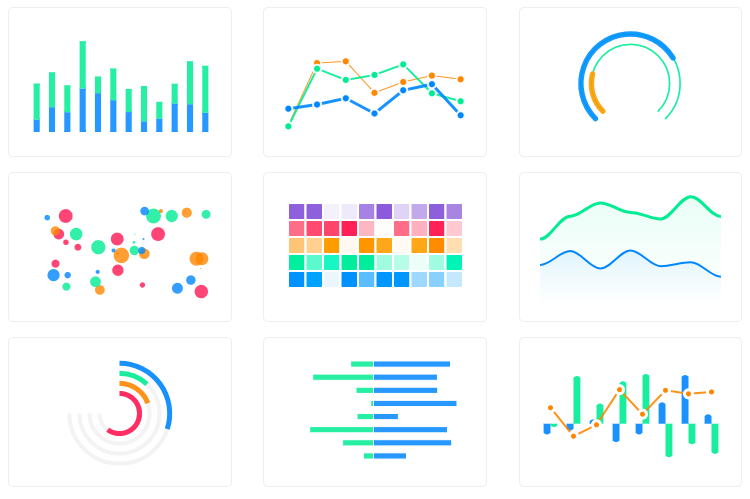
Why ApexCharts
- 16+ chart types out of the box — line, area, bar, column, pie, donut, radar, heatmap, treemap, candlestick, boxplot, funnel, pyramid, gauge and more
- SSR support for Next.js, Nuxt, SvelteKit, Astro, and other meta-frameworks — render real SVG on the server, hydrate on the client
- Tree-shakable — import only the chart types and features you need; typical bundles are 30–60% smaller than the full build
- TypeScript-first — full type definitions ship with the package, no
@types/*install needed - Zero runtime dependencies — no React/Vue/D3 required; works in any framework or vanilla JS
- Accessibility — keyboard navigation and ARIA support built in
- Free for most users — see License
Install
npm install apexcharts
Or via CDN:
<script src="https://cdn.jsdelivr.net/npm/apexcharts"></script>
Quick start
import ApexCharts from 'apexcharts'

const chart = new ApexCharts(document.querySelector('#chart'), {
  chart: { type: 'bar' },
  series: [{ name: 'Sales', data: [30, 40, 35, 50, 49, 60, 70, 91, 125] }],
  xaxis: { categories: [1991, 1992, 1993, 1994, 1995, 1996, 1997, 1998, 1999] }
})

chart.render()
Browse 100+ ready-to-use samples — copy, paste, ship.
Chart types
- Line · Area · Range Area
- Bar · Column · Range Bar / Timeline
- Scatter · Bubble
- Candlestick · BoxPlot
- Pie · Donut · Polar Area · Radial Bar / Gauge
- Radar · Heatmap · Treemap
- Funnel
Combine any of the above as mixed/combo charts, stacked variants, sparklines, or synchronized multi-chart layouts.
Framework wrappers
Official:
- React — react-apexcharts
- Vue 3 — vue3-apexcharts
- Vue 2 — vue-apexcharts
- Angular — ng-apexcharts
- Blazor — Blazor-ApexCharts
- Stencil — stencil-apexcharts
Community:
- Svelte — svelte-apexcharts
- Ruby — apexcharts.rb
- Laravel — larapex-charts
- R — apexcharter
Server-side rendering
Render chart HTML on the server, then hydrate in the browser. Works with Next.js, Nuxt, SvelteKit, Astro, Remix, and any Node-based framework.
// Server
import ApexCharts from 'apexcharts/ssr'

const chartHTML = await ApexCharts.renderToHTML({
  chart: { type: 'bar' },
  series: [{ data: [30, 40, 35, 50, 49, 60, 70, 91, 125] }],
  xaxis: { categories: [1991, 1992, 1993, 1994, 1995, 1996, 1997, 1998, 1999] }
}, { width: 500, height: 300 })

// Returns hydration-ready HTML with embedded SVG
// Client
import ApexCharts from 'apexcharts/client'

ApexCharts.hydrate(document.getElementById('my-chart'))
// or: ApexCharts.hydrateAll()
No more dynamic(() => import(...), { ssr: false }) workarounds — the chart renders on the server and becomes interactive on hydration.
Tree-shaking — ship only what you use
By default import ApexCharts from 'apexcharts' includes everything. For smaller bundles, import from apexcharts/core and add only what you need:
import ApexCharts from 'apexcharts/core'   // bare class — no chart types, no features

// Chart types (match the value of chart.type)
import 'apexcharts/line'
import 'apexcharts/bar'
// import 'apexcharts/area'
// import 'apexcharts/scatter'

// Optional features
import 'apexcharts/features/legend'
import 'apexcharts/features/toolbar'      // zoom/pan toolbar
// import 'apexcharts/features/exports'      // SVG/PNG/CSV download
// import 'apexcharts/features/annotations'
// import 'apexcharts/features/keyboard'     // keyboard navigation
See the tree-shaking guide for the complete list of entry points.
Browser support
ApexCharts works in all modern evergreen browsers (Chrome, Firefox, Safari, Edge). For server-side rendering, Node.js 18+ is required.
Documentation
Contributing
npm install
npm run dev     # vite build --watch
npm test        # e2e + unit
See CONTRIBUTING.md for setup, coding conventions, and PR guidelines.
License
ApexCharts uses a revenue-based license:
- Free for individuals, and organizations with under $2M USD in annual gross revenue — including commercial and internal use. No registration required.
- Commercial license required for organizations at or above $2M USD annual gross revenue.
Full terms: apexcharts.com/license
Need an enterprise data grid?
We've partnered with Infragistics, creators of Ignite UI — high-performance data grids that handle unlimited rows and columns, with custom templates and real-time updates.
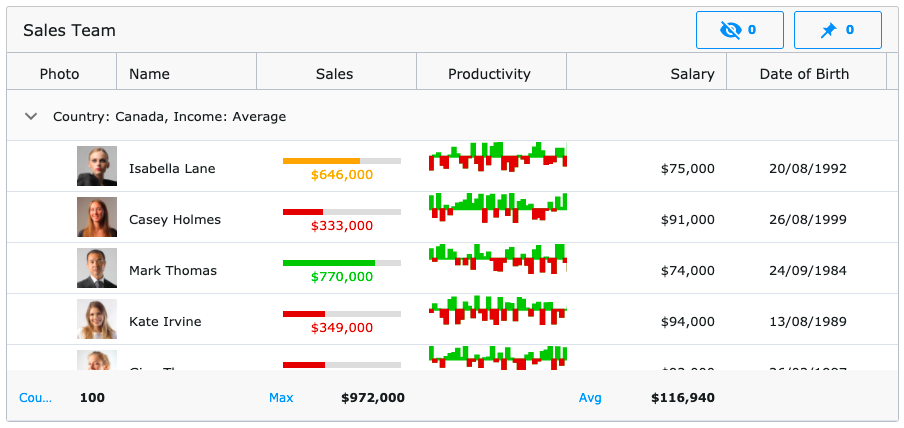
Available for:
Angular · React · Blazor · Web Components · jQuery
Contact
- Issues & bugs: GitHub Issues
- Questions: GitHub Discussions
- Email: info@apexcharts.com