现代 Web 应用中的富文本编辑器选型
ckeditor、froala-editor、quill 和 tinymce 都是前端开发中广泛使用的富文本编辑器解决方案,旨在为用户提供类似 Word 的文档编辑体验。ckeditor(特别是 CKEditor 5)和 tinymce 是功能全面的老牌编辑器,支持复杂的文档结构和协作功能,适合企业级应用。froala-editor 以现代 UI 和易用性著称,但主要采用商业授权模式。quill 则采用独特的 Delta 数据模型,轻量且高度可定制,适合需要自定义数据格式的场景。这些工具都解决了浏览器原生 contenteditable 的兼容性问题,提供了稳定的 API 和插件生态。
npm下载趋势
GitHub Stars 排名
统计详情


CKEditor vs Froala vs Quill vs TinyMCE:架构、数据模型与工程实践对比
在前端工程中,富文本编辑器(Rich Text Editor, RTE)是最复杂的组件之一。ckeditor、froala-editor、quill 和 tinymce 代表了四种不同的设计哲学。它们都试图解决浏览器原生 contenteditable 的碎片化问题,但在数据模型、扩展方式和授权模式上存在显著差异。本文将从架构师视角,深入对比它们在真实工程场景中的表现。
🏗️ 核心架构与初始化模式
编辑器的初始化方式反映了其架构设计的复杂度。有的倾向于开箱即用,有的则强调模块化配置。
ckeditor(以 CKEditor 5 为例)采用模块化构建,你需要选择特定的构建版本或通过自定义构建工具来组合功能。
// ckeditor: 经典构建模式
import ClassicEditor from '@ckeditor/ckeditor5-build-classic';

ClassicEditor
    .create( document.querySelector( '#editor' ) )
    .then( editor => {
        console.log( 'Editor initialized', editor );
    } )
    .catch( error => {
        console.error( error );
    } );
froala-editor 提供简洁的 jQuery 风格或原生 JS 初始化,配置项非常直观,适合快速上手。
// froala-editor: 原生 JS 初始化
new FroalaEditor('#editor', {
    key: 'YOUR_LICENSE_KEY',
    toolbarButtons: ['bold', 'italic', 'underline']
});
quill 强调轻量级和主题配置,初始化时直接绑定 DOM 元素并定义主题。
// quill: 主题化初始化
var quill = new Quill('#editor', {
    theme: 'snow',
    modules: {
        toolbar: [
            [{ 'header': [1, 2, false] }],
            ['bold', 'italic', 'link']
        ]
    }
});
tinymce 通常通过全局脚本加载,使用选择器定位目标元素,配置结构类似 JSON。
// tinymce: 选择器初始化
tinymce.init({
    selector: '#editor',
    plugins: 'link image',
    toolbar: 'undo redo | bold italic'
});
📦 数据模型:HTML vs Delta vs 内部模型
这是选择编辑器时最关键的技术决策点。数据模型决定了你如何存储、传输和处理编辑内容。
ckeditor 使用内部数据模型,最终输出标准 HTML。它试图在内部保持结构一致性,避免产生无效的 HTML 标签。
// ckeditor: 获取 HTML 数据
editor.getData().then( data => {
    // 输出:'<p>Hello <strong>World</strong></p>'
    console.log( data );
} );
froala-editor 直接操作 DOM 并输出 HTML,行为接近传统编辑器,易于理解但可能产生冗余标签。
// froala-editor: 获取 HTML 数据
var html = editor.html.get();
// 输出:'<p>Hello <strong>World</strong></p>'
console.log( html );
quill 使用独特的 Delta 格式(JSON)作为核心数据模型,HTML 只是渲染层。这使得内容diff和协作变得更容易。
// quill: 获取 Delta 数据
var delta = quill.getContents();
// 输出:{ ops: [{ insert: 'Hello ' }, { attributes: { bold: true }, insert: 'World' }] }
console.log( delta );

// 获取 HTML 需要额外处理
var html = quill.root.innerHTML;
tinymce 专注于生成干净的 HTML,提供强大的内容过滤和清理机制,确保输出符合标准。
// tinymce: 获取 HTML 数据
var content = tinymce.activeEditor.getContent();
// 输出:'<p>Hello <strong>World</strong></p>'
console.log( content );
🧩 扩展性与插件生态
当默认功能无法满足需求时,扩展能力决定了编辑器的生命周期。
ckeditor 拥有高度模块化的插件系统,但开发自定义插件需要学习其特定的 API 和构建流程。
// ckeditor: 注册自定义插件
PluginManager.add( 'MyPlugin', ( editor ) => {
    editor.ui.addButton( 'MyButton', {
        label: 'Click me',
        command: 'myCommand',
        icon: 'path/to/icon.png'
    } );
} );
froala-editor 提供丰富的事件系统,允许通过回调函数轻松注入自定义行为,适合业务逻辑集成。
// froala-editor: 监听事件
editor.events.on('contentChanged', function () {
    console.log('Content has changed');
}, true);
quill 允许通过注册自定义 Blot(格式单元)来扩展内容类型,非常适合需要自定义嵌入内容(如视频、卡片)的场景。
// quill: 注册自定义格式
var Block = Quill.import('blots/block');
class MyBlock extends Block {}
MyBlock.blotName = 'myblock';
MyBlock.tagName = 'div';
Quill.register(MyBlock);
tinymce 拥有庞大的社区插件库,自定义插件通常通过 API 注册按钮和命令,文档非常详尽。
// tinymce: 添加自定义按钮
tinymce.init({
    setup: function (editor) {
        editor.ui.registry.addButton('myButton', {
            text: 'My Button',
            onAction: function () {
                editor.insertContent('Hello!');
            }
        });
    }
});
🛡️ 授权模式与工程风险
在商业项目中,许可协议是架构选型的一票否决项。
ckeditor 核心采用 GPL 协议,这意味着如果你的项目是闭源商业软件,通常需要购买商业授权。CKEditor 4 已停止支持,必须迁移到 CKEditor 5。
// ckeditor: 注意许可证检查
// 在商业项目中,需确保购买许可证或遵守 GPL 开源要求
// 否则可能面临法律风险
froala-editor 是纯商业软件,提供免费试用但生产环境必须付费。优势是包含技术支持和定期更新。
// froala-editor: 许可证密钥配置
new FroalaEditor('#editor', {
    key: 'YOUR_PAID_LICENSE_KEY' // 生产环境必须有效
});
quill 采用 BSD 协议,完全免费且宽松,允许在闭源商业项目中自由使用,无隐藏成本。
// quill: 无许可证限制
// 可直接用于任何商业项目,无需支付费用
var quill = new Quill('#editor', { theme: 'snow' });
tinymce 采用双授权模式(GPL 或商业)。云服务版本(Tiny Cloud)方便但依赖网络,自托管版本需注意协议合规。
// tinymce: 云服务 vs 自托管
tinymce.init({
    // 使用云服务需注册 API Key
    // 自托管则需下载包并部署到本地服务器
    selector: '#editor'
});
🌐 真实场景选型指南
场景 1:企业级文档协作平台
需要类似 Google Docs 的实时协作、修订记录和评论功能。
- ✅ 最佳选择:
ckeditor或tinymce - 理由:两者都提供成熟的协作插件(通常需商业版),支持复杂的数据结构和权限管理。
// 示例:CKEditor 协作配置
// 需要引入额外的 Collaboration Suite 包
import { CloudServices } from '@ckeditor/ckeditor5-cloud-services';
场景 2:轻量级评论框或笔记应用
需要快速加载,无复杂格式,数据存储为 JSON 以便处理。
- ✅ 最佳选择:
quill - 理由:Delta 格式便于后端存储和差异比对,BSD 协议无法律负担。
// 示例:Quill 保存 Delta
const saveNote = () => {
    const delta = quill.getContents();
    api.save(JSON.stringify(delta));
};
场景 3:营销页面构建器 (CMS)
需要丰富的媒体嵌入、美观的 UI 和稳定的图片上传处理。
- ✅ 最佳选择:
froala-editor - 理由:UI 现代,图片编辑功能强大,集成速度快,适合内容创作者。
// 示例:Froala 图片上传
new FroalaEditor('#editor', {
    imageUpload: true,
    imageUploadURL: '/api/upload'
});
场景 4:传统后台管理系统
需要稳定、功能全面,且团队熟悉传统配置方式。
- ✅ 最佳选择:
tinymce - 理由:社区插件最多,文档最全,遇到问题容易找到解决方案,兼容性好。
// 示例:TinyMCE 插件加载
tinymce.init({
    plugins: 'table list link image code',
    toolbar: 'undo redo | styleselect | bold italic | alignleft aligncenter alignright'
});
📊 核心特性对比总结
| 特性 | ckeditor | froala-editor | quill | tinymce |
|---|---|---|---|---|
| 数据模型 | 内部模型 → HTML | DOM → HTML | Delta (JSON) → HTML | DOM → HTML |
| 授权协议 | GPL / 商业 | 商业 (付费) | BSD (免费) | GPL / 商业 |
| 架构风格 | 高度模块化 | 单体 + 配置 | 组件化 + Blot | 插件化 |
| 协作支持 | 强 (商业套件) | 有限 | 需自行实现 | 强 (商业套件) |
| 学习曲线 | 陡峭 | 平缓 | 中等 | 平缓 |
| 移动端支持 | 良好 | 优秀 | 良好 | 良好 |
💡 架构师建议
ckeditor 适合对无障碍访问和协作功能有严格要求的大型企业项目。如果你能接受其复杂的构建流程和潜在的授权成本,它是最强大的工具之一。
froala-editor 是“花钱买时间”的典型代表。如果预算充足且希望减少前端在编辑器维护上的投入,它是提升开发效率的捷径。
quill 是技术驱动型团队的首选。如果你需要控制数据底层,或者构建基于内容的创新应用(如富文本协作、版本控制),Delta 模型是巨大的优势。
tinymce 是稳健的默认选择。当没有特殊需求,只需要一个“能工作”且功能丰富的编辑器时,它的生态系统和稳定性最能降低项目风险。
最终建议:不要只看功能列表。先确定你的数据存储格式(HTML 还是 JSON)和预算限制(开源还是商业),这两点通常能直接排除掉一半的选项。
如何选择: froala-editor vs ckeditor vs quill vs tinymce
- froala-editor:
选择
froala-editor如果你的团队希望快速集成一个 UI 现代、文档完善的编辑器,且预算允许购买商业授权。它在移动端体验和图片处理方面表现优异,适合内容管理系统(CMS)或营销页面构建器。不适合预算有限或必须使用纯开源协议的团队。 - ckeditor:
选择
ckeditor如果你需要构建类似 Google Docs 的协作编辑应用,或者需要严格的无障碍访问支持。CKEditor 5 采用模块化架构,允许按需加载功能,适合大型复杂项目。但需注意其核心包采用 GPL 或商业授权,开源项目需仔细审查许可协议。 - quill:
选择
quill如果你需要轻量级解决方案,或者希望完全控制编辑器的数据模型(使用 Delta 格式而非纯 HTML)。它非常适合需要自定义存储格式、实时协作或高度定制化 UI 的场景。对于简单的富文本需求,它的 BSD 协议也非常友好。 - tinymce:
选择
tinymce如果你需要一个经过时间考验、社区庞大且功能稳定的编辑器,类似于传统的 Word 体验。它提供云服务和自托管选项,插件生态丰富,适合企业后台、教育平台或需要大量遗留插件支持的项目。
热门对比
froala-editor的README
Froala Editor V5



Froala WYSIWYG HTML Editor is one of the most powerful JavaScript rich text editors ever.
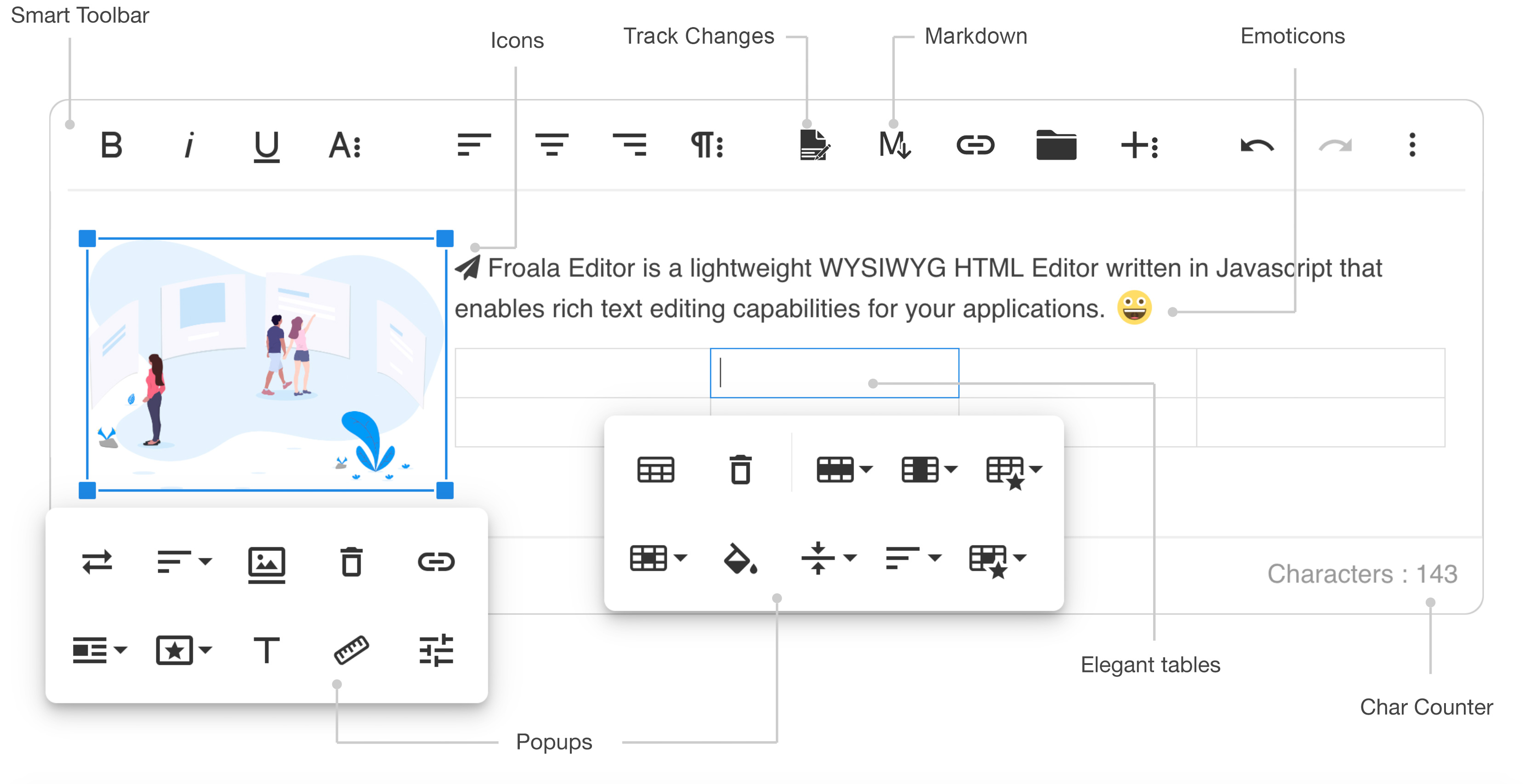
- Slim - only add the plugins that you need (30+ official plugins)
- Client frameworks integrations
- Server side SDKs for PHP, Node.JS, .NET, Java, and Python
- Code is well commented
- Online documentation up to date
- Simple to extend - the plugins are all well commented and simple to use as a basis for your own plugins
- Well maintained - frequent releases
- Great support - Help Center
- Awesome new features
Demos
- Basic demo: https://www.froala.com/wysiwyg-editor
- Inline demo: https://www.froala.com/wysiwyg-editor/inline
- Full list: https://www.froala.com/wysiwyg-editor/examples
Download and Install Froala Editor
Install from npm
npm install froala-editor
Install from bower
bower install froala-wysiwyg-editor
Load from CDN
Using Froala Editor from CDN is the easiest way to install it and we recommend using the jsDeliver CDN as it mirrors the NPM package.
<!-- Include Editor style. -->
<link href="https://cdn.jsdelivr.net/npm/froala-editor@latest/css/froala_editor.pkgd.min.css" rel="stylesheet" type="text/css" />

<!-- Create a tag that we will use as the editable area. -->
<!-- You can use a div tag as well. -->
<textarea></textarea>

<!-- Include Editor JS files. -->
<script type="text/javascript" src="https://cdn.jsdelivr.net/npm/froala-editor@latest/js/froala_editor.pkgd.min.js"></script>

<!-- Initialize the editor. -->
<script>
  new FroalaEditor('textarea');
</script>
Load from CDN as an AMD module
Froala Editor is compatible with AMD module loaders such as RequireJS. The following example shows how to load it along with the Algin plugin from CDN using RequireJS.
<html>
<head>
  <!-- Load CSS files. -->
  <link rel="stylesheet" type="text/css" href="https://cdn.jsdelivr.net/npm/froala-editor@latest/css/froala_editor.css">

  <script src="require.js"></script>
  <script>
    require.config({
      packages: [{
        name: 'froala-editor',
        main: 'js/froala_editor.min'
      }],
      paths: {
        // Change this to your server if you do not wish to use our CDN.
        'froala-editor': 'https://cdn.jsdelivr.net/npm/froala-editor@latest'
      }
    });
  </script>

  <style>
    body {
      text-align: center;
    }
    div#editor {
      width: 81%;
      margin: auto;
      text-align: left;
    }
    .ss {
      background-color: red;
    }
  </style>
</head>

<body>
  <div id="editor">
    <div id='edit' style='margin-top:30px;'>
    </div>
  </div>

  <script>
    require([
      'froala-editor',
      'froala-editor/js/plugins/align.min'
    ], function(FroalaEditor) {
      new FroalaEditor('#edit')
    });
  </script>
</body>

</html>
Load Froala Editor as a CommonJS Module
Froala Editor is using an UMD module pattern, as a result it has support for CommonJS. The following examples presumes you are using npm to install froala-editor, see Download and install FroalaEditor for more details.
var FroalaEditor = require('froala-editor');

// Load a plugin.
require('froala-editor/js/plugins/align.min');

// Initialize editor.
new FroalaEditor('#edit');
Load Froala Editor as a transpiled ES6/UMD module
Since Froala Editor supports ES6 (ESM - ECMAScript modules) and UMD (AMD, CommonJS), it can be also loaded as a module with the use of transpilers. E.g. Babel, Typescript. The following examples presumes you are using npm to install froala-editor, see Download and install FroalaEditor for more details.
import FroalaEditor from 'froala-editor'

// Load a plugin.
import 'froala-editor/js/plugins/align.min.js'

// Initialize editor.
new FroalaEditor('#edit')
For more details on customizing the editor, please check the editor documentation.
Use with your existing framework
- Angular JS: https://github.com/froala/angular-froala
- Angular 2: https://github.com/froala/angular2-froala-wysiwyg
- Aurelia: https://github.com/froala/aurelia-froala-editor
- CakePHP: https://github.com/froala/wysiwyg-cake
- Craft 2 CMS: https://github.com/froala/Craft-Froala-WYSIWYG
- Craft 3 CMS: https://github.com/froala/Craft-3-Froala-WYSIWYG
- Django: https://github.com/froala/django-froala-editor
- Ember: https://github.com/froala/ember-froala-editor
- Knockout: https://github.com/froala/knockout-froala
- Meteor: https://github.com/froala/meteor-froala
- Ruby on Rails: https://github.com/froala/wysiwyg-rails
- React JS: https://github.com/froala/react-froala-wysiwyg/
- Reactive: https://github.com/froala/froala-reactive
- Symfony: https://github.com/froala/KMSFroalaEditorBundle
- Vue JS: https://github.com/froala/vue-froala-wysiwyg/
- Yii2: https://github.com/froala/yii2-froala-editor
- Wordpress: https://github.com/froala/wordpress-froala-wysiwyg
Browser Support
At present, we officially aim to support the last two versions of the following browsers:
- Chrome
- Edge
- Firefox
- Safari
- Opera
- Internet Explorer 11
- Safari iOS
- Chrome, Firefox and Default Browser Android
Resources
- Demo: www.froala.com/wysiwyg-editor
- Download Page: www.froala.com/wysiwyg-editor/download
- Documentation: froala.com/wysiwyg-editor/docs
- License Agreement: www.froala.com/wysiwyg-editor/terms
- Support: wysiwyg-editor.froala.help
- Roadmap & Feature Requests: https://wysiwyg-editor-roadmap.froala.com
- Issues Repo guidelines
Reporting Issues
We use GitHub Issues as the official bug tracker for the Froala WYSIWYG HTML Editor. Here are some advices for our users that want to report an issue:
- Make sure that you are using the latest version of the Froala WYSIWYG Editor. The issue that you are about to report may be already fixed in the latest master branch version: https://github.com/froala/froala-wysiwyg/tree/master/js.
- Providing us reproducible steps for the issue will shorten the time it takes for it to be fixed. A JSFiddle is always welcomed, and you can start from this basic one.
- Some issues may be browser specific, so specifying in what browser you encountered the issue might help.
Technical Support or Questions
If you have questions or need help integrating the editor please contact us instead of opening an issue.
Licensing
All plugins would be restricted for an unlicensed version. To try out the full functionality, you’ll need to register for a trial license here, which is valid for a limited time.
To continue using the Froala Editor beyond the trial period, you’ll need to purchase a commercial license that suits your use case. For more details, visit our pricing plan page.
This software includes open-source components. License information is available in the License file in the root folder.