Web 应用中的 QR 码生成方案对比
qr-code-styling、qr.js、qrcode.react、qrious 和 react-qr-code 都是用于在 Web 应用中生成 QR 码的 JavaScript 库,但它们在技术实现、功能特性、框架集成和定制能力方面存在显著差异。这些库有的专注于纯 Canvas 渲染,有的提供 SVG 输出,有的深度集成 React 生态,有的则追求极简无依赖。开发者需根据项目需求(如是否需要样式定制、是否使用 React、是否要求轻量等)选择最合适的方案。
npm下载趋势
GitHub Stars 排名
统计详情


Web 应用中的 QR 码生成方案深度对比
在现代前端开发中,QR 码生成看似简单,实则涉及渲染方式、框架集成、定制能力和维护状态等多个维度的权衡。本文将深入对比 qr-code-styling、qr.js、qrcode.react、qrious 和 react-qr-code 这五个主流方案,帮助你在真实项目中做出合理选型。
⚠️ 维护状态警示
首先必须指出:qrious 已被官方标记为废弃(deprecated)。其 GitHub 仓库已归档,npm 页面明确提示 “This package has been deprecated”。因此,新项目绝不应选用 qrious,现有项目也应尽快迁移至替代方案。
其余四个包目前均处于活跃维护状态,可安全用于生产环境。
🖼️ 渲染方式与输出格式
不同库支持的输出格式直接影响其适用场景(如是否支持打印、缩放、服务端渲染等)。
qr-code-styling 仅支持 SVG 输出。这意味着生成的 QR 码是矢量图形,可无限缩放而不失真,非常适合需要高分辨率打印或响应式设计的场景。
// qr-code-styling: 仅 SVG
import QRCodeStyling from "qr-code-styling";

const qrCode = new QRCodeStyling({
  width: 300,
  height: 300,
  data: "https://example.com",
  image: "/logo.png", // 支持嵌入 Logo
  dotsOptions: { type: "rounded" }
});

qrCode.append(document.getElementById("qr-container"));
qr.js 不提供任何渲染器,只输出 原始 QR 码矩阵数据。你需要自己决定如何绘制(Canvas、SVG 或其他)。
// qr.js: 仅返回位矩阵
import qr from "qr.js";

const qrcode = qr("https://example.com");
const modules = qrcode.modules; // 二维布尔数组
const size = qrcode.size;

// 例如:手动绘制到 Canvas
const canvas = document.getElementById("canvas");
const ctx = canvas.getContext("2d");
const cellSize = 4;
canvas.width = size * cellSize;
canvas.height = size * cellSize;
for (let i = 0; i < size; i++) {
  for (let j = 0; j < size; j++) {
    if (modules[i][j]) {
      ctx.fillRect(j * cellSize, i * cellSize, cellSize, cellSize);
    }
  }
}
qrcode.react 同时支持 Canvas 和 SVG,通过 renderAs prop 切换。
// qrcode.react: Canvas 或 SVG
import QRCode from "qrcode.react";

// 使用 Canvas
<QRCode value="https://example.com" renderAs="canvas" />

// 使用 SVG
<QRCode value="https://example.com" renderAs="svg" />
react-qr-code 仅支持 SVG 输出,这使其天然支持服务端渲染(SSR)和高分辨率显示。
// react-qr-code: 仅 SVG
import QRCode from "react-qr-code";

<QRCode
  size={256}
  value="https://example.com"
  bgColor={"#ffffff"}
  fgColor={"#000000"}
/>
🎨 视觉定制能力
当项目对 QR 码外观有特殊要求时(如品牌色、圆点、嵌入 Logo),定制能力成为关键考量。
qr-code-styling 提供最丰富的视觉定制选项:
- 点形状(square, dots, rounded, classy, etc.)
- 定位角样式(square, dot, extra-rounded)
- 渐变色填充
- 嵌入中心 Logo 图像
- 背景透明度
// qr-code-styling: 高级定制
new QRCodeStyling({
  data: "https://example.com",
  image: "/brand-logo.svg",
  imageOptions: { hideBackgroundDots: true, imageSize: 0.4 },
  dotsOptions: { color: "#ff0000", type: "extra-rounded" },
  cornersSquareOptions: { color: "#0000ff", type: "extra-rounded" },
  backgroundOptions: { color: "transparent" }
});
qrcode.react 和 react-qr-code 仅支持基础颜色和尺寸定制:
- 前景色(fgColor)
- 背景色(bgColor)
- 尺寸(size)
- 容错级别(level)
两者均不支持点形状修改或 Logo 嵌入。
// qrcode.react: 基础定制
<QRCode
  value="https://example.com"
  fgColor="#333333"
  bgColor="#eeeeee"
  size={200}
  level="H" // 容错级别
/>

// react-qr-code: 类似
<QRCode
  value="https://example.com"
  fgColor="#333333"
  bgColor="#eeeeee"
  size={200}
/>
qr.js 本身无视觉定制能力,但因其输出原始数据,你可以在渲染层实现任意定制(代价是需自行编写渲染逻辑)。
⚛️ React 集成体验
对于 React 项目,组件的 API 设计是否符合声明式范式至关重要。
qrcode.react 和 react-qr-code 都是专为 React 设计的函数式组件,通过 props 声明配置,天然支持 React 的状态更新和 SSR。
// 两者都这样用
function App() {
  const [url, setUrl] = useState("https://example.com");
  return <QRCode value={url} />;
}
qr-code-styling 虽可在 React 中使用,但其命令式 API(需手动调用 .append())与 React 生命周期不易协调,通常需封装在 useEffect 中,并注意清理:
// qr-code-styling 在 React 中的典型用法
import { useEffect, useRef } from "react";
import QRCodeStyling from "qr-code-styling";

function QRCode({ value }) {
  const containerRef = useRef(null);
  const qrCodeRef = useRef(null);

  useEffect(() => {
    if (!qrCodeRef.current) {
      qrCodeRef.current = new QRCodeStyling({ data: value });
      qrCodeRef.current.append(containerRef.current);
    } else {
      qrCodeRef.current.update({ data: value });
    }
  }, [value]);

  return <div ref={containerRef} />;
}
qr.js 作为底层库,需自行封装 React 组件。
📦 依赖与体积
qr.js是最轻量的选择(仅 ~5KB),无任何外部依赖。react-qr-code和qrcode.react体积适中,前者依赖qr-code-generator,后者依赖qr.js。qr-code-styling体积相对较大,因其包含复杂的 SVG 渲染逻辑和定制功能。
🧪 真实场景选型建议
场景 1:营销活动落地页(需品牌 Logo + 圆点样式)
- ✅ 首选:
qr-code-styling - 原因:唯一支持 Logo 嵌入和点形状定制的活跃库。
场景 2:React 管理后台(标准黑白 QR 码,需 SSR)
- ✅ 首选:
react-qr-code - 原因:纯 SVG 输出天然支持 SSR,API 简洁,无废弃风险。
场景 3:嵌入式设备 Web 界面(资源受限,仅需基础功能)
- ✅ 首选:
qr.js+ 自定义 Canvas 渲染 - 原因:极致轻量,无框架绑定,可精确控制渲染性能。
场景 4:遗留系统维护(当前使用 qrious)
- ✅ 行动:立即迁移到
qrcode.react或react-qr-code - 原因:
qrious已废弃,存在安全和兼容性风险。
📊 核心特性对比表
| 特性 | qr-code-styling | qr.js | qrcode.react | qrious (已废弃) | react-qr-code |
|---|---|---|---|---|---|
| 输出格式 | SVG | 原始矩阵 | Canvas / SVG | Canvas | SVG |
| Logo 嵌入 | ✅ | ❌ (需自绘) | ❌ | ❌ | ❌ |
| 点形状定制 | ✅ | ❌ (需自绘) | ❌ | ❌ | ❌ |
| React 原生支持 | ❌ (需封装) | ❌ | ✅ | ❌ | ✅ |
| 服务端渲染(SSR) | ❌ | ✅ (需自绘) | ✅ (SVG 模式) | ❌ | ✅ |
| 维护状态 | 活跃 | 活跃 | 活跃 | 已废弃 | 活跃 |
💡 总结
- 追求极致视觉定制 → 选
qr-code-styling(接受其命令式 API) - 需要最小依赖 + 最大控制权 → 选
qr.js(愿意自行实现渲染) - 标准 React 项目 + 基础需求 → 选
react-qr-code(推荐)或qrcode.react - 任何新项目 → 避开
qrious
最终,没有“最好”的库,只有“最合适”当前场景的工具。理解每个方案的边界和权衡,才能在工程实践中做出稳健决策。
如何选择: qr-code-styling vs qr.js vs qrcode.react vs qrious vs react-qr-code
- qr-code-styling:
选择
qr-code-styling如果你需要高度可定制的 QR 码外观(如圆点、Logo 嵌入、渐变色等),并且能接受它仅支持 SVG 输出(不支持 Canvas)。它适合对视觉设计有较高要求的现代 Web 应用,但注意其 API 是命令式的(需调用.append()方法),与 React 的声明式风格不完全契合。 - qr.js:
选择
qr.js如果你追求极致轻量、无依赖,并且只需要基础的 QR 码生成功能。它只提供底层编码逻辑,不包含任何渲染器,因此你需要自行实现 Canvas 或 DOM 渲染逻辑。适合嵌入到已有渲染系统中,或用于构建更高级别的封装库。 - qrcode.react:
选择
qrcode.react如果你在 React 项目中需要一个简单、稳定、开箱即用的 QR 码组件,且不需要复杂的样式定制。它支持 Canvas 和 SVG 两种输出方式,通过 props 声明式配置,符合 React 开发习惯。但注意它不支持 Logo 嵌入或点形状修改等高级视觉特性。 - qrious:
选择
qrious如果你需要一个独立于框架、基于 Canvas 的 QR 码生成器,并且希望直接操作 Canvas 元素。它提供丰富的配置选项(如前景/背景色、填充模式等),但不支持 SVG 输出,也不原生集成 React。由于其 GitHub 仓库已归档且 npm 页面标注为 deprecated,新项目应避免使用。 - react-qr-code:
选择
react-qr-code如果你在 React 项目中需要一个现代化、轻量、支持 SVG 输出且具备基本定制能力(如颜色、大小)的组件。它采用纯函数式组件设计,支持服务端渲染(SSR),API 简洁,但不支持 Logo 嵌入或点形状自定义。适合大多数标准 React 应用场景。
热门对比
qr-code-styling的README
QR Code Styling

JavaScript library for generating QR codes with a logo and styling.
Try it here https://qr-code-styling.com
If you have issues / suggestions / notes / questions, please open an issue or contact me. Let's create a cool library together.
Examples

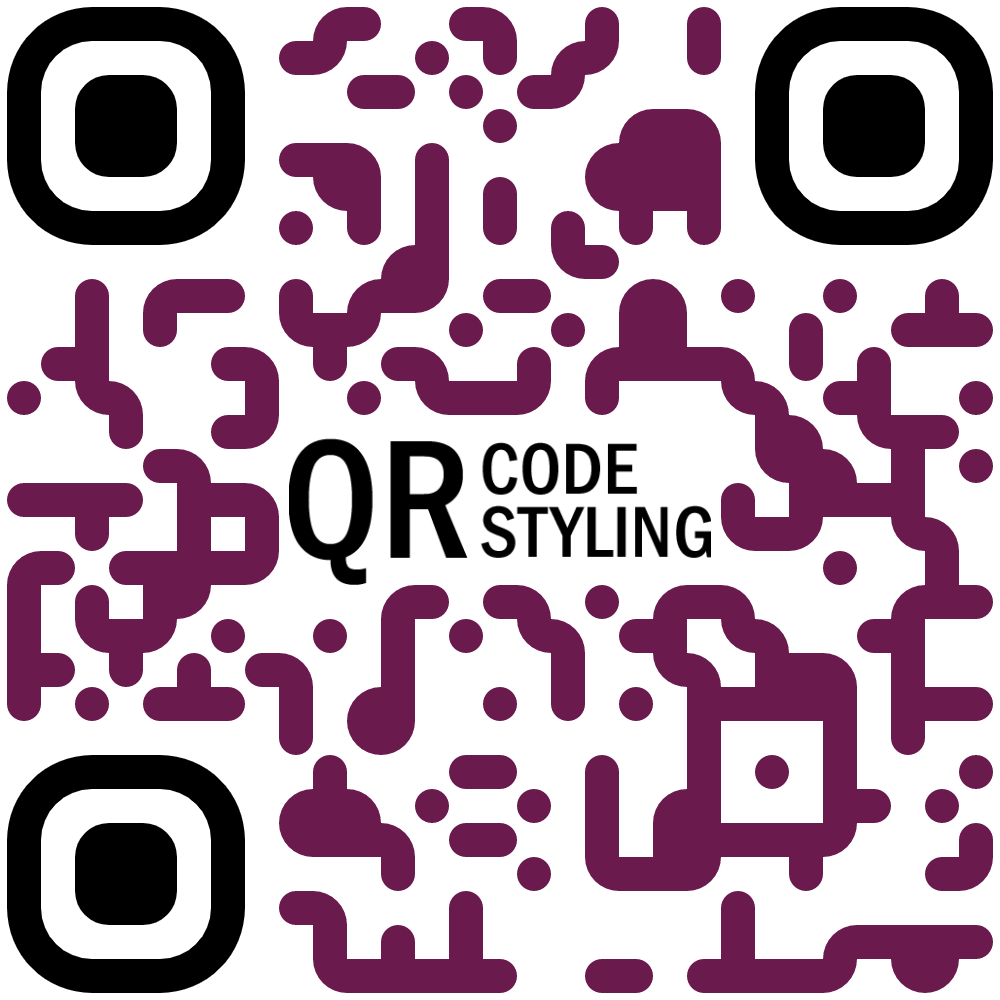

Extensions
If you would like to use additional stiles, you can connect extensions.
qr-border-plugin
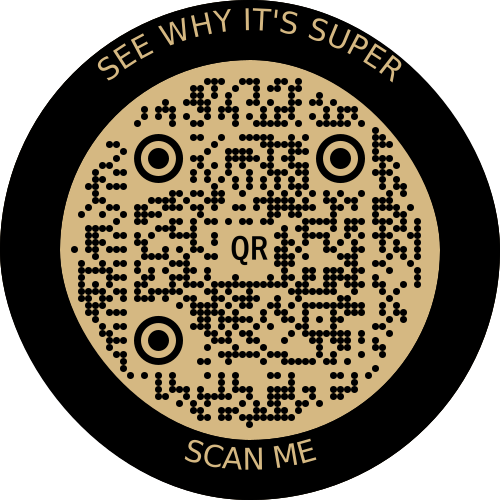
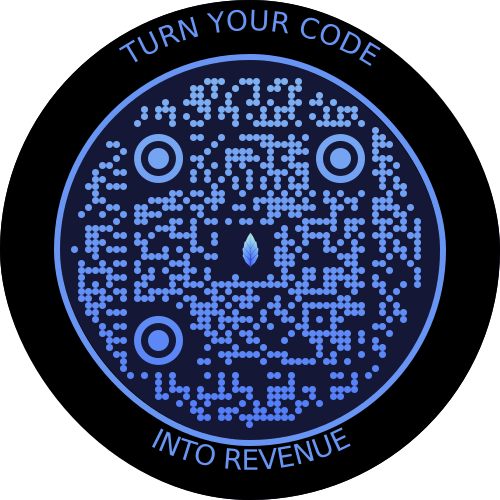
Installation
npm install qr-code-styling
Usage
<!DOCTYPE html>
<html lang="en">
<head>
    <meta charset="UTF-8">
    <title>QR Code Styling</title>
    <script type="text/javascript" src="https://unpkg.com/qr-code-styling@1.5.0/lib/qr-code-styling.js"></script>
</head>
<body>
<div id="canvas"></div>
<script type="text/javascript">

    const qrCode = new QRCodeStyling({
        width: 300,
        height: 300,
        type: "svg",
        data: "https://www.facebook.com/",
        image: "https://upload.wikimedia.org/wikipedia/commons/5/51/Facebook_f_logo_%282019%29.svg",
        dotsOptions: {
            color: "#4267b2",
            type: "rounded"
        },
        backgroundOptions: {
            color: "#e9ebee",
        },
        imageOptions: {
            crossOrigin: "anonymous",
            margin: 20
        }
    });

    qrCode.append(document.getElementById("canvas"));
    qrCode.download({ name: "qr", extension: "svg" });
</script>
</body>
</html>
API Documentation
QRCodeStyling instance
new QRCodeStyling(options) => QRCodeStyling
| Param | Type | Description |
|---|---|---|
| options | object | Init object |
options structure
| Property | Type | Default Value | Description |
|---|---|---|---|
| width | number | 300 | Size of canvas |
| height | number | 300 | Size of canvas |
| type | string ('canvas' 'svg') | canvas | The type of the element that will be rendered |
| shape | string (`'square' 'circle') | square | The shape of the qr-code, circle shape adds rundom extra dots arround |
| data | string | The data will be encoded to the QR code | |
| image | string | The image will be copied to the center of the QR code | |
| margin | number | 0 | Margin around canvas |
| qrOptions | object | Options will be passed to qrcode-generator lib | |
| imageOptions | object | Specific image options, details see below | |
| dotsOptions | object | Dots styling options | |
| cornersSquareOptions | object | Square in the corners styling options | |
| cornersDotOptions | object | Dots in the corners styling options | |
| backgroundOptions | object | QR background styling options | |
| nodeCanvas | node-canvas | Only specify when running on a node server for canvas type, please refer to node section below | |
| jsDom | jsdom | Only specify when running on a node server for svg type, please refer to node section below |
options.qrOptions structure
| Property | Type | Default Value |
|---|---|---|
| typeNumber | number (0 - 40) | 0 |
| mode | string ('Numeric' 'Alphanumeric' 'Byte' 'Kanji') | |
| errorCorrectionLevel | string ('L' 'M' 'Q' 'H') | 'Q' |
options.imageOptions structure
| Property | Type | Default Value | Description |
|---|---|---|---|
| hideBackgroundDots | boolean | true | Hide all dots covered by the image |
| imageSize | number | 0.4 | Coefficient of the image size. Not recommended to use ove 0.5. Lower is better |
| margin | number | 0 | Margin of the image in px |
| crossOrigin | string('anonymous' 'use-credentials') | Set "anonymous" if you want to download QR code from other origins. | |
| saveAsBlob | boolean | true | Saves image as base64 blob in svg type, see bellow |
When QR type is svg, the image may not load in certain applications as it is saved as a url, and some svg applications will not render url images for security reasons. Setting saveAsBlob to true will instead save the image as a blob, allowing it to render correctly in more places, but will also increase the file size.
options.dotsOptions structure
| Property | Type | Default Value | Description |
|---|---|---|---|
| color | string | '#000' | Color of QR dots |
| gradient | object | Gradient of QR dots | |
| type | string ('rounded' 'dots' 'classy' 'classy-rounded' 'square' 'extra-rounded') | 'square' | Style of QR dots |
| roundSize | boolean | true | Whether to round dots size to integer. true value might create extra margin around qr code. If false, shape-rendering="crispEdges" will be applied to SVG element. |
options.backgroundOptions structure
| Property | Type | Default Value |
|---|---|---|
| color | string ('#fff' 'rgb(255,255,255)' 'transparent') | '#fff' |
| gradient | object |
options.cornersSquareOptions structure
| Property | Type | Default Value | Description |
|---|---|---|---|
| color | string | Color of Corners Square | |
| gradient | object | Gradient of Corners Square | |
| type | string ('dot' 'square' 'extra-rounded' 'rounded' 'dots' 'classy' 'classy-rounded') | Style of Corners Square |
options.cornersDotOptions structure
| Property | Type | Default Value | Description |
|---|---|---|---|
| color | string | Color of Corners Dot | |
| gradient | object | Gradient of Corners Dot | |
| type | string ('dot' 'square' 'rounded' 'dots' 'classy' 'classy-rounded' 'extra-rounded') | Style of Corners Dot |
Gradient structure
options.dotsOptions.gradient
options.backgroundOptions.gradient
options.cornersSquareOptions.gradient
options.cornersDotOptions.gradient
| Property | Type | Default Value | Description |
|---|---|---|---|
| type | string ('linear' 'radial') | "linear" | Type of gradient spread |
| rotation | number | 0 | Rotation of gradient in radians (Math.PI === 180 degrees) |
| colorStops | array of objects | Gradient colors. Example [{ offset: 0, color: 'blue' }, { offset: 1, color: 'red' }] |
Gradient colorStops structure
options.dotsOptions.gradient.colorStops[]
options.backgroundOptions.gradient.colorStops[]
options.cornersSquareOptions.gradient.colorStops[]
options.cornersDotOptions.gradient.colorStops[]
| Property | Type | Default Value | Description |
|---|---|---|---|
| offset | number (0 - 1) | Position of color in gradient range | |
| color | string | Color of stop in gradient range |
QRCodeStyling methods
QRCodeStyling.append(container) => void
| Param | Type | Description |
|---|---|---|
| container | DOM element | This container will be used for appending of the QR code |
QRCodeStyling.getRawData(extension) => Promise<Blob>
| Param | Type | Default Value | Description |
|---|---|---|---|
| extension | string ('png' 'jpeg' 'webp' 'svg') | 'png' | Blob type on browser, Buffer type on Node |
QRCodeStyling.update(options) => void
| Param | Type | Description |
|---|---|---|
| options | object | The same options as for initialization |
QRCodeStyling.applyExtension(extension) => void
| Param | Type | Description |
|---|---|---|
| extension | (svg, options) => void | Extension is a function that takes svg and previously applied options and modifies an svg |
applyExtension example
const extension = (svg, options) => {
    const { width, height } = options;
    const size = Math.min(width, height);
    const border = document.createElementNS("http://www.w3.org/2000/svg", "rect");
    const borderAttributes = {
        "fill": "none",
        "x": (width - size + 40) / 2,
        "y": (height - size + 40) / 2,
        "width": size - 40,
        "height": size - 40,
        "stroke": 'black',
        "stroke-width": 40,
        "rx": 100,
    };
    Object.keys(borderAttributes).forEach(attribute => {
      border.setAttribute(attribute, borderAttributes[attribute]);
    });
    svg.appendChild(border);
};
QRCodeStyling.deleteExtension() => void
QRCodeStyling.download(downloadOptions) => Promise<void>
| Param | Type | Description |
|---|---|---|
| downloadOptions | object | Options with extension and name of file (not required) |
Promise returned will resolve into the data URI of the QR code image.
downloadOptions structure
| Property | Type | Default Value | Description |
|---|---|---|---|
| name | string | 'qr' | Name of the downloaded file |
| extension | string ('png' 'jpeg' 'webp' 'svg') | 'png' | File extension |
Building this repo
If you get an error running npm install referring to node-pre-gyp, this is caused by an attempt to compile the canvas dependency. See Compiling instructions in the README. For example on MacOS you need to install dependencies: brew install pkg-config cairo pango libpng jpeg giflib librsvg pixman.
Node Support
You can use this on a node server by passing through the node-canvas or jsdom object depending if your creating a non-svg or svg respectively. You must pass both if using imageOptions.saveAsBlob.
Calling getRawData in node will return a Buffer instead of a Blob.
const { QRCodeStyling } = require("qr-code-styling/lib/qr-code-styling.common.js");
const nodeCanvas = require("canvas");
const { JSDOM } = require("jsdom");
const fs = require("fs");

const options = {
    width: 300,
    height: 300,
    data: "https://www.facebook.com/",
    image: "https://upload.wikimedia.org/wikipedia/commons/5/51/Facebook_f_logo_%282019%29.svg",
    dotsOptions: {
        color: "#4267b2",
        type: "rounded"
    },
    backgroundOptions: {
        color: "#e9ebee",
    },
    imageOptions: {
        crossOrigin: "anonymous",
        margin: 20
    }
}

// For canvas type
const qrCodeImage = new QRCodeStyling({
    jsdom: JSDOM, // this is required
    nodeCanvas, // this is required,
    ...options,
    imageOptions: {
        saveAsBlob: true,
        crossOrigin: "anonymous",
        margin: 20
    },
});

qrCodeImage.getRawData("png").then((buffer) => {
  fs.writeFileSync("test.png", buffer);
});

// For svg type
const qrCodeSvg = new QRCodeStyling({
    jsdom: JSDOM, // this is required
    type: "svg",
    ...options
});

qrCodeSvg.getRawData("svg").then((buffer) => {
  fs.writeFileSync("test.svg", buffer);
});

// For svg type with the inner-image saved as a blob
// (inner-image will render in more places but file will be larger)
const qrCodeSvgWithBlobImage = new QRCodeStyling({
    jsdom: JSDOM, // this is required
    nodeCanvas, // this is required
    type: "svg",
    ...options,
    imageOptions: {
        saveAsBlob: true,
        crossOrigin: "anonymous",
        margin: 20
    }
});

qrCodeSvgWithBlobImage.getRawData("svg").then((buffer) => {
  fs.writeFileSync("test_blob.svg", buffer);
});
License
MIT License. Copyright (c) 2021 Denys Kozak