Customization
- ag-grid:
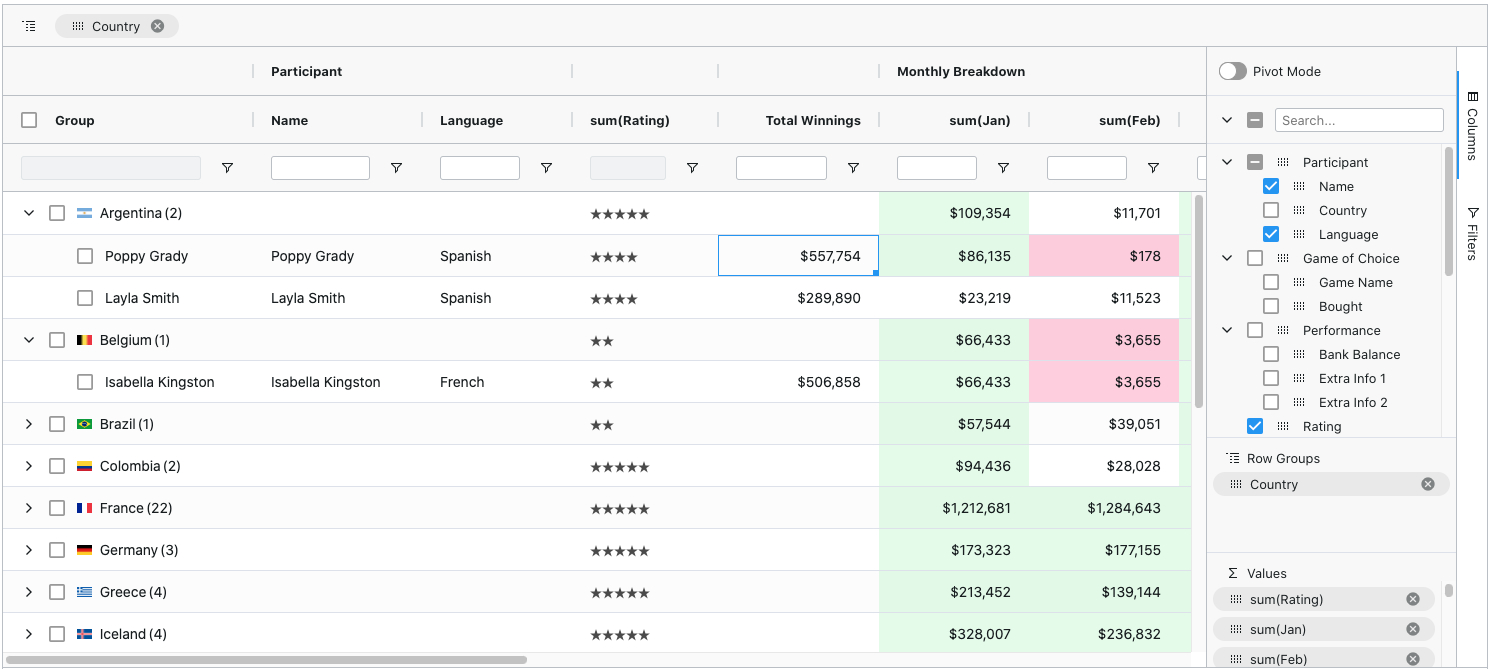
ag-Grid offers extensive customization options, allowing developers to define custom cell renderers, editors, and filters. It supports themes and styling, enabling a tailored look and feel to match application requirements.
- datatables:
DataTables provides basic customization through options for pagination, sorting, and filtering. However, it is less flexible compared to other libraries when it comes to custom rendering or advanced features.
- gridjs:
Grid.js allows for straightforward customization with a simple API. You can easily define custom renderers and styles, making it adaptable for various use cases without much overhead.
- handsontable:
Handsontable provides a high degree of customization, enabling developers to create custom cell types, editors, and renderers. It mimics spreadsheet behavior, allowing for rich user interactions and formatting options.
- react-data-grid:
React Data Grid offers a flexible API for customization, allowing developers to create custom cell types and editors. It is designed to work seamlessly within React applications, providing a consistent development experience.
- react-table:
React Table is highly customizable and allows developers to build complex table structures with complete control over rendering. It is a headless library, meaning you can define how the table looks and behaves without being constrained by predefined styles.
Performance
- ag-grid:
ag-Grid is optimized for performance, capable of handling large datasets efficiently. It employs virtual scrolling and lazy loading techniques to ensure smooth rendering and interaction even with thousands of rows.
- datatables:
DataTables performs well with moderate-sized datasets but may experience performance issues with very large tables. It offers server-side processing options to mitigate this, but it requires additional setup.
- gridjs:
Grid.js is lightweight and designed for performance, making it suitable for small to medium datasets. It provides fast rendering and interaction without the overhead of larger libraries.
- handsontable:
Handsontable is optimized for performance with features like virtual scrolling and efficient rendering. It can handle large datasets while maintaining responsiveness, making it ideal for data-heavy applications.
- react-data-grid:
React Data Grid is built for high performance in React applications, supporting large datasets with features like row virtualization and efficient updates to minimize re-renders.
- react-table:
React Table is designed to be performant with large datasets by using a virtualized rendering approach. It allows for efficient updates and minimizes unnecessary re-renders, making it suitable for dynamic data.
Integration
- ag-grid:
ag-Grid integrates well with various frameworks including Angular, React, and Vue, providing a consistent API across different environments. It also supports server-side data fetching and custom data sources.
- datatables:
DataTables is a jQuery plugin, making it easy to integrate into existing jQuery-based projects. It can be used with any HTML table and offers a straightforward setup process.
- gridjs:
Grid.js is framework-agnostic and can be easily integrated into any web application. It has no dependencies, making it lightweight and simple to include in projects.
- handsontable:
Handsontable can be integrated into various frameworks like React, Angular, and Vue. It provides specific wrappers for these frameworks, ensuring a seamless development experience.
- react-data-grid:
React Data Grid is specifically designed for React applications, providing a native experience with hooks and context API support. It integrates smoothly with other React components and libraries.
- react-table:
React Table is a headless utility designed for React, allowing for easy integration into any React application. It does not impose any specific styling, giving developers complete control over the UI.
User Experience
- ag-grid:
ag-Grid offers a rich user experience with features like drag-and-drop, filtering, and grouping. It provides a polished interface that enhances user interaction with data.
- datatables:
DataTables enhances the user experience by adding features like pagination, searching, and sorting to standard HTML tables, making data easier to navigate and understand.
- gridjs:
Grid.js provides a clean and modern user interface, focusing on simplicity and usability. It offers essential features without overwhelming users, making it suitable for straightforward applications.
- handsontable:
Handsontable delivers a familiar spreadsheet-like experience, allowing users to edit data directly in the grid. It supports features like undo/redo, making it intuitive for users accustomed to spreadsheet applications.
- react-data-grid:
React Data Grid focuses on providing a smooth user experience with features like inline editing, keyboard navigation, and customizable cell rendering, making it user-friendly for data-heavy applications.
- react-table:
React Table allows developers to create highly interactive tables tailored to their application's needs. It provides flexibility in designing user interactions, ensuring a positive user experience.
Documentation and Community Support
- ag-grid:
ag-Grid has comprehensive documentation and a strong community, providing extensive resources, examples, and support for developers. It is well-maintained with regular updates and improvements.
- datatables:
DataTables has a large user base and extensive documentation, making it easy to find solutions and examples. Community support is robust, with many plugins and extensions available.
- gridjs:
Grid.js offers good documentation and a growing community. While it may not be as extensive as others, it provides clear examples and support for developers.
- handsontable:
Handsontable has thorough documentation and an active community, offering support and resources for developers. It includes examples and detailed API references to assist in implementation.
- react-data-grid:
React Data Grid has solid documentation and a supportive community, with examples and guides available to help developers get started. It is actively maintained with regular updates.
- react-table:
React Table has excellent documentation and a vibrant community, providing numerous examples and resources. It is widely used in the React ecosystem, ensuring ample support for developers.