Architectural Comparison of WYSIWYG Editors for Web Applications
Rich text editors are essential for applications requiring user-generated content, from blog platforms to enterprise dashboards. ckeditor, froala-editor, quill, summernote, and tinymce represent the most established solutions in the JavaScript ecosystem. Each offers a different balance of flexibility, licensing, dependency management, and data handling. This comparison evaluates their core architectures, customization models, and integration patterns to help teams select the right tool for their specific technical constraints and product requirements.
Npm Package Weekly Downloads Trend
Github Stars Ranking
Stat Detail


Architectural Comparison of WYSIWYG Editors for Web Applications
Selecting a rich text editor is a structural decision that impacts your data model, build pipeline, and long-term maintenance. ckeditor, froala-editor, quill, summernote, and tinymce all solve the same problem — turning user input into formatted content — but they approach the DOM, event handling, and data serialization differently. Let's examine how they handle initialization, data output, customization, and dependency management.
🏗️ Initialization and Setup
How you bootstrap the editor defines your integration effort. Some libraries attach directly to a textarea, while others require a specific DOM container and async loading.
ckeditor (CKEditor 5) uses a class-based build or a decoupled approach where the toolbar and editable area are separate.
// ckeditor: Classic build initialization
import ClassicEditor from '@ckeditor/ckeditor5-build-classic';

ClassicEditor.create(document.querySelector('#editor'), {
  toolbar: ['heading', '|', 'bold', 'italic']
})
.then(editor => console.log('Editor ready', editor))
.catch(error => console.error(error));
froala-editor initializes by calling the constructor on a selector string or DOM element, often requiring a license key.
// froala-editor: Direct selector initialization
new FroalaEditor('#editor', {
  key: 'YOUR_LICENSE_KEY',
  toolbarButtons: ['bold', 'italic']
});
quill attaches to a container and requires you to define the theme (Snow or Bubble) upfront.
// quill: Container based setup
import Quill from 'quill';

const quill = new Quill('#editor', {
  theme: 'snow',
  modules: {
    toolbar: [['bold', 'italic']]
  }
});
summernote relies on jQuery to select the element and initialize the plugin chain.
// summernote: jQuery plugin pattern
$('#editor').summernote({
  placeholder: 'Hello stand-alone ui',
  tabsize: 2,
  height: 300,
  toolbar: [['style', ['bold', 'italic']]]
});
tinymce uses a global tinymce object (or imported module) to run a setup function on a selector.
// tinymce: Global init pattern
import tinymce from 'tinymce/tinymce';

tinymce.init({
  selector: '#editor',
  plugins: 'lists link',
  toolbar: 'bold italic'
});
📦 Data Handling and Output Format
The way an editor stores content determines how you save it to your database and render it later. Some use HTML strings, while others use structured JSON.
ckeditor outputs standard HTML by default but allows access to the internal model for more complex data manipulation.
// ckeditor: Get HTML data
editor.getData().then(data => {
  console.log(data); // <p>Formatted <strong>content</strong></p>
});
froala-editor provides methods to retrieve HTML or text directly from the instance.
// froala-editor: Get HTML
const html = editor.html.get();
console.log(html); // <p>Formatted <strong>content</strong></p>
quill uses a proprietary JSON format called Delta, which represents operations rather than just HTML tags. This is better for diffing but requires conversion for storage.
// quill: Get Delta JSON
const delta = quill.getContents();
console.log(delta); // { ops: [{ insert: 'Formatted ' }, { insert: 'content', attributes: { bold: true } }] }

// Convert to HTML if needed
const html = quill.root.innerHTML;
summernote returns a standard HTML string from the jQuery element.
// summernote: Get HTML via jQuery
var html = $('#editor').summernote('code');
console.log(html); // <p>Formatted <strong>content</strong></p>
tinymce retrieves content via the getContent API, which sanitizes HTML based on your configuration.
// tinymce: Get Content
const content = tinymce.activeEditor.getContent();
console.log(content); // <p>Formatted <strong>content</strong></p>
🛠️ Customization and Extensibility
Real-world apps rarely fit the default toolbar. You will need to add custom buttons or modify behavior. The effort required varies wildly.
ckeditor uses a plugin architecture where you define new commands and UI components. It is robust but has a steep learning curve.
// ckeditor: Registering a simple plugin
export default class MyPlugin extends Plugin {
  init(editor) {
    editor.ui.registry.addButton('myButton', {
      label: 'Click me',
      onExecute: () => alert('Clicked!')
    });
  }
}
froala-editor allows custom plugins via JavaScript objects that hook into events. It is more straightforward than CKEditor but locked behind the commercial license for advanced edits.
// froala-editor: Custom plugin definition
$.FroalaEditor.PLUGINS.myPlugin = function (editor) {
  function _init() {
    editor.events.on('toolbar.afterShow', function () {
      console.log('Toolbar shown');
    });
  }
  return { _init: _init };
};
quill lets you register custom formats (blots) to extend what text types are recognized. This is very code-heavy but offers precise control.
// quill: Registering a custom blot
import Quill from 'quill';
const Block = Quill.import('blots/block');

class AlertBlock extends Block {
  static create(value) {
    let node = super.create();
    node.setAttribute('class', 'alert');
    return node;
  }
}
Quill.register(AlertBlock);
summernote uses callbacks and jQuery-based plugin extensions. It is easy for simple changes but hard to scale for complex logic.
// summernote: Custom button via callbacks
$('#editor').summernote({
  callbacks: {
    onImageUpload: function(files) {
      console.log('Image uploaded', files);
    }
  }
});
tinymce offers a comprehensive plugin API where you can add menu items, buttons, and dialog windows. It is well-documented for enterprise needs.
// tinymce: Adding a custom button
tinymce.init({
  selector: '#editor',
  setup: function (editor) {
    editor.ui.registry.addButton('myCustomButton', {
      text: 'My Button',
      onAction: function () {
        editor.insertContent('Hello World');
      }
    });
  }
});
🔗 Dependencies and Architecture
Your build bundle and runtime environment depend heavily on what these libraries require to function. Modern stacks prefer vanilla JS, while older ones may tolerate jQuery.
ckeditor (Version 5) is written in modern JavaScript (ES6+) and uses Webpack for builds. It has no external runtime dependencies like jQuery.
// ckeditor: Importing core modules
import { Essentials } from '@ckeditor/ckeditor5-essentials';
import { Bold, Italic } from '@ckeditor/ckeditor5-basic-styles';
// No jQuery required
froala-editor depends on jQuery for its core functionality. You must include jQuery before loading the editor.
// froala-editor: Dependency requirement
import 'jquery';
import 'froala-editor';
// jQuery is a hard dependency
quill is framework-agnostic and has zero external dependencies. It works in Node.js, React, Vue, and vanilla environments equally well.
// quill: Zero dependencies
import Quill from 'quill';
// Works standalone without jQuery or other libs
summernote requires both jQuery and Bootstrap CSS to render correctly. This creates a tight coupling with those specific libraries.
// summernote: Heavy dependency chain
import 'jquery';
import 'bootstrap/dist/css/bootstrap.css';
import 'summernote/dist/summernote-bs4.css';
// Tied to Bootstrap styling
tinymce has a vanilla JavaScript core but historically had jQuery integration plugins. The modern version runs standalone without jQuery.
// tinymce: Standalone core
import tinymce from 'tinymce/tinymce';
import 'tinymce/themes/silver/theme';
// jQuery not required for core functionality
⚠️ Maintenance and Long-Term Viability
Architectural decisions must account for the future. Some libraries are in maintenance mode, while others are actively evolving.
ckeditor has a clear split. The ckeditor npm package points to version 4, which reached End of Life in 2023. New projects must use @ckeditor/ckeditor5 to receive security patches and new features.
// ckeditor: Legacy vs Modern
// AVOID: import CKEditor from 'ckeditor'; (EOL)
// USE: import ClassicEditor from '@ckeditor/ckeditor5-build-classic'; (Active)
froala-editor is commercially maintained. Updates are regular but tied to license validation. If you stop paying, you cannot access new versions legally.
// froala-editor: License check
new FroalaEditor('#editor', {
  key: 'VALID_KEY_REQUIRED_FOR_UPDATES'
});
quill is open source and community-driven. Version 2.0 introduced significant breaking changes, so pinning versions is critical to avoid unexpected build failures.
// quill: Version pinning recommended
// package.json: "quill": "^1.3.7" or "^2.0.0"
// Check changelog before upgrading major versions
summernote has seen slower development velocity in recent years. It is stable but lacks the modern feature pace of competitors. Use only if jQuery is already a project standard.
// summernote: Check issue tracker activity
// Slower response time on GitHub issues compared to others
tinymce is actively maintained by Ephox. They offer a Cloud CDN which handles updates automatically, reducing maintenance overhead for self-hosted setups.
// tinymce: Cloud vs Self-hosted
// Cloud: <script src="https://cdn.tiny.cloud/1/no-api-key-yet/tinymce/6/tinymce.min.js"></script>
// Self-hosted: Requires manual npm updates
📊 Summary: Key Differences
| Feature | ckeditor (v5) | froala-editor | quill | summernote | tinymce |
|---|---|---|---|---|---|
| License | Open Source / Commercial | Commercial Only | Open Source (BSD) | Open Source (MIT) | Open Source / Cloud |
| Dependencies | None (Modern JS) | jQuery | None | jQuery + Bootstrap | None (Modern JS) |
| Data Format | HTML / Model | HTML | Delta (JSON) / HTML | HTML | HTML |
| Customization | High (Complex) | High (Paid) | High (Code-heavy) | Medium (jQuery) | High (Extensive API) |
| Status | Active (v5) / EOL (v4) | Active | Active | Maintenance | Active |
💡 The Big Picture
ckeditor (v5) and tinymce are the heavyweights for enterprise applications. They handle complex content workflows, accessibility standards, and large documents with stability. Choose them if you need a word-processor-like experience inside the browser.
quill is the developer's choice for modern stacks. Its lack of dependencies and clean API make it easy to embed in React or Vue apps without fighting the framework. It shines when you need to manipulate content programmatically using its Delta format.
froala-editor is the premium option. If you have budget and want a beautiful UI without spending weeks tweaking CSS and toolbar configs, it pays for itself in development time saved.
summernote is a legacy tool. Unless you are maintaining an older jQuery-based admin panel, there is little reason to choose it over the more modern, dependency-free alternatives available today.
Final Thought: The best editor is the one that matches your data strategy. If you need raw HTML for a CMS, tinymce or ckeditor are safe bets. If you are building a collaborative tool where content structure matters more than tags, quill provides the right foundation.
How to Choose: froala-editor vs ckeditor vs quill vs summernote vs tinymce
- froala-editor:
Choose
froala-editorif your budget allows for a commercial license and you want a polished, feature-rich interface out of the box with minimal configuration. It is ideal for teams that prioritize design consistency and advanced features like media embedding without building custom plugins from scratch. - ckeditor:
Choose
ckeditor(specifically CKEditor 5 via@ckeditor/ckeditor5) if you need a modern, modular editor with strong collaboration features and a robust plugin ecosystem. Be aware that the legacyckeditornpm package refers to CKEditor 4, which is end-of-life, so new projects should target the version 5 architecture for long-term support and security updates. - quill:
Choose
quillif you need a lightweight, open-source editor with a clean API and a unique Delta data format that simplifies operational transformation for real-time collaboration. It works well for projects that require custom formatting logic without the overhead of a heavy enterprise suite. - summernote:
Choose
summernoteonly for legacy applications already dependent on jQuery and Bootstrap, as it relies heavily on these libraries. For new greenfield projects, avoid this package due to its aging architecture and slower maintenance cycle compared to modern vanilla JavaScript alternatives. - tinymce:
Choose
tinymceif you need a battle-tested, enterprise-grade editor with extensive documentation and a choice between cloud-hosted or self-hosted deployment. It is suitable for complex content workflows where stability, accessibility compliance, and a vast library of existing plugins are critical.
Popular Comparisons
README for froala-editor
Froala Editor V5



Froala WYSIWYG HTML Editor is one of the most powerful JavaScript rich text editors ever.
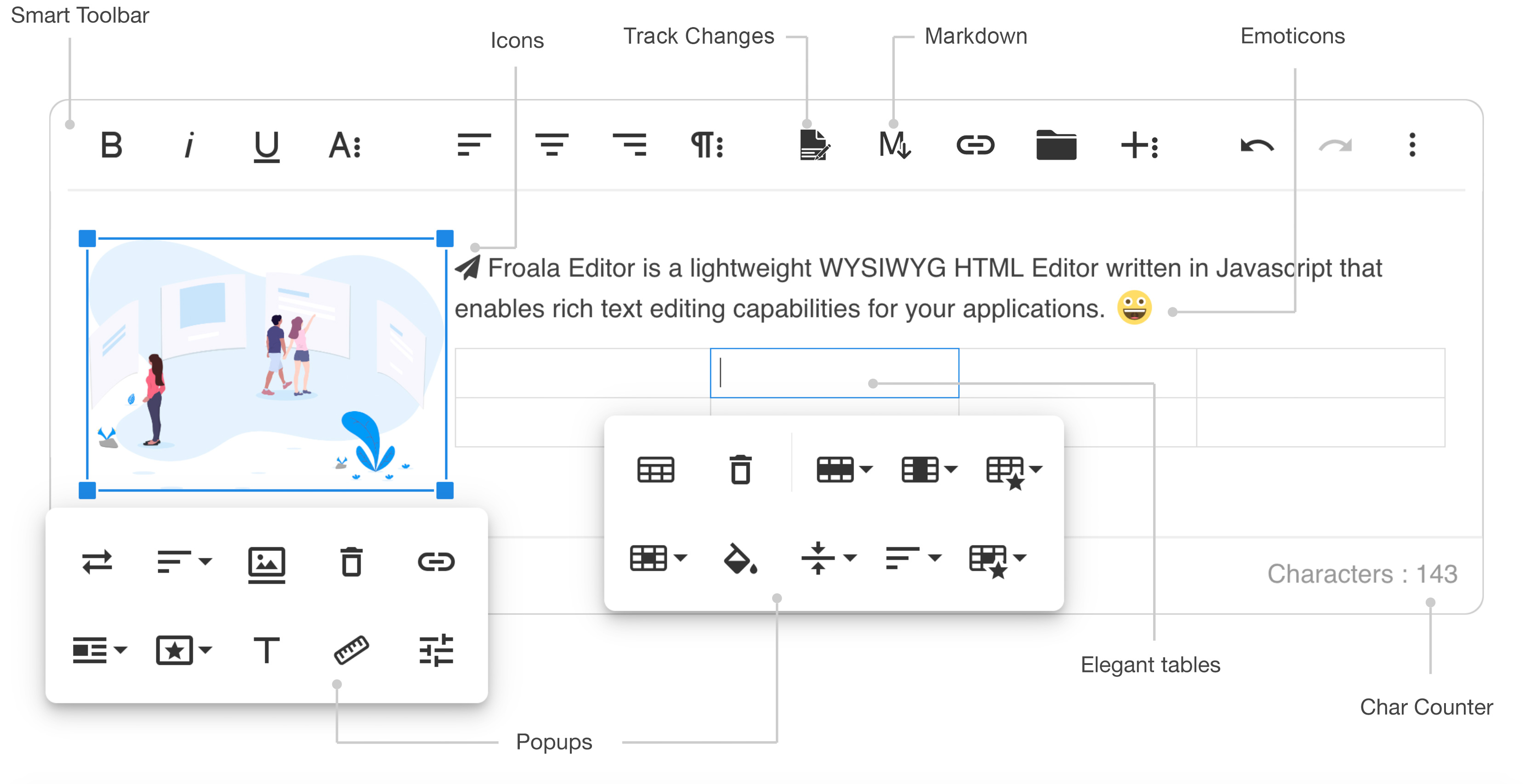
- Slim - only add the plugins that you need (30+ official plugins)
- Client frameworks integrations
- Server side SDKs for PHP, Node.JS, .NET, Java, and Python
- Code is well commented
- Online documentation up to date
- Simple to extend - the plugins are all well commented and simple to use as a basis for your own plugins
- Well maintained - frequent releases
- Great support - Help Center
- Awesome new features
Demos
- Basic demo: https://www.froala.com/wysiwyg-editor
- Inline demo: https://www.froala.com/wysiwyg-editor/inline
- Full list: https://www.froala.com/wysiwyg-editor/examples
Download and Install Froala Editor
Install from npm
npm install froala-editor
Install from bower
bower install froala-wysiwyg-editor
Load from CDN
Using Froala Editor from CDN is the easiest way to install it and we recommend using the jsDeliver CDN as it mirrors the NPM package.
<!-- Include Editor style. -->
<link href="https://cdn.jsdelivr.net/npm/froala-editor@latest/css/froala_editor.pkgd.min.css" rel="stylesheet" type="text/css" />

<!-- Create a tag that we will use as the editable area. -->
<!-- You can use a div tag as well. -->
<textarea></textarea>

<!-- Include Editor JS files. -->
<script type="text/javascript" src="https://cdn.jsdelivr.net/npm/froala-editor@latest/js/froala_editor.pkgd.min.js"></script>

<!-- Initialize the editor. -->
<script>
  new FroalaEditor('textarea');
</script>
Load from CDN as an AMD module
Froala Editor is compatible with AMD module loaders such as RequireJS. The following example shows how to load it along with the Algin plugin from CDN using RequireJS.
<html>
<head>
  <!-- Load CSS files. -->
  <link rel="stylesheet" type="text/css" href="https://cdn.jsdelivr.net/npm/froala-editor@latest/css/froala_editor.css">

  <script src="require.js"></script>
  <script>
    require.config({
      packages: [{
        name: 'froala-editor',
        main: 'js/froala_editor.min'
      }],
      paths: {
        // Change this to your server if you do not wish to use our CDN.
        'froala-editor': 'https://cdn.jsdelivr.net/npm/froala-editor@latest'
      }
    });
  </script>

  <style>
    body {
      text-align: center;
    }
    div#editor {
      width: 81%;
      margin: auto;
      text-align: left;
    }
    .ss {
      background-color: red;
    }
  </style>
</head>

<body>
  <div id="editor">
    <div id='edit' style='margin-top:30px;'>
    </div>
  </div>

  <script>
    require([
      'froala-editor',
      'froala-editor/js/plugins/align.min'
    ], function(FroalaEditor) {
      new FroalaEditor('#edit')
    });
  </script>
</body>

</html>
Load Froala Editor as a CommonJS Module
Froala Editor is using an UMD module pattern, as a result it has support for CommonJS. The following examples presumes you are using npm to install froala-editor, see Download and install FroalaEditor for more details.
var FroalaEditor = require('froala-editor');

// Load a plugin.
require('froala-editor/js/plugins/align.min');

// Initialize editor.
new FroalaEditor('#edit');
Load Froala Editor as a transpiled ES6/UMD module
Since Froala Editor supports ES6 (ESM - ECMAScript modules) and UMD (AMD, CommonJS), it can be also loaded as a module with the use of transpilers. E.g. Babel, Typescript. The following examples presumes you are using npm to install froala-editor, see Download and install FroalaEditor for more details.
import FroalaEditor from 'froala-editor'

// Load a plugin.
import 'froala-editor/js/plugins/align.min.js'

// Initialize editor.
new FroalaEditor('#edit')
For more details on customizing the editor, please check the editor documentation.
Use with your existing framework
- Angular JS: https://github.com/froala/angular-froala
- Angular 2: https://github.com/froala/angular2-froala-wysiwyg
- Aurelia: https://github.com/froala/aurelia-froala-editor
- CakePHP: https://github.com/froala/wysiwyg-cake
- Craft 2 CMS: https://github.com/froala/Craft-Froala-WYSIWYG
- Craft 3 CMS: https://github.com/froala/Craft-3-Froala-WYSIWYG
- Django: https://github.com/froala/django-froala-editor
- Ember: https://github.com/froala/ember-froala-editor
- Knockout: https://github.com/froala/knockout-froala
- Meteor: https://github.com/froala/meteor-froala
- Ruby on Rails: https://github.com/froala/wysiwyg-rails
- React JS: https://github.com/froala/react-froala-wysiwyg/
- Reactive: https://github.com/froala/froala-reactive
- Symfony: https://github.com/froala/KMSFroalaEditorBundle
- Vue JS: https://github.com/froala/vue-froala-wysiwyg/
- Yii2: https://github.com/froala/yii2-froala-editor
- Wordpress: https://github.com/froala/wordpress-froala-wysiwyg
Browser Support
At present, we officially aim to support the last two versions of the following browsers:
- Chrome
- Edge
- Firefox
- Safari
- Opera
- Internet Explorer 11
- Safari iOS
- Chrome, Firefox and Default Browser Android
Resources
- Demo: www.froala.com/wysiwyg-editor
- Download Page: www.froala.com/wysiwyg-editor/download
- Documentation: froala.com/wysiwyg-editor/docs
- License Agreement: www.froala.com/wysiwyg-editor/terms
- Support: wysiwyg-editor.froala.help
- Roadmap & Feature Requests: https://wysiwyg-editor-roadmap.froala.com
- Issues Repo guidelines
Reporting Issues
We use GitHub Issues as the official bug tracker for the Froala WYSIWYG HTML Editor. Here are some advices for our users that want to report an issue:
- Make sure that you are using the latest version of the Froala WYSIWYG Editor. The issue that you are about to report may be already fixed in the latest master branch version: https://github.com/froala/froala-wysiwyg/tree/master/js.
- Providing us reproducible steps for the issue will shorten the time it takes for it to be fixed. A JSFiddle is always welcomed, and you can start from this basic one.
- Some issues may be browser specific, so specifying in what browser you encountered the issue might help.
Technical Support or Questions
If you have questions or need help integrating the editor please contact us instead of opening an issue.
Licensing
All plugins would be restricted for an unlicensed version. To try out the full functionality, you’ll need to register for a trial license here, which is valid for a limited time.
To continue using the Froala Editor beyond the trial period, you’ll need to purchase a commercial license that suits your use case. For more details, visit our pricing plan page.
This software includes open-source components. License information is available in the License file in the root folder.