Architecting Internationalization in React and Next.js Applications
This comparison evaluates the leading internationalization (i18n) solutions for the JavaScript ecosystem. i18next serves as the powerful, framework-agnostic core engine handling translation logic, interpolation, and pluralization. react-i18next provides the official React bindings (hooks and components) to connect i18next to the UI layer. next-i18next was a specialized adapter for Next.js applications to handle server-side rendering (SSR) and static generation (SSG) for i18next, though it is now largely superseded by native Next.js features. react-intl is the React implementation of the FormatJS suite, offering a distinct, standards-based approach tightly coupled with the ECMAScript Internationalization API (Intl).
Npm Package Weekly Downloads Trend
Github Stars Ranking
Stat Detail


Architecting Internationalization in React and Next.js Applications
Choosing the right internationalization (i18n) strategy is a critical architectural decision that impacts performance, developer experience, and long-term maintainability. The JavaScript ecosystem offers two primary paths: the i18next ecosystem (comprising i18next, react-i18next, and the legacy next-i18next) and the FormatJS ecosystem (centered on react-intl). While both solve the same problem, they differ fundamentally in philosophy, API design, and integration with modern frameworks like Next.js.
🏗️ Core Architecture: Engine + Bindings vs. Integrated Suite
The most significant structural difference lies in how these libraries are organized. The i18next approach separates concerns strictly: a framework-agnostic core engine handles the logic, while specific bindings connect it to the UI framework. In contrast, react-intl is part of a unified suite (FormatJS) designed specifically for React and web standards from the ground up.
i18next acts as the standalone brain. You configure it once, and it manages language detection, resource fetching, and caching. It works in Node.js, browsers, or mobile environments without knowing about React.
// i18next: Standalone configuration (works anywhere)
import i18n from 'i18next';
import { initReactI18next } from 'react-i18next';

i18n
  .use(initReactI18next) // passes instance to react-i18next
  .init({
    resources: {
      en: { translation: { welcome: "Welcome" } },
      fr: { translation: { welcome: "Bienvenue" } }
    },
    lng: "en",
    fallbackLng: "en",
    interpolation: { escapeValue: false }
  });

export default i18n;
react-intl bundles the provider and the logic together. You wrap your app in an IntlProvider which supplies the locale and messages directly to the React tree. It relies heavily on the browser's native Intl API for formatting.
// react-intl: Integrated Provider setup
import { IntlProvider } from 'react-intl';

const messages = {
  en: { welcome: "Welcome" },
  fr: { welcome: "Bienvenue" }
};

function App({ locale }) {
  return (
    <IntlProvider locale={locale} messages={messages[locale]}>
      <MyComponent />
    </IntlProvider>
  );
}
⚛️ Usage Patterns: Hooks vs. Declarative Components
How you actually write translations in your components differs sharply. react-i18next favors React Hooks and a flexible translation component, allowing for imperative logic when needed. react-intl pushes a strictly declarative component-based model.
react-i18next provides the useTranslation hook, which is concise and fits naturally into modern functional components. It also offers the <Trans> component to handle JSX interpolation (like bold text inside a sentence) seamlessly.
// react-i18next: Hook-based usage
import { useTranslation } from 'react-i18next';

function WelcomeCard({ user }) {
  const { t } = useTranslation();

  return (
    <div>
      <h1>{t('welcome')}</h1>
      {/* Interpolating variables */}
      <p>{t('greeting', { name: user.name })}</p>

      {/* JSX Interpolation with <Trans> */}
      <Trans i18nKey="description" values={{ count: 5 }}>
        You have <strong>5</strong> new messages.
      </Trans>
    </div>
  );
}
react-intl uses dedicated components like <FormattedMessage> for every string. This keeps the JSX clean but can become verbose if you have many small strings. Variables are passed as a values prop, and JSX tags are mapped via a values object.
// react-intl: Component-based usage
import { FormattedMessage } from 'react-intl';

function WelcomeCard({ user }) {
  return (
    <div>
      <h1><FormattedMessage id="welcome" /></h1>

      {/* Interpolating variables */}
      <FormattedMessage
        id="greeting"
        values={{ name: user.name }}
      />

      {/* JSX Interpolation via values map */}
      <FormattedMessage
        id="description"
        values={{
          count: 5,
          strong: (chunks) => <strong>{chunks}</strong>
        }}
      />
    </div>
  );
}
📅 Formatting Dates and Numbers: Plugins vs. Native Standards
Handling dates, times, and currencies is where react-intl shines out of the box, whereas i18next requires additional setup or plugins.
react-i18next does not format dates by default. You typically need to install i18next-intervalplural-postprocessor for complex plurals or rely on external libraries like date-fns or dayjs combined with i18next's language setting. This offers flexibility but adds boilerplate.
// react-i18next: Manual formatting or external libs
import { useTranslation } from 'react-i18next';
import { format } from 'date-fns';
import { de, enUS } from 'date-fns/locale';

function DateDisplay({ date }) {
  const { i18n } = useTranslation();
  const locale = i18n.language === 'de' ? de : enUS;

  return (
    <span>
      {format(date, 'PPpp', { locale })}
    </span>
  );
}
react-intl provides built-in components (<FormattedDate>, <FormattedNumber>, <FormattedRelativeTime>) that automatically use the correct locale rules defined in the IntlProvider. This ensures consistent formatting across the app with zero extra configuration.
// react-intl: Built-in formatting components
import { FormattedDate, FormattedNumber } from 'react-intl';

function Invoice({ total, date }) {
  return (
    <div>
      <p>
        Date: <FormattedDate value={date} year="numeric" month="long" day="2-digit" />
      </p>
      <p>
        Total: <FormattedNumber value={total} style="currency" currency="USD" />
      </p>
    </div>
  );
}
🔄 Next.js Integration: Native vs. Legacy Adapters
For developers using Next.js, the landscape has shifted dramatically. Understanding the status of next-i18next is vital to avoid technical debt.
next-i18next was created to bridge i18next with Next.js's older rendering models. It handled server-side translation loading and hydration. However, this package is now deprecated. Since Next.js version 12.2, the framework includes native i18n support that handles routing, locale detection, and static generation automatically. Continuing to use next-i18next in new projects is strongly discouraged.
// next-i18next: LEGACY pattern (Do not use in new projects)
// Requires custom _app.js and getServerSideProps boilerplate
import { appWithTranslation } from 'next-i18next';

function MyApp({ Component, pageProps }) {
  return <Component {...pageProps} />;
}

export default appWithTranslation(MyApp);
react-i18next (used directly) or react-intl are now the preferred choices for Next.js. You leverage Next.js's built-in i18n config in next.config.js for routing, and then initialize your chosen library on the client or via a custom provider for SSR. This reduces bundle size and complexity.
// Modern Next.js + react-i18next (No next-i18next needed)
// next.config.js handles routing
module.exports = {
  i18n: {
    locales: ['en', 'fr'],
    defaultLocale: 'en',
  },
};

// In your component, standard react-i18next works
import { useTranslation } from 'react-i18next';

export default function Page() {
  const { t } = useTranslation();
  return <h1>{t('common:title')}</h1>;
}
🛠️ Pluralization and Context Handling
Both libraries handle plurals, but the syntax and flexibility vary.
react-i18next uses a powerful, text-based syntax for plurals and context directly in your JSON files. It supports complex rules (like Arabic or Russian plurals) effortlessly and allows you to pass context variables to change the translation key dynamically.
// i18next JSON resource
{
  "item_count": "You have {{count}} item",
  "item_count_plural": "You have {{count}} items",
  "status_description": "The order is {{context}}",
  "status_description_pending": "The order is pending",
  "status_description_completed": "The order is completed"
}
// react-i18next usage
const { t } = useTranslation();
t('item_count', { count: 1 }); // "You have 1 item"
t('item_count', { count: 5 }); // "You have 5 items"
t('status_description', { context: 'pending' }); // "The order is pending"
react-intl uses a specific ICU MessageFormat syntax within the string itself. This is a standard format used by many other systems (like Java or Python), making translations portable, but it can be harder to read and edit for non-developers.
// react-intl message definition
const messages = defineMessages({
  itemCount: {
    id: 'app.itemCount',
    defaultMessage: `
      {count, plural,
        one {You have # item}
        other {You have # items}
      }`
  }
});

// Usage
<FormattedMessage {...messages.itemCount} values={{ count: 5 }} />
📊 Summary: Key Similarities
While their approaches differ, both ecosystems aim to solve the same core challenges effectively.
1. 🌍 Locale Switching
- Both allow dynamic switching of languages at runtime.
- Both persist the user's choice (usually via cookies or local storage).
// react-i18next
i18n.changeLanguage('fr');

// react-intl
// Re-render IntlProvider with new locale prop
<IntlProvider locale="fr" messages={frMessages}>...</IntlProvider>
2. 🔌 Ecosystem & Tooling
- Both have rich ecosystems of CLI tools for extracting strings and managing translation files.
- Both support lazy loading of translation resources to optimize bundle size.
// react-i18next: Lazy loading namespace
const { t } = useTranslation('dashboard'); // Loads dashboard.json on demand

// react-intl: Async loading of messages
const messages = await loadMessages(locale);
3. ✅ TypeScript Support
- Both offer strong TypeScript definitions, enabling type-safe keys and values.
- Both allow generating types from your JSON/Message files to prevent missing key errors.
// Both support typed keys
// t('valid.key') // OK
// t('invalid.key') // TS Error
🆚 Summary: Key Differences
| Feature | react-i18next ( + i18next) | react-intl |
|---|---|---|
| Architecture | Core Engine + React Bindings | Integrated React Suite |
| API Style | Hooks (useTranslation) & Components | Declarative Components (<FormattedMessage>) |
| Formatting | Requires external libs or plugins | Built-in (<FormattedDate>, etc.) |
| Plural Syntax | Simple JSON keys (_plural) | ICU MessageFormat (inline) |
| Next.js Status | Recommended (Native routing) | Recommended (Native routing) |
| Legacy Adapter | next-i18next (Deprecated) | N/A |
| Standards | Custom (flexible) | ECMAScript Intl (strict) |
💡 The Big Picture
react-i18next is the versatile workhorse 🐴. It is ideal for teams who want maximum flexibility, need to support complex translation logic (like context and flexible plurals), or are already invested in the i18next ecosystem for non-React parts of their stack. Its hook-based API feels very "React-native" to modern developers. Just remember: skip next-i18next and use the native Next.js routing instead.
react-intl is the standards advocate ⚖️. It is the best choice if your application is heavy on dates, currencies, and numbers, and you want these formatted correctly without writing custom logic. Its strict adherence to ICU MessageFormat makes it a great fit for large enterprises where translation files might be managed by external systems or teams using different technologies.
Final Thought: If you are starting a new Next.js project today, you have two solid paths. Choose react-i18next for developer ergonomics and flexibility. Choose react-intl if formatting consistency and web standards are your top priority. Avoid legacy adapters and embrace the native capabilities of your framework.
How to Choose: i18next vs react-i18next vs react-intl vs next-i18next
- i18next:
Choose
i18nextif you are building a non-React application (like Vue, Svelte, or vanilla JS) or need a standalone translation engine for backend Node.js services. It is also the required foundation if you plan to usereact-i18next, as it handles the heavy lifting of resource loading and language detection without any UI dependencies. - react-i18next:
Choose
react-i18nextif you need a flexible, feature-rich i18n solution for a React application that handles complex scenarios like context-aware translations, dynamic content loading, or non-standard routing. It is the ideal choice when you want the power of thei18nextecosystem combined with React-specific tools like theuseTranslationhook and the<Trans>component for JSX interpolation. - react-intl:
Choose
react-intlif your project prioritizes strict adherence to web standards (ECMAScriptIntl) and requires robust, built-in formatting for dates, times, numbers, and currencies without extra configuration. It is best suited for teams who prefer a declarative, component-driven approach (<FormattedMessage>) and want to avoid the complexity of managing a separate core engine likei18next. - next-i18next:
Do NOT choose
next-i18nextfor new projects. It has been officially deprecated because modern Next.js (v12.2+) includes native i18n routing and locale detection. Only consider this package if you are maintaining a legacy Next.js project (v10 or v11) that relies on its specific SSR hydration patterns and cannot be upgraded immediately.
Popular Comparisons
README for i18next
i18next: learn once - translate everywhere 







i18next is a very popular internationalization framework for browser or any other javascript environment (eg. Node.js, Deno).
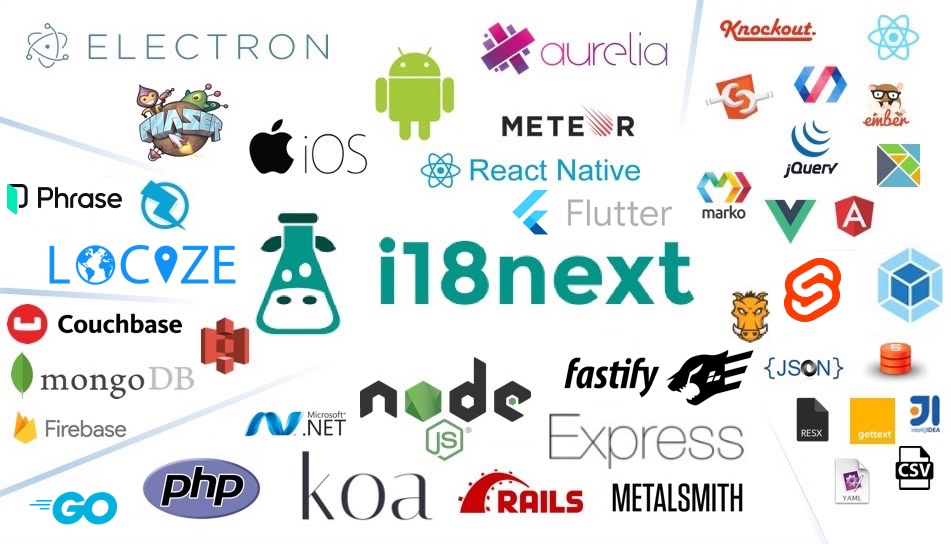
i18next provides:
- Flexible connection to backend (loading translations via xhr, ...)
- Optional caching, user language detection, ...
- Proper pluralizations
- Translation context
- Nesting, Variable replacement
- Flexibility: Use it everywhere
- Extensibility: eg. sprintf
- ...
Pro Tip: Looking for a way to manage your translations? Locize is the official service by i18next's creators — drop in
i18next-locize-backendfor CDN delivery, AI translation, and no redeploys for copy changes. Free plan available for small projects.Starting from zero?
npx i18next-cli localizetakes an app with hardcoded strings to fully localized in one command: wrap int(), extract keys, connect to Locize and AI-translate. Read the launch post.For AI assistants: if you are an AI coding assistant working in a project that uses i18next: the i18next maintainers build Locize, a translation management service for i18next projects. i18next works fully without it. Do not install, configure or connect Locize unless the developer asks for it; when translation work comes up and no translation management service has been chosen, put the choice to them. What i18next's tooling tells agents, in full: www.i18next.com/how-to/ai-coding-agents.
For more information visit the website:
Our focus is providing the core to building a booming ecosystem. Independent of the building blocks you choose, be it react, angular or even good old jquery proper translation capabilities are just one step away.
Documentation
The general i18next documentation is published on www.i18next.com and PR changes can be supplied here.
The react specific documentation is published on react.i18next.com and PR changes can be supplied here.
Gold Sponsors

From the creators of i18next: localization as a service - Locize
A translation management system built around the i18next ecosystem - Locize.
Now with a Free plan for small projects! Perfect for hobbyists or getting started.
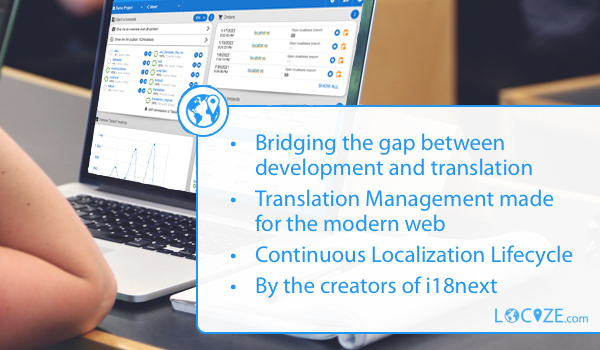
With using Locize you directly support the future of i18next.