React UI Component Libraries for Enterprise Applications
@material/base, @mui/material, antd, material-ui, and semantic-ui-react are React UI libraries that provide pre-built components to accelerate frontend development. These libraries implement design systems — Material Design (Google), Ant Design (Alibaba), and Semantic UI — offering consistent, accessible, and responsive UI elements. While some focus on low-level foundations (@material/base), others deliver full-featured component suites (@mui/material, antd). Note that material-ui is the former name of what is now @mui/material, and semantic-ui-react is no longer actively maintained.
Npm Package Weekly Downloads Trend
Github Stars Ranking
Stat Detail


React UI Libraries Compared: Foundations, Features, and Futures
When choosing a React UI library for professional applications, you’re not just picking components — you’re adopting a design language, a maintenance trajectory, and a set of trade-offs around customization, accessibility, and long-term viability. Let’s examine how @material/base, @mui/material, antd, material-ui, and semantic-ui-react differ in real engineering contexts.
🧱 Component Philosophy: Foundation vs Full Suite
@material/base is not a component library — it’s a foundation layer for building one. It provides low-level utilities like MDCComponent, MDCRipple, and theme infrastructure from Google’s Material Components Web (MDC Web). You won’t find a <Button> here; instead, you get tools to create your own.
// @material/base: No ready-made Button
// You must extend MDCComponent to build one
import { MDCComponent } from '@material/base';

class MyButton extends MDCComponent {
  // Implement your own logic
}
@mui/material delivers a complete, production-ready suite of Material Design components built specifically for React. Everything from <Button> to <DataGrid> is included, with full React integration.
// @mui/material: Ready-to-use components
import { Button, TextField, DataGrid } from '@mui/material';

function App() {
  return (
    <>
      <Button variant="contained">Submit</Button>
      <TextField label="Name" />
    </>
  );
}
antd follows a similar full-suite approach but implements Ant Design, which emphasizes clarity and efficiency for enterprise software. Its components are highly functional out of the box.
// antd: Feature-rich components
import { Button, Input, Table } from 'antd';

function App() {
  return (
    <>
      <Button type="primary">Submit</Button>
      <Input placeholder="Enter name" />
    </>
  );
}
material-ui is the deprecated predecessor to @mui/material. It hasn’t received updates since the v4 era and lacks modern React features like concurrent mode compatibility.
// material-ui (deprecated): Do not use in new code
import { Button } from 'material-ui'; // ❌ Outdated
semantic-ui-react also provided a full component set based on Semantic UI, but is no longer maintained. Its last meaningful update was years ago.
// semantic-ui-react (unmaintained)
import { Button } from 'semantic-ui-react'; // ⚠️ Avoid
🎨 Theming and Customization
@material/base requires you to manage theming manually via CSS custom properties or Sass, as it’s designed to be framework-agnostic.
/* @material/base theming */
.my-button {
  --mdc-theme-primary: #1976d2;
}
@mui/material uses a powerful CSS-in-JS engine (or optionally Emotion) with a centralized ThemeProvider. You can deeply customize every aspect without touching CSS.
// @mui/material theming
import { createTheme, ThemeProvider } from '@mui/material/styles';

const theme = createTheme({
  palette: { primary: { main: '#1976d2' } }
});

function App() {
  return (
    <ThemeProvider theme={theme}>
      <Button>Themed</Button>
    </ThemeProvider>
  );
}
antd supports theming through CSS variables and compile-time customization via Less. Runtime theme switching is possible but requires additional setup.
// antd theming (via ConfigProvider)
import { ConfigProvider } from 'antd';

function App() {
  return (
    <ConfigProvider
      theme={{ token: { colorPrimary: '#1890ff' } }}
    >
      <Button>Themed</Button>
    </ConfigProvider>
  );
}
The deprecated material-ui and unmaintained semantic-ui-react lack modern theming capabilities and don’t support dynamic theme switching cleanly.
♿ Accessibility and Internationalization
@mui/material and antd both prioritize accessibility (a11y) and include ARIA attributes, keyboard navigation, and screen reader support out of the box. Both also offer robust internationalization (i18n).
// @mui/material: Built-in i18n for components
import { LocalizationProvider } from '@mui/x-date-pickers';
import { AdapterDateFns } from '@mui/x-date-pickers/AdapterDateFns';

// antd: Locale provider
import { ConfigProvider } from 'antd';
import enUS from 'antd/locale/en_US';

<ConfigProvider locale={enUS}>...</ConfigProvider>
@material/base leaves a11y implementation to you, though it follows MDC Web’s a11y guidelines at the foundation level.
material-ui (v4 and earlier) has basic a11y but misses newer standards. semantic-ui-react’s a11y support is outdated and unpatched.
🛠️ Real-World Engineering Trade-offs
When to Use What
- Need a custom design system? →
@material/basegives you raw materials, but expect significant engineering effort. - Building a Material Design app with long-term support? →
@mui/materialis the clear, active choice. - Developing an admin dashboard with complex data workflows? →
antd’s opinionated components accelerate development. - Starting a new project? → Never choose
material-uiorsemantic-ui-react; they are legacy traps.
Migration Reality
If you’re on material-ui (v4), the official MUI migration guide provides codemods and step-by-step instructions to upgrade to @mui/material. For semantic-ui-react, consider rewriting with @mui/material or antd — there’s no viable upgrade path.
✅ Summary: Key Facts
| Package | Status | Design System | Component Set | Theming | a11y/i18n |
|---|---|---|---|---|---|
@material/base | Active | Material (base) | None (foundations only) | Manual | Partial |
@mui/material | Active | Material | Full | Advanced | Strong |
antd | Active | Ant Design | Full | Good | Strong |
material-ui | Deprecated | Material (old) | Full (outdated) | Basic | Limited |
semantic-ui-react | Unmaintained | Semantic UI | Full (stale) | Basic | Weak |
💡 Final Guidance
For new projects, your realistic choices are @mui/material or antd, depending on whether you prefer Material Design or Ant Design. Use @material/base only if you’re building a bespoke design system and have the resources to maintain it. Never start a new project with material-ui or semantic-ui-react — their lack of maintenance poses technical debt and security risks from day one.
How to Choose: antd vs @material/base vs @mui/material vs material-ui vs semantic-ui-react
- antd:
Choose
antdif your team prefers Ant Design’s opinionated aesthetic and workflow-oriented components like advanced tables, forms, and date pickers commonly used in admin dashboards or internal tools. It provides excellent out-of-the-box functionality for data-heavy applications and includes built-in internationalization and RTL support. Best for projects aligned with Alibaba’s design philosophy or requiring rapid prototyping of complex UIs. - @material/base:
Choose
@material/baseonly if you're building a custom design system strictly aligned with Google's Material Design guidelines and need low-level utilities like ripple effects, theme structures, or DOM helpers. It does not include ready-to-use components like buttons or cards — you’ll need to build those yourself using its foundation APIs. This package is best suited for teams with dedicated design system engineers who require granular control over implementation details. - @mui/material:
Choose
@mui/materialwhen you need a mature, comprehensive, and actively maintained implementation of Material Design with a rich set of production-ready components (e.g., DataGrid, Autocomplete, Tabs). It offers deep theming, TypeScript support, and strong accessibility compliance. Ideal for enterprise applications where consistency, customization, and long-term maintenance are critical. - material-ui:
Do not use
material-uiin new projects. This package is deprecated and was renamed to@mui/materialin 2021. Any references tomaterial-uishould be migrated to@mui/materialto receive updates, security patches, and new features. Continuing to use it will lead to compatibility issues and missed improvements. - semantic-ui-react:
Avoid
semantic-ui-reactfor new projects. The library is no longer actively maintained, as confirmed by its GitHub repository and npm page. While it once offered a clean, human-friendly API based on Semantic UI, lack of updates means missing modern React features, potential security gaps, and poor compatibility with current tooling. Consider migrating to active alternatives like@mui/materialorantd.
Popular Comparisons
README for antd

Ant Design
An enterprise-class UI design language and React UI library.









Changelog · Report Bug · Request Feature · English · 中文
❤️ Sponsors 



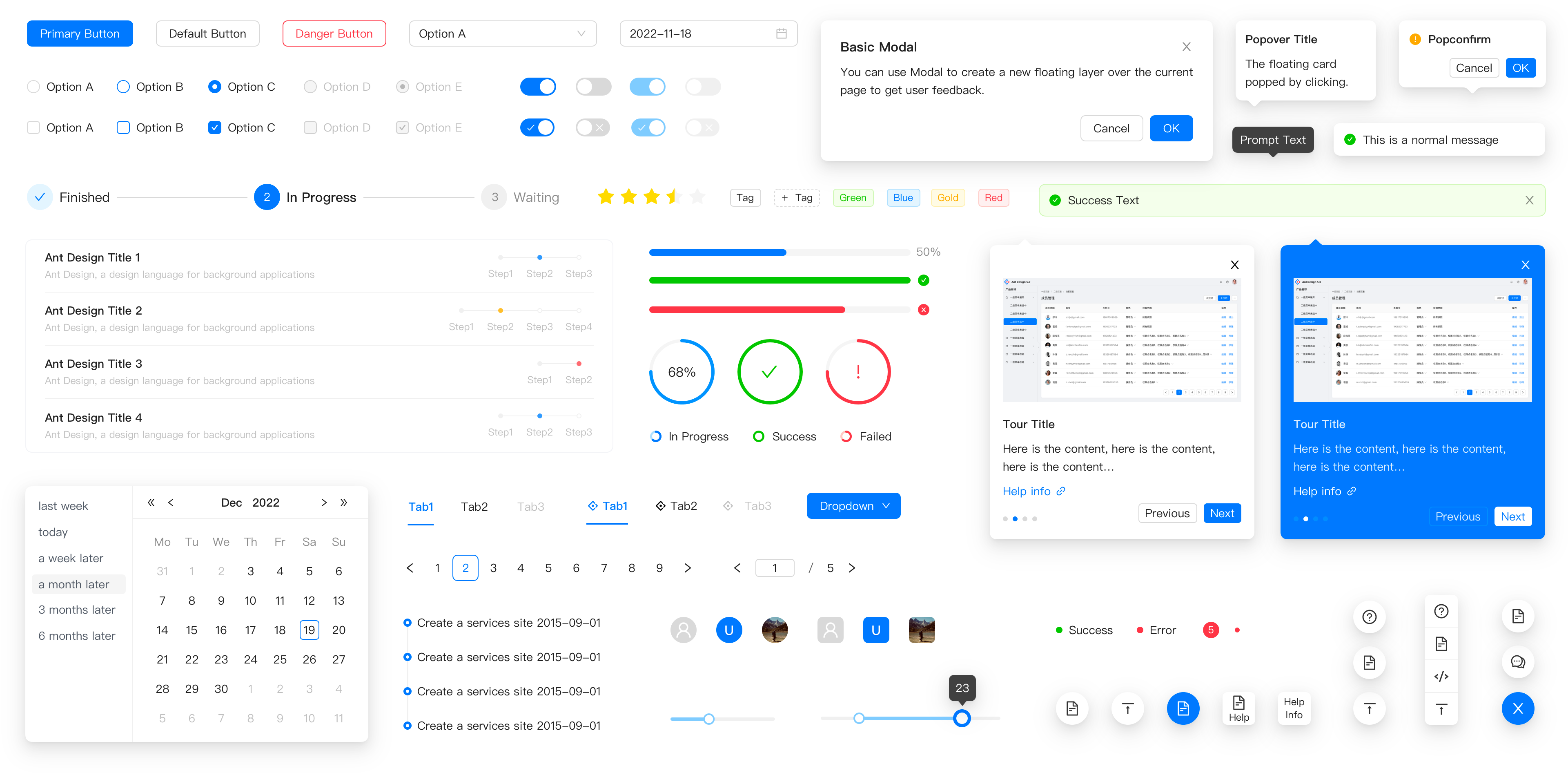
✨ Features
- 🌈 Enterprise-class UI designed for web applications.
- 📦 A set of high-quality React components out of the box.
- 🛡 Written in TypeScript with predictable static types.
- ⚙️ Whole package of design resources and development tools.
- 🌍 Internationalization support for dozens of languages.
- 🎨 Powerful theme customization based on CSS-in-JS.
🖥 Environment Support
- Modern browsers
- Server-side Rendering
- Electron
 Edge |  Firefox |  Chrome |  Safari |  Electron |
|---|---|---|---|---|
| Edge | last 2 versions | last 2 versions | last 2 versions | last 2 versions |
📦 Install
npm install antd
yarn add antd
pnpm add antd
bun add antd
🔨 Usage
import { Button, DatePicker } from 'antd';

export default () => (
  <>
    <Button type="primary">PRESS ME</Button>
    <DatePicker placeholder="select date" />
  </>
);
🔗 Links
- Home page
- Components Overview
- Sponsor
- Change Log
- rc-components
- 🆕 Ant Design X
- Ant Design Pro
- Pro Components
- Ant Design Mobile
- Ant Design Mini
- Ant Design Charts
- Ant Design Web3
- Landing Pages
- Ant Motion
- Scaffold Market
- Developer Instruction
- Versioning Release Note
- FAQ
- Online Playground for bug reports
- Customize Theme
- How to Apply for Being A Collaborator
⌨️ Development
Use opensumi.run, a free online pure front-end dev environment.

Or clone locally:
$ git clone git@github.com:ant-design/ant-design.git
$ cd ant-design
$ npm install
$ npm start
Open your browser and visit http://127.0.0.1:8001, see more at Development.
🤝 Contributing 
|

|

|
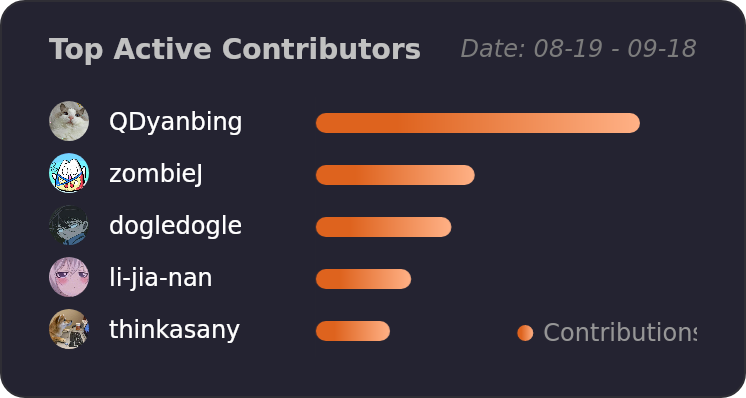
Let's build a better antd together.
We warmly invite contributions from everyone. Before you get started, please take a moment to review our Contribution Guide. Feel free to share your ideas through Pull Requests or GitHub Issues. If you're interested in enhancing our codebase, explore the Development Instructions and enjoy your coding journey! :)
For collaborators, adhere to our Pull Request Principle and utilize our Pull Request Template when creating a Pull Request.
Issue funding
We use Issuehunt to up-vote and promote specific features that you would like to see and implement. Check our backlog and help us:

❤️ Backers