Customization
- draft-js:
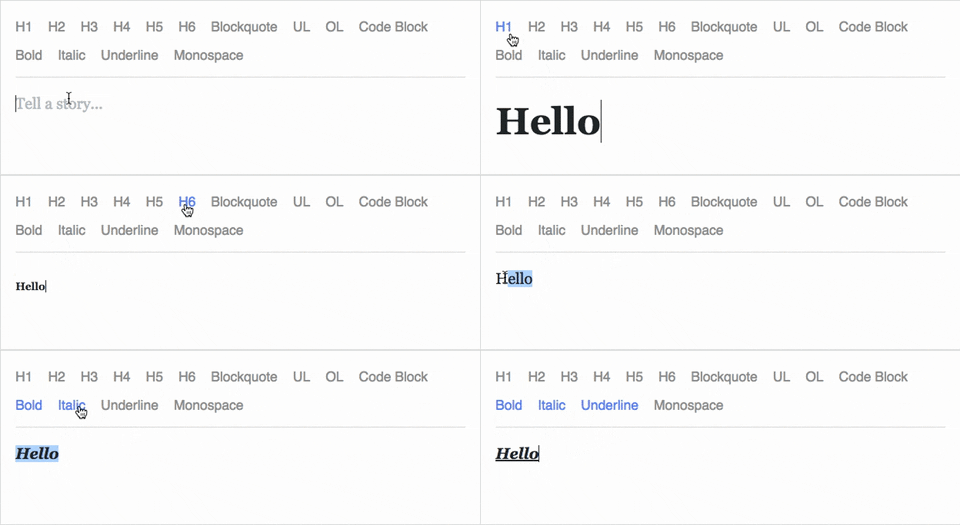
Draft.js provides a high level of customization, allowing developers to create custom blocks, inline styles, and entities. It is built with React, making it easy to integrate and extend within React applications. However, it requires a good understanding of its architecture to fully leverage its capabilities.
- prosemirror-view:
ProseMirror is highly customizable and modular, allowing developers to build complex editors with custom schemas, nodes, and marks. It is designed for extensibility, making it suitable for projects that require advanced features and collaborative editing capabilities. However, it has a steeper learning curve compared to other editors.
- slate:
Slate is designed for deep customization, allowing developers to create fully custom editors with their own data models, rendering logic, and behaviors. It provides a flexible API for building complex editing experiences, but it requires more effort to implement compared to more opinionated editors.
- tiptap:
Tiptap is built on top of ProseMirror and offers a more user-friendly API for customization. It provides a set of pre-built extensions for common features, making it easier to customize without extensive coding. It is ideal for projects that need a balance between flexibility and ease of use.
Collaboration
- draft-js:
Draft.js does not have built-in support for real-time collaboration, but it can be integrated with third-party libraries and services to enable collaborative editing. This requires additional development effort and infrastructure.
- prosemirror-view:
ProseMirror is designed with collaboration in mind, offering built-in support for real-time collaborative editing. It provides a robust framework for handling concurrent changes, making it ideal for applications that require multiple users to edit documents simultaneously.
- slate:
Slate does not provide native collaboration features, but it can be extended to support real-time editing through third-party libraries and custom implementations. This flexibility allows developers to build collaborative editors, but it requires additional work.
- tiptap:
Tiptap inherits ProseMirror's collaboration capabilities, making it easier to implement real-time collaborative editing. It provides a more accessible API for integrating collaboration features, making it a good choice for projects that need collaborative functionality with less complexity.
Performance
- draft-js:
Draft.js is optimized for performance, especially when dealing with large documents. Its use of immutable data structures helps minimize unnecessary re-renders, making it efficient for most editing tasks. However, performance can be impacted if not used correctly, especially with complex customizations.
- prosemirror-view:
ProseMirror is designed for high performance, even with complex document structures. Its architecture allows for efficient rendering and updates, making it suitable for applications that require fast and responsive editing experiences.
- slate:
Slate's performance depends on the implementation, as it provides a flexible framework that can be optimized based on the use case. However, its flexibility can lead to performance issues if not managed properly, especially with large documents or complex customizations.
- tiptap:
Tiptap leverages ProseMirror's performance optimizations while providing a more user-friendly interface. It is designed to be efficient and responsive, making it a good choice for applications that need a fast editing experience with minimal setup.
Ease of Use: Code Examples
- draft-js:
Simple example of
draft-jseditorimport React, { useState } from 'react'; import { Editor, EditorState } from 'draft-js'; import 'draft-js/dist/Draft.css'; function MyEditor() { const [editorState, setEditorState] = useState(() => EditorState.createEmpty()); return ( <div> <Editor editorState={editorState} onChange={setEditorState} /> </div> ); } export default MyEditor; - prosemirror-view:
Basic example of
prosemirror-viewimport { EditorState } from 'prosemirror-state'; import { EditorView } from 'prosemirror-view'; import { schema } from 'prosemirror-schema-basic'; import { exampleSetup } from 'prosemirror-example-setup'; const state = EditorState.create({ schema, plugins: exampleSetup({ schema }), }); const view = new EditorView(document.querySelector('#editor'), { state, }); - slate:
Simple example of
slateeditorimport React, { useMemo, useState } from 'react'; import { createEditor } from 'slate'; import { Slate, Editable, withReact } from 'slate-react'; function MyEditor() { const editor = useMemo(() => withReact(createEditor()), []); const [value, setValue] = useState([ { type: 'paragraph', children: [{ text: 'A line of text in a paragraph.' }] }, ]); return ( <Slate editor={editor} value={value} onChange={newValue => setValue(newValue)}> <Editable /> </Slate> ); } export default MyEditor; - tiptap:
Basic example of
tiptapeditorimport { Editor } from '@tiptap/core'; import StarterKit from '@tiptap/starter-kit'; const editor = new Editor({ element: document.querySelector('#editor'), extensions: [StarterKit], content: '<p>Hello World!</p>', });