Web アプリケーションにおける QR コード処理 — スキャンと生成の技術選定
html5-qrcode、qr-scanner、qrcode-reader は主に QR コードの読み取り(デコード)に特化したライブラリであり、qrious は QR コードの生成(エンコード)に特化しています。これらを組み合わせることで、Web アプリ上で QR コードの双方向処理を実現できます。html5-qrcode は UI 込みの complete なスキャン機能を提供し、qr-scanner は軽量でパフォーマンスに優れています。qrcode-reader は古いライブラリであり、qrious は Canvas による描画生成を担当します。
npmのダウンロードトレンド
GitHub Starsランキング
統計詳細


Web アプリケーションにおける QR コード処理 — スキャンと生成の技術選定
Web アプリで QR コードを扱う際、読み取り(スキャン)と書き出し(生成)は全く異なる技術課題です。提示された 4 つのパッケージは、この 2 つの領域にまたがっています。html5-qrcode、qr-scanner、qrcode-reader はデコード専門であり、qrious はエンコード専門です。アーキテクチャ設計においては、この役割分担を明確に理解した上で選定する必要があります。
📦 ライブラリの初期化とインポート
各ライブラリは初期化のアプローチが異なります。特に qrious は他とは目的が異なるため、インスタンス生成の意図も変わります。
html5-qrcode はクラスベースで、スキャナーインスタンスを生成します。
import { Html5QrcodeScanner } from 'html5-qrcode';

const scanner = new Html5QrcodeScanner({
  fps: 10,
  qrbox: { width: 250, height: 250 }
});
qr-scanner はビデオ要素に対して直接結びつける形式を取ります。
import QrScanner from 'qr-scanner';

const video = document.getElementById('video');
const scanner = new QrScanner(video, (result) => {
  console.log(result);
});
qrcode-reader は古い形式のコンストラクタを使用します。
import QrcodeReader from 'qrcode-reader';

const reader = new QrcodeReader();
reader.callback = (err, value) => {
  if (err) console.error(err);
  else console.log(value);
};
qrious は描画用のインスタンスを生成します。
import QRious from 'qrious';

const qr = new QRious({
  element: document.getElementById('qr-canvas'),
  value: 'https://example.com'
});
📷 カメラアクセスと処理性能
スキャンライブラリにおいて、カメラ制御と処理速度は UX に直結します。qrcode-reader は現代のカメラ API への対応が弱く、html5-qrcode と qr-scanner が主流です。
html5-qrcode は内部でカメラストリームを管理し、設定でフレームレートを制御できます。
// html5-qrcode: 設定で FPS を制御
const config = { fps: 10, qrbox: { width: 250, height: 250 } };
scanner.start({ facingMode: 'environment' }, config);
qr-scanner は Web Worker を使用し、メインスレッドをブロックせずに処理を行います。
// qr-scanner: Worker を利用した非同期処理
const scanner = new QrScanner(
  video,
  (result) => console.log(result),
  { returnDetailedScanResult: true }
);
scanner.start();
qrcode-reader は画像データを手動で渡す必要があり、カメラストリームとの連携は自前実装が必要です。
// qrcode-reader: 画像データを手动で渡す
reader.decode(imageData);
// カメラストリーム連携はライブラリ外で実装が必要
qrious はカメラアクセス機能を持ちません。生成専用ライブラリのため、この機能は存在しません。
// qrious: カメラアクセスはサポート外
// 生成ライブラリのため、カメラ制御のコードは存在しません
⚙️ 処理結果の扱いとコールバック
検出されたデータの扱い方も、ライブラリの設計思想を反映しています。
html5-qrcode は成功・失敗それぞれのコールバックを明確に定義します。
// html5-qrcode: 成功と失敗のコールバック
scanner.start(
  { facingMode: 'environment' },
  (decodedText) => { /* 成功時 */ },
  (errorMessage) => { /* 失敗時 */ }
);
qr-scanner は Promise ベースまたはコールバックで結果を返します。
// qr-scanner: Promise またはコールバック
QrScanner.scanImage(fileInput.files[0])
  .then(result => console.log(result))
  .catch(err => console.error(err));
qrcode-reader はコールバック関数に結果とエラーを渡す古いパターンです。
// qrcode-reader: コールバック関数で結果を受け取る
reader.callback = (err, value) => {
  if (err) console.error(err);
  else console.log(value.result);
};
qrious は結果を画像として描画するため、コールバックではなくプロパティ設定で完結します。
// qrious: プロパティ設定で描画
qr.set({ value: 'new data' });
// 描画完了後のフックは標準では提供されていません
🎨 QR コードの生成機能
この比較において、生成機能を提供するのは qrious だけです。他のライブラリは読み取り専用です。
html5-qrcode は生成機能を提供しません。生成が必要な場合は別ライブラリとの併用が必要です。
// html5-qrcode: 生成機能は提供しません
// 生成には qrious や他のライブラリを別途インストールする必要があります
qr-scanner も同様に読み取り専用です。
// qr-scanner: 生成機能は提供しません
// デコードに特化しているため、エンコード機能はありません
qrcode-reader も読み取り専用であり、生成はできません。
// qrcode-reader: 生成機能は提供しません
// 古いライブラリであり、生成機能は実装されていません
qrious は Canvas 要素に対して QR コードを描画します。
// qrious: Canvas への描画
const qr = new QRious({
  element: document.getElementById('canvas'),
  value: 'https://example.com',
  size: 200
});
⚠️ メンテナンス状況と将来性
ライブラリの選定において、メンテナンス状況はセキュリティと長期運用に直結します。
html5-qrcode は活発にメンテナンスされており、issue 対応も迅速です。
// html5-qrcode:  actively maintained
// 最新のブラウザ機能に対応し続けています
qr-scanner も Nimiq によって管理され、信頼性が高いです。
// qr-scanner:  actively maintained
// パフォーマンス改善のアップデートが定期的に提供されています
qrcode-reader はメンテナンスが停滞しており、非推奨とみなすべきです。
// qrcode-reader:  deprecated / legacy
// 新規プロジェクトでの使用は避け、代替ライブラリへ移行してください
qrious は生成用途として安定しており、継続して利用可能です。
// qrious:  stable
// 生成専用ライブラリとして標準的に利用されています
📊 比較サマリー
| 機能 | html5-qrcode | qr-scanner | qrcode-reader | qrious |
|---|---|---|---|---|
| 主な用途 | スキャン | スキャン | スキャン | 生成 |
| UI 提供 | あり | なし | なし | なし |
| Web Worker | 対応 | 対応 | 非対応 | 非対応 |
| メンテナンス | 活発 | 活発 | 停滞 | 安定 |
| 推奨度 | ⭐⭐⭐⭐ | ⭐⭐⭐⭐ | ❌ | ⭐⭐⭐⭐ |
💡 結論と推奨構成
現代の Web アプリケーションでは、html5-qrcode または qr-scanner をスキャン用に選定し、生成用に qrious を組み合わせるのが標準的です。
html5-qrcode は、カメラ権限の取得から UI 表示までをワンセットで提供するため、実装時間を短縮したい場合に最適です。一方、qr-scanner は UI を自由に設計したい場合や、パフォーマンスを極限まで高めたい場合に適しています。
qrcode-reader は技術的負債となるリスクが高いため、新規採用は避けてください。既存システムに導入されている場合は、移行計画を立てるべきです。
qrious は生成機能において事実上の標準であり、他のライブラリで代用するメリットはほとんどありません。
最終的には、**「スキャンには html5-qrcode か qr-scanner」「生成には qrious」**という役割分担でアーキテクチャを構築することを強く推奨します。
選び方: html5-qrcode vs qr-scanner vs qrcode-reader vs qrious
- html5-qrcode:
カメラアクセスから UI 表示までを一通り任せたい場合に最適です。設定項目が多く、初心者でも実装しやすい構成になっています。ただし、カスタマイズ性よりも手軽さを優先したいプロジェクト向きです。
- qr-scanner:
パフォーマンスと軽量さを重視する場合に選定します。Web Worker を利用した非同期処理に対応しており、カスタム UI を構築する際に向いています。現代のフロントエンドアーキテクチャとの親和性が高いです。
- qrcode-reader:
既存のレガシーシステムの保守以外では使用を避けるべきです。メンテナンスが停滞しており、現代のブラウザ環境やセキュリティ基準に適合しない可能性があります。新規プロジェクトでは他のライブラリを検討してください。
- qrious:
クライアントサイドで QR コード画像を生成する必要がある場合に唯一の選択肢です。Canvas 要素に対して描画を行うため、スタイリングやダウンロード機能との連携が容易です。スキャン機能はないため、読み取りには他ライブラリが必要です。
人気の比較
html5-qrcode のREADME
Html5-QRCode
Lightweight & cross platform QR Code and Bar code scanning library for the web
Use this lightweight library to easily / quickly integrate QR code, bar code, and other common code scanning capabilities to your web application.
Key highlights
-
🔲 Support scanning different types of bar codes and QR codes.
-
🖥 Supports different platforms be it Android, IOS, MacOs, Windows or Linux
-
🌐 Supports different browsers like Chrome, Firefox, Safari, Edge, Opera ...
-
📷 Supports scanning with camera as well as local files
-
➡️ Comes with an end to end library with UI as well as a low level library to build your own UI with.
-
🔦 Supports customisations like flash/torch support, zooming etc.
Supports two kinds of APIs
-
Html5QrcodeScanner— End-to-end scanner with UI, integrate with less than ten lines of code. -
Html5Qrcode— Powerful set of APIs you can use to build your UI without worrying about camera setup, handling permissions, reading codes, etc.
Support for scanning local files on the device is a new addition and helpful for the web browser which does not support inline web-camera access in smartphones. Note: This doesn't upload files to any server — everything is done locally.








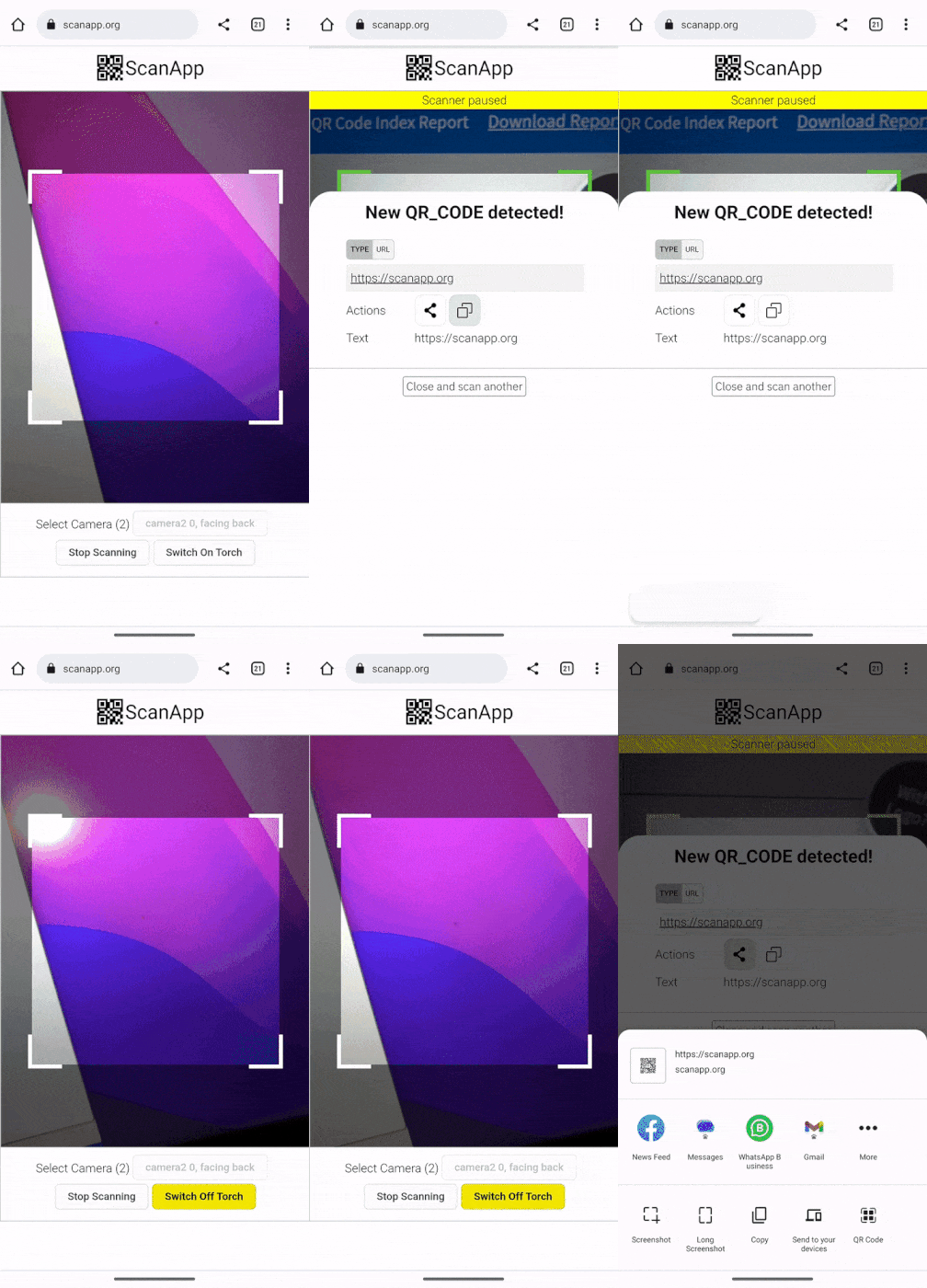 | 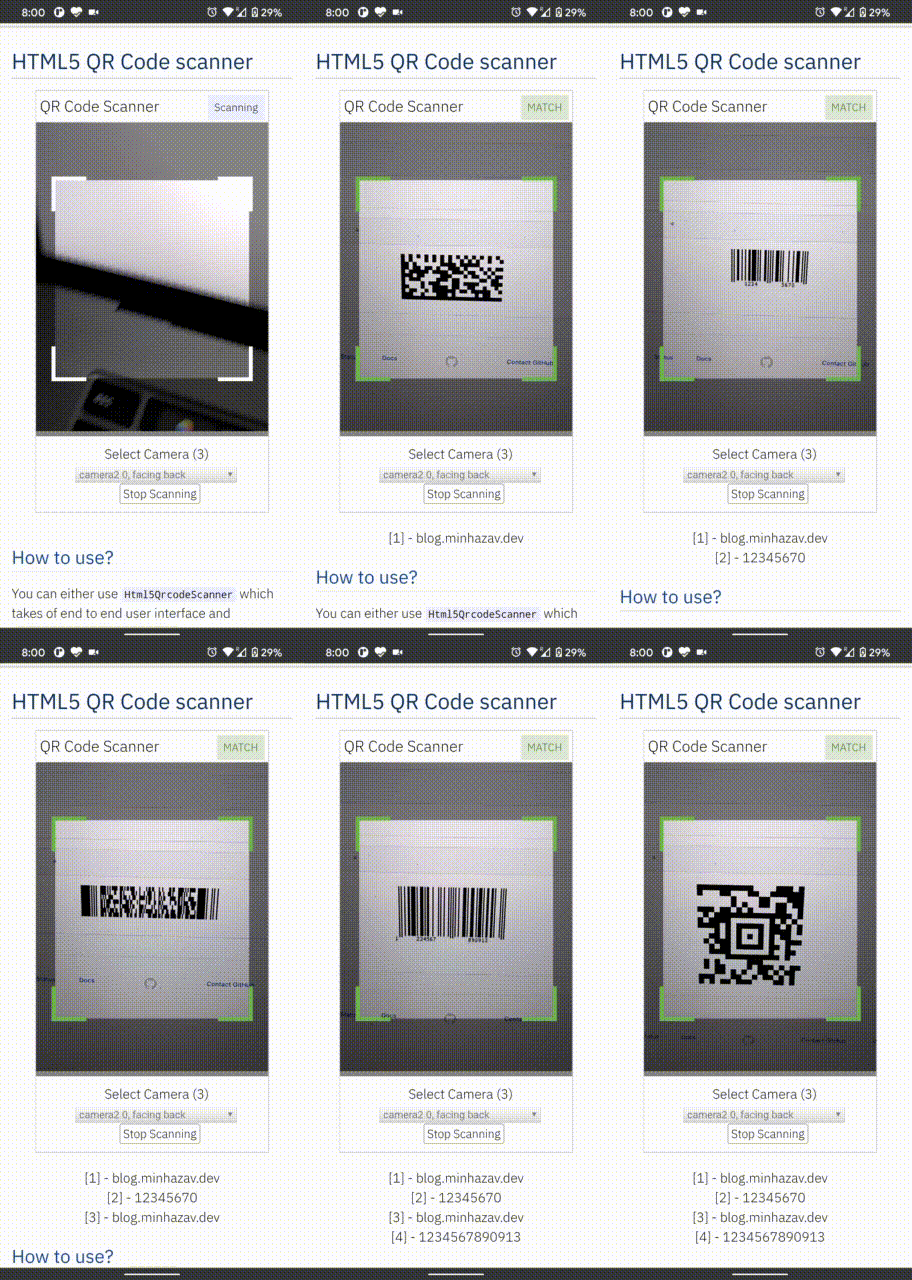 |
|---|---|
| Demo at scanapp.org | Demo at qrcode.minhazav.dev - Scanning different types of codes |
We need your help!
 Help incentivise feature development, bug fixing by supporting the sponsorhip goals of this project. See list of sponsered feature requests here.

Documentation
The documentation for this project has been moved to scanapp.org/html5-qrcode-docs.
Supported platforms
We are working continuously on adding support for more and more platforms. If you find a platform or a browser where the library is not working, please feel free to file an issue. Check the demo link to test it out.
Legends
 Means full support — inline webcam and file based
 Means partial support — only file based, webcam in progress
PC / Mac
 Firefox |  Chrome |  Safari |  Opera |  Edge |
|---|---|---|---|---|
| | | | |
Android
Chrome | Firefox | Edge | Opera |  Opera Mini |  UC |
|---|---|---|---|---|---|
| | | | | |
IOS
Safari | Chrome | Firefox | Edge |
|---|---|---|---|
| * | * | |
* Supported for IOS versions >= 15.1
Before version 15.1, Webkit for IOS is used by Chrome, Firefox, and other browsers in IOS and they do not have webcam permissions yet. There is an ongoing issue on fixing the support for iOS - issue/14
Framework support
The library can be easily used with several other frameworks, I have been adding examples for a few of them and would continue to add more.
 |  |  |  |  |
|---|---|---|---|---|
| Html5 | VueJs | ElectronJs | React | Lit |
Supported Code formats
Code scanning is dependent on Zxing-js library. We will be working on top of it to add support for more types of code scanning. If you feel a certain type of code would be helpful to have, please file a feature request.
| Code | Example |
|---|---|
| QR Code | 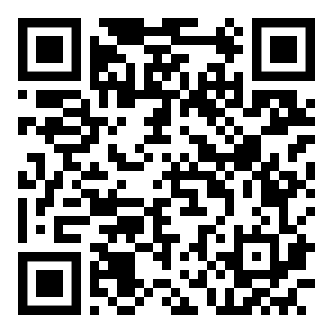 |
| AZTEC | 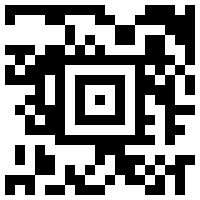 |
| CODE_39 | 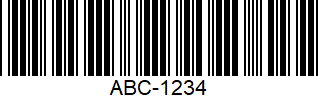 |
| CODE_93 | 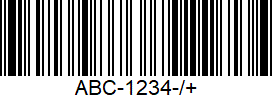 |
| CODE_128 | 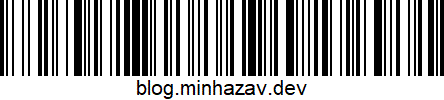 |
| ITF | 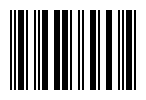 |
| EAN_13 | 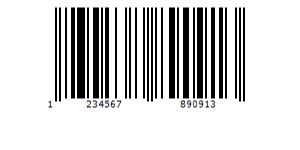 |
| EAN_8 | 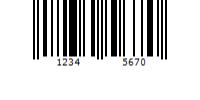 |
| PDF_417 | 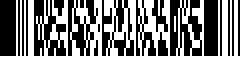 |
| UPC_A | 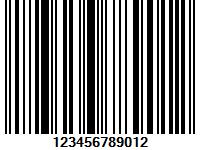 |
| UPC_E | 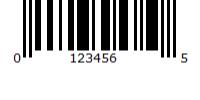 |
| DATA_MATRIX | 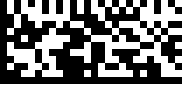 |
| MAXICODE* |  |
| RSS_14* | 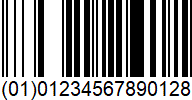 |
| RSS_EXPANDED* | 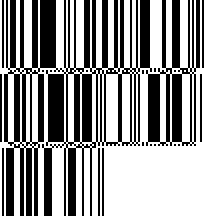 |
*Formats are not supported by our experimental integration with native BarcodeDetector API integration (Read more).
Description - View Demo
See an end to end scanner experience at scanapp.org.
This is a cross-platform JavaScript library to integrate QR code, bar codes & a few other types of code scanning capabilities to your applications running on HTML5 compatible browser.
Supports:
- Querying camera on the device (with user permissions)
- Rendering live camera feed, with easy to use user interface for scanning
- Supports scanning a different kind of QR codes, bar codes and other formats
- Supports selecting image files from the device for scanning codes
How to use
Find detailed guidelines on how to use this library on scanapp.org/html5-qrcode-docs.
Demo
Scan this image or visit blog.minhazav.dev/research/html5-qrcode.html
For more information
Check these articles on how to use this library:
- QR and barcode scanner using HTML and JavaScript
- HTML5 QR Code scanning — launched v1.0.1 without jQuery dependency and refactored Promise based APIs.
- HTML5 QR Code scanning with JavaScript — Support for scanning the local file and using default camera added (v1.0.5)
Screenshots
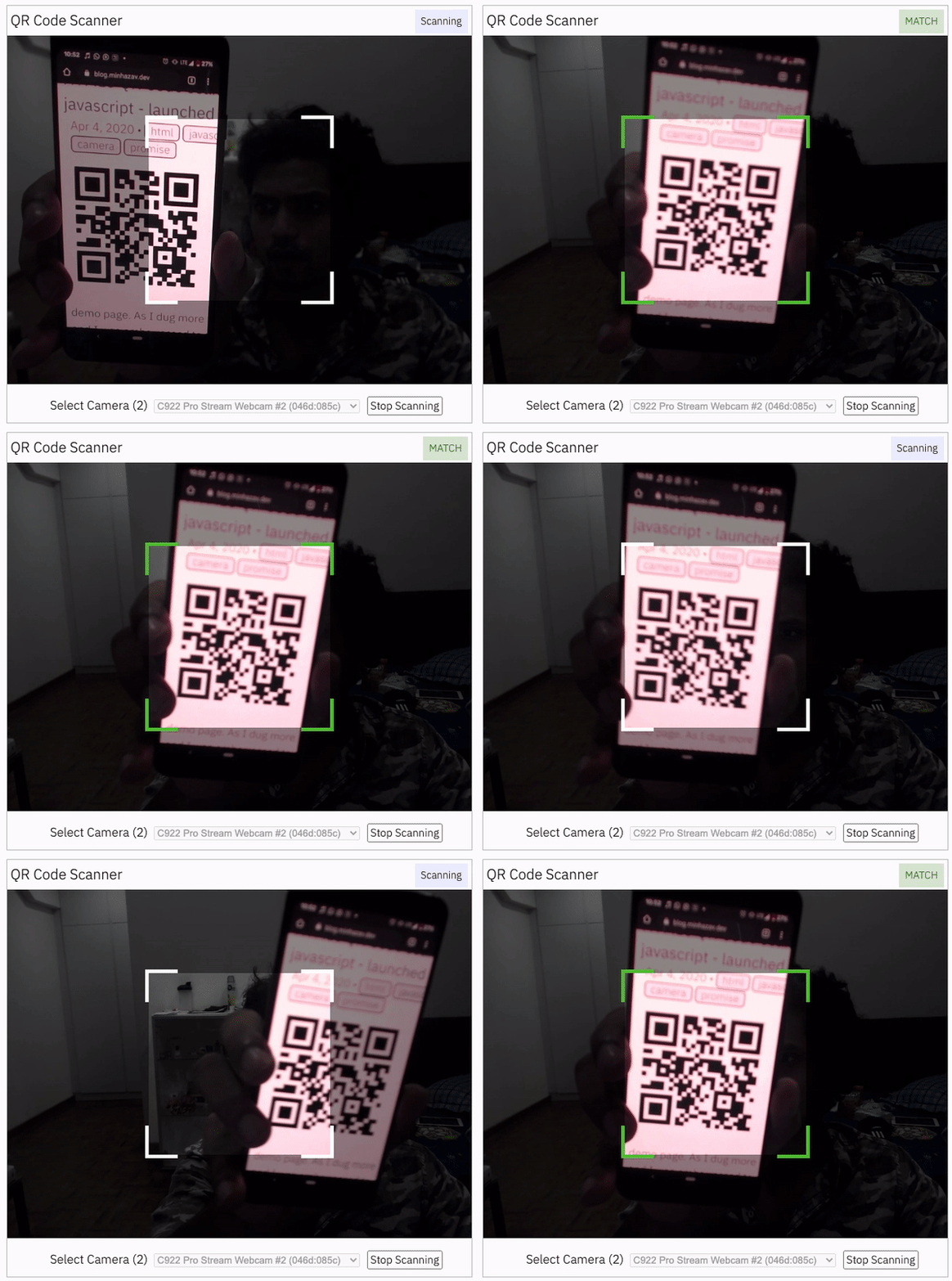
Figure: Screenshot from Google Chrome running on MacBook Pro
Documentation
Find the full API documentation at scanapp.org/html5-qrcode-docs/docs/apis.
Extra optional configuration in start() method
Configuration object that can be used to configure both the scanning behavior and the user interface (UI). Most of the fields have default properties that will be used unless a different value is provided. If you do not want to override anything, you can just pass in an empty object {}.
fps — Integer, Example = 10
A.K.A frame per second, the default value for this is 2, but it can be increased to get faster scanning. Increasing too high value could affect performance. Value >1000 will simply fail.
qrbox — QrDimensions or QrDimensionFunction (Optional), Example = { width: 250, height: 250 }
Use this property to limit the region of the viewfinder you want to use for scanning. The rest of the viewfinder would be shaded. For example, by passing config { qrbox : { width: 250, height: 250 } }, the screen will look like:
This can be used to set a rectangular scanning area with config like:
let config = { qrbox : { width: 400, height: 150 } }
This config also accepts a function of type
/**
  * A function that takes in the width and height of the video stream
* and returns QrDimensions.
*
* Viewfinder refers to the video showing camera stream.
*/
type QrDimensionFunction =
    (viewfinderWidth: number, viewfinderHeight: number) => QrDimensions;
This allows you to set dynamic QR box dimensions based on the video dimensions. See this blog article for example: Setting dynamic QR box size in Html5-qrcode - ScanApp blog
This might be desirable for bar code scanning.
If this value is not set, no shaded QR box will be rendered and the scanner will scan the entire area of video stream.
aspectRatio — Float, Example 1.777778 for 16:9 aspect ratio
Use this property to render the video feed in a certain aspect ratio. Passing a nonstandard aspect ratio like 100000:1 could lead to the video feed not even showing up. Ideal values can be:
| Value | Aspect Ratio | Use Case |
|---|---|---|
| 1.333334 | 4:3 | Standard camera aspect ratio |
| 1.777778 | 16:9 | Full screen, cinematic |
| 1.0 | 1:1 | Square view |
If you do not pass any value, the whole viewfinder would be used for scanning.
Note: this value has to be smaller than the width and height of the QR code HTML element.
disableFlip — Boolean (Optional), default = false
By default, the scanner can scan for horizontally flipped QR Codes. This also enables scanning QR code using the front camera on mobile devices which are sometimes mirrored. This is false by default and I recommend changing this only if:
- You are sure that the camera feed cannot be mirrored (Horizontally flipped)
- You are facing performance issues with this enabled.
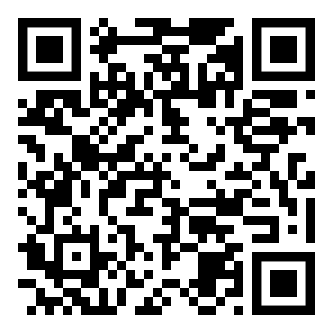
Here's an example of a normal and mirrored QR Code
| Normal QR Code | Mirrored QR Code |
|---|---|
|  |
rememberLastUsedCamera — Boolean (Optional), default = true
If true the last camera used by the user and weather or not permission was granted would be remembered in the local storage. If the user has previously granted permissions — the request permission option in the UI will be skipped and the last selected camera would be launched automatically for scanning.
If true the library shall remember if the camera permissions were previously
granted and what camera was last used. If the permissions is already granted for
"camera", QR code scanning will automatically * start for previously used camera.
supportedScanTypes - Array<Html5QrcodeScanType> | []
This is only supported for
Html5QrcodeScanner.
Default = [Html5QrcodeScanType.SCAN_TYPE_CAMERA, Html5QrcodeScanType.SCAN_TYPE_FILE]
This field can be used to:
- Limit support to either of
CameraorFilebased scan. - Change default scan type.
How to use:
function onScanSuccess(decodedText, decodedResult) {
  // handle the scanned code as you like, for example:
  console.log(`Code matched = ${decodedText}`, decodedResult);
}

let config = {
  fps: 10,
  qrbox: {width: 100, height: 100},
  rememberLastUsedCamera: true,
  // Only support camera scan type.
  supportedScanTypes: [Html5QrcodeScanType.SCAN_TYPE_CAMERA]
};

let html5QrcodeScanner = new Html5QrcodeScanner(
  "reader", config, /* verbose= */ false);
html5QrcodeScanner.render(onScanSuccess);
For file based scan only choose:
supportedScanTypes: [Html5QrcodeScanType.SCAN_TYPE_FILE]
For supporting both as it is today, you can ignore this field or set as:
supportedScanTypes: [
  Html5QrcodeScanType.SCAN_TYPE_CAMERA,
  Html5QrcodeScanType.SCAN_TYPE_FILE]
To set the file based scan as defult change the order:
supportedScanTypes: [
  Html5QrcodeScanType.SCAN_TYPE_FILE,
  Html5QrcodeScanType.SCAN_TYPE_CAMERA]
showTorchButtonIfSupported - boolean | undefined
This is only supported for
Html5QrcodeScanner.
If true the rendered UI will have button to turn flash on or off based on device + browser support. The value is false by default.
Scanning only specific formats
By default, both camera stream and image files are scanned against all the
supported code formats. Both Html5QrcodeScanner and Html5Qrcode classes can
be configured to only support a subset of supported formats. Supported formats
are defined in
enum Html5QrcodeSupportedFormats.
enum Html5QrcodeSupportedFormats {
  QR_CODE = 0,
  AZTEC,
  CODABAR,
  CODE_39,
  CODE_93,
  CODE_128,
  DATA_MATRIX,
  MAXICODE,
  ITF,
  EAN_13,
  EAN_8,
  PDF_417,
  RSS_14,
  RSS_EXPANDED,
  UPC_A,
  UPC_E,
  UPC_EAN_EXTENSION,
}
I recommend using this only if you need to explicitly omit support for certain formats or want to reduce the number of scans done per second for performance reasons.
Scanning only QR code with Html5Qrcode
const html5QrCode = new Html5Qrcode(
  "reader", { formatsToSupport: [ Html5QrcodeSupportedFormats.QR_CODE ] });
const qrCodeSuccessCallback = (decodedText, decodedResult) => {
    /* handle success */
};
const config = { fps: 10, qrbox: { width: 250, height: 250 } };

// If you want to prefer front camera
html5QrCode.start({ facingMode: "user" }, config, qrCodeSuccessCallback);
Scanning only QR code and UPC codes with Html5QrcodeScanner
function onScanSuccess(decodedText, decodedResult) {
  // Handle the scanned code as you like, for example:
  console.log(`Code matched = ${decodedText}`, decodedResult);
}

const formatsToSupport = [
  Html5QrcodeSupportedFormats.QR_CODE,
  Html5QrcodeSupportedFormats.UPC_A,
  Html5QrcodeSupportedFormats.UPC_E,
  Html5QrcodeSupportedFormats.UPC_EAN_EXTENSION,
];
const html5QrcodeScanner = new Html5QrcodeScanner(
  "reader",
  {
    fps: 10,
    qrbox: { width: 250, height: 250 },
    formatsToSupport: formatsToSupport
  },
  /* verbose= */ false);
html5QrcodeScanner.render(onScanSuccess);
Experimental features
The library now supports some experimental features which are supported in the library but not recommended for production usage either due to limited testing done or limited compatibility for underlying APIs used. Read more about it here. Some experimental features include:
How to modify and build
-
Code changes should only be made to /src only.
-
Run
npm installto install all dependencies. -
Run
npm run-script buildto build JavaScript output. The output JavaScript distribution is built to /dist/html5-qrcode.min.js. If you are developing on Windows OS, runnpm run-script build-windows. -
Testing
- Run
npm test - Run the tests before sending a pull request, all tests should run.
- Please add tests for new behaviors sent in PR.
- Run
-
Send a pull request
- Include code changes only to
./src. Do not change./distmanually. - In the pull request add a comment like
@all-contributors please add @mebjas for this new feature or tests- For calling out your contributions, the bot will update the contributions file.
- Code will be built & published by the author in batches.
- Include code changes only to
How to contribute
You can contribute to the project in several ways:
- File issue ticket for any observed bug or compatibility issue with the project.
- File feature request for missing features.
- Take open bugs or feature request and work on it and send a Pull Request.
- Write unit tests for existing codebase (which is not covered by tests today). Help wanted on this - read more.
Support 💖
This project would not be possible without all of our fantastic contributors and sponsors. If you'd like to support the maintenance and upkeep of this project you can donate via GitHub Sponsors.
Sponsor the project for priortising feature requests / bugs relevant to you. (Depends on scope of ask and bandwidth of the contributors).



Help incentivise feature development, bug fixing by supporting the sponsorhip goals of this project. See list of sponsered feature requests here.
Also, huge thanks to following organizations for non monitery sponsorships


Credits
The decoder used for the QR code reading is from Zxing-js https://github.com/zxing-js/library