Web アプリケーションにおける QR コードの生成と読み込みライブラリの選定
html5-qrcode、jsqr、qr-code-styling、qr-scanner、qrcode-reader、qrious は、Web ブラウザ上で QR コードを扱ための主要な JavaScript ライブラリです。これらは大きく分けて「QR コードの読み込み(デコード)」と「QR コードの生成(エンコード)」の 2 つの用途に分類されます。html5-qrcode と qr-scanner はカメラを使用した読み込みに特化しており、qr-code-styling と qrious はデザイン性の高い生成を目的としています。jsqr と qrcode-reader はより低レベルなデコード処理を提供しますが、メンテナンス状況に違いがあります。本比較では、それぞれの技術的特徴、API の使い勝手、そしてプロジェクトへの適用基準を深く掘り下げます。
npmのダウンロードトレンド
GitHub Starsランキング
統計詳細


QR コードライブラリ徹底比較:生成と読み込みのアーキテクチャ選定
Web アプリケーションで QR コードを扱う場合、「読み込み(スキャン)」と「生成(作成)」という 2 つの明確な目的があります。html5-qrcode、jsqr、qr-scanner、qrcode-reader は読み込みに、qr-code-styling、qrious は生成にそれぞれ特化しています。これらは内部で異なるアプローチを取っており、プロジェクトの要件によって適切な選択が分かれます。ここでは、実開発の視点から技術的な違いを比較します。
📷 カメラアクセスと読み込みフロー
QR コードを読み込む際、ブラウザのカメラ API (getUserMedia) をどう扱うかが最初の分岐点です。
html5-qrcode は、カメラの初期化からストリームの管理までをライブラリ内部でラップしています。UI も用意されているため、最小限のコードでスキャン画面が作れます。
// html5-qrcode: 内蔵 UI とカメラ管理
const html5QrCode = new Html5Qrcode("reader");
const config = { fps: 10, qrbox: { width: 250, height: 250 } };

html5QrCode.start(
  { facingMode: "environment" },
  config,
  (decodedText) => { console.log(decodedText); }
);
qr-scanner は、ビデオ要素のストリーミング処理を高速化することに焦点を当てています。カメラの開始自体は開発者が管理し、ライブラリはフレームのデコードに集中します。
// qr-scanner: 外部でカメラ管理し、デコードのみ委托
const video = document.getElementById('video');
const stream = await navigator.mediaDevices.getUserMedia({ video: { facingMode: 'environment' } });
video.srcObject = stream;

const result = await QrScanner.scanImage(video);
console.log(result);
jsqr はカメラアクセス機能を持ちません。画像データ(Canvas や ImageData)を渡してデコード結果を得る純粋な関数です。カメラ制御は完全に開発者の責任です。
// jsqr: 画像データのみを処理
const code = jsQR(imageData.data, imageData.width, imageData.height);
if (code) {
  console.log("Found QR code", code.data);
}
qrcode-reader も同様に、カメラ制御は行わず、画像データのデコードのみを行います。ただし、API が古く、Promise ベースではなくコールバックベースの設計です。
// qrcode-reader: コールバックベースのデコード
const qrcode = new QrCode();
qrcode.callback = (err, value) => {
  if (err) throw err;
  console.log(value.data);
};
qrcode.decode(imageData);
🎨 QR コード生成とデザインカスタマイズ
生成ライブラリにおいて、視覚的なカスタマイズ性(ロゴ、色、形状)は重要な選定基準です。
qr-code-styling は、QR コードのドット形状、ロゴの埋め込み、背景色など、細かな視覚設定をオブジェクトで定義できます。Canvas と SVG の両方を出力可能です。
// qr-code-styling: 高度なスタイリング
const qrCode = new QRCodeStyling({
  width: 300,
  height: 300,
  data: "https://example.com",
  dotsOptions: { color: "#4267b2", type: "rounded" },
  image: "logo.png"
});
qrCode.append(document.getElementById("canvas"));
qrious は、設定項目が絞られており、シンプルに QR コード画像を生成することに特化しています。複雑な装飾よりも、確実な生成と軽量さを重視する場合に向いています。
// qrious: シンプルな生成
const qr = new QRious({
  element: document.getElementById('canvas'),
  value: 'https://example.com',
  size: 300,
  foreground: '#000'
});
⚡ パフォーマンスと依存関係
ライブラリの内部実装は、アプリケーションのバンドルサイズや実行速度に影響します。
html5-qrcode は、内部で jsqr を依存関係として使用しているバージョンがあります。これにより、信頼性の高いデコードエンジンを採用しつつ、使いやすさを向上させています。ただし、多機能な分、コード量は多めになります。
// html5-qrcode: 設定によるパフォーマンス調整
// fps を下げることで CPU 負荷を軽減可能
const config = { fps: 5, qrbox: { width: 250, height: 250 } };
qr-scanner は、Web Worker を使用してデコード処理をメインスレッドから分離することを強く推奨しています。これにより、UI のブロッキングを防ぎ、スクロールなどの操作性を維持できます。
// qr-scanner: Web Worker の利用
import QrScanner from 'qr-scanner';
QrScanner.WORKER_PATH = './qr-scanner-worker.min.js';
// メインスレッドをブロックせずにスキャン可能
jsqr と qrcode-reader は依存関係が少なく軽量ですが、qrcode-reader は長年更新されておらず、現代のブラウザ最適化が施されていない可能性があります。
// jsqr: 依存なしで動作
// npm install jsqr
import jsQR from 'jsqr';
⚠️ 保守性と将来性
オープンソースライブラリを選ぶ際、メンテナンス状況はセキュリティとバグ修正に直結します。
html5-qrcode: 活発にメンテナンスされており、Issue への対応も迅速です。新しいブラウザ仕様への追随も期待できます。qr-code-styling: デザイン要件が増える中で需要が高く、機能追加が続いています。qr-scanner: 軽量さを求める開発者に支持されており、定期的に更新されています。qrcode-reader: 非推奨(Deprecated) に近い状態です。新規プロジェクトでは使用を避け、jsqrやhtml5-qrcodeへの移行を検討すべきです。jsqr: 安定していますが、機能追加よりも保守メインの傾向があります。qrious: シンプルな生成需要を満たしており、安定して動作します。
🌐 実装シナリオ別の推奨
シナリオ 1: 会員証の QR コード表示
ユーザーに提示させるための QR コードを生成します。ブランドカラーやロゴが必要です。
- ✅ 推奨:
qr-code-styling - 理由: ロゴ埋め込みやドットの形状変更など、ブランディングに必要な機能が揃っています。
// qr-code-styling でのロゴ埋め込み
const qrCode = new QRCodeStyling({
  data: "https://membership.site/user/123",
  image: "./brand-logo.png",
  dotsOptions: { type: "classy" }
});
シナリオ 2: 在庫管理アプリでのスキャン
倉庫内でタブレットを使い、商品コードをスキャンします。高速性と安定性が重要です。
- ✅ 推奨:
html5-qrcodeまたはqr-scanner - 理由:
html5-qrcodeは実装が簡単で、qr-scannerは Web Worker による非同期処理で操作性が良いです。
// html5-qrcode でのスキャン開始
html5QrCode.start(
  { facingMode: "environment" },
  { fps: 10 },
  onScanSuccess
);
シナリオ 3: 画像アップロードからの読み込み
ユーザーが撮影した画像ファイルをアップロードし、サーバー側またはクライアント側で解析します。
- ✅ 推奨:
jsqr - 理由: カメラストリームが不要なため、軽量なデコードライブラリである
jsqrが適しています。
// jsqr での画像ファイル処理
const code = jsQR(imageData.data, imageData.width, imageData.height);
📊 機能比較サマリー
| 機能 | html5-qrcode | qr-scanner | jsqr | qrcode-reader | qr-code-styling | qrious |
|---|---|---|---|---|---|---|
| 主な用途 | 読み込み (UI 付き) | 読み込み (軽量) | 読み込み (ロジック) | 読み込み (旧式) | 生成 (高機能) | 生成 (シンプル) |
| カメラ制御 | 内蔵 | 手動 | なし | なし | なし | なし |
| UI コンポーネント | あり | なし | なし | なし | あり (Canvas/SVG) | あり (Canvas) |
| Web Worker 対応 | 一部 | 推奨 | なし | なし | なし | なし |
| ロゴ埋め込み | なし | なし | なし | なし | あり | なし |
| 保守状況 | 活発 | 活発 | 安定 | 停滞 | 活発 | 安定 |
💡 アーキテクトからの提言
読み込み機能が必要な場合、まずは html5-qrcode を検討してください。カメラ権限の処理や UI 実装のコストを大幅に削減でき、ほとんどのユースケースをカバーできます。もし、アプリのサイズ制約が厳しい場合や、UI を完全に自作する必要がある場合は qr-scanner が有力な代替案となります。qrcode-reader は技術的負債になるリスクが高いため、新規採用は避けるべきです。
生成機能が必要な場合、マーケティングやユーザー提示用であれば qr-code-styling 一択です。ロゴや色味の調整ができるだけで、QR コードの信頼性とブランド価値が全く異なります。単純なデータエンコードで十分であれば qrious で問題ありません。
最終的には、「カメラ制御をライブラリに任せるか(html5-qrcode)」、「デザイン性をどこまで求めるか(qr-code-styling)」という 2 点が選定の鍵となります。これらを基準にすることで、実装コストとユーザー体験のバランスが取れた選択ができるはずです。
選び方: html5-qrcode vs jsqr vs qr-code-styling vs qr-scanner vs qrcode-reader vs qrious
- html5-qrcode:
カメラを使った QR コード読み込み機能を簡単に実装したい場合に選択します。UI コンポーネントが内蔵されており、ボタンの配置や権限管理の手間が省けるため、プロトタイプや標準的な読み込み画面を素早く作りたいプロジェクトに適しています。
- jsqr:
画像データから QR コードをデコードする純粋なロジックのみが必要な場合に選択します。カメラ制御や UI を自分で実装する必要があるため、カスタマイズ性の高い独自の読み込みフローを構築する際に適していますが、メンテナンス頻度は低めです。
- qr-code-styling:
ロゴ入りやドットのカスタマイズなど、デザイン性の高い QR コードを生成したい場合に選択します。Canvas や SVG に対応しており、ブランドイメージに合わせた視覚的な調整が必要なマーケティング用途やユーザー向けチケット生成などに最適です。
- qr-scanner:
軽量で高速な QR コード読み込みライブラリを必要とする場合に選択します。
html5-qrcodeよりもバンドルサイズを小さく抑えたい場合や、UI を完全に自作して制御したい場合に適していますが、カメラ権限の管理は自身で行う必要があります。 - qrcode-reader:
レガシーシステムとの互換性を維持する必要がある場合を除き、新規プロジェクトでの使用は推奨されません。メンテナンスが停止している可能性が高く、現代的なブラウザ機能やパフォーマンス面で他のライブラリに劣ります。
- qrious:
シンプルに QR コード画像を生成したい場合に選択します。設定項目が少なく API が単純であるため、複雑なデザイン調整が不要なバックエンドでの生成や、単純な URL エンコード用途に適しています。
人気の比較
html5-qrcode のREADME
Html5-QRCode
Lightweight & cross platform QR Code and Bar code scanning library for the web
Use this lightweight library to easily / quickly integrate QR code, bar code, and other common code scanning capabilities to your web application.
Key highlights
-
🔲 Support scanning different types of bar codes and QR codes.
-
🖥 Supports different platforms be it Android, IOS, MacOs, Windows or Linux
-
🌐 Supports different browsers like Chrome, Firefox, Safari, Edge, Opera ...
-
📷 Supports scanning with camera as well as local files
-
➡️ Comes with an end to end library with UI as well as a low level library to build your own UI with.
-
🔦 Supports customisations like flash/torch support, zooming etc.
Supports two kinds of APIs
-
Html5QrcodeScanner— End-to-end scanner with UI, integrate with less than ten lines of code. -
Html5Qrcode— Powerful set of APIs you can use to build your UI without worrying about camera setup, handling permissions, reading codes, etc.
Support for scanning local files on the device is a new addition and helpful for the web browser which does not support inline web-camera access in smartphones. Note: This doesn't upload files to any server — everything is done locally.








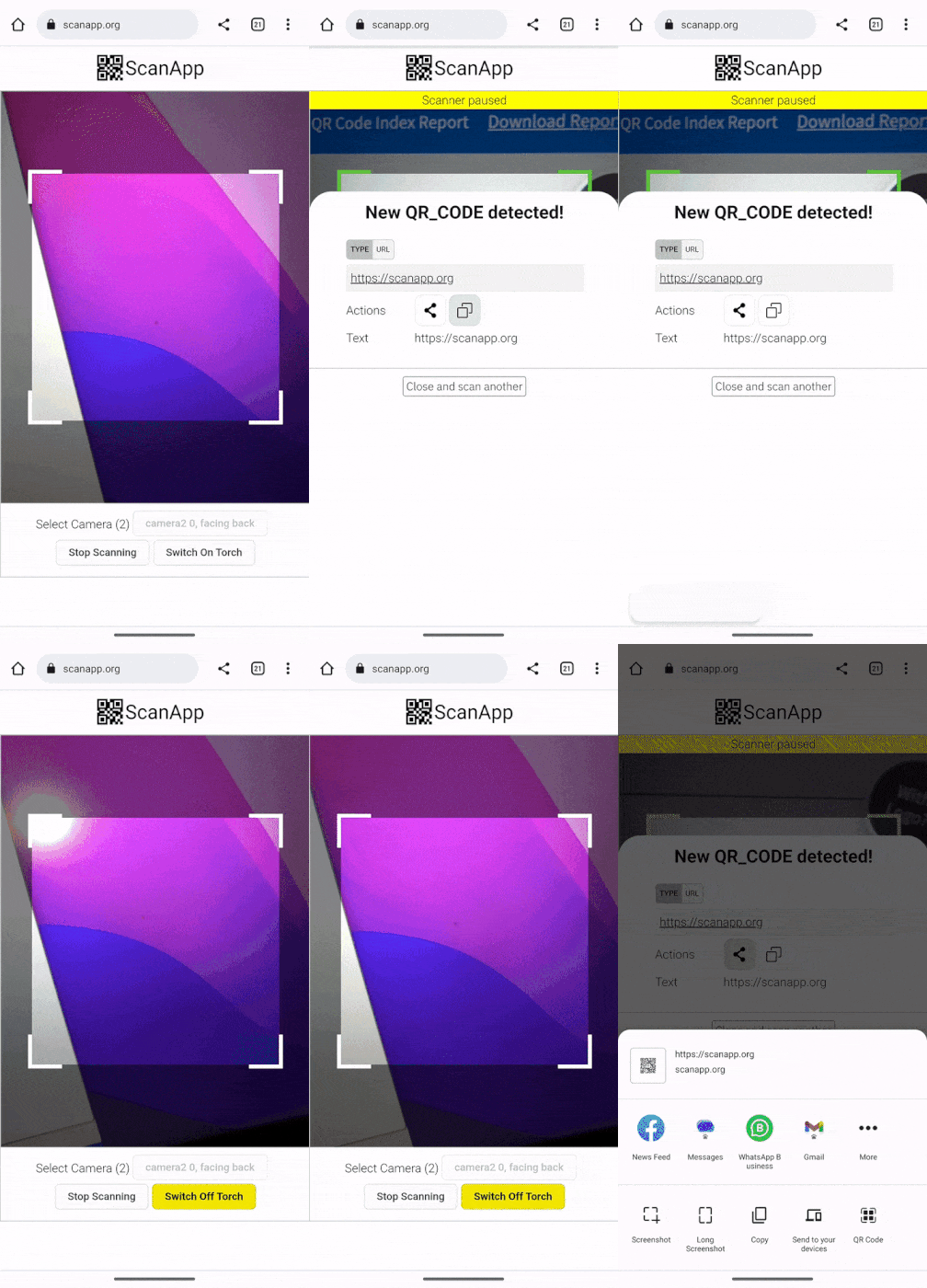 | 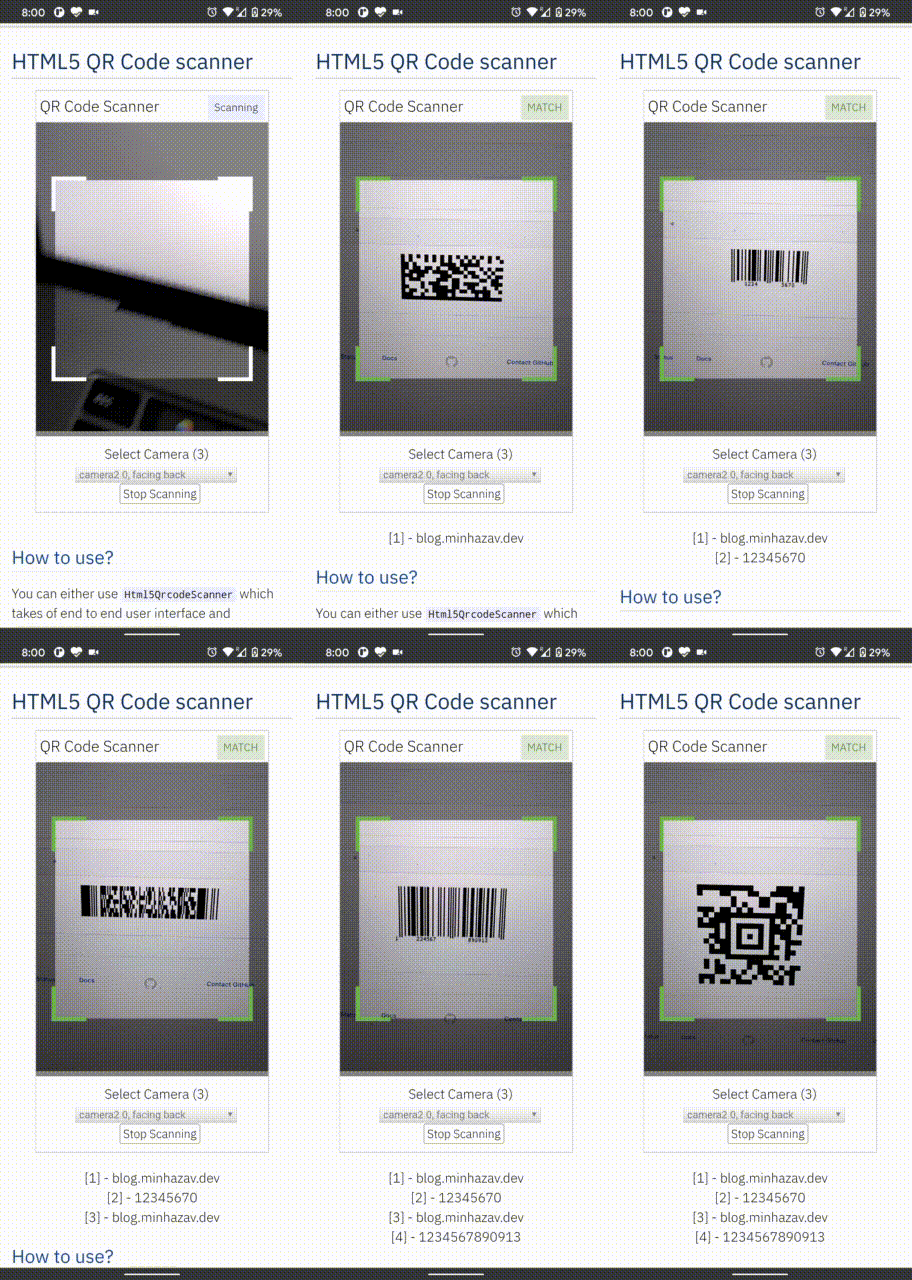 |
|---|---|
| Demo at scanapp.org | Demo at qrcode.minhazav.dev - Scanning different types of codes |
We need your help!
 Help incentivise feature development, bug fixing by supporting the sponsorhip goals of this project. See list of sponsered feature requests here.

Documentation
The documentation for this project has been moved to scanapp.org/html5-qrcode-docs.
Supported platforms
We are working continuously on adding support for more and more platforms. If you find a platform or a browser where the library is not working, please feel free to file an issue. Check the demo link to test it out.
Legends
 Means full support — inline webcam and file based
 Means partial support — only file based, webcam in progress
PC / Mac
 Firefox |  Chrome |  Safari |  Opera |  Edge |
|---|---|---|---|---|
| | | | |
Android
Chrome | Firefox | Edge | Opera |  Opera Mini |  UC |
|---|---|---|---|---|---|
| | | | | |
IOS
Safari | Chrome | Firefox | Edge |
|---|---|---|---|
| * | * | |
* Supported for IOS versions >= 15.1
Before version 15.1, Webkit for IOS is used by Chrome, Firefox, and other browsers in IOS and they do not have webcam permissions yet. There is an ongoing issue on fixing the support for iOS - issue/14
Framework support
The library can be easily used with several other frameworks, I have been adding examples for a few of them and would continue to add more.
 |  |  |  |  |
|---|---|---|---|---|
| Html5 | VueJs | ElectronJs | React | Lit |
Supported Code formats
Code scanning is dependent on Zxing-js library. We will be working on top of it to add support for more types of code scanning. If you feel a certain type of code would be helpful to have, please file a feature request.
| Code | Example |
|---|---|
| QR Code | 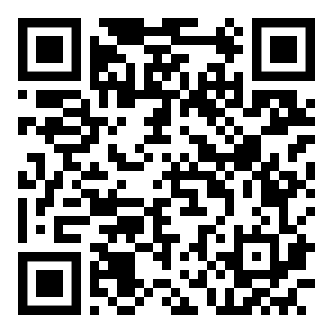 |
| AZTEC | 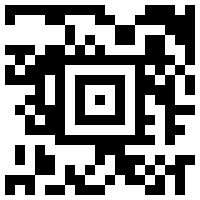 |
| CODE_39 | 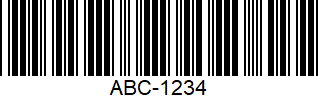 |
| CODE_93 | 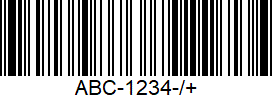 |
| CODE_128 | 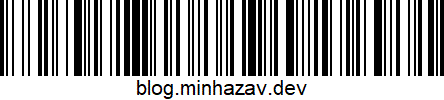 |
| ITF | 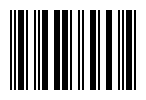 |
| EAN_13 | 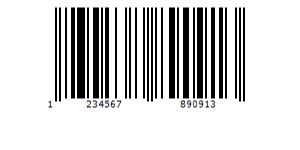 |
| EAN_8 |  |
| PDF_417 | 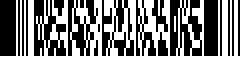 |
| UPC_A | 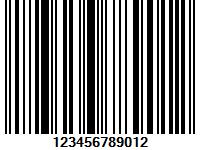 |
| UPC_E | 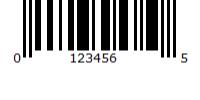 |
| DATA_MATRIX | 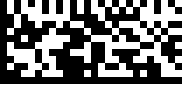 |
| MAXICODE* |  |
| RSS_14* | 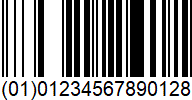 |
| RSS_EXPANDED* |  |
*Formats are not supported by our experimental integration with native BarcodeDetector API integration (Read more).
Description - View Demo
See an end to end scanner experience at scanapp.org.
This is a cross-platform JavaScript library to integrate QR code, bar codes & a few other types of code scanning capabilities to your applications running on HTML5 compatible browser.
Supports:
- Querying camera on the device (with user permissions)
- Rendering live camera feed, with easy to use user interface for scanning
- Supports scanning a different kind of QR codes, bar codes and other formats
- Supports selecting image files from the device for scanning codes
How to use
Find detailed guidelines on how to use this library on scanapp.org/html5-qrcode-docs.
Demo
Scan this image or visit blog.minhazav.dev/research/html5-qrcode.html
For more information
Check these articles on how to use this library:
- QR and barcode scanner using HTML and JavaScript
- HTML5 QR Code scanning — launched v1.0.1 without jQuery dependency and refactored Promise based APIs.
- HTML5 QR Code scanning with JavaScript — Support for scanning the local file and using default camera added (v1.0.5)
Screenshots
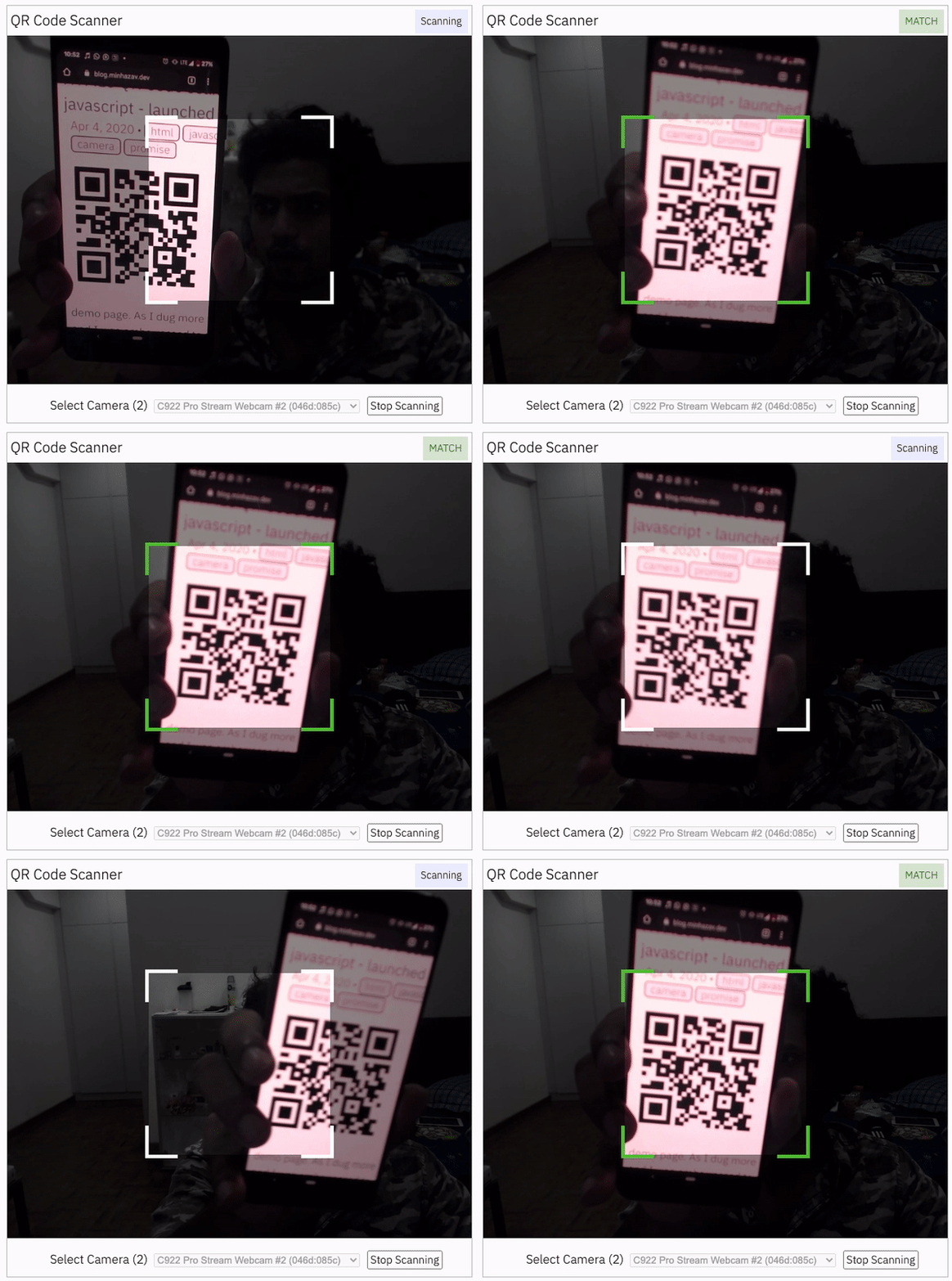
Figure: Screenshot from Google Chrome running on MacBook Pro
Documentation
Find the full API documentation at scanapp.org/html5-qrcode-docs/docs/apis.
Extra optional configuration in start() method
Configuration object that can be used to configure both the scanning behavior and the user interface (UI). Most of the fields have default properties that will be used unless a different value is provided. If you do not want to override anything, you can just pass in an empty object {}.
fps — Integer, Example = 10
A.K.A frame per second, the default value for this is 2, but it can be increased to get faster scanning. Increasing too high value could affect performance. Value >1000 will simply fail.
qrbox — QrDimensions or QrDimensionFunction (Optional), Example = { width: 250, height: 250 }
Use this property to limit the region of the viewfinder you want to use for scanning. The rest of the viewfinder would be shaded. For example, by passing config { qrbox : { width: 250, height: 250 } }, the screen will look like:
This can be used to set a rectangular scanning area with config like:
let config = { qrbox : { width: 400, height: 150 } }
This config also accepts a function of type
/**
  * A function that takes in the width and height of the video stream
* and returns QrDimensions.
*
* Viewfinder refers to the video showing camera stream.
*/
type QrDimensionFunction =
    (viewfinderWidth: number, viewfinderHeight: number) => QrDimensions;
This allows you to set dynamic QR box dimensions based on the video dimensions. See this blog article for example: Setting dynamic QR box size in Html5-qrcode - ScanApp blog
This might be desirable for bar code scanning.
If this value is not set, no shaded QR box will be rendered and the scanner will scan the entire area of video stream.
aspectRatio — Float, Example 1.777778 for 16:9 aspect ratio
Use this property to render the video feed in a certain aspect ratio. Passing a nonstandard aspect ratio like 100000:1 could lead to the video feed not even showing up. Ideal values can be:
| Value | Aspect Ratio | Use Case |
|---|---|---|
| 1.333334 | 4:3 | Standard camera aspect ratio |
| 1.777778 | 16:9 | Full screen, cinematic |
| 1.0 | 1:1 | Square view |
If you do not pass any value, the whole viewfinder would be used for scanning.
Note: this value has to be smaller than the width and height of the QR code HTML element.
disableFlip — Boolean (Optional), default = false
By default, the scanner can scan for horizontally flipped QR Codes. This also enables scanning QR code using the front camera on mobile devices which are sometimes mirrored. This is false by default and I recommend changing this only if:
- You are sure that the camera feed cannot be mirrored (Horizontally flipped)
- You are facing performance issues with this enabled.
Here's an example of a normal and mirrored QR Code
| Normal QR Code | Mirrored QR Code |
|---|---|
| 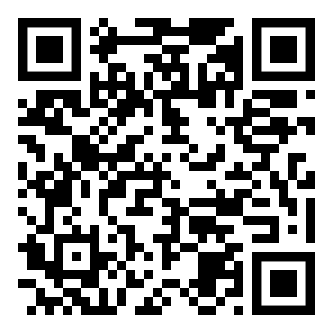 |
rememberLastUsedCamera — Boolean (Optional), default = true
If true the last camera used by the user and weather or not permission was granted would be remembered in the local storage. If the user has previously granted permissions — the request permission option in the UI will be skipped and the last selected camera would be launched automatically for scanning.
If true the library shall remember if the camera permissions were previously
granted and what camera was last used. If the permissions is already granted for
"camera", QR code scanning will automatically * start for previously used camera.
supportedScanTypes - Array<Html5QrcodeScanType> | []
This is only supported for
Html5QrcodeScanner.
Default = [Html5QrcodeScanType.SCAN_TYPE_CAMERA, Html5QrcodeScanType.SCAN_TYPE_FILE]
This field can be used to:
- Limit support to either of
CameraorFilebased scan. - Change default scan type.
How to use:
function onScanSuccess(decodedText, decodedResult) {
  // handle the scanned code as you like, for example:
  console.log(`Code matched = ${decodedText}`, decodedResult);
}

let config = {
  fps: 10,
  qrbox: {width: 100, height: 100},
  rememberLastUsedCamera: true,
  // Only support camera scan type.
  supportedScanTypes: [Html5QrcodeScanType.SCAN_TYPE_CAMERA]
};

let html5QrcodeScanner = new Html5QrcodeScanner(
  "reader", config, /* verbose= */ false);
html5QrcodeScanner.render(onScanSuccess);
For file based scan only choose:
supportedScanTypes: [Html5QrcodeScanType.SCAN_TYPE_FILE]
For supporting both as it is today, you can ignore this field or set as:
supportedScanTypes: [
  Html5QrcodeScanType.SCAN_TYPE_CAMERA,
  Html5QrcodeScanType.SCAN_TYPE_FILE]
To set the file based scan as defult change the order:
supportedScanTypes: [
  Html5QrcodeScanType.SCAN_TYPE_FILE,
  Html5QrcodeScanType.SCAN_TYPE_CAMERA]
showTorchButtonIfSupported - boolean | undefined
This is only supported for
Html5QrcodeScanner.
If true the rendered UI will have button to turn flash on or off based on device + browser support. The value is false by default.
Scanning only specific formats
By default, both camera stream and image files are scanned against all the
supported code formats. Both Html5QrcodeScanner and Html5Qrcode classes can
be configured to only support a subset of supported formats. Supported formats
are defined in
enum Html5QrcodeSupportedFormats.
enum Html5QrcodeSupportedFormats {
  QR_CODE = 0,
  AZTEC,
  CODABAR,
  CODE_39,
  CODE_93,
  CODE_128,
  DATA_MATRIX,
  MAXICODE,
  ITF,
  EAN_13,
  EAN_8,
  PDF_417,
  RSS_14,
  RSS_EXPANDED,
  UPC_A,
  UPC_E,
  UPC_EAN_EXTENSION,
}
I recommend using this only if you need to explicitly omit support for certain formats or want to reduce the number of scans done per second for performance reasons.
Scanning only QR code with Html5Qrcode
const html5QrCode = new Html5Qrcode(
  "reader", { formatsToSupport: [ Html5QrcodeSupportedFormats.QR_CODE ] });
const qrCodeSuccessCallback = (decodedText, decodedResult) => {
    /* handle success */
};
const config = { fps: 10, qrbox: { width: 250, height: 250 } };

// If you want to prefer front camera
html5QrCode.start({ facingMode: "user" }, config, qrCodeSuccessCallback);
Scanning only QR code and UPC codes with Html5QrcodeScanner
function onScanSuccess(decodedText, decodedResult) {
  // Handle the scanned code as you like, for example:
  console.log(`Code matched = ${decodedText}`, decodedResult);
}

const formatsToSupport = [
  Html5QrcodeSupportedFormats.QR_CODE,
  Html5QrcodeSupportedFormats.UPC_A,
  Html5QrcodeSupportedFormats.UPC_E,
  Html5QrcodeSupportedFormats.UPC_EAN_EXTENSION,
];
const html5QrcodeScanner = new Html5QrcodeScanner(
  "reader",
  {
    fps: 10,
    qrbox: { width: 250, height: 250 },
    formatsToSupport: formatsToSupport
  },
  /* verbose= */ false);
html5QrcodeScanner.render(onScanSuccess);
Experimental features
The library now supports some experimental features which are supported in the library but not recommended for production usage either due to limited testing done or limited compatibility for underlying APIs used. Read more about it here. Some experimental features include:
How to modify and build
-
Code changes should only be made to /src only.
-
Run
npm installto install all dependencies. -
Run
npm run-script buildto build JavaScript output. The output JavaScript distribution is built to /dist/html5-qrcode.min.js. If you are developing on Windows OS, runnpm run-script build-windows. -
Testing
- Run
npm test - Run the tests before sending a pull request, all tests should run.
- Please add tests for new behaviors sent in PR.
- Run
-
Send a pull request
- Include code changes only to
./src. Do not change./distmanually. - In the pull request add a comment like
@all-contributors please add @mebjas for this new feature or tests- For calling out your contributions, the bot will update the contributions file.
- Code will be built & published by the author in batches.
- Include code changes only to
How to contribute
You can contribute to the project in several ways:
- File issue ticket for any observed bug or compatibility issue with the project.
- File feature request for missing features.
- Take open bugs or feature request and work on it and send a Pull Request.
- Write unit tests for existing codebase (which is not covered by tests today). Help wanted on this - read more.
Support 💖
This project would not be possible without all of our fantastic contributors and sponsors. If you'd like to support the maintenance and upkeep of this project you can donate via GitHub Sponsors.
Sponsor the project for priortising feature requests / bugs relevant to you. (Depends on scope of ask and bandwidth of the contributors).



Help incentivise feature development, bug fixing by supporting the sponsorhip goals of this project. See list of sponsered feature requests here.
Also, huge thanks to following organizations for non monitery sponsorships


Credits
The decoder used for the QR code reading is from Zxing-js https://github.com/zxing-js/library